
1. Introduction
Thank you for choosing the ALITOVE WS2811 Dream Color RGB LED Strip Lights. This product offers vibrant, addressable lighting with a wide range of color modes and app control, suitable for various indoor and outdoor applications. Please read this manual carefully before installation and use to ensure proper operation and safety.
2. Package Contents
Verify that all components are present in the package:
- 1 x 5M/16.4ft WS2811 LED strip light
- 1 x 3-pin JST connector
- 1 x 12V 5A power supply adapter
- 1 x SP110E Bluetooth LED controller

Image: The ALITOVE WS2811 LED strip light unrolled, showing the input port and the three-wire connection (12V+, Data, GND) for power and signal input.
3. Safety Information
- Use only the provided 12V 5A power supply. Using an incorrect power supply may damage the product or pose a fire hazard.
- The LED strip is IP65 waterproof, meaning it is protected against water jets. It is suitable for outdoor use but must not be submerged in water.
- Do not bend the LED strip sharply or fold it, as this can damage the internal circuitry.
- Ensure the installation surface is clean, dry, and smooth for optimal adhesion.
- Keep the product out of reach of children.
- Ensure adequate ventilation around the power supply and controller during operation.
- Do not connect the LED strip directly to AC power.
4. Setup
Follow these steps for proper installation:
- Prepare the Surface: Clean the desired installation surface thoroughly. Ensure it is dry and free of dust or grease.
- Apply the LED Strip: Peel off the protective backing from the 3M VHB heavy-duty foam mounting tape on the back of the LED strip. Carefully press the strip onto the prepared surface, ensuring firm contact along its entire length.
- Connect the Strip: Connect the 3-pin JST connector from the LED strip to the corresponding port on the SP110E Bluetooth LED controller. Ensure the pins are aligned correctly.
- Connect the Power Supply: Connect the SP110E Bluetooth LED controller to the 12V 5A power supply adapter.
- Power On: Plug the 12V 5A power supply adapter into a standard electrical outlet. The LED strip should illuminate.
- Download the App: Scan the QR code provided in the controller's packaging or search for the designated app (e.g., 'LED Hue' or similar, refer to controller instructions) in your device's app store (iOS or Android).
- Pair with Bluetooth: Open the app, enable Bluetooth on your smartphone, and follow the in-app instructions to connect to the SP110E controller.

Image: Detailed view of the LED strip's components, highlighting the WS2811 driver IC, 5050 RGB LEDs, and the strong 3M VHB adhesive tape for mounting.
5. Operating Instructions
The ALITOVE WS2811 LED strip is controlled via a Bluetooth app on your smartphone.
5.1 App Control
- Once connected, the app allows you to select from 120 dynamic color modes, including flash, fading, chasing, breath, stacking, and wave effects.
- Adjust the color hue, brightness (from 1% to 100%), and speed of dynamic modes directly from your smartphone.
- Access a wide range of static colors, offering millions of options for personalized lighting.
- The app automatically saves your last settings when the power is turned off.

Image: A smartphone screen displaying the control app, showing options for 120 dynamic color modes and various adjustable settings.

Image: A living room scene with ALITOVE LED strip lights installed, demonstrating control via a smartphone app to change colors and modes.

Image: A visual representation of the LED strip's brightness adjustment capability, showing a gradient from dim to full brightness, controlled by the app.
5.2 Dream Color Effects
The WS2811 ICs allow for individual control of LED groups, enabling multiple colors to be displayed simultaneously on a single strip. This creates dynamic rainbow-like chasing and flowing effects, providing a unique visual experience.

Image: A collage of nine images showcasing the ALITOVE LED strip lights in various vibrant, multi-color dynamic patterns, illustrating the 'Dream Color' effect.
6. Maintenance
- Cleaning: The silicone coating makes the strip easy to clean. Use a soft, damp cloth to gently wipe the surface of the LED strip. Do not use harsh chemicals or abrasive cleaners.
- Connection Check: Periodically inspect all connections (JST, controller, power supply) to ensure they are secure and free from corrosion or damage.
- Storage: If storing the LED strip for an extended period, ensure it is clean, dry, and rolled loosely to prevent damage to the adhesive or internal wiring.
7. Troubleshooting
| Problem | Possible Cause | Solution |
|---|---|---|
| LED strip does not light up. | No power, loose connections, faulty power supply/controller. | Check if the power adapter is plugged in. Ensure all connectors (JST, power) are securely attached. Test the power supply with another compatible device if possible. |
| App cannot connect to the controller. | Bluetooth off, app permissions, controller not powered, interference. | Ensure Bluetooth is enabled on your smartphone. Grant necessary permissions to the app. Confirm the controller is powered on. Try restarting the app and your phone. |
| Colors are incorrect or flickering. | Loose data connection, damaged strip segment, app settings. | Check the JST data connection. Ensure the correct LED type (WS2811) is selected in the app settings if applicable. If a segment is damaged, it may need replacement. |
| Adhesive not holding. | Improper surface preparation, dusty/oily surface, extreme temperatures. | Ensure the surface is clean, dry, and smooth before application. For rough or porous surfaces, consider using additional mounting clips (not included). |
8. Specifications
| Feature | Specification |
|---|---|
| Model | WS2811 150LEDs ARGB LED Strip with 12V 5A PS and SP110E |
| LED Type | 5050 RGB LED with WS2811 IC |
| LED Quantity | 150 LEDs (50 ICs, 3 LEDs per IC) |
| Strip Length | 5 meters (16.4 feet) |
| Input Voltage | 12V DC |
| Power Supply | 12V 5A Corded Electric |
| Wattage | 60 watts |
| Waterproof Rating | IP65 (Outdoor use, not submersible) |
| Control Method | Bluetooth App Control (SP110E Controller) |
| Color Modes | 120 Dynamic Modes, Millions of Static Colors |
| Material | Metal, Silicone, Vinyl |
| First Available Date | September 14, 2020 |
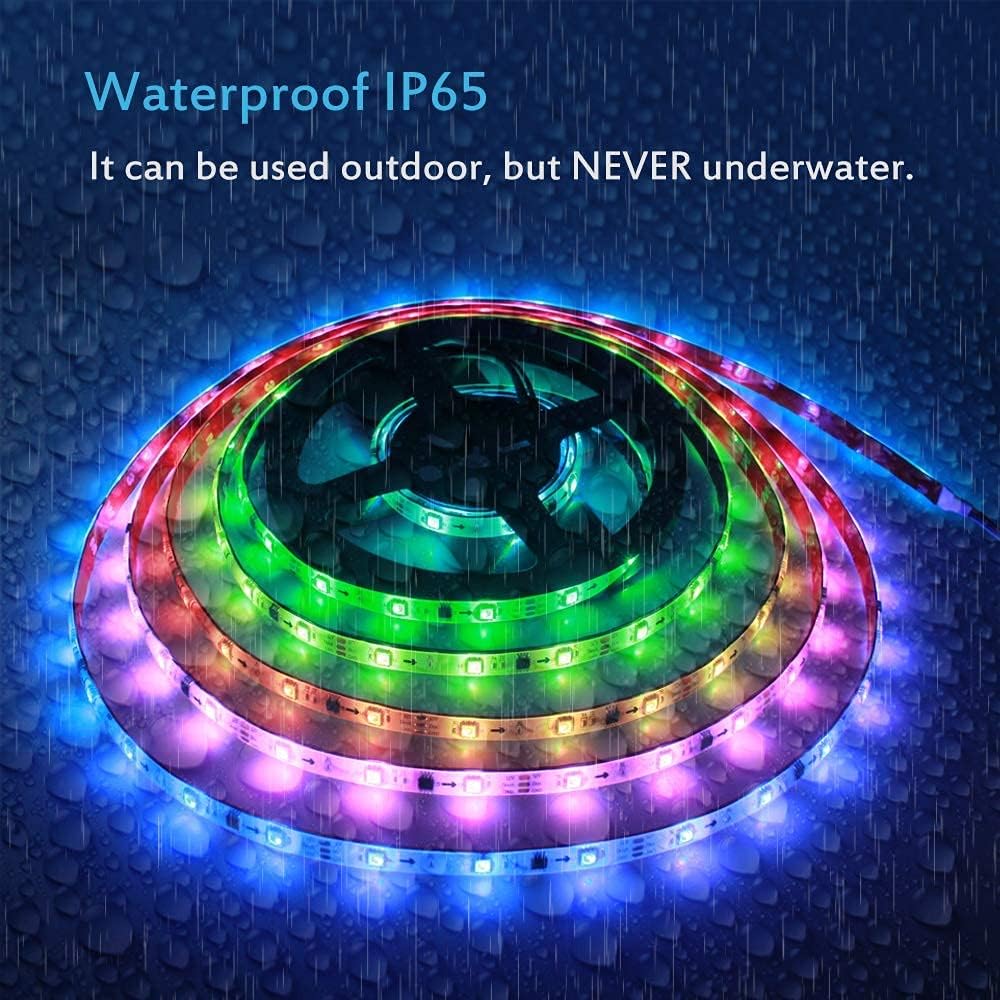
Image: The ALITOVE LED strip light, coiled, with water droplets on its surface, illustrating its IP65 waterproof rating for outdoor use (not underwater).
9. Warranty and Support
ALITOVE products are designed for reliability and performance. For warranty information or technical support, please refer to the contact details provided with your purchase or visit the official ALITOVE website. Please have your product model number (WS2811) and purchase date available when contacting support.
10. Application Examples
The versatile design of the ALITOVE WS2811 LED strip lights allows for various creative applications:
- Holiday Decoration: Create festive lighting for holidays and special occasions.
- Ambient Lighting: Enhance the atmosphere in living rooms, bedrooms, or home theaters.
- Building Decoration: Outline architectural features or add accent lighting to structures.
- Shop Window Displays: Attract attention with dynamic and colorful lighting.

Image: A collage demonstrating various uses of the ALITOVE LED strip lights, including holiday lighting on a house, ambient backlighting for a computer setup, and decorative lighting on building exteriors.
