
1. Introduction
Thank you for choosing the EXERPEUTIC Indoor Cycling Bike, Model 4208E. This manual provides essential information for the safe assembly, setup, operation, and maintenance of your new fitness equipment. Please read all instructions carefully before use to ensure your safety and the optimal performance of the bike. This bike is designed for indoor use and integrates with the MyCloudFitness application for enhanced workout tracking and programs.
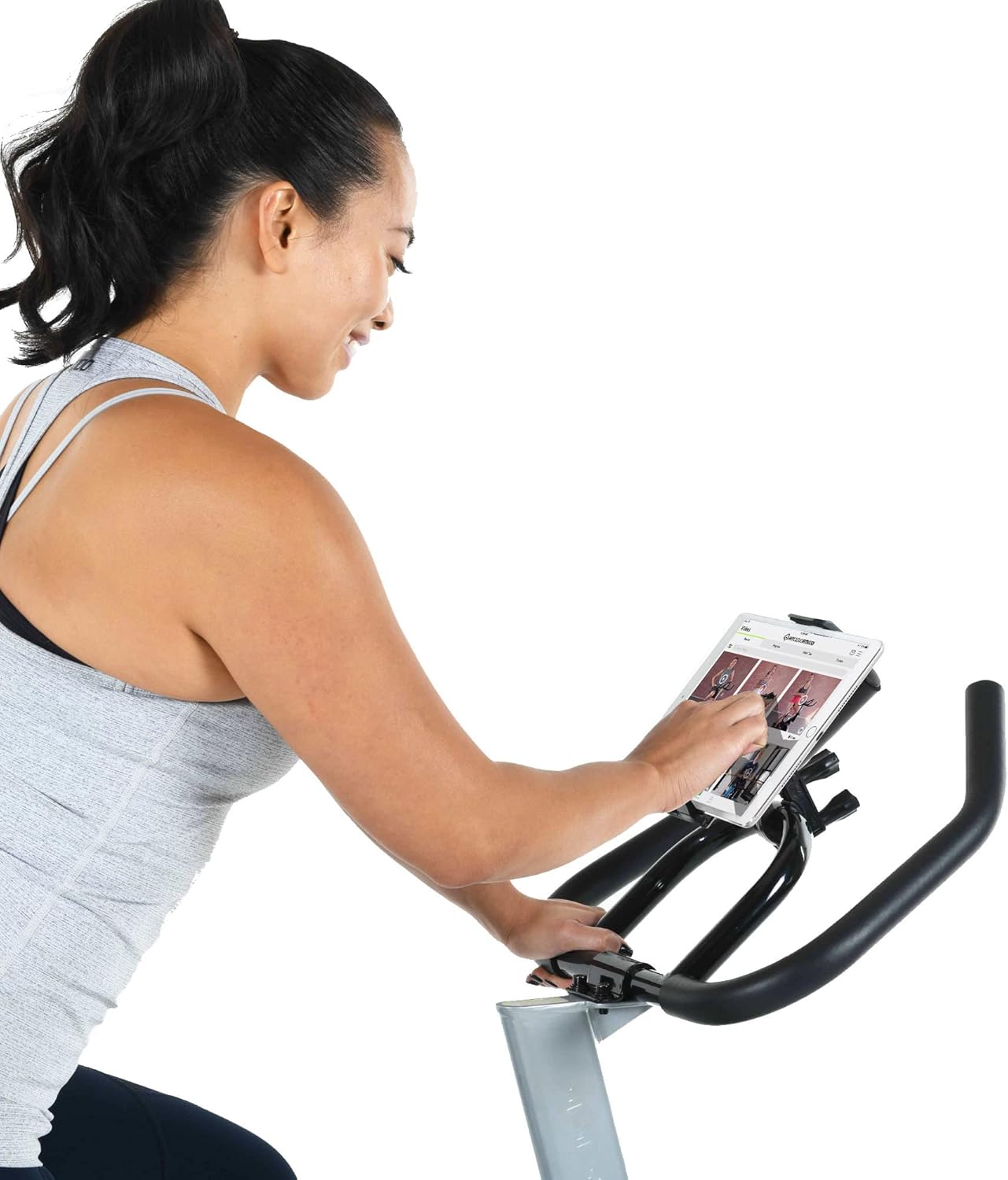
Figure 1: Overview of the EXERPEUTIC Indoor Cycling Bike, Model 4208E.
2. Safety Information
Your safety is paramount. Adhere to the following guidelines to prevent injury and ensure safe operation of the cycling bike:
- Read all instructions: Before assembling or operating the bike, read and understand the entire manual.
- User Weight and Height: The maximum user weight capacity is 100 kg (220 lbs). Recommended user height is between 1.52 m (5'0") and 1.87 m (6'2").
- Medical Check-up: Consult your physician before starting any exercise program.
- Proper Attire: Wear appropriate exercise clothing and athletic shoes. Avoid loose clothing that could get caught in moving parts.
- Clearance Area: Maintain a minimum clearance of 0.6 meters (2 feet) around the bike during use.
- Stable Surface: Place the bike on a solid, level surface. Do not use on uneven ground or thick carpet.
- Children and Pets: Keep children and pets away from the equipment during operation. This equipment is not a toy.
- Inspect Before Use: Before each use, check all bolts, nuts, and connections to ensure they are securely fastened.
- Emergency Stop: Familiarize yourself with the emergency stop function on the resistance knob.
- Proper Form: Always maintain proper posture and form during your workout. Stop immediately if you feel pain, dizziness, or shortness of breath.
3. Assembly Instructions
Assembly typically requires two people. Ensure all parts are present before beginning. Tools may be included or required (e.g., wrenches, Allen keys).
3.1. Attach Stabilizers
Attach the front and rear stabilizers to the main frame using the provided bolts and washers. The front stabilizer includes transport wheels.

Figure 2: Front stabilizer with integrated transport wheels.
3.2. Install Pedals
Identify the left (L) and right (R) pedals. The left pedal typically has a reverse thread. Thread the pedals into the crank arms by hand, then tighten securely with a wrench. Ensure the toe cages are properly oriented.
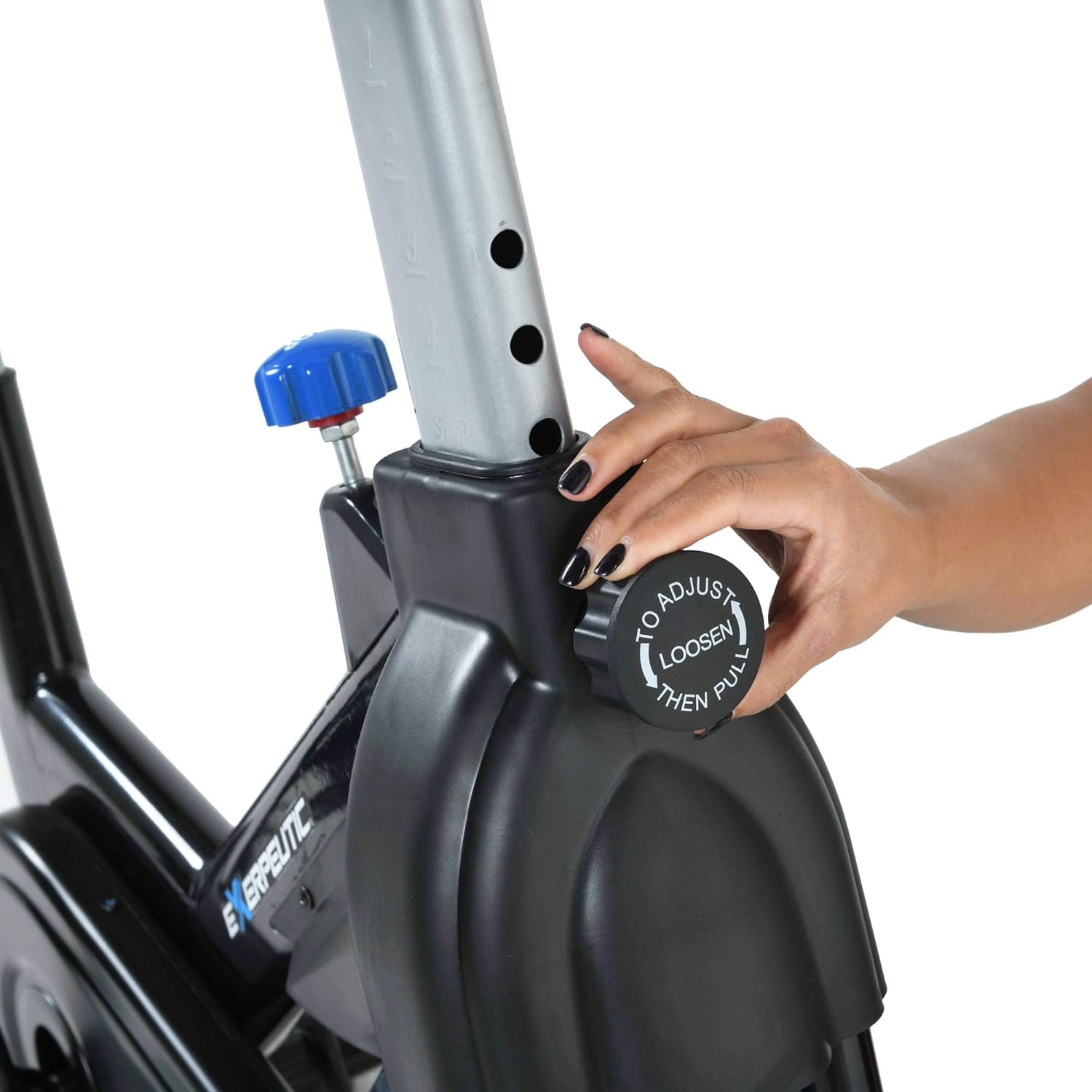
Figure 3: Aluminum alloy pedals with secure toe cages.
3.3. Attach Seat Post and Seat
Insert the seat post into the frame and secure it with the adjustment knob. Attach the padded seat to the seat post using the provided hardware.
3.4. Install Handlebar Post and Handlebars
Insert the handlebar post into the frame and secure it. Attach the multi-grip handlebars to the handlebar post, ensuring the tablet holder is correctly positioned.
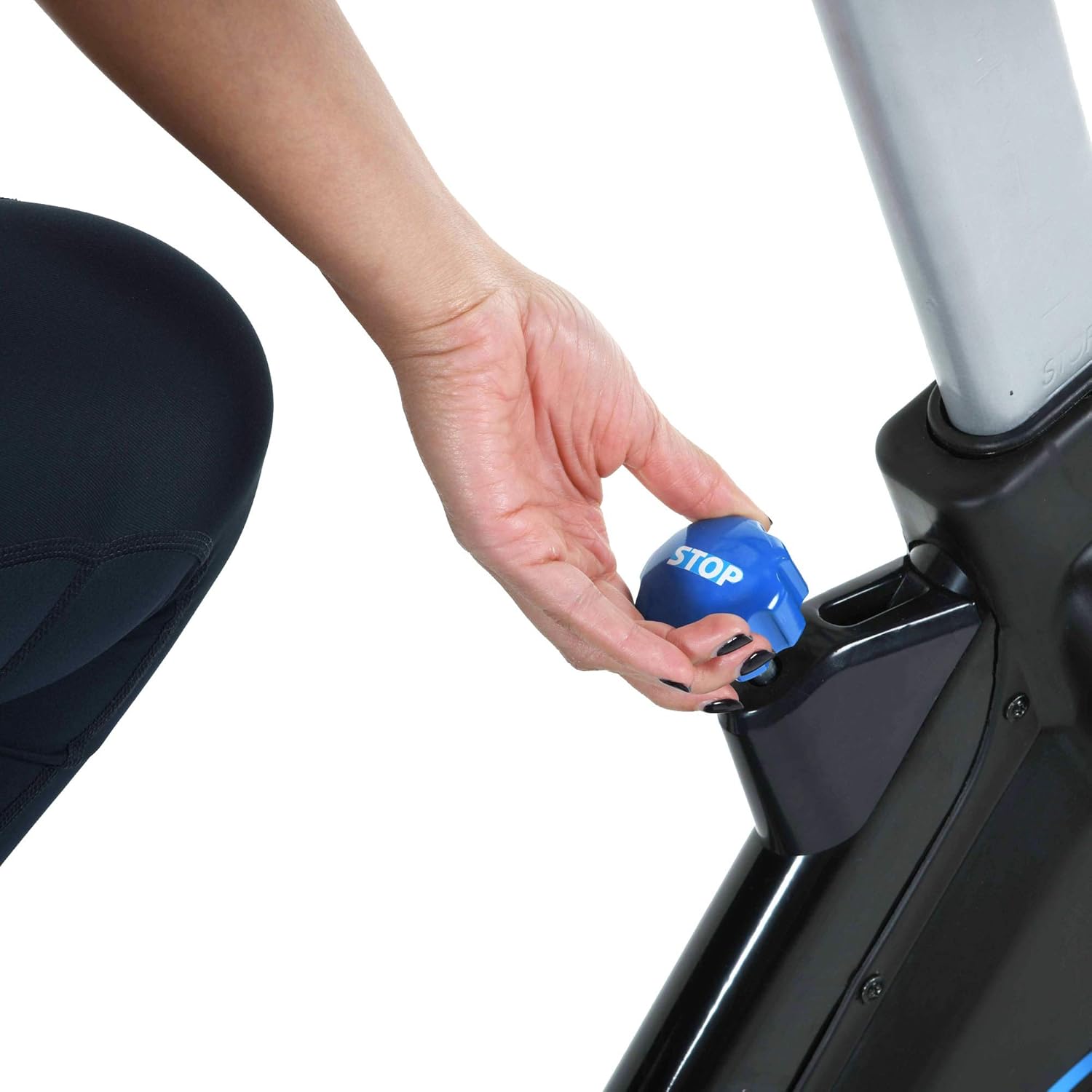
Figure 4: Multi-grip handlebars with integrated tablet/phone holder.
4. Setup and Adjustments
Proper adjustment of the seat and handlebars is crucial for comfort and effective workouts.
4.1. Adjusting the Seat
The ergonomic padded seat offers 4-way adjustment (up/down and front/back).
- Height Adjustment: Loosen the vertical adjustment knob on the seat post. Raise or lower the seat to a comfortable height where your leg has a slight bend at the knee when the pedal is at its lowest point. Tighten the knob securely.
- Horizontal Adjustment: Loosen the horizontal adjustment knob located beneath the seat. Slide the seat forward or backward to find a comfortable position relative to the handlebars. Tighten the knob securely.

Figure 5: Seat vertical adjustment knob.
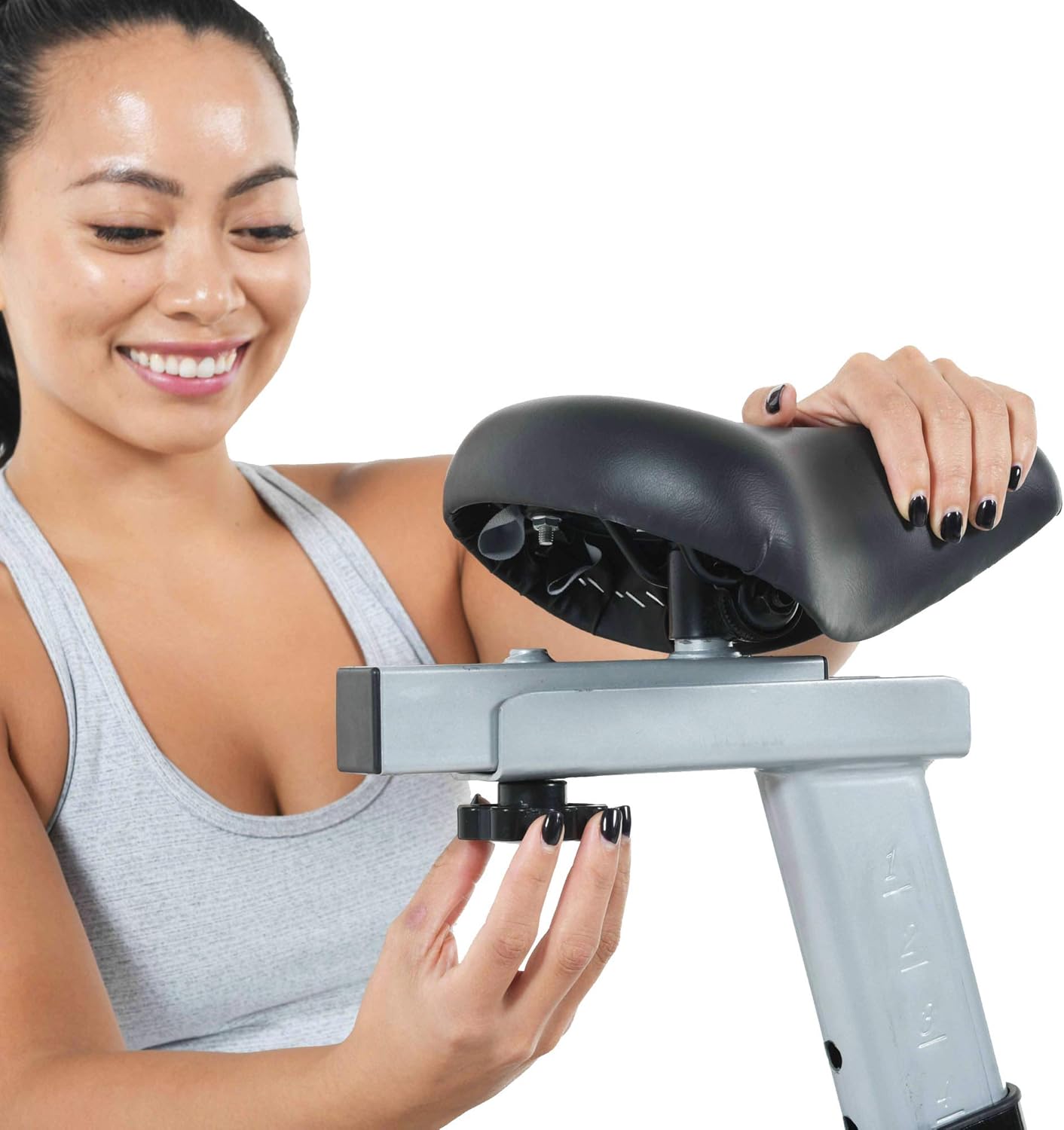
Figure 6: Seat horizontal adjustment mechanism.
4.2. Adjusting the Handlebars
The multi-grip handlebars can be adjusted vertically.
- Loosen the handlebar adjustment knob. Raise or lower the handlebars to a height that allows for a comfortable, slightly forward-leaning posture without straining your back or shoulders. Tighten the knob securely.

Figure 7: Handlebar height adjustment knob.
5. Operating Instructions
5.1. Starting Your Workout
- Ensure the bike is on a stable surface and all adjustments are secure.
- Step onto the bike, placing your feet into the toe cages and securing the straps.
- Begin pedaling at a comfortable pace.
5.2. Adjusting Resistance
The bike features friction resistance with an 8 kg cast iron flywheel for smooth pedaling.
- Increase Resistance: Turn the resistance knob clockwise to increase the pedaling difficulty.
- Decrease Resistance: Turn the resistance knob counter-clockwise to decrease the pedaling difficulty.
- Emergency Stop: In case of an emergency or to quickly stop the flywheel, press down firmly on the resistance knob.

Figure 8: Resistance adjustment knob with push-down emergency stop function.
5.3. Using the MyCloudFitness App
The EXERPEUTIC Indoor Cycling Bike is equipped with smart Bluetooth technology to connect with the free MyCloudFitness app (available on Android and iOS).
- Download the App: Search for "MyCloudFitness" in your device's app store and install it.
- Connect via Bluetooth: Enable Bluetooth on your device. Open the MyCloudFitness app and follow the on-screen instructions to pair with your EXERPEUTIC bike.
- Track Your Progress: The app records workout data including time, distance, speed, RPM, and calorie consumption.
- Set Goals: Utilize the app's 3 workout goal settings: time, distance, and calorie consumption.
- Tablet/Phone Holder: Place your device securely in the adjustable holder on the handlebars, which accommodates devices up to 20 cm (7.9 inches) wide.

Figure 9: Adjustable tablet/phone holder for your device.

Figure 10: User interacting with the MyCloudFitness app on a tablet while cycling.
6. Maintenance
Regular maintenance ensures the longevity and safe operation of your cycling bike.
- Cleaning: Wipe down the bike with a damp cloth after each use to remove sweat and dust. Avoid abrasive cleaners.
- Check Fasteners: Periodically inspect all nuts, bolts, and screws to ensure they are tight. Tighten any loose fasteners.
- Belt Drive Inspection: The belt drive system is generally low maintenance. Check for any signs of wear or damage.
- Lubrication: No regular lubrication is typically required for the belt drive or friction resistance system. Refer to specific instructions if any squeaking occurs.
- Storage: Store the bike in a dry, cool place away from direct sunlight and extreme temperatures. The integrated transport wheels allow for easy relocation.
Figure 11: The bike can be easily moved using its front transport wheels.
7. Troubleshooting
If you encounter issues with your EXERPEUTIC Indoor Cycling Bike, refer to the table below for common problems and solutions.
| Problem | Possible Cause | Solution |
|---|---|---|
| Bike feels unstable or wobbles | Loose fasteners; uneven floor; stabilizer end caps not adjusted. | Ensure all assembly bolts are tight. Place the bike on a level surface. Adjust the leveling end caps on the stabilizers. |
| Resistance is too loose or too tight | Resistance knob not adjusted correctly. | Turn the resistance knob clockwise to increase resistance, counter-clockwise to decrease. |
| Pedals are noisy or feel loose | Pedals not tightened securely; worn bearings. | Ensure pedals are fully tightened to the crank arms. If noise persists, contact customer support. |
| MyCloudFitness app not connecting | Bluetooth off; app not updated; device compatibility issue. | Ensure Bluetooth is enabled on your device. Update the app to the latest version. Check app compatibility with your device's OS. Restart both device and bike. |
8. Product Specifications
Key specifications for the EXERPEUTIC Indoor Cycling Bike, Model 4208E:
| Feature | Detail |
|---|---|
| Model Name/Number | 4208E |
| Brand | EXERPEUTIC |
| Color | Black/Blue |
| Drive System | Belt Drive |
| Resistance Mechanism | Friction |
| Main Material | Cast Iron |
| Product Dimensions (L x W x H) | 116.84 x 48.26 x 119.38 cm (46 x 19 x 47 inches) |
| Item Weight | 8 Kilograms (17.6 lbs) |
| Maximum Weight Capacity | 100 Kilograms (220 lbs) |
| Maximum Recommended User Height | 1.87 Meters (6'2") |
| Power Type | Battery Powered (for console/Bluetooth) |
| Batteries Included | Yes |
| Special Features | Speedometer, Adjustable Seat, Adjustable Handlebars, Tablet Holder |
| Recommended Uses | Indoor |
9. Warranty and Support
For warranty information, technical support, or to order replacement parts, please refer to the documentation included with your purchase or visit the official EXERPEUTIC website. Keep your purchase receipt as proof of purchase for any warranty claims.