Important Safety Instructions
WARNING: Read all safety warnings and instructions. Failure to follow the warnings and instructions may result in electric shock, fire, and/or serious injury.
- Always wear eye protection when operating the blower.
- Do not operate the blower in wet conditions or rain.
- Keep children and bystanders away while operating the blower.
- Do not point the blower nozzle at people or animals.
- Ensure the blower tube is securely attached before operation.
- Use only WORX PowerShare 20V batteries and chargers with this tool.
- Remove the battery pack before making any adjustments, changing accessories, or storing the tool.
- Store the blower indoors in a dry, secure place out of reach of children.
Product Overview
The WORX WX094.9 is a lightweight and compact 20V Max cordless blower designed for various light-duty cleaning tasks. It features a powerful air speed and a 3-speed variable control system for versatile use.
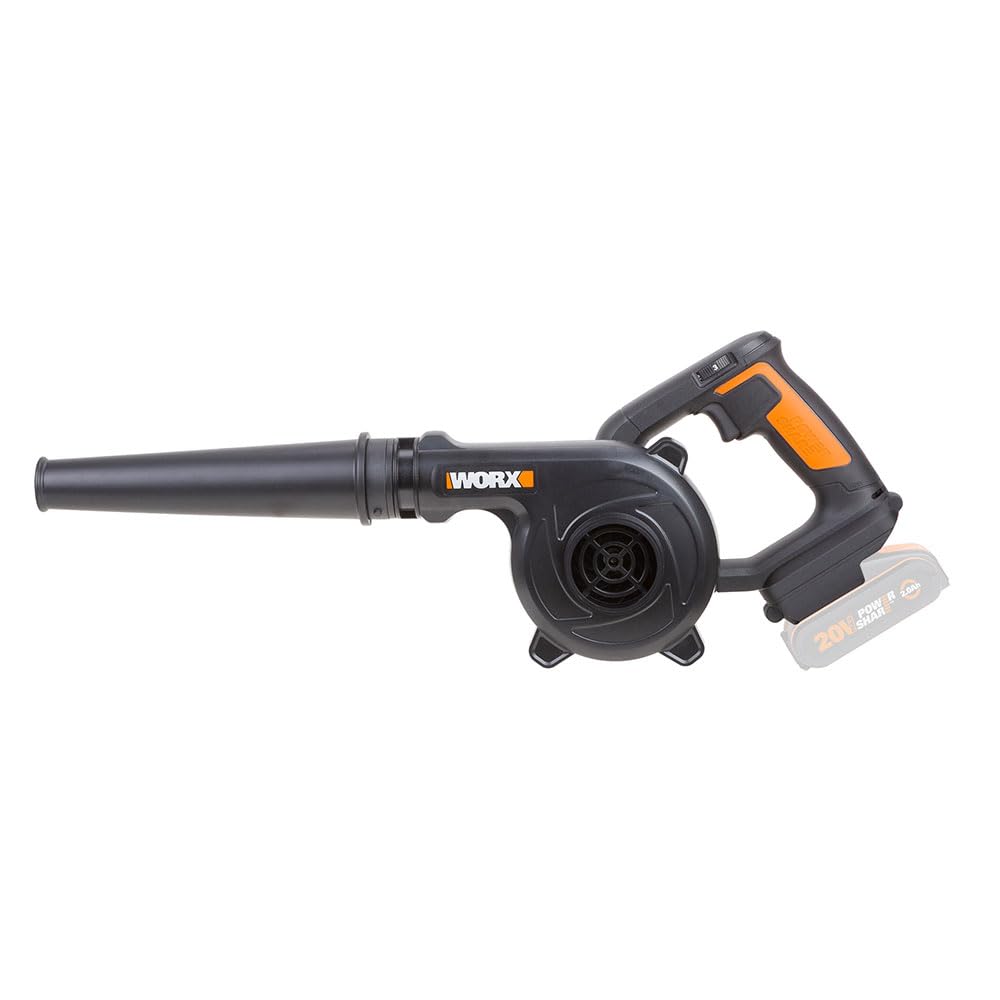
Figure 1: WORX WX094.9 20V Max Lightweight Blower with a compatible 20V PowerShare battery installed. This image shows the overall design of the blower, including the handle, motor housing, and blower tube.
Components:
- Blower Unit (Motor Housing and Handle)
- Blower Tube
- Variable Speed Switch
- Battery Release Button (Battery not included)
- Battery Port (Battery not included)
Setup
1. Attaching the Blower Tube
- Align the blower tube with the outlet on the main blower unit.
- Push the tube firmly onto the outlet until it clicks into place, ensuring it is securely fastened.
2. Installing the Battery Pack (Battery and Charger Not Included)
This blower is part of the WORX PowerShare platform and requires a compatible 20V Max WORX PowerShare battery and charger, which are sold separately.
- Ensure the battery pack is fully charged before use.
- Slide the charged battery pack into the battery port on the blower until it locks securely into place. You should hear a click.
- To remove the battery, press the battery release button and slide the battery pack out.
Operating Instructions
1. Starting and Stopping the Blower
- To start the blower, slide the variable speed switch to the desired speed setting (1, 2, or 3).
- To stop the blower, slide the variable speed switch to the "0" (off) position.
2. Variable Speed Control
The blower features a 3-speed system to match the power output to the task:
- Speed 1: Low power, ideal for delicate tasks or extending battery life.
- Speed 2: Medium power, suitable for general cleaning.
- Speed 3: High power (up to 260 km/h), for stubborn debris or larger areas.

Figure 2: The WORX WX094.9 blower in action, effectively clearing sawdust and debris from a workbench surface. This demonstrates its utility for workshop cleanups.
3. Recommended Applications
- Clearing sawdust and debris from workshops and workbenches.
- Blowing leaves and light debris from patios, porches, and driveways.
- Cleaning grass clippings from lawnmowers and other garden tools.
- Drying surfaces or blowing water from vehicles (use caution).

Figure 3: A user demonstrating the WORX WX094.9 blower's ability to clear grass clippings from a lawnmower, highlighting its versatility for garden tool maintenance.
Maintenance
Regular maintenance ensures optimal performance and extends the life of your blower.
1. Cleaning the Blower
- Always remove the battery pack before cleaning.
- Wipe the exterior of the blower with a damp cloth. Do not use strong detergents or solvents.
- Clear any debris from the air intake vents and the blower tube.
- Do not immerse the blower in water.
2. Battery Care (for compatible PowerShare batteries)
- Store batteries in a cool, dry place away from direct sunlight and extreme temperatures.
- Do not store batteries in a discharged state for extended periods.
- Refer to your WORX PowerShare battery and charger manual for specific care instructions.
3. Storage
- Remove the battery pack before storing the blower.
- Store the blower in a dry, well-ventilated area, protected from moisture and dust.
- Keep out of reach of children and unauthorized persons.
Troubleshooting
| Problem | Possible Cause | Solution |
|---|---|---|
| Blower does not start. | Battery not installed correctly. Battery discharged. Faulty battery. | Ensure battery is fully inserted and locked. Charge battery. Try a different charged battery. |
| Low air output. | Air intake or blower tube obstructed. Battery low. | Clear any obstructions from intake vents and tube. Charge battery. |
| Blower stops during operation. | Battery overheated or discharged. Overload protection activated. | Allow battery to cool down and recharge. Reduce load on the blower. |
If you encounter issues not listed here or if solutions do not resolve the problem, contact WORX customer support.
Specifications
| Model Number | WX094.9 |
| Brand | WORX |
| Power Source | Battery Powered (20V Max PowerShare) |
| Voltage | 20 Volts |
| Air Speed | Up to 260 km/h |
| Air Volume | 1.6 / 2.2 / 2.8 m³/min (variable) |
| Item Weight | 1.5 kg (3.3 lbs) |
| Product Dimensions (L x W x H) | 5.91" x 3.15" x 8.27" |
| Included Components | (1) Blower Tube |
Warranty Information
WORX products are manufactured to high-quality standards and are guaranteed against manufacturing defects. For specific warranty terms and conditions, please refer to the warranty card included with your product or visit the official WORX website. Keep your purchase receipt as proof of purchase for warranty claims.
Customer Support
For technical assistance, spare parts, or warranty inquiries, please contact WORX customer support:
- Website: www.worx.com
- Refer to the product packaging or the WORX website for regional contact information (phone numbers, email).
When contacting support, please have your model number (WX094.9) and purchase date available.


