1. Introduction
This manual provides essential information for the safe and effective use of your PERUN Power G 2.0 Ah 20V Lithium-ion battery. This battery is designed for use with compatible YARD Force and PowerG 20V power tools. Please read these instructions carefully before first use and retain them for future reference.

Figure 1: An overhead view of the PERUN Power G 20V 2.0 Ah Lithium-ion battery and its compatible charging unit, both in black.
2. Safety Information
Always observe the following safety precautions to prevent injury or damage to the battery and tools.
- Charging: Use only the specified PERUN charger for this battery. Charging with an incompatible charger may cause fire, injury, or damage.
- Storage: Store the battery in a cool, dry place, away from direct sunlight, heat sources, and moisture. Do not store in temperatures exceeding 40°C (104°F) or below -10°C (14°F).
- Handling: Do not short-circuit the battery terminals. Avoid dropping or subjecting the battery to strong impacts. Do not open, disassemble, or modify the battery.
- Disposal: Dispose of batteries responsibly according to local regulations. Do not dispose of batteries in household waste or fire.
- Overload Protection: The battery features integrated protection against overcurrent, overcharge, and deep discharge to enhance safety and prolong battery life.
3. Product Overview
The PERUN Power G 2.0 Ah 20V battery is a robust power source for your cordless tools. It features a compact design and an intuitive LED charge indicator.
3.1. Battery Components
- Battery Pack: The main power unit.
- LED Charge Indicator: Three LED lights to display the current charge level.
- Charge Indicator Button: Activates the LED charge indicator.
- Connection Terminals: For connecting to tools and the charger.

Figure 2: A close-up view of the PERUN Power G 20V 2.0 Ah battery, highlighting its three-level LED charge indicator and power button.
4. Setup and Charging
Before first use, ensure the battery is fully charged.
4.1. Initial Charge
- Connect the charger to a suitable power outlet.
- Slide the battery onto the charger until it clicks into place.
- The charger's indicator lights will show the charging status. Typically, a red light indicates charging, and a green light indicates a full charge. Refer to your specific charger's manual for detailed light patterns.
- Once fully charged, remove the battery from the charger.
The battery features fast charge technology and does not develop a memory effect, allowing you to charge it at any state of discharge without impacting its overall lifespan.

Figure 3: A detailed image of the PERUN Power G 20V battery charging unit, showing the connection terminals and indicator lights.
4.2. Checking Battery Charge Level
Press the button next to the LED indicators on the battery. The number of illuminated LEDs indicates the remaining charge:
- 3 LEDs: Full charge
- 2 LEDs: Medium charge
- 1 LED: Low charge, recharge soon
5. Operating Instructions
The PERUN Power G 2.0 Ah 20V battery is compatible with all G-Power 20V power tools, including those from YARD Force and PowerG.
5.1. Attaching the Battery to a Tool
- Ensure the tool is switched off.
- Align the battery with the battery slot on the tool.
- Slide the battery firmly into the slot until it clicks into place, indicating a secure connection.
5.2. Removing the Battery from a Tool
- Ensure the tool is switched off.
- Press the battery release button (if present on the tool or battery).
- Slide the battery out of the tool.
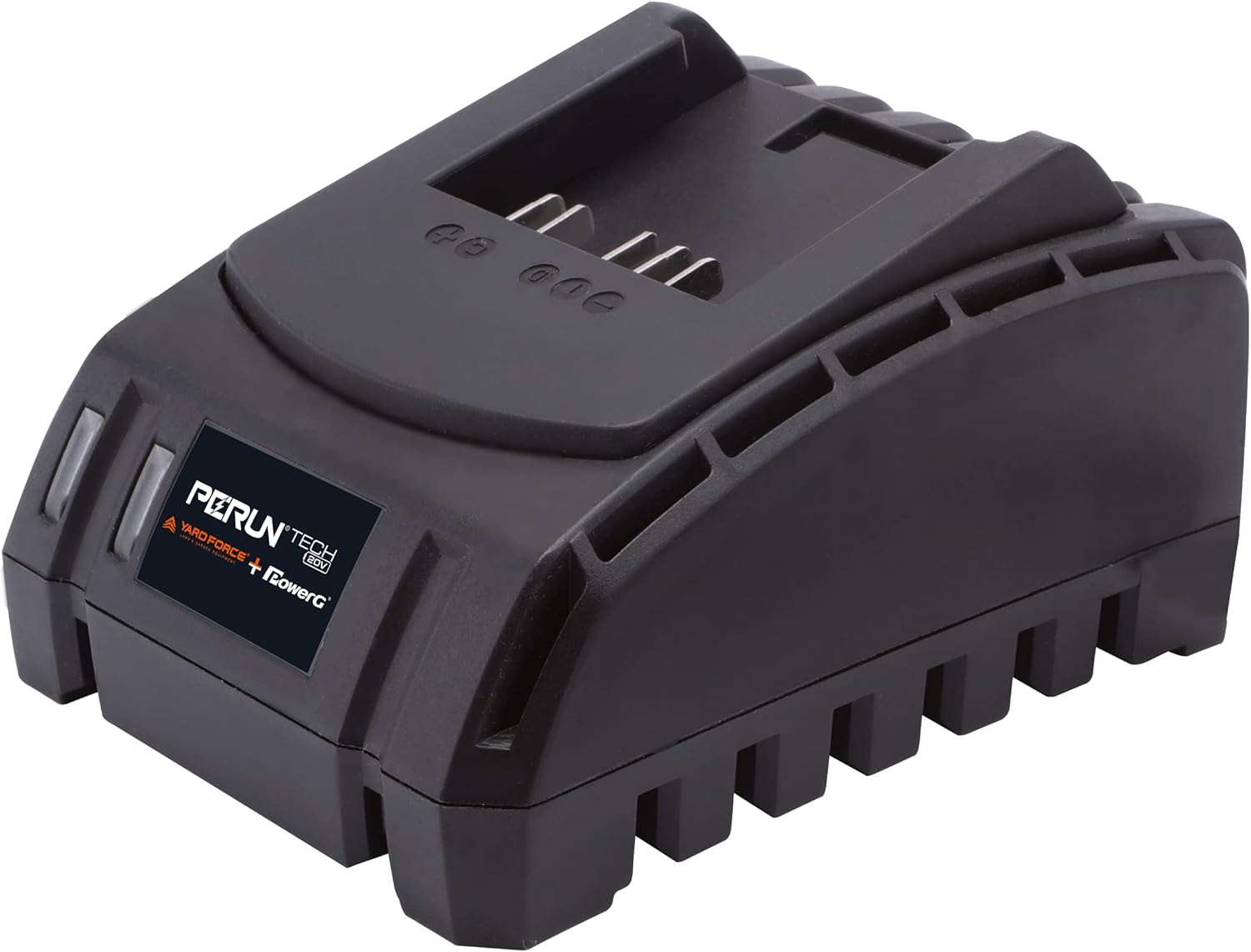
Figure 4: An illustrative diagram showing the PERUN Power G 20V battery at the center, surrounded by various compatible power tools such as drills, saws, and garden equipment.

Figure 5: A comprehensive image displaying the PERUN Power G 20V battery system, featuring the battery and a wide range of compatible YARD Force and PowerG tools, including lawnmowers, trimmers, and blowers.
6. Maintenance and Storage
Proper maintenance and storage will extend the life of your battery.
- Cleaning: Keep the battery and its terminals clean and free from dust and debris. Use a dry cloth to wipe surfaces.
- Storage: For long-term storage, charge the battery to approximately 50-60% capacity. Store in a cool, dry place, away from extreme temperatures. Avoid storing fully charged or completely discharged for extended periods.
- Temperature: Do not expose the battery to temperatures below -10°C (14°F) or above 40°C (104°F) during operation or storage.
7. Troubleshooting
If you encounter issues with your PERUN Power G battery, refer to the following common problems and solutions:
| Problem | Possible Cause | Solution |
|---|---|---|
| Battery not charging | Charger not plugged in; faulty charger; battery not properly seated; damaged battery. | Check power connection; ensure battery is fully inserted; try a different outlet; inspect charger and battery for damage. |
| Battery discharges quickly | Battery nearing end of life; extreme operating temperatures; heavy tool usage. | Consider replacing the battery; operate within recommended temperature ranges; ensure tool is not overloaded. |
| LED indicators or charger lights do not match manual | Variations in product revisions or specific charger models. | While the general function remains, slight variations in indicator behavior may occur. If the battery charges and operates normally, this is typically not a fault. Consult PERUN support if concerned. |
| Battery not powering tool | Battery not charged; battery not properly attached; faulty tool. | Check battery charge level; ensure battery is securely attached; test battery with another compatible tool if possible. |
8. Specifications
| Feature | Specification |
|---|---|
| Brand | PERUN |
| Model Number | AL C20BN |
| Battery Type | Lithium-ion |
| Voltage | 20 Volts |
| Capacity | 2.0 Ah |
| Current Rating | 2 A |
| Color | Black |
| Compatibility | All G-Power 20V power tools (YARD Force & PowerG) |
9. Warranty and Support
For warranty information or technical support, please refer to the documentation included with your purchase or contact PERUN customer service directly. Keep your proof of purchase for any warranty claims.


