
1. Introduction
This manual provides detailed instructions for the OMAIC Universal Replacement Remote Control, designed for use with various Bose Soundbar Touch Wave Music Radio Systems. Please read this manual thoroughly before using the remote control to ensure proper operation and to maximize your user experience.

Image 1.1: Front and back view of the OMAIC Universal Replacement Remote Control.
2. Compatibility
This remote control is a universal replacement specifically designed for the following Bose Soundbar Touch Wave Music Radio Systems:
- Bose Wave Music System - 1st Generation
- Bose Wave Music System - 2nd Generation
- Bose Wave Music System - 3rd Generation
- Bose Wave Music System - 4th Generation
Important Note: This remote control is NOT compatible with Acoustic Wave Music Systems.

Image 2.1: Visual representation of compatible Bose Music Systems (I, II, III, IV, V) with the OMAIC remote control.
3. Key Features
- Universal Compatibility: Works with specified Bose Wave Music Systems (1st-4th Gen).
- No Programming Required: Ready to use directly after battery installation.
- Ergonomic Design: Lightweight and comfortable to hold.
- Durable Material: Constructed from ABS plastic for longevity.
- Extended Range: Operates effectively up to 10 meters from the Bose device.

Image 3.1: Detailed layout of the remote control buttons with their functions labeled.

Image 3.2: Features such as no setup requirement and durable ABS material are highlighted.
4. Setup: Battery Installation
The remote control requires one CR2032 battery (not included). Follow these steps to install the battery:
- Remove the Battery Cover: Gently slide the battery cover located on the back of the remote control downwards to open the compartment.
- Insert the Battery: Place one CR2032 battery into the compartment with the positive (+) side facing upwards, ensuring it is securely seated.
- Close the Battery Cover: Slide the battery cover back into place until it clicks, securing the battery.

Image 4.1: Illustration of removing the battery cover.
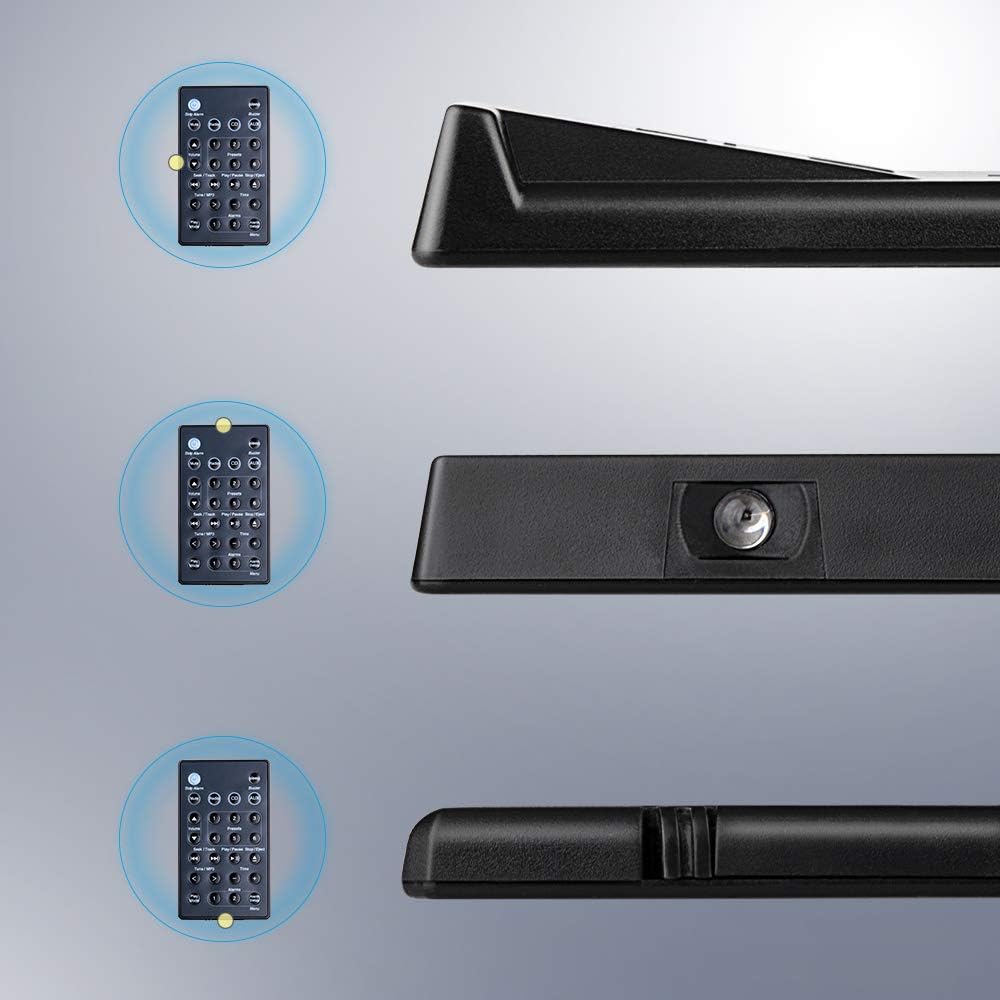
Image 4.2: Illustration of inserting the CR2032 battery.

Image 4.3: Illustration of closing the battery cover.
Once the battery is installed, the remote control is ready for immediate use with your compatible Bose system.
5. Operating Instructions
The OMAIC replacement remote control provides full functionality for your Bose Soundbar Touch Wave Music Radio System. Refer to Image 3.1 for button identification.
- Power On/Off: Press the Power button (usually indicated by a circle with a vertical line) to turn the system on or off.
- Mute: Press the Mute button to temporarily silence the audio. Press again to restore sound.
- Volume Control: Use the Volume Up (▲) and Volume Down (▼) buttons to adjust the audio level.
- Source Selection:
- Press Radio to switch to radio mode.
- Press CD to switch to CD player mode.
- Press AUX to select the auxiliary input.
- Presets (1-6): In radio mode, use buttons 1 through 6 to select stored radio presets.
- Seek/Track:
- In radio mode, use Seek/Track buttons (⏮ / ⏭) to scan for radio stations.
- In CD mode, use Seek/Track buttons to skip to the previous or next track.
- Play/Pause/Stop/Eject: These buttons control CD playback.
- Play/Pause (⏸ / ⏸⏸): Starts or pauses CD playback.
- Stop/Eject (⏹ / ⏏): Stops CD playback or ejects the CD.
- Tune/MP3: Use the Tune/MP3 buttons (< / >) for fine-tuning radio frequencies or navigating MP3 tracks.
- Time: Press the Time button to display or adjust the system clock. Use + and - buttons to set the time.
- Alarms:
- Alarms 1 and 2: Select or activate alarm presets.
- Alarm Setup/Menu: Access alarm settings or the system menu.
- Stop Alarm: Silences an active alarm.
- Sleep Timer: Press the Sleep button to activate the sleep timer function.
- Buzzer: Press the Buzzer button for specific system functions related to alerts or tones.
- Play Mode: Press the Play Mode button to cycle through different playback modes (e.g., repeat, shuffle).

Image 5.1: The OMAIC remote control being used with a Bose Wave Music System.
6. Maintenance and Care
- Cleaning: Wipe the remote control with a soft, dry cloth. Do not use abrasive cleaners or solvents.
- Battery Replacement: Replace the CR2032 battery when the remote's range decreases or it stops responding. Ensure correct polarity during installation.
- Storage: Store the remote in a cool, dry place away from direct sunlight and extreme temperatures.
- Avoid Drops: While durable, avoid dropping the remote control to prevent internal damage.
7. Troubleshooting
| Problem | Possible Cause | Solution |
|---|---|---|
| Remote not responding. | Dead or incorrectly installed battery. | Replace the CR2032 battery, ensuring correct polarity. |
| Reduced operating range. | Weak battery or obstruction between remote and system. | Replace the battery. Ensure a clear line of sight to the Bose system. |
| Remote works intermittently. | Weak battery or infrared sensor obstruction. | Replace the battery. Clean the remote's infrared emitter and the system's receiver. |
| Remote does not control specific functions. | Incompatibility with specific Bose system model. | Verify your Bose system model against the compatibility list in Section 2. This remote is not compatible with Acoustic Wave Music Systems. |
8. Specifications
- Model: BOSE-YQHFBA
- Brand: OMAIC
- Product Dimensions: 4.18 x 2.18 x 0.48 inches (10.62 x 5.54 x 1.22 cm)
- Item Weight: 0.634 ounces (18 grams)
- Battery Requirement: 1 x CR2032 (not included)
- Material: ABS Plastic
- Special Features: Ergonomic, Lightweight, No Programming Required, Universal
- Color: Black
- Compatible Devices: Bose Soundbar Touch Wave Music Radio System (1st, 2nd, 3rd, 4th Generation)
Image 8.1: Dimensions of the OMAIC Universal Replacement Remote Control, showing length, width, and thickness measurements.
9. Warranty and Support
For any questions or concerns regarding your OMAIC Universal Replacement Remote Control, please contact the manufacturer's customer support. Refer to your purchase documentation for specific warranty details and contact information.
The manufacturer strives for 100% customer satisfaction and aims to respond to inquiries within 2 hours during the work week.
