
Speck 137609-9240
Speck CandyShell Pro Grip Case User Manual
Model: 137609-9240 for iPhone 12 Pro Max
Introduction
The Speck CandyShell Pro Grip case is designed to provide robust protection and enhanced usability for your iPhone 12 Pro Max. Featuring a slim dual-layer construction, raised rubber edges for superior grip, and Microban antimicrobial protection, this case ensures your device remains safe and clean. It has been rigorously tested for drop protection up to 8 feet and includes a raised bezel to safeguard your screen.

Image: Angled view of the Speck CandyShell Pro Grip case in Raspberry Kiss Red/Slate Grey, highlighting its textured grip lines and camera cutout.
Product Compatibility
This case is specifically designed for the iPhone 12 Pro Max. Ensure your phone model matches to guarantee a proper fit and optimal protection.

Image: A visual guide illustrating the different iPhone 12 models (mini, 12, Pro, Pro Max) and their display sizes, confirming compatibility with the iPhone 12 Pro Max (6.7" Display).
How to Identify Your iPhone Model
- Open the "Settings" app on your iPhone.
- Tap on "General".
- Tap on "About".
- Locate "Model Name" to confirm your device is an iPhone 12 Pro Max.

Image: A four-panel visual guide demonstrating how to navigate iPhone settings to find the "Model Name" under "About" to identify the specific iPhone model.
Setup and Installation
Installing your Speck CandyShell Pro Grip case is a straightforward process designed for a secure fit.
- Preparation: Ensure your iPhone 12 Pro Max is clean and free of dust or debris.
- Insert Top First: Gently slide the top edge of your iPhone into the top of the case, aligning the camera cutout.
- Snap into Place: Apply gentle pressure to the bottom corners of your iPhone until it snaps securely into the case. Ensure all edges of the phone are fully seated within the case's perimeter.
- Check Fit: Verify that all buttons (power, volume) are accessible and functional, and that the charging port and speakers are unobstructed.

Image: The Speck CandyShell Pro Grip case with an iPhone 12 Pro Max securely installed, demonstrating the precise fit around the device.
Operating and Features
The CandyShell Pro Grip case enhances your iPhone's functionality and protection.
- Enhanced Grip: The raised rubber ridges on the back and sides of the case provide a secure, non-slip grip, reducing the likelihood of accidental drops.
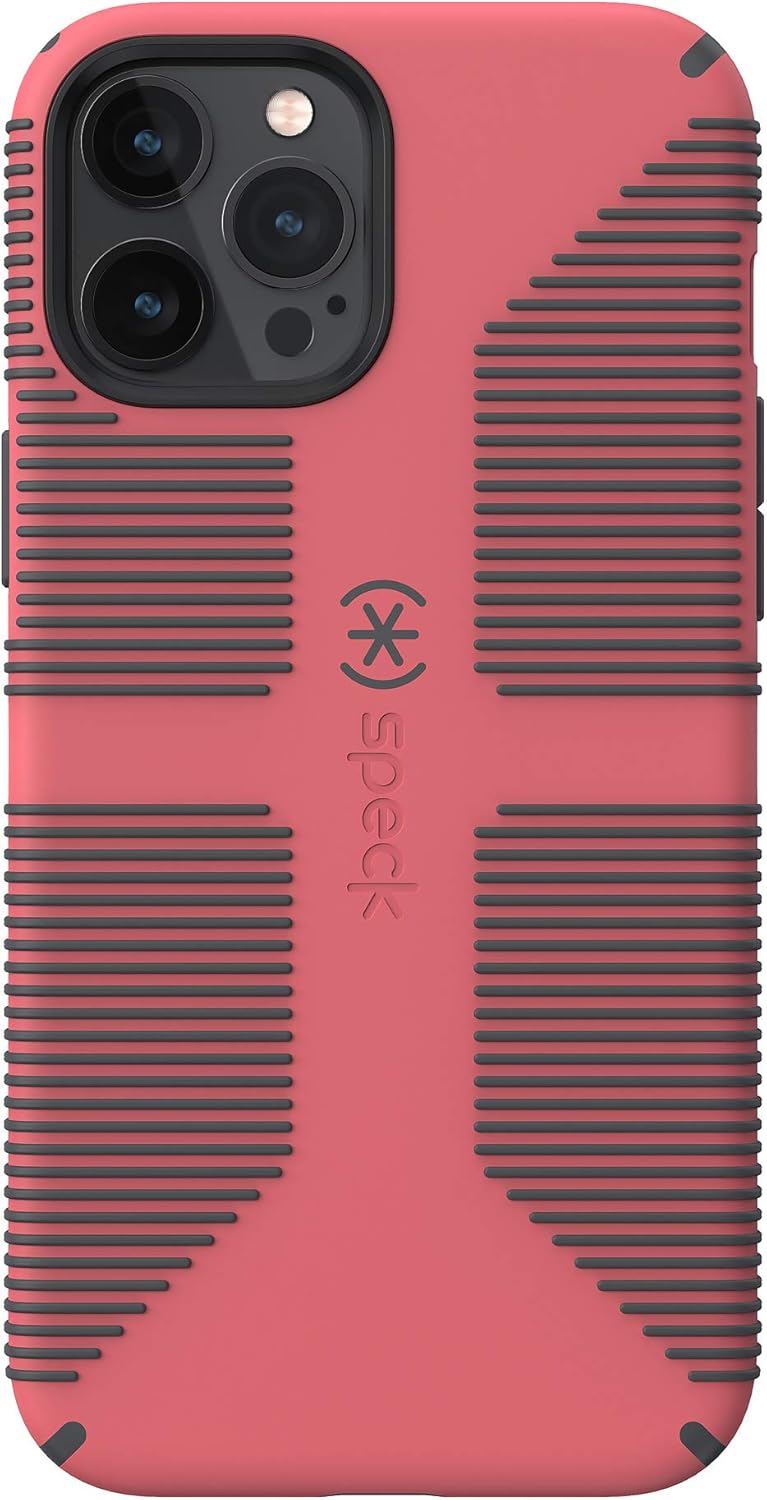
Image: Rear view of the case, highlighting the prominent horizontal rubber grip lines designed for improved handling.
- 8-Foot Drop Protection: The dual-layer design absorbs and disperses shock upon impact, protecting your device from drops up to 8 feet.

Image: An illustration demonstrating the case's ability to absorb and disperse impact forces during a drop, protecting the phone.
- Screen Protection: A raised bezel around the screen helps prevent direct contact with surfaces when placed face-down, reducing the risk of scratches and shattering.
- Microban Antimicrobial Protection: Integrated Microban technology reduces 99% of bacteria growth on the case surface, keeping your case cleaner.
- Wireless Charging Compatible: The case is designed to allow for seamless wireless charging without needing to remove your iPhone.
- Responsive Buttons: The case features precise button covers that maintain the tactile feel and responsiveness of your iPhone's power and volume buttons.

Image: Side view of the case, illustrating the precise cutouts and covers for the volume buttons and mute switch.
Maintenance and Care
To ensure the longevity and effectiveness of your Speck CandyShell Pro Grip case, follow these simple care instructions:
- Cleaning: Wipe the case regularly with a soft, damp cloth. For tougher stains, a mild soap solution can be used. Avoid harsh chemicals or abrasive cleaners, as these can damage the case's finish and antimicrobial properties.
- Dust Removal: Periodically remove your iPhone from the case and gently wipe both the phone and the inside of the case to remove any accumulated dust or debris. This prevents potential scratches from trapped particles.
- Avoid Extreme Conditions: Do not expose the case to extreme temperatures or direct sunlight for prolonged periods, as this may cause material degradation or discoloration.
Troubleshooting
If you encounter any issues with your Speck CandyShell Pro Grip case, consider the following common solutions:
| Issue | Possible Cause / Solution |
|---|---|
| Case does not fit iPhone |
|
| Buttons are stiff or unresponsive |
|
| Wireless charging not working |
|
| Case appears dirty or discolored |
|
Specifications
| Feature | Detail |
|---|---|
| Product Name | CandyShell Pro Grip Case |
| Model Number | 137609-9240 |
| Compatible Device | iPhone 12 Pro Max |
| Color | Raspberry Kiss Red/Slate Grey |
| Material | Rubber |
| Drop Protection | Up to 8 feet |
| Antimicrobial Protection | Microban (99% bacteria reduction) |
| Wireless Charging | Compatible |
| Item Weight | 3.2 ounces |
| Package Dimensions | 7.87 x 4.72 x 0.79 inches |
Warranty and Support
Speck Products offers a limited lifetime warranty for their cases, covering defects in materials and workmanship under normal use. For specific warranty details, claims, or technical support, please refer to the official Speck Products website or contact their customer service.
- Official Website: Visit www.speckproducts.com for the most current warranty information and support resources.
- Customer Service: Contact Speck customer support for assistance with product issues or warranty claims.
Related documents137609-9240

Ask a question about this manual
Ask about setup, troubleshooting, compatibility, parts, safety, or missing instructions. Manuals+ will review the question and use this page’s manual context to help answer it.