
Amazfit A1969( Midnight Black)
Amazfit GTS 2 SmartWatch User Manual
Model: A1969 (Midnight Black)
Introduction
The Amazfit GTS 2 SmartWatch is a sophisticated wearable device designed to integrate seamlessly into your daily life, offering advanced health monitoring, fitness tracking, and smart assistant capabilities. This manual provides essential information to help you get started and make the most of your device.
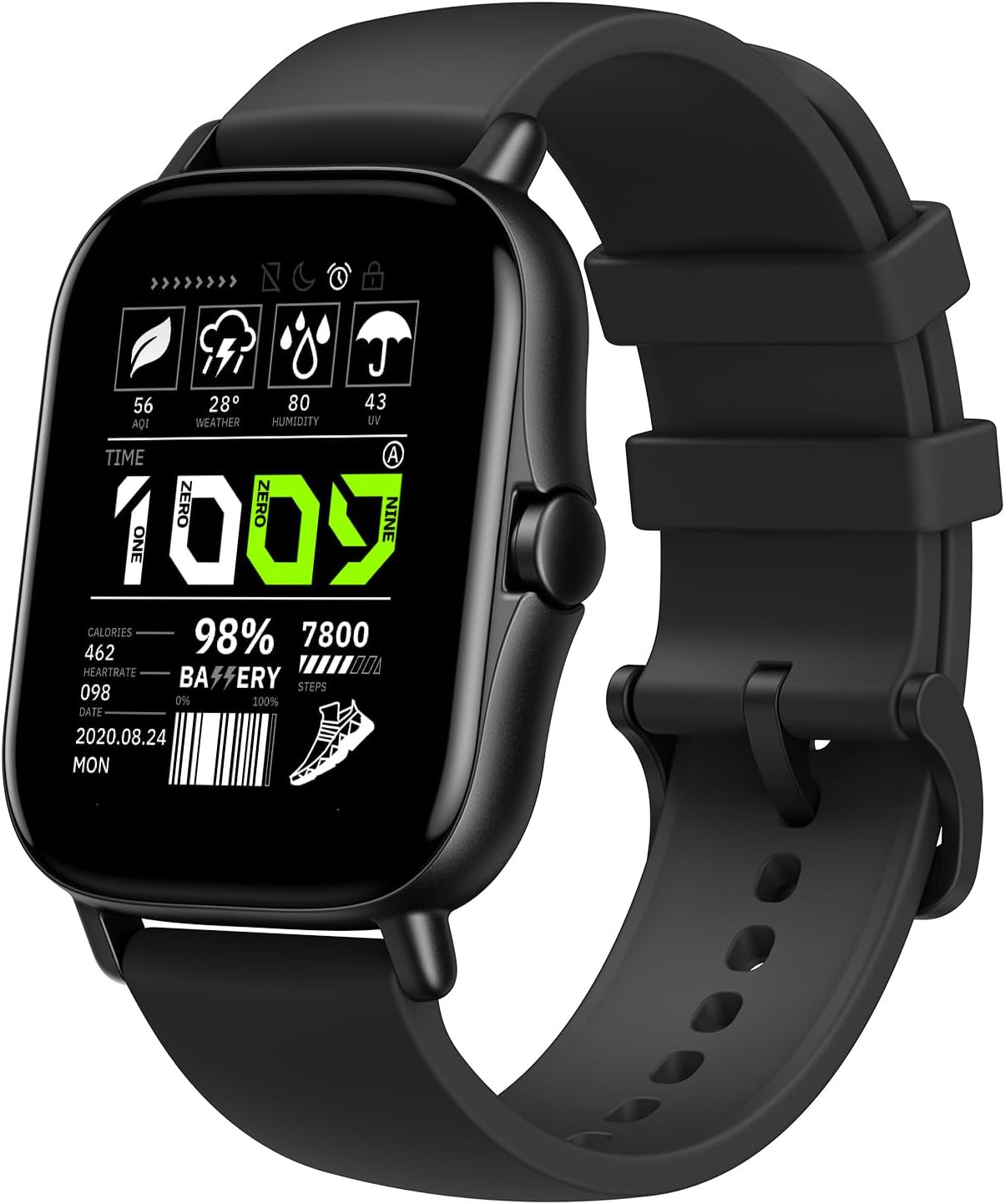
Image: Front view of the Amazfit GTS 2 SmartWatch, displaying various metrics like time, weather, battery level, and steps.
What's in the Box
Upon unboxing your Amazfit GTS 2 SmartWatch, please ensure all the following items are present:
- Amazfit GTS 2 Smart Watch
- Charging Pod
- User Manual (this document)
Setup
1. Charging the Device
Before initial use, fully charge your Amazfit GTS 2 SmartWatch. Connect the charging pod to a USB power source and place the watch onto the magnetic charging contacts. The watch display will indicate charging status.
2. Pairing with Your Smartphone
- Download the Zepp OS APP from your smartphone's app store (available for Android and iPhone).
- Open the Zepp OS APP and create an account or log in.
- Follow the on-screen instructions in the app to add your Amazfit GTS 2 device. This typically involves scanning a QR code displayed on the watch or selecting the device from a list via Bluetooth.
- Confirm the pairing request on both your watch and smartphone.
3. Initial Configuration
Once paired, the app will guide you through initial settings, including personal profile setup, notification preferences, and health data synchronization. Ensure your watch's software is up to date for optimal performance.
Operating the SmartWatch
Navigation
The Amazfit GTS 2 features a 1.65-inch HD AMOLED touchscreen display. Swipe across the screen to access different functions and menus. The physical button on the side can be used to return to the home screen or access specific features depending on context.
Key Features
- Amazon Alexa Built-in: Speak to your watch to ask questions, get translations, check the weather, and control smart home devices. Ensure your watch is connected to your phone via Bluetooth for this feature to function.
- Bluetooth Phone Calls: Answer calls directly on your smartwatch using the built-in microphone and speaker when connected to your phone via Bluetooth.
- Health Tracking: The watch provides 24-hour heart rate monitoring, blood-oxygen saturation (SpO2) measurement, sleep quality monitoring, and stress level monitoring. The PAI health assessment system converts complex data into a single score for easy understanding.
- Sports Modes & GPS: Choose from 90 built-in sports modes for real-time statistics during workouts. The watch also features intelligent recognition for 6 sports modes. Integrated GPS provides precise tracking of steps, distance, and calories. The watch is water-resistant up to 50 meters.
- Music Storage & Control: Store up to 3GB of music (approximately 300-600 songs) directly on the watch. Control phone music playback from your wrist.
- Smart Assistant Features: Manage personal agendas, receive incoming call and message notifications, set sedentary reminders, track events, and access functions like Do Not Disturb, stopwatch, weather forecasts, alarms, and timers.
- Customizable Watch Faces: The 1.65-inch HD AMOLED screen supports various watch faces and always-on display options to personalize your device.

Image: A man using the built-in Alexa feature on his Amazfit GTS 2 SmartWatch.

Image: The Amazfit GTS 2 SmartWatch tracking health metrics, with accompanying mobile app screenshots showing detailed data.

Image: A user managing their music playlist directly from the Amazfit GTS 2 SmartWatch, with wireless earbuds shown.

Image: The Amazfit GTS 2 SmartWatch showcasing its vibrant HD AMOLED screen and a selection of customizable watch faces.
Maintenance
- Cleaning: Regularly wipe the watch screen and strap with a soft, dry cloth. For stubborn dirt, a slightly damp cloth can be used, followed by drying.
- Water Resistance: The watch is 5 ATM water-resistant, suitable for shallow-water activities like swimming. Avoid hot water, saunas, or high-velocity water sports, as these can compromise the seal.
- Charging Contacts: Keep the charging contacts on the back of the watch and the charging pod clean and dry to ensure efficient charging.
- Storage: When not in use for extended periods, store the watch in a cool, dry place.
Troubleshooting
- Watch not turning on: Ensure the watch is fully charged. Connect it to the charging pod and a power source for at least 30 minutes.
- Unable to pair with phone:
- Ensure Bluetooth is enabled on your phone.
- Make sure the watch is within range of your phone.
- Restart both the watch and the phone.
- Clear the Bluetooth cache on your phone (Android) or forget the device in Bluetooth settings (iOS) and try pairing again.
- Inaccurate heart rate/SpO2 readings: Ensure the watch is worn snugly on your wrist, not too tight or too loose. Clean the sensor on the back of the watch.
- Short battery life:
- Reduce screen brightness.
- Disable unnecessary notifications.
- Limit continuous heart rate monitoring or set it to a longer interval.
- Turn off the Always-On Display feature if not needed.

Image: Visual representation of Amazfit GTS 2 battery life under different usage scenarios.
- GPS not connecting: Ensure you are in an open outdoor area with a clear view of the sky. Wait for the GPS signal to acquire before starting an activity.
Specifications
| Feature | Detail |
|---|---|
| Product Dimensions | 4.61 x 2.24 x 4.65 inches |
| Item Weight | 8.8 ounces |
| Model Number | A1969 (Midnight Black) |
| Batteries | 1 Lithium Polymer battery (included) |
| Operating System | Amazfit OS |
| Wireless Communication | Bluetooth, Wi-Fi, NFC |
| GPS | GPS + GLONASS Enabled |
| Special Features | Sleep Monitor, GPS, Oxymeter (SpO2), Activity Tracker, Stress Tracking, Time Display, Phone Call, Heart Rate Monitor |
| Display Technology | AMOLED |
| Screen Size | 1.65 Inches |
| Water Resistance | 5 ATM |
| Battery Capacity | 246 Milliamp Hours |
| Music Storage | 3GB |
Warranty and Support
For detailed warranty information and customer support, please refer to the official Amazfit website or the Zepp OS APP. You can also find the full User Manual in PDF format here.
For further assistance, please contact Amazfit customer service through the contact information provided in the Zepp OS APP or on the official Amazfit support page.
Related Documents - A1969( Midnight Black)
 |
Amazfit T-Rex 2 Smartwatch User Manual - Overseas Version This comprehensive user manual for the Amazfit T-Rex 2 smartwatch provides detailed instructions on connection, pairing, basic operations, watch face customization, health monitoring features (heart rate, blood oxygen, stress, sleep, PAI), various workout modes, and smart app functionalities. Learn how to optimize your T-Rex 2 for fitness tracking, notifications, and daily use with the Zepp app. |
 |
Amazfit Bip 5 User Manual: Setup, Features, and Operations Guide Comprehensive user manual for the Amazfit Bip 5 smartwatch. Covers connection, pairing, system updates, wearing instructions, basic operations, watch faces, notifications, workouts, health tracking (heart rate, blood oxygen, sleep, stress), PAI, Alexa integration, and device settings. |
 |
Amazfit T-Rex Pro User Manual Comprehensive user manual for the Amazfit T-Rex Pro smartwatch, covering setup, features, sports modes, health tracking, and maintenance. |
 |
Amazfit Bip 5 Unity Smartwatch User Manual Comprehensive user manual for the Amazfit Bip 5 Unity smartwatch, covering connection, pairing, system updates, wearing instructions, basic operations, watch face customization, notifications, health monitoring (heart rate, blood oxygen, stress, sleep, PAI), workout modes, GPS, and device settings. Learn how to optimize your smartwatch experience with the Zepp app. |
 |
Amazfit Bip 5 Smartwatch User Manual Comprehensive user manual for the Amazfit Bip 5 smartwatch, covering setup, pairing, system updates, health monitoring (heart rate, blood oxygen, stress, sleep, PAI), workout modes, notifications, Bluetooth calling, Alexa voice features, and device settings. Learn how to optimize your Amazfit Bip 5 for daily use and fitness tracking. |
 |
Amazfit Bip 5 Smartwatch User Manual: Setup, Features, and Health Tracking Guide The Amazfit Bip 5 User Manual provides comprehensive instructions for connecting, pairing, and operating the Amazfit Bip 5 smartwatch. Learn about system updates, wearing guidelines, basic gestures, notifications, Bluetooth calling, watch faces, workout modes, GPS positioning, automatic workout identification, and health monitoring features including heart rate, blood oxygen, stress, sleep tracking, PAI, and cycle tracking. This guide also covers device apps, music control, alarms, to-dos, stopwatch, countdown, camera remote, weather, app management, and watch settings for optimal user experience. |