
1. Product Overview
The Nitecore Pocket 10000 (NB10000) is an ultra-lightweight and compact power bank designed for portable charging. It features a 10,000mAh capacity, fast charging capabilities, dual USB-C ports, and a built-in Type-C charging cable for convenience. Constructed with lightweight carbon fiber, it is suitable for various uses, including travel and outdoor activities.
Key Features:
- Ultra-Compact & Lightweight: Weighing approximately 160g (5.64oz) and with a thickness of 12.5mm (0.49"), it is designed for portability.
- High Capacity: 10,000mAh 3.85V (38.5Wh) Li-ion battery, capable of charging a modern smartphone multiple times.
- Fast Charging: Supports up to 22.5W max output via USB-C port and 20W max output via built-in USB-C cable.
- Dual USB-C Ports: Includes one integrated two-way fast charging USB-C cable and one USB-C port for versatile charging.
- Built-in USB-C Cable: Eliminates the need to carry an extra charging cable.
- IP65 Rated: Provides protection against dust and water splashes.
- Power Level Display: Four blue indicator lights show the charging status and remaining power.
- Airline Approved: Complies with UN38.3 standard for safe air travel.
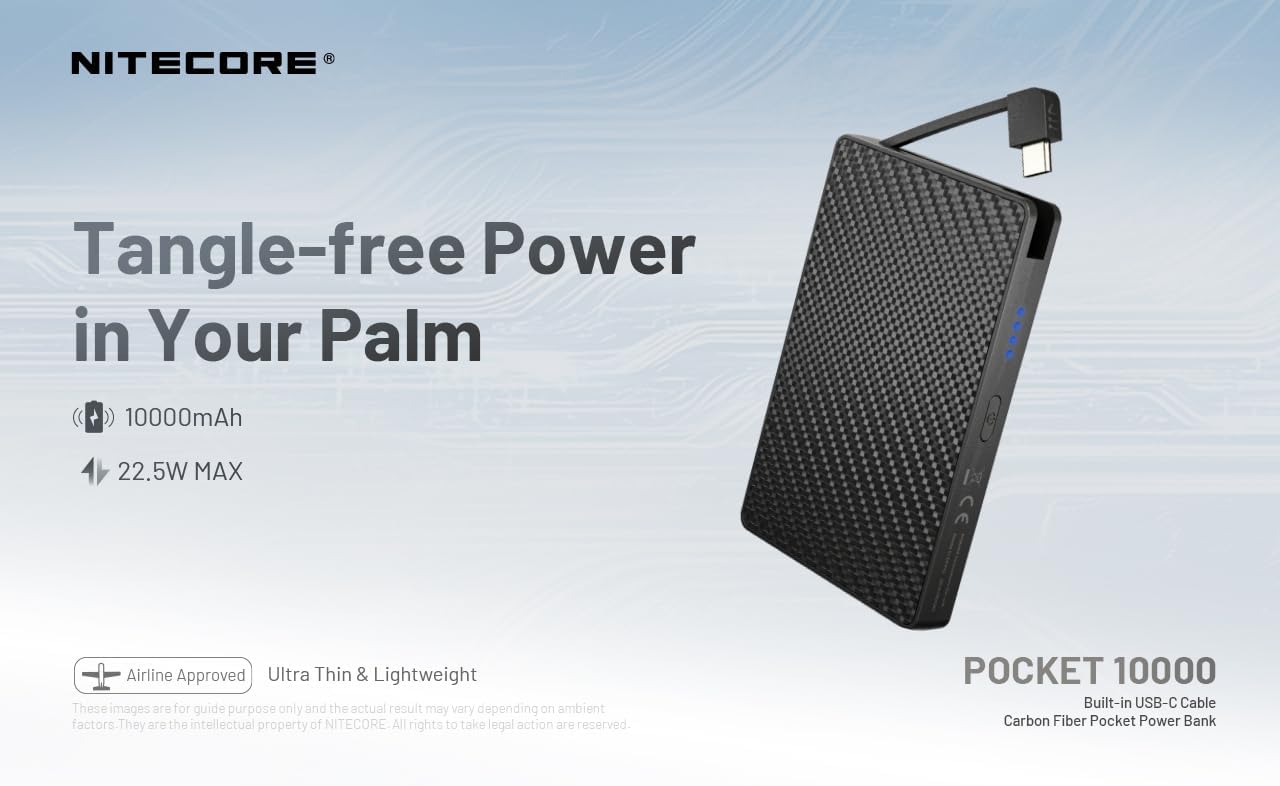
Figure 1: Nitecore Pocket 10000 Power Bank highlighting its compact design and built-in USB-C cable.
2. Initial Setup
2.1 Package Contents
Before use, please ensure all items are present in the package:
- Nitecore Pocket 10000 Power Bank (NB10000)
- USB-C to USB-A Charging Cable (for recharging the power bank)
- Instruction Manual
2.2 Initial Charging of the Power Bank
It is recommended to fully charge the Nitecore Pocket 10000 before its first use.
- Connect the provided USB-C to USB-A charging cable to the USB-C input/output port on the power bank.
- Connect the USB-A end of the cable to a compatible USB power adapter (not included) or a computer's USB port.
- The blue indicator lights on the power bank will illuminate and flash to indicate charging progress. All four lights will be solid when fully charged.
The power bank charges quickly. Ensure adequate ventilation during charging, as it may generate some heat.
3. Operation
3.1 Checking Battery Level
Press the power button once to activate the power level display. The four blue indicator lights will show the remaining battery capacity:
- 4 lights: 75% - 100%
- 3 lights: 50% - 75%
- 2 lights: 25% - 50%
- 1 light: 0% - 25% (Recharge recommended)
3.2 Charging External Devices
The Nitecore Pocket 10000 can charge various electronic devices, including smartphones, smartwatches, and other USB-powered gadgets.
- Using the Built-in USB-C Cable: Extend the integrated USB-C cable and plug it directly into your device's USB-C port.
- Using the USB-C Port: Connect your device's charging cable (USB-C to USB-C or USB-A to USB-C) to the power bank's USB-C output port.
- The power bank will automatically begin charging your device. The indicator lights will show the power bank's remaining charge.
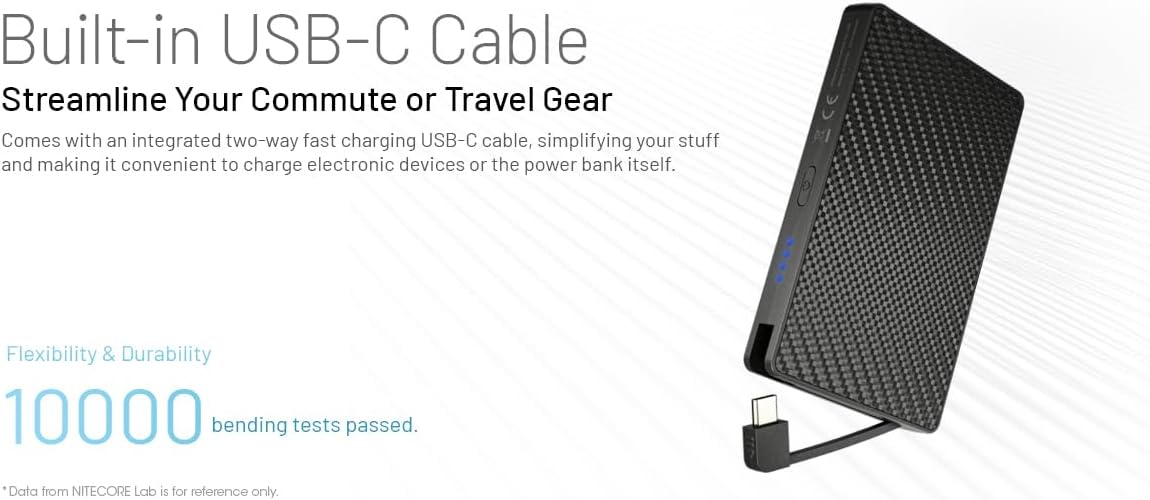
Figure 2: Charging a smartphone using the integrated USB-C cable.

Figure 3: Charging a smartphone using the dedicated USB-C port.
3.3 Charging Multiple Devices (Pass-Through Charging)
The power bank supports charging itself while simultaneously charging an external device. This is known as pass-through charging.
- Connect the power bank to a power source for recharging (as described in Section 2.2).
- Connect your external device to the power bank using either the built-in USB-C cable or the USB-C port.
- Both the power bank and your device will charge simultaneously.
3.4 Automatic Low Current Mode
For charging low-current devices such as wireless earphones or smartwatches, the power bank automatically enters a low current mode to prevent overcharging and ensure optimal battery health for these devices.

Figure 4: The power bank automatically adjusts output for low-current devices like wireless earbuds.
4. Maintenance
- Cleaning: Use a soft, dry cloth to clean the surface of the power bank. Avoid using harsh chemicals or abrasive materials.
- Storage: Store the power bank in a cool, dry place away from direct sunlight and extreme temperatures.
- Charging Practices: To prolong battery life, avoid completely draining the power bank frequently. Recharge it when the battery level is low.
- Heat Management: During fast charging or heavy use, the power bank may become warm. This is normal. Ensure it is placed in an open area with good ventilation to dissipate heat.
- Water Resistance: The power bank is IP65 rated, meaning it is protected against dust and low-pressure water jets. Do not submerge it in water or expose it to heavy rain.
5. Troubleshooting
| Problem | Possible Cause | Solution |
|---|---|---|
| Power bank not charging | Charging cable not properly connected; faulty cable or adapter; power bank battery fully discharged. | Ensure cable is securely connected. Try a different cable or power adapter. Allow the power bank to charge for an extended period if deeply discharged. |
| Device not charging from power bank | Device cable not properly connected; power bank battery is empty; device is not compatible; power bank is in low current mode for a high-current device. | Check cable connections. Recharge the power bank. Verify device compatibility. Ensure the power bank is not stuck in low current mode (though it's automatic, a restart might help). |
| Power bank gets hot during charging/discharging | Normal operation during fast charging or high load; poor ventilation. | This is generally normal. Ensure the power bank is in a well-ventilated area. If it becomes excessively hot or emits smoke/odor, discontinue use immediately. |
| Indicator lights not working | Power bank is off; internal malfunction. | Press the power button to activate the display. If still unresponsive, contact customer support. |
6. Specifications
| Feature | Detail |
|---|---|
| Model Number | POCKET 10000 (NB10000) |
| Battery Cell Type | Li-ion |
| Capacity | 10,000mAh 3.85V (38.5Wh) |
| Rated Energy | 6,200mAh 5V (TYP 3A) |
| Input (USB-C Cable) | 5V-3A / 9V-2A / 12V-1.5A (18W MAX) |
| Input (USB-C Port) | 5V-3A / 9V-2A / 12V-1.5A (18W MAX) |
| Output (Built-in USB-C Cable) | 5V-3A / 9V-2.22A / 12V-1.67A (20W MAX) |
| Output (USB-C Port) | 5V-3A / 9V-2.22A / 12V-1.67A / 10V-2.25A (22.5W MAX) |
| Total Output | 5V-3A (MAX) |
| IP Rating | IP65 |
| Dimensions (L x W x T) | 105.0mm x 70.0mm x 12.5mm / 4.13" x 2.76" x 0.49" |
| Weight | 160g ± 5g / 5.64 oz ± 0.1 oz |
| Compatible Devices | Smartphone, Smartwatch, etc. |
7. Warranty and Support
Information regarding the product warranty and customer support details was not available in the provided product data. Please refer to the official Nitecore website or contact your retailer for specific warranty terms and support options.