
1. Introduction
Thank you for choosing the SCHWAIGER DAB400 513 Digital Radio. This device offers a superior audio experience with both digital DAB+ and analog FM radio reception. It features a vibrant color LCD display, Bluetooth connectivity for wireless audio streaming, and a convenient alarm clock function. This manual provides essential information for setting up, operating, and maintaining your radio to ensure optimal performance and longevity.
2. Safety Information
- Power Source: Use only the provided power adapter. Ensure the voltage matches your local power supply.
- Water and Moisture: Do not expose the device to water, rain, or high humidity. Avoid placing liquid-filled objects on or near the radio.
- Ventilation: Ensure adequate ventilation around the device. Do not block ventilation openings.
- Heat: Keep the radio away from heat sources such as radiators, heat registers, stoves, or other heat-producing appliances.
- Batteries: If using batteries, ensure correct polarity. Do not mix old and new batteries, or different types of batteries. Remove batteries if the device will not be used for an extended period.
- Cleaning: Disconnect the power adapter before cleaning. Use a soft, dry cloth. Do not use liquid cleaners or aerosol sprays.
- Servicing: Do not attempt to service this product yourself. Refer all servicing to qualified service personnel.
3. Package Contents
Please check the package for the following items:
- SCHWAIGER DAB400 513 Digital DAB+/FM Radio
- Power Adapter
- Instruction Manual
If any items are missing or damaged, please contact your retailer.
4. Product Overview
Familiarize yourself with the various parts and controls of your SCHWAIGER DAB400 513 Digital Radio.

Figure 4.1: Front view of the SCHWAIGER DAB400 513 Digital Radio with dimensions. The radio measures approximately 210mm in width, 120mm in height, and 80mm in depth.
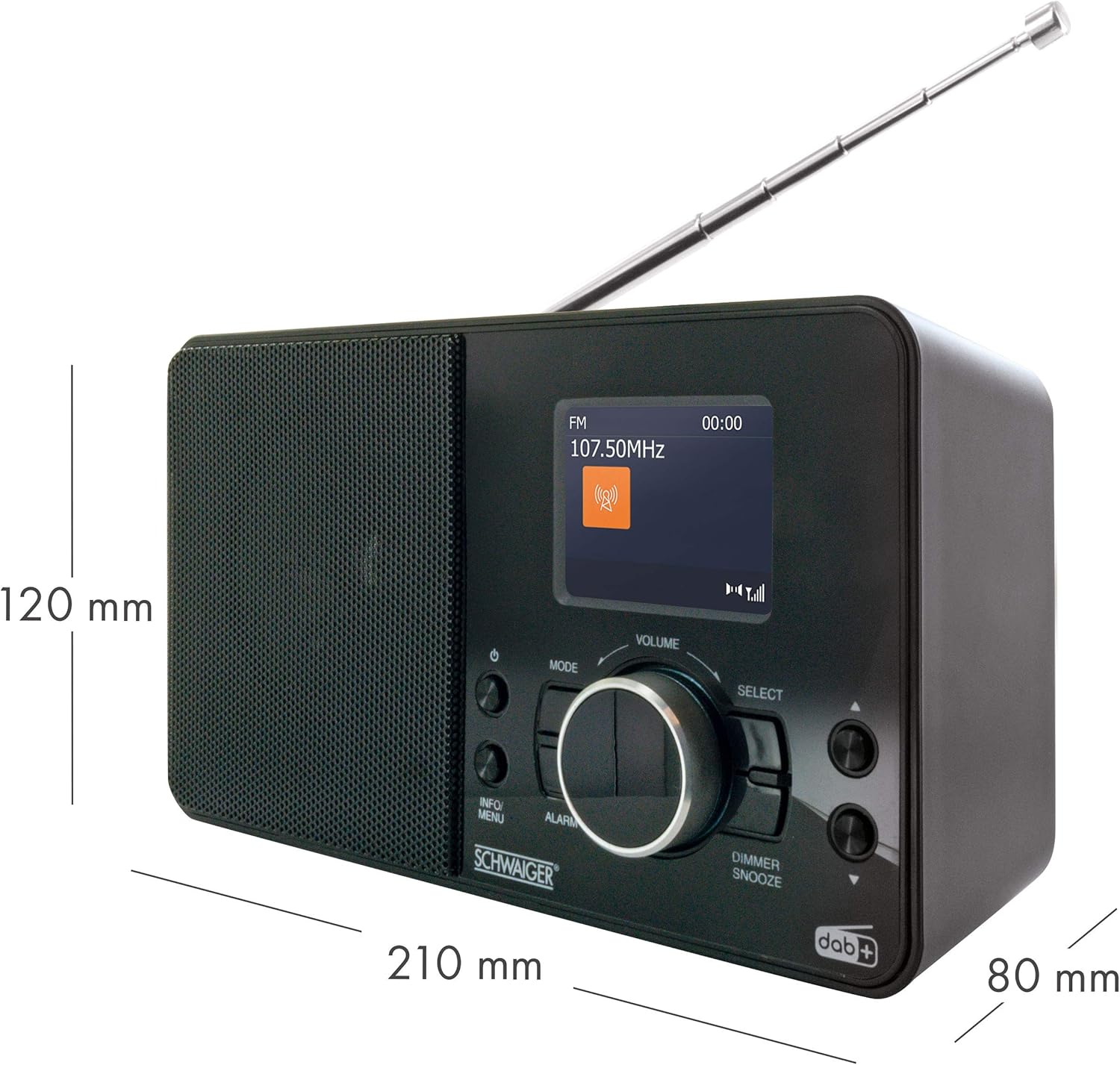
Figure 4.2: Front panel features including the 2.4" LCD color display, radio reception indicator, and wake-up function controls.

Figure 4.3: Detailed view of the control panel. Key controls include Power, Mode, Info/Menu, Alarm, Volume knob, Select button, and Dimmer/Snooze button.

Figure 4.4: Top panel showing the preset buttons (1-8+) for quick access to your favorite stations.

Figure 4.5: Rear panel with extendable antenna, battery compartment, headphone jack, and DC IN power port.
5. Setup
5.1 Power Connection
The radio can be powered by the included AC adapter or by batteries.
Using the AC Adapter:
- Connect the small end of the power adapter to the DC IN port on the rear of the radio.
- Plug the other end of the power adapter into a standard wall outlet.
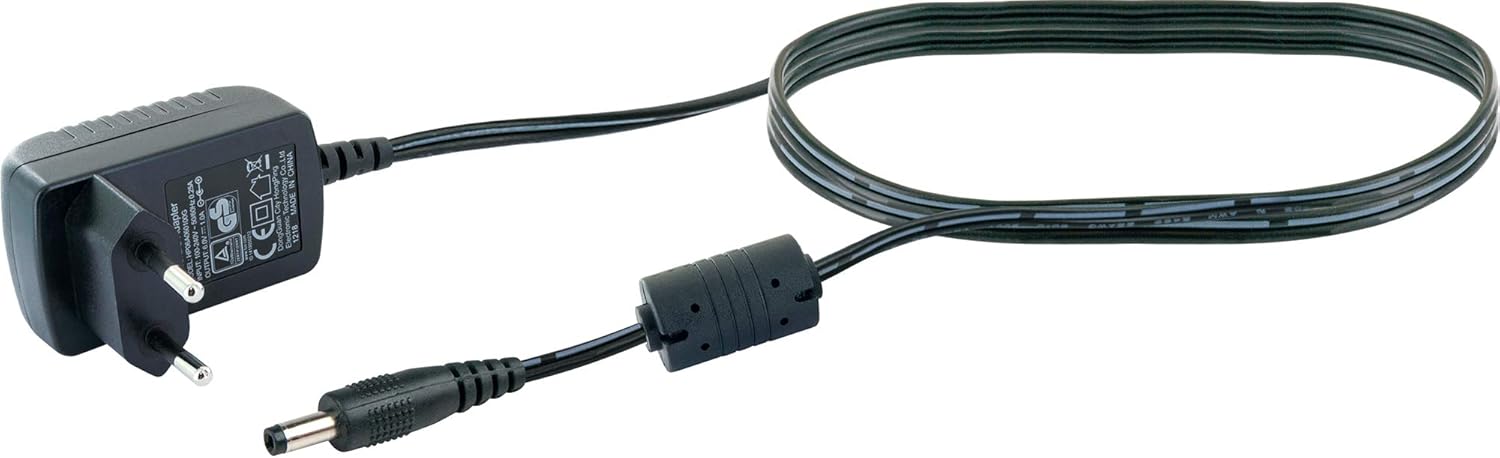
Figure 5.1: The included power adapter for mains operation.
Using Batteries:
For portable use, the radio requires 4 x LR06 (AA) 1.5V batteries (not included).
- Open the battery compartment cover on the rear of the radio (refer to Figure 4.5).
- Insert 4 AA batteries, ensuring correct polarity (+/-) as indicated inside the compartment.
- Close the battery compartment cover securely.
5.2 Antenna Adjustment
For optimal radio reception, fully extend the telescopic antenna located on the rear of the unit. Adjust its position for the best signal quality.
5.3 Initial Power On and First-Time Setup
- Press the Power button to turn on the radio.
- Upon first use, the radio will typically initiate an automatic scan for DAB+ stations. This process may take a few minutes.
- Once the scan is complete, the radio will display the first available DAB+ station.
- Set the current time and date if prompted, using the Select knob and Info/Menu button.
6. Operating Instructions
6.1 Power On/Off
- Press the Power button to turn the radio on or off.
6.2 Mode Selection
- Press the Mode button repeatedly to switch between DAB+, FM, and Bluetooth modes. The current mode will be displayed on the LCD screen.
6.3 DAB+ Radio Operation
Scanning for Stations:
- In DAB+ mode, if no stations are found or you wish to rescan, press and hold the Info/Menu button to access the menu.
- Rotate the Select knob to navigate to "Full Scan" and press the Select knob to confirm. The radio will scan for available DAB+ stations.
Selecting Stations:
- Rotate the Select knob to browse through the available DAB+ stations.
- Press the Select knob to confirm your selection.
Presetting DAB+ Stations:
- Tune to the desired DAB+ station.
- Press and hold one of the numbered preset buttons (1-8+) on the top of the radio until "Preset Saved" appears on the display.
- To recall a preset station, simply press the corresponding numbered preset button.
6.4 FM Radio Operation
Scanning for Stations:
- In FM mode, press and hold the Select knob to initiate an automatic scan for FM stations. The radio will stop on the next strong signal.
- Alternatively, rotate the Select knob to manually tune the frequency.
Presetting FM Stations:
- Tune to the desired FM station.
- Press and hold one of the numbered preset buttons (1-8+) on the top of the radio until "Preset Saved" appears on the display.
- To recall a preset station, simply press the corresponding numbered preset button.
6.5 Bluetooth Operation
Pairing with a Bluetooth Device:
- Press the Mode button to select Bluetooth mode. The display will show "Bluetooth Pairing" or similar, indicating it's ready to connect.
- Enable Bluetooth on your smartphone or other audio device.
- Search for "SCHWAIGER DAB400 513" (or similar device name) in your device's Bluetooth settings and select it to pair.
- Once paired, the radio will confirm the connection, and you can now stream audio wirelessly.
6.6 Alarm Function
Setting an Alarm:
- Press the Alarm button to enter the alarm settings.
- Rotate the Select knob to adjust the alarm time (hour and minute), and press Select to confirm each setting.
- Choose the alarm source (Buzzer, DAB+, or FM) and desired volume level.
- Confirm to activate the alarm. An alarm icon will appear on the display.
Snooze and Dimmer:
- When the alarm sounds, press the Dimmer/Snooze button to temporarily silence the alarm for a set period (e.g., 9 minutes).
- Press and hold the Dimmer/Snooze button to adjust the display brightness.

Figure 6.1: The radio displaying time and date on its color LCD screen.
7. Maintenance
7.1 Cleaning
- Always unplug the radio from the power outlet before cleaning.
- Use a soft, dry, lint-free cloth to wipe the exterior surfaces.
- Do not use abrasive cleaners, waxes, or solvents as they may damage the finish.
7.2 Battery Replacement
- When the battery indicator shows low power, replace all 4 AA batteries simultaneously.
- Ensure correct polarity when inserting new batteries.
- Dispose of used batteries responsibly according to local regulations.
7.3 Storage
- If storing the radio for an extended period, remove the batteries to prevent leakage.
- Store the radio in a cool, dry place, away from direct sunlight and extreme temperatures.
8. Troubleshooting
| Problem | Possible Cause | Solution |
|---|---|---|
| No power | Power adapter not connected; Batteries depleted or incorrectly inserted. | Check power adapter connection; Replace batteries, ensuring correct polarity. |
| Poor radio reception (DAB+/FM) | Antenna not extended or poorly positioned; Weak signal area. | Fully extend and adjust the telescopic antenna; Try moving the radio to a different location. |
| Bluetooth not connecting | Radio not in Bluetooth mode; Device not in pairing mode; Device too far. | Switch radio to Bluetooth mode; Ensure your device's Bluetooth is on and in pairing mode; Move devices closer. |
| Alarm not sounding | Alarm not activated; Volume too low. | Check alarm settings and ensure it is enabled; Increase alarm volume. |
| Display is blank or dim | Dimmer setting too low; Power issue. | Adjust display brightness using the Dimmer/Snooze button; Check power connection. |
9. Specifications
| Brand | SCHWAIGER |
| Model Number | DAB400 513 |
| Color | Digital Radio (Black) |
| Connectivity Technology | Auxiliary, Bluetooth |
| Special Features | Integrated Clock, Alarm Function, Color LCD Display |
| Compatible Devices | Smartphone, Mobile Playback Devices |
| Product Dimensions | 21 cm (L) x 8 cm (W) x 12 cm (H) |
| Tuning Technology | DAB+ |
| Supported Radio Bands | DAB+ (174 - 240 MHz), FM (87.5 - 108 MHz) |
| Power Source | Electric Cable (DC 6V = 1A) or 4 x LR06 (AA) 1.5V Batteries |
| Included Components | Digital DAB+/FM Radio, Power Adapter, Instruction Manual |
10. Warranty and Support
Warranty information for your SCHWAIGER DAB400 513 Digital Radio is typically provided with your purchase documentation or can be found on the official SCHWAIGER website. Please retain your proof of purchase for warranty claims.
For further support, technical assistance, or to download the latest version of this manual, please visit the official SCHWAIGER website or contact their customer service department.
Manufacturer: Schwaiger GmbH
Website: www.schwaiger.de


