
TEKCOPLUS TK297PLUS_R1
TEKCOPLUS CO2 Monitor & Controller User Manual
Model: TK297PLUS_R1
Product Overview
The TEKCOPLUS CO2 Monitor & Controller (Model TK297PLUS_R1) is an advanced device designed for precise monitoring and control of carbon dioxide levels. Equipped with a highly accurate Non-Dispersive Infrared (NDIR) sensor, it ensures reliable measurements for optimal air quality management. This controller features intelligent day/night detection, programmable CO2 control values, and a large LCD for real-time data display. It is suitable for a wide range of applications, including greenhouses, grow rooms, residential spaces, commercial buildings, and more.

Figure 1: TEKCOPLUS CO2 Monitor & Controller with external NDIR sensor.
Package Contents
Upon opening the package, please verify that all the following items are included:
- 1 x CO2 Meter (Controller + Sensor)
- Screws and tapes for mounting
- English Instruction Manual
- Standard factory packaging
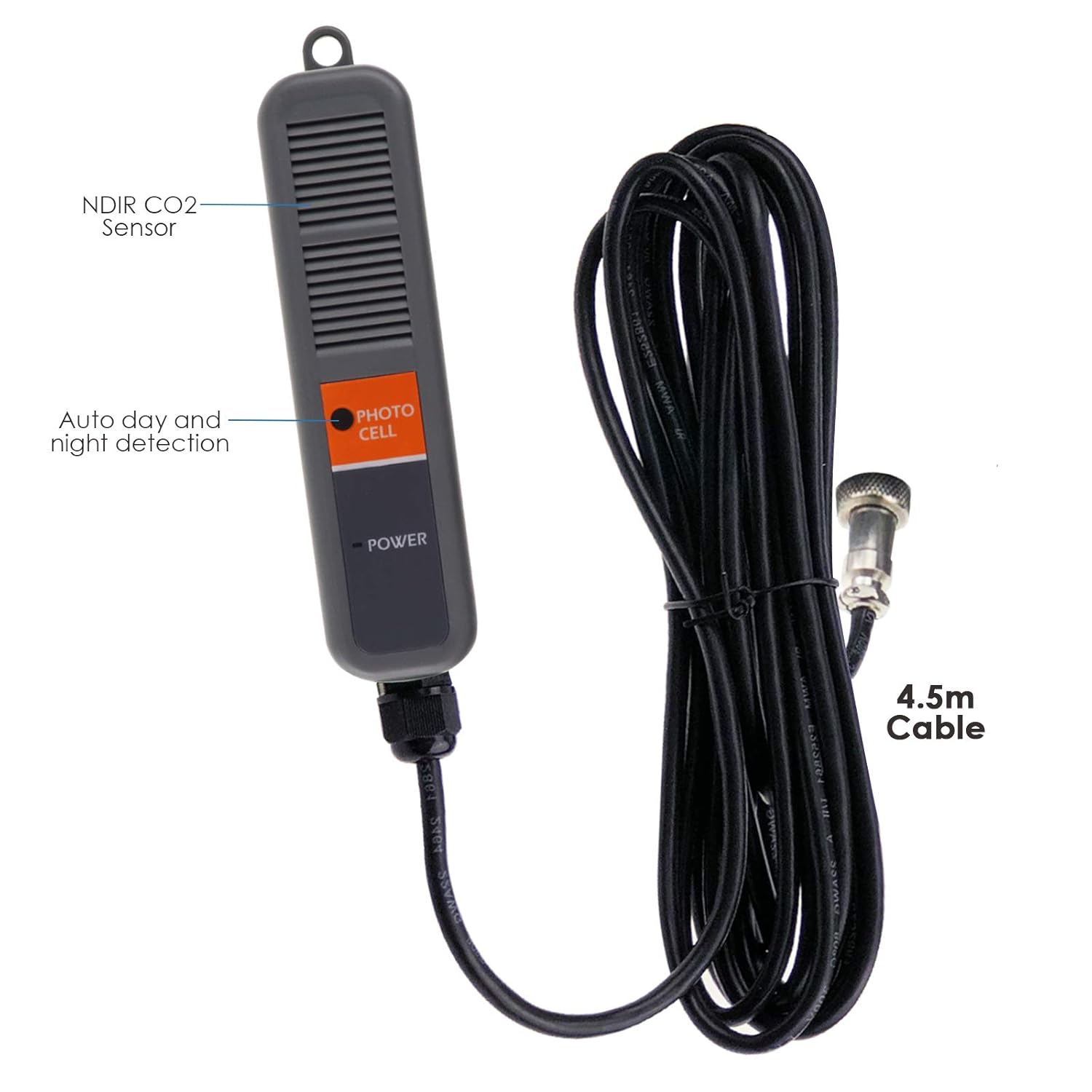
Figure 2: All items included in the product package.
Key Features
- Low Drift NDIR CO2 Sensor: Ensures precise and reliable carbon dioxide level measurements.
- Auto Day/Night Detection: Built-in photo sensor overrides CO2 control and shuts off the device when darkness is sensed, optimizing CO2 regulation for different phases of plant growth.
- Big LCD Display with Real-Time Value: Provides real-time CO2 readings and displays a CO2 chart with adjustable time scale (week/day/hour/min/auto).
- Programmable CO2 Control Value & Zone Value: Customize CO2 control settings and target zones to suit specific requirements.
- Monitoring & Controlling CO2: Designed for use in greenhouses or residential spaces, with human and plant modes to fine-tune CO2 regulation.
- Extra-Long Sensor Cable: The 4.5-meter long sensing probe cable allows for extended measurement distance from the display unit.
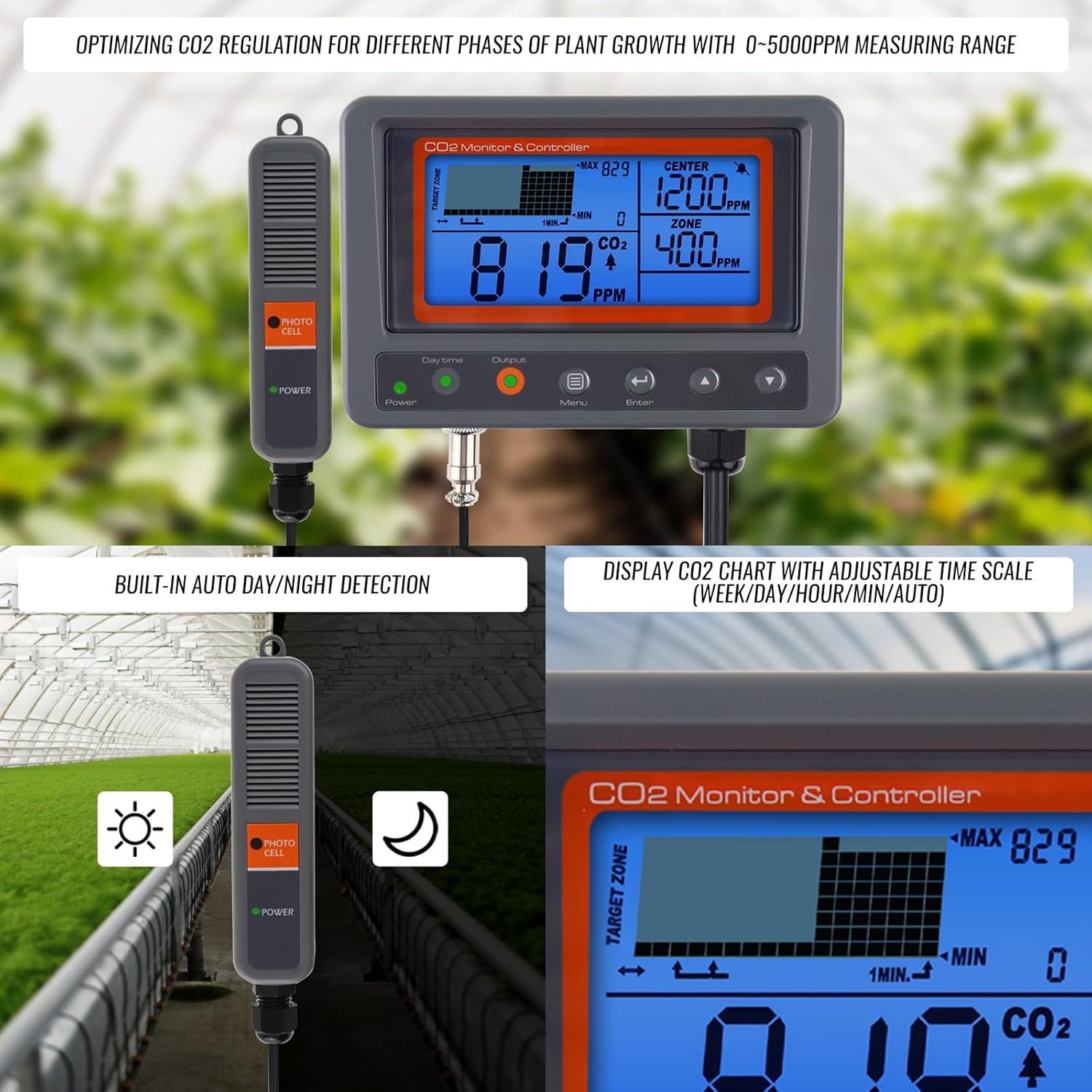
Figure 3: Display showing CO2 chart and auto day/night detection feature.
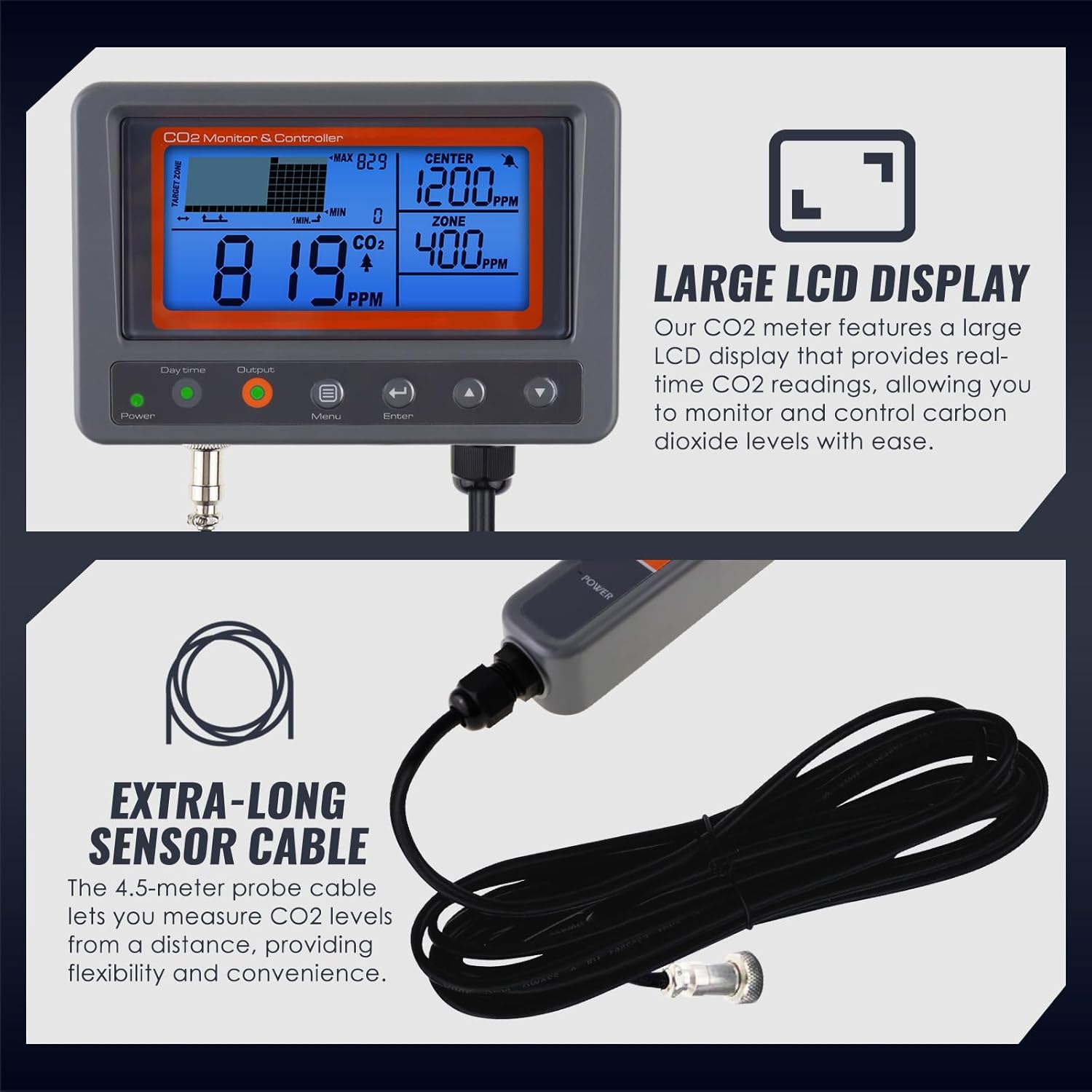
Figure 4: The large LCD display and the 4.5-meter sensor cable.

Figure 5: LED indicators on the controller for power, daytime, and output status.
Setup and Initial Configuration
To set up your TEKCOPLUS CO2 Monitor & Controller, connect the NDIR sensor probe to the main unit. Plug the power adapter into a suitable electrical outlet. The device will power on and begin displaying real-time CO2 readings. You can easily configure various settings such as Center, Zone, Re-Cali, and Advance using the intuitive buttons on the unit.
Video 1: Overview of the CO2 Controller's features and basic setup.
Operating Modes: Plant and Human
The controller offers two distinct operating modes to cater to different environmental needs:
- Plant Mode: Optimized for plant growth environments like greenhouses. In this mode, the controller activates a CO2 generator/regulator when CO2 levels fall below the set target, promoting photosynthesis.
- Human Mode: Ideal for residential or commercial spaces where maintaining healthy indoor air quality is crucial. In this mode, the controller activates a ventilation fan when CO2 levels exceed the set target, ensuring fresh air circulation.

Figure 6: Visual representation of Plant Mode and Human Mode selection.

Figure 7: Combined diagram illustrating output control in both Human and Plant modes.
Output Control Logic
The controller manages external devices (CO2 generator/regulator or ventilation fan) based on the set Center and Zone values. The output power is activated or deactivated according to the following logic:
- Output Power ON: When the current CO2 reading is less than [Set Center - (1/2) x Set Zone].
- Output Power OFF: When the current CO2 reading is greater than [Set Center + (1/2) x Set Zone].
Example: If SET CENTER is 1200ppm and SET ZONE is 400ppm:
- Output Power ON (Activate CO2 generator/regulator or ventilation fan) when CO2 reading < 1000ppm (1200 - 200).
- Output Power OFF (Shut off CO2 generator/regulator or ventilation fan) when CO2 reading > 1400ppm (1200 + 200).

Figure 8: Detailed output control diagram for Plant Mode.

Figure 9: Detailed output control diagram for Human Mode.
Adjustable Altitude Setting
The device allows for altitude adjustment to ensure accurate CO2 readings in various geographical locations. The adjustable range is from 50m to 5000m, with increments of 50m per step. This feature compensates for changes in atmospheric pressure at different altitudes, which can affect CO2 sensor accuracy.
Maintenance
To ensure the longevity and accuracy of your CO2 Monitor & Controller, follow these maintenance guidelines:
- Keep the device and sensor clean. Use a soft, dry cloth to wipe surfaces. Avoid abrasive cleaners or solvents.
- Ensure the sensor probe is free from dust, debris, or moisture, which can affect its performance.
- Store the device in a cool, dry place when not in use.
- Regularly check cable connections for any signs of wear or damage.
Troubleshooting
If you encounter issues with your CO2 Monitor & Controller, please refer to the following common troubleshooting steps:
- No Power: Ensure the power adapter is securely connected to both the device and a working electrical outlet.
- Inaccurate Readings: Verify that the sensor probe is clean and unobstructed. Perform a recalibration if necessary (refer to the device's menu for 'RE-CALI' option). Ensure the device is not placed near strong air currents or direct CO2 sources that could skew readings.
- Output Not Activating/Deactivating: Check your Center and Zone settings to ensure they are configured correctly for your desired CO2 levels. Verify that the external device (CO2 generator/regulator or ventilation fan) is properly connected and functional.
- Display Issues: If the LCD is dim or flickering, ensure stable power supply.
For persistent issues, please contact customer support.
Product Specifications
| Specification | Value |
|---|---|
| Measuring Range | 0-5000 ppm |
| Resolution | 1ppm (0-1000); 5ppm (1000-2000); 10ppm (>2000) |
| Accuracy | CO2 below 3000ppm: ±50ppm or ±5% of reading (whichever is greater) / CO2 above 3000ppm: ±7% of reading |
| Warm-up Time | 30 seconds |
| Response Time CO2 | <2min for 63% of step changes or <4.6min for 90% step change |
| Product Dimensions | 9.7 x 7.41 x 4.68 inches; 1.97"D x 1.57"W x 2.36"H |
| Item Model Number | TK297PLUS_R1 |
| Item Weight | 2 Pounds |
| Manufacturer | Tekcoplus Ltd |
| Power Source | Corded Electric |
| Alarm | Audible |
| Operating Humidity | 0-95 percent |
| Upper Temperature Rating | 50 Degrees Celsius |
| Sensor Type | Non Dispersive Infrared |
Warranty and Customer Support
For warranty information, technical assistance, or any inquiries regarding your TEKCOPLUS CO2 Monitor & Controller, please refer to the contact details provided in your product packaging or visit the official TEKCOPLUS website. Our customer support team is available to assist you with any questions or concerns.
Ask a question about this manual
Ask about setup, troubleshooting, compatibility, parts, safety, or missing instructions. Manuals+ will review the question and use this page’s manual context to help answer it.