
1. Introduction
This manual provides comprehensive instructions for the safe and effective operation of your BETOPPER DJ Light 54x3W LED Par Lights. These lights are designed for various applications including stage lighting, DJ setups, and event illumination, offering versatile color effects and control options.
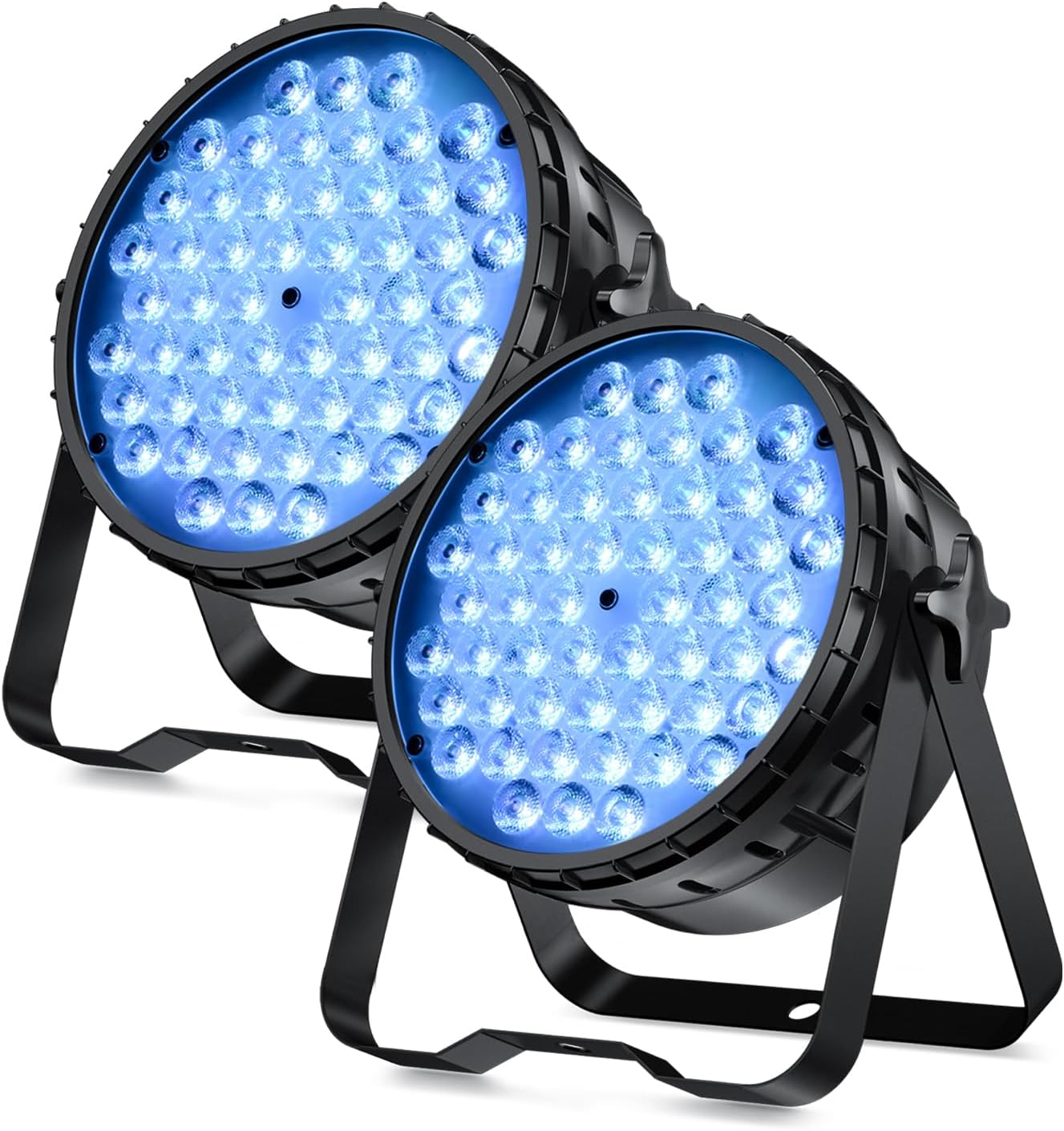
Figure 1: BETOPPER DJ Light 54x3W LED Par Lights (2-pack).
2. Safety Information
- Electrical Safety: Ensure the power supply matches the specified voltage (200 Volts). Always disconnect power before cleaning or servicing.
- Placement: Place the lights on a stable surface or mount securely using the provided brackets. Ensure adequate ventilation to prevent overheating.
- Handling: The housing is made of aluminum and ABS, but internal components can be sensitive to drops. Handle with care.
- Temperature: Operate within the specified temperature range of -20°C to 40°C.
- Indoor Use Only: These lights are designed for indoor use. Avoid exposure to moisture or extreme weather conditions.
3. What's in the Box
Your package should contain the following items:
- LPC015 LED Par Light (2 units)
- Installation Brackets & Screws
- User Manual
4. Setup
4.1 Physical Installation
The BETOPPER DJ Lights come with adjustable brackets for flexible installation. You can place them on the ground or mount them to a T-bar or truss system. Ensure the mounting surface is stable and capable of supporting the weight of the lights.

Figure 2: Dimensions and setup options for the par light.
4.2 Power Connection
Connect the power cord to the "POWER IN" port on the back of the light. The lights are plug-and-play, meaning they will begin to work once connected to power.
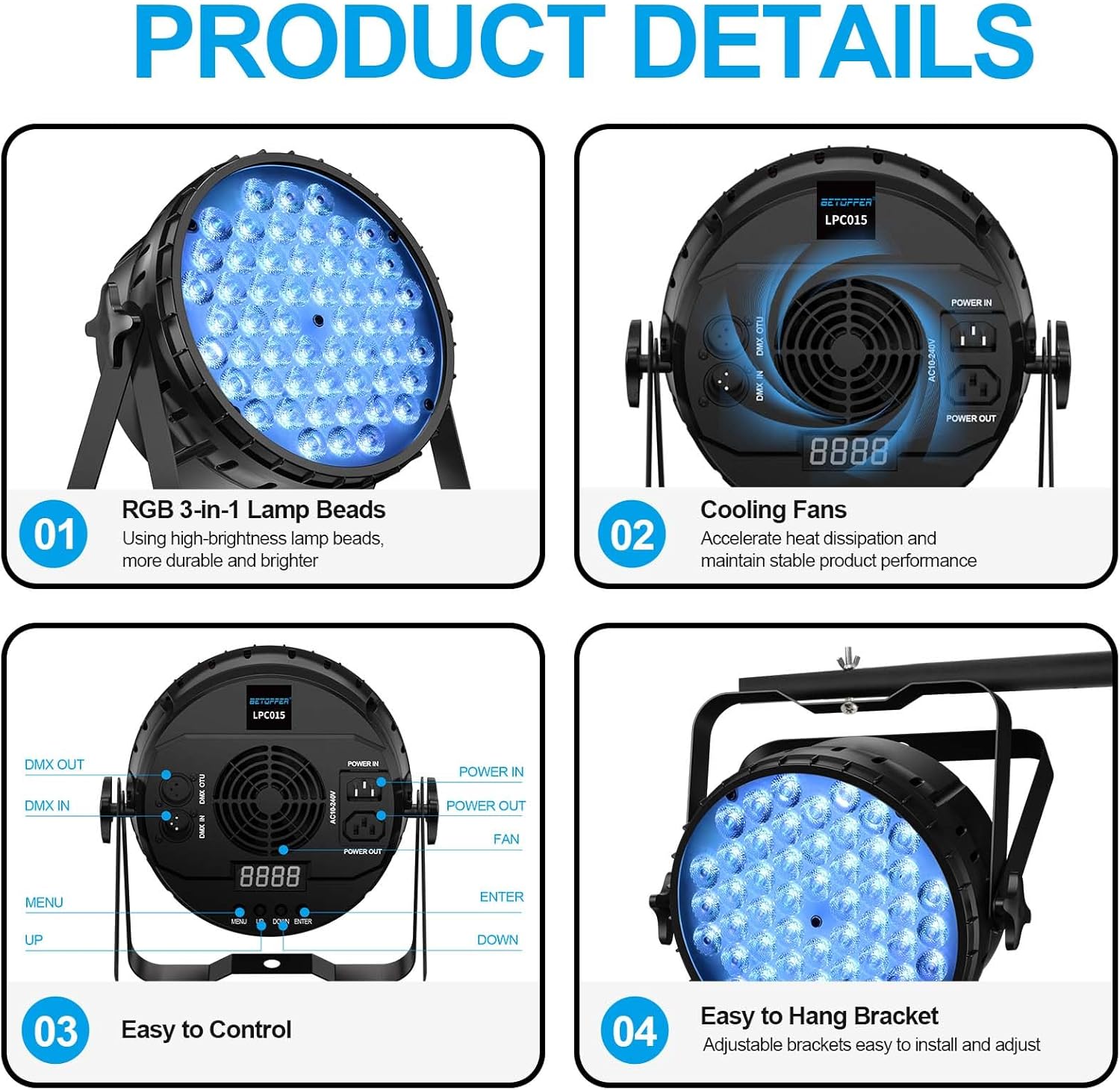
Figure 3: Rear panel showing power input/output, DMX ports, and control buttons.
For multiple lights, you can daisy-chain them using the "POWER OUT" port to connect to the "POWER IN" of the next light. This reduces the need for multiple power outlets.

Figure 4: Daisy-chaining multiple lights for power and DMX control.
5. Operating Modes
The BETOPPER DJ Lights offer multiple control modes:
- Auto Mode: The lights cycle through pre-programmed color changes and effects automatically.
- Sound-Activated Mode: The lights react to ambient sound or music, changing patterns and colors in sync with the beat.
- DMX Mode: For professional control, connect the lights to a DMX controller. The lights support 3/7 DMX channels, allowing precise control over color, dimming, strobe, and other effects.
- Master-Slave Mode: Link multiple lights together where one acts as the master, controlling all connected slave units.

Figure 5: Overview of available LED lighting effects and control modes.
5.1 Control Panel
The rear panel features a digital display and control buttons (MENU, UP, DOWN, ENTER) for mode selection and parameter adjustment.

Figure 6: Detailed view of the control panel.
5.2 Color and Effect Adjustment
The 54x3W RGB 3-IN-1 LED lamp beads allow for a wide range of color mixing and effects, including static colors (Red/Green/Blue), color combinations, color changing, jumping, strobe, and dimming.
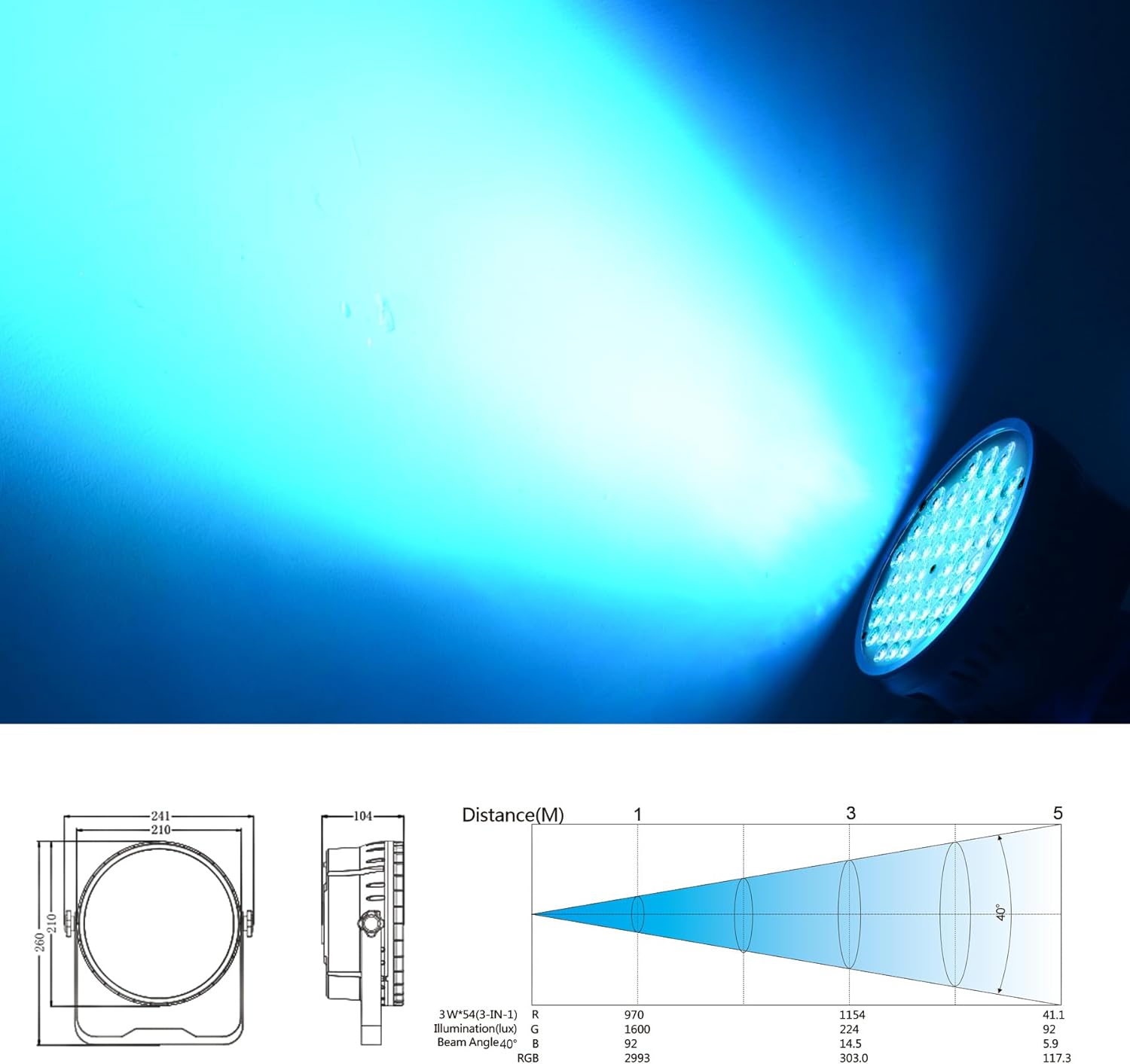
Figure 7: High-quality RGB 3-in-1 lamp beads for vibrant colors.
Observe the various color outputs and effects in the following video demonstrations:
Video 1: Demonstration of BETOPPER LPC015 LED Par Light features and effects.
Video 2: Overview of Betopper DJ Par Light 54x3W LPC015 capabilities.
Video 3: Short demonstration of BETOPPER LPC015 Par Light stage effects.
6. Maintenance
6.1 Cleaning
Regularly clean the exterior of the lights with a soft, dry cloth. Ensure the lenses are free of dust and debris to maintain optimal light output. Do not use abrasive cleaners or solvents.
6.2 Cooling System
The lights feature a built-in cooling fan for excellent heat dissipation, contributing to a 50,000-hour lifespan. Ensure the fan vents are not obstructed to prevent overheating.

Figure 8: Illustration of the internal cooling fan system.
7. Troubleshooting
- No Power: Check all power connections and ensure the outlet is functional.
- DMX Programming Issues: If DMX programming does not work as expected, refer to the DMX controller's manual and ensure correct channel assignments. Some users have reported initial difficulties with DMX control, which were resolved with manufacturer guidance.
- Fan Noise: Some users have noted that the fan can be loud. This is generally normal for the cooling system but ensure vents are clear.
- Light Malfunction: If a unit is not functioning correctly (e.g., not passing power through, scratched housing upon arrival), contact customer support.
8. Specifications
| Feature | Specification |
|---|---|
| Color | Black |
| Shape | Round |
| Material | Aluminum, ABS |
| Finish Type | Anodized |
| Light Source Type | LED |
| Power Source | Corded Electric |
| Item Weight | 3.7 Pounds |
| Style | Compact |
| Voltage | 200 Volts |
| Brightness | 3000 Lumen |
| Light Source Wattage | 162 Watts |
| Mounting Type | Floor Mount |
| Bulb Features | Dimmable |
| Color Temperature | 3000 Kelvin |
| Specification Met | CE, FCC, RoHS |
| Color Rendering Index | 81 |
| Number of Light Sources | 54 |
| Amperage | 0.63 Amps |
| Product Dimensions | 22"L x 14.6"W x 7.9"H |
| Beam Angle | 26 Degrees |
| Item Package Quantity | 2 |
9. Warranty and Support
BETOPPER offers a 1-year warranty for this product. Additionally, lifetime professional technical support is provided to assist with any inquiries or issues you may encounter.
For further assistance or to inquire about protection plans, please refer to the contact information provided with your purchase or visit the official Betopper store online.
Note: Worry-free after-sale services allow for free return/refund within 30 days of purchase.
