
1. Introduction
This manual provides comprehensive instructions for the ALLIMITY RU-M116 remote control. This remote is designed as a replacement or secondary control unit for the NEC Projector Monitor 24WMGX3. It offers full functionality to manage your device effectively.
Compatibility: This remote control is specifically compatible with the NEC Projector Monitor 24WMGX3.
2. Setup
2.1 Battery Installation
The ALLIMITY RU-M116 remote control requires no complex setup or programming. Simply install two new alkaline batteries to begin operation.
- Locate the battery compartment on the back of the remote control.
- Slide the battery compartment cover downwards or in the direction indicated by an arrow to open it.
- Insert two new alkaline batteries, ensuring the positive (+) and negative (-) terminals match the diagrams inside the compartment.
- Replace the battery compartment cover by sliding it back into position until it clicks securely.
Once batteries are installed, the remote control is ready for use with your compatible NEC Projector Monitor 24WMGX3.

Figure 2.1: Front view of the ALLIMITY RU-M116 remote control, illustrating the layout of all control buttons.
3. Operating Instructions
The ALLIMITY RU-M116 remote control provides direct access to various functions of your NEC Projector Monitor 24WMGX3. Ensure there is a clear line of sight between the remote control and the projector/monitor's infrared receiver.
3.1 Button Functions
- POWER: Turns the projector/monitor on or off.
- D-SUB / DVI-D / HDMI1 / HDMI2 / VIDEO1 / VIDEO2: Selects the corresponding input source.
- INPUT SELECT: Cycles through available input sources.
- MENU / EXIT: Opens or closes the on-screen display (OSD) menu.
- Navigation Buttons (Up, Down, Left, Right): Navigates through menu options.
- SELECT: Confirms a selection within the menu.
- AUTO ADJUST: Automatically optimizes the display settings for the current input.
- DISPLAY: Adjusts display modes or information.
- RESET: Resets current settings to default.
- BRIGHTNESS VOLUME (+/-): Adjusts brightness or volume levels.
- MP MODE: Activates or deactivates a specific picture mode (e.g., Movie, Photo).
- DV MODE: Activates or deactivates a specific video mode.
- ON/OFF INPUT: Toggles input power.
- SIZE / POSITION / PIP: Controls image size, position, or Picture-in-Picture function.
- SWAP INPUT: Swaps between two active input sources.
- MUTE: Mutes or unmutes audio.
- AUDIO: Accesses audio settings.
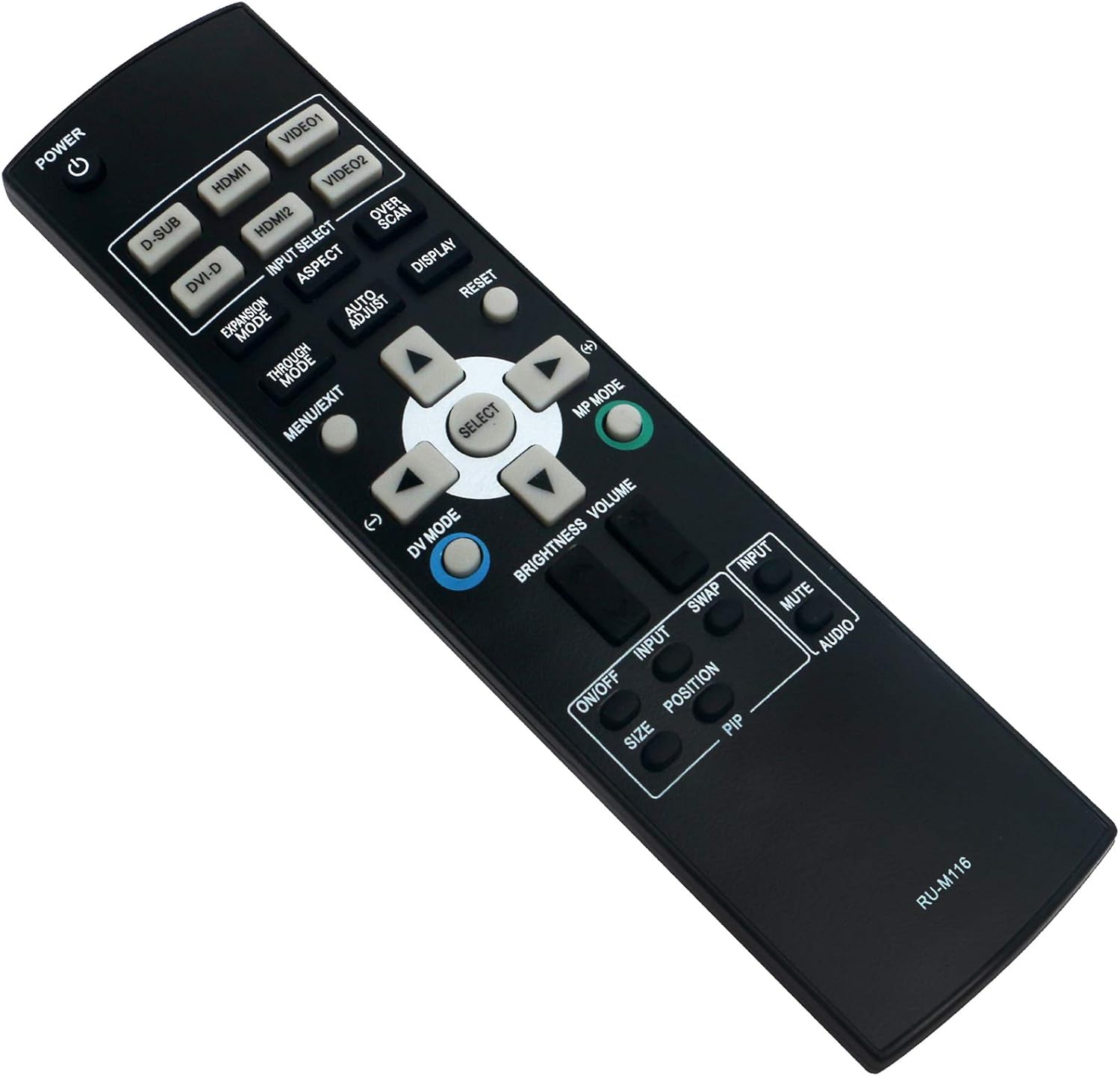
Figure 3.1: Angled view of the ALLIMITY RU-M116 remote control, showing button groupings for various functions.
4. Maintenance
4.1 Cleaning the Remote Control
To maintain the remote control's appearance and functionality, clean it regularly.
- Use a soft, dry cloth to wipe the surface of the remote control.
- For stubborn dirt, slightly dampen the cloth with water or a mild cleaning solution, then wipe dry immediately.
- Do not use abrasive cleaners, alcohol, or solvents, as these can damage the remote's surface or internal components.
4.2 Battery Replacement
Replace batteries when the remote control's range decreases or it stops responding. Always replace both batteries at the same time with new alkaline batteries of the same type.
- Follow the battery installation steps outlined in Section 2.1.
- Dispose of used batteries according to local regulations.
5. Troubleshooting
If you experience issues with your ALLIMITY RU-M116 remote control, refer to the following common problems and solutions:
- Remote control is not responding:
- Check if the batteries are correctly inserted with the correct polarity (+/-).
- Replace old batteries with new alkaline batteries.
- Ensure there are no obstructions between the remote control and the projector/monitor's infrared receiver.
- Make sure you are within the effective operating range (up to 10 meters).
- Buttons are not working correctly:
- Clean the remote control's surface and buttons as described in Section 4.1.
- Ensure the remote is pointed directly at the device's IR sensor.
- Limited range or intermittent response:
- Replace batteries.
- Reduce the distance between the remote and the device.
- Remove any potential sources of infrared interference (e.g., strong lights, other IR devices).
6. Specifications
Below are the technical specifications for the ALLIMITY RU-M116 remote control:
| Feature | Specification |
|---|---|
| Brand | ALLIMITY |
| Model Number | RU-M116 |
| Compatible Devices | NEC Projector Monitor 24WMGX3 |
| Connectivity Technology | Infrared |
| Controller Type | Button Control |
| Maximum Supported Devices | 1 |
| Maximum Range | 10 meters |
| Battery Description | Alkaline |
7. Warranty and Support
Specific warranty information for the ALLIMITY RU-M116 remote control is not provided in this manual. For details regarding warranty coverage, technical support, or replacement parts, please refer to the product packaging or contact the manufacturer directly.
