
Lafocuse ZH0047A
Lafocuse Vintage Silent Analog Alarm Clock (Model: ZH0047A)
Instruction Manual
Product Overview
The Lafocuse Vintage Silent Analog Alarm Clock (Model ZH0047A) is a retro-styled timepiece designed for various settings such as bedrooms, offices, and bedside tables. It features a silent, non-ticking quartz movement and a loud alarm. The clock comes with a removable stand for versatile placement.

Image: Front view of the Lafocuse Vintage Silent Analog Alarm Clock in red, showcasing its classic design and clear analog dial.
Package Contents
- Lafocuse Vintage Silent Analog Alarm Clock
- Removable Stand (pre-installed)
Note: 1 AA battery is required and not included in the package.
Setup
1. Battery Installation
- Locate the battery compartment on the back of the clock.
- Open the battery compartment cover.
- Insert one (1) AA battery, ensuring correct polarity (+/-).
- Close the battery compartment cover securely.
2. Attaching/Detaching the Stand
The stand is typically pre-installed. To detach, gently twist the stand counter-clockwise from the base of the clock. To re-attach, align the screw on the stand with the hole on the clock's base and twist clockwise until secure. The stand features a non-slip mat on its base for stability.

Image: The clock separated from its removable stand, highlighting the screw mechanism and the non-slip mat on the stand's base.
3. Setting the Time
- Locate the "Set the Time" knob on the back of the clock (usually on the left side).
- Rotate this knob clockwise or counter-clockwise until the hour and minute hands display the correct time.
4. Setting the Alarm
- Locate the "Set the Alarm" knob on the back of the clock (usually on the right side).
- Rotate this knob to set the desired alarm time. The alarm hand will move independently.
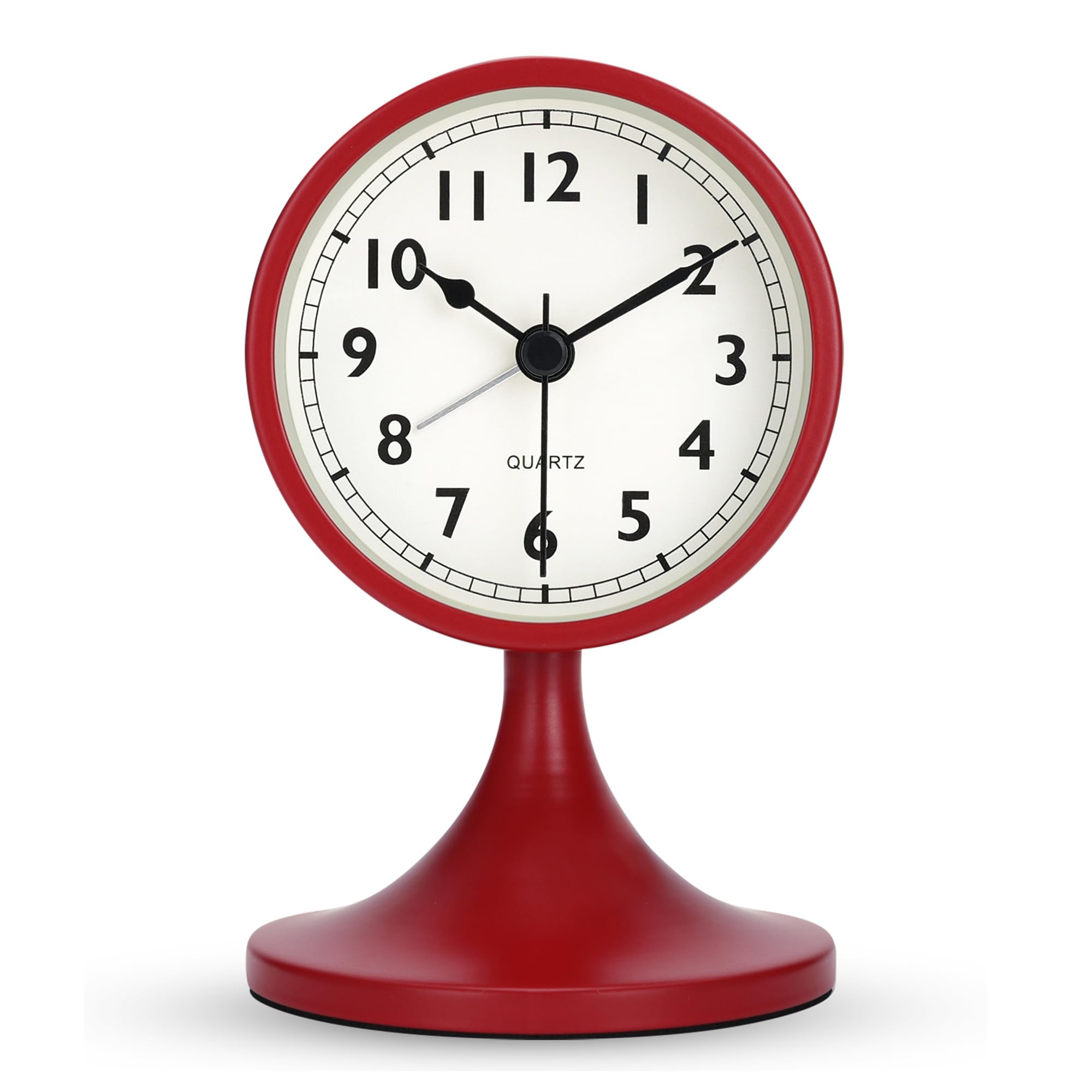
Image: Rear view of the alarm clock, clearly labeling the "Set the Time" knob, "Set the Alarm" knob, "Alarm ON/OFF" switch, "Light & Snooze Button", and "Battery Jar".
Operating Instructions
1. Activating/Deactivating the Alarm
- To activate the alarm, slide the "Alarm ON/OFF" switch (located on the back of the clock) to the "ON" position.
- To deactivate the alarm, slide the "Alarm ON/OFF" switch to the "OFF" position.
2. Using the Light & Snooze Button
Press the "Light & Snooze Button" (located on the top of the clock) to illuminate the dial for a few seconds, allowing you to view the time in the dark. If the alarm is sounding, pressing this button will activate the snooze function (if available, typically for a short duration) or temporarily silence the alarm.
3. Silent Movement
This alarm clock features a superior precise quartz movement designed to be silent, ensuring no ticking sound for a peaceful environment, especially beneficial for light sleepers.
Maintenance
- Cleaning: Wipe the clock with a soft, dry cloth. Avoid using abrasive cleaners or solvents.
- Battery Replacement: Replace the AA battery annually or when the clock's performance diminishes (e.g., alarm weakens, time becomes inaccurate). Always dispose of used batteries responsibly.
- Storage: If storing the clock for an extended period, remove the battery to prevent leakage.
Troubleshooting
| Problem | Possible Cause | Solution |
|---|---|---|
| Clock is not working or stops | Battery is dead or incorrectly installed. | Replace the AA battery, ensuring correct polarity. |
| Alarm does not sound | Alarm is not activated or set incorrectly. | Ensure the "Alarm ON/OFF" switch is in the "ON" position and the alarm time is correctly set. |
| Alarm time is not precise | Analog alarms have inherent minor inaccuracies. | Analog alarm clocks typically have an error margin of up to 5 minutes. This is considered normal operation. Adjust the alarm setting slightly if needed. |
| Stand is loose or detached | Stand was twisted off or not securely attached. | Re-attach the stand by twisting it clockwise until secure. Ensure the non-slip mat is in place for stability. |
Specifications
| Feature | Detail |
|---|---|
| Brand | Lafocuse |
| Model Number | ZH0047A |
| Dimensions (L x W x H) | 8 x 3.81 x 13 cm (3.15 x 1.5 x 5.12 inches) |
| Weight | 230 grams |
| Color | Red |
| Display Type | Analog |
| Style | Retro |
| Special Features | Alarm, Silent Clock, Light, Snooze |
| Power Source | Battery Powered (1 AA battery, not included) |
| Material | Metal (Frame and Body) |
| Movement Type | Quartz |
| Mounting Type | Tabletop |
| UPC / GTIN | 717351611945 |
Warranty and Support
Specific warranty information is not provided with this product manual. For warranty claims or technical support, please refer to the retailer's return policy or contact Lafocuse customer service through their official website or the platform where the product was purchased.
Ask a question about this manual
Ask about setup, troubleshooting, compatibility, parts, safety, or missing instructions. Manuals+ will review the question and use this page’s manual context to help answer it.