
1. Product Overview
The Docooler HXSJ J300 is a wired gaming mouse designed for precision and comfort. It features a 7-key programmable layout, adjustable DPI settings, and customizable RGB backlighting to enhance your computing experience.
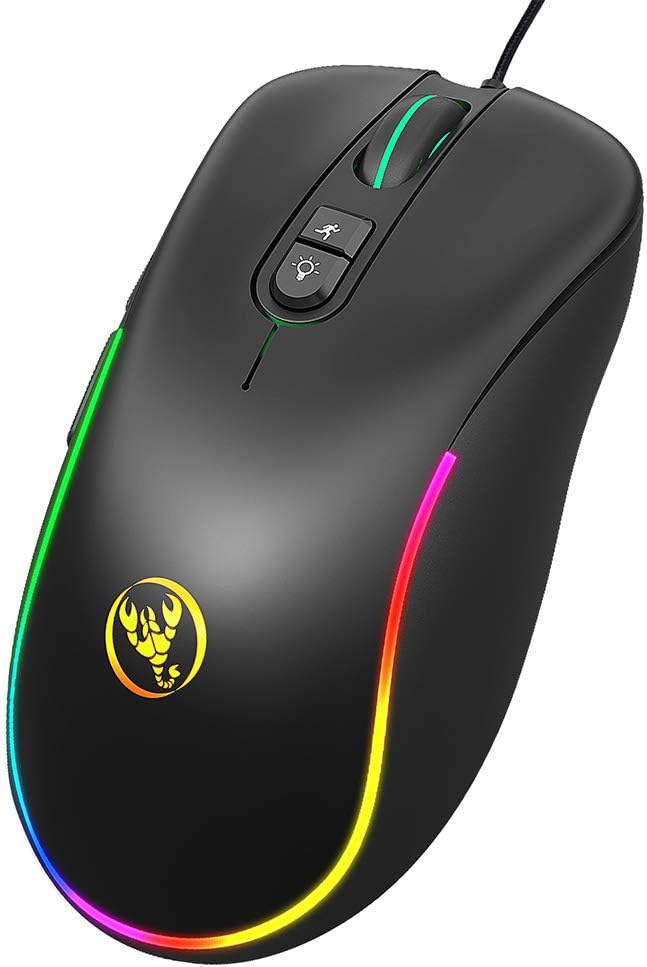
Image 1.1: Front view of the Docooler HXSJ J300 Wired Gaming Mouse, showcasing its ergonomic design and RGB lighting.
Key Features:
- 7 Programmable Buttons: Customize functions for enhanced control.
- Adjustable DPI: Six levels from 800 to 6400 DPI for precise tracking.
- RGB Backlighting: Seven programmable modes for personalized aesthetics.
- Ergonomic Design: Comfortable for extended use, reducing fatigue.
- Plug and Play: Easy setup with a high-speed USB interface.
2. Package Contents
Please check the package for the following items:
- 1 x Docooler HXSJ J300 Wired Gaming Mouse
- 1 x User Manual (this document)
3. Setup Instructions
The Docooler HXSJ J300 mouse is designed for simple plug-and-play functionality.
- Connect the Mouse: Insert the USB connector of the mouse into an available USB port on your computer.
- Driver Installation: For basic functionality, no additional drivers are required. The operating system will automatically detect and install the necessary drivers.
- Macro Programming Software (Optional): To utilize the 7-key macro programming features, you will need to download and install the dedicated software. Refer to Section 5 for details.
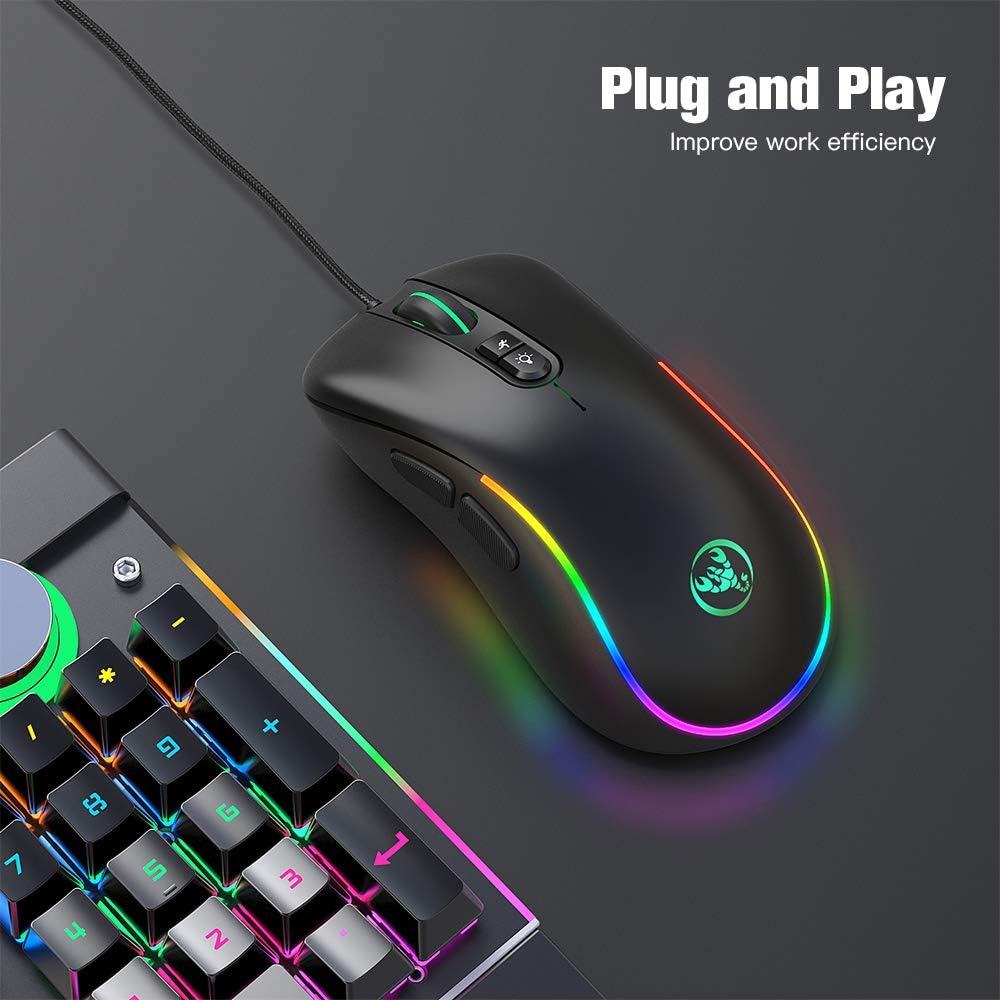
Image 3.1: The HXSJ J300 mouse connected via USB, demonstrating its plug-and-play readiness.
4. Operating the Mouse
The J300 mouse features 7 buttons, including standard mouse buttons, side buttons, and dedicated buttons for DPI adjustment and RGB lighting control.

Image 4.1: Labeled diagram of the HXSJ J300 mouse buttons, indicating Left, Right, Mid, Forward, Backward, DPI loop+/-, and RGB light mode switch.
Button Functions:
- Left Button (1): Standard left-click function.
- Right Button (2): Standard right-click function.
- Mid Button / Scroll Wheel (3): Scroll up/down, and middle-click function.
- Forward Button (4): Navigates forward in web browsers or file explorers.
- Backward Button (5): Navigates backward in web browsers or file explorers.
- DPI Loop+/- Button (6): Cycles through the available DPI settings.
- RGB Light Mode Switch (7): Changes the RGB lighting effect.
5. Macro Programming
The HXSJ J300 mouse supports macro programming for its 7 buttons, allowing you to assign custom commands or sequences of actions. This functionality requires dedicated software.
Driver Download and Installation:
- Download Software: Access the macro programming driver from the following link: HXSJ J300 Macro Driver.
- Install Driver: Follow the on-screen instructions to install the software on your computer.
- Configure Macros: Once installed, open the software to customize button assignments, create macros, and save profiles. Refer to the software's internal help for detailed instructions on macro creation.
Note: Ensure your operating system is compatible with the driver software. Supported systems include Windows 2000/XP/Win7/Win8/Win10/Vista 32bit/IOS or later.
6. DPI Settings
The mouse features six adjustable DPI (Dots Per Inch) levels, allowing you to change cursor sensitivity on the fly. This is useful for different tasks, such as precise aiming in games or fast navigation across multiple monitors.
Adjusting DPI:
- Press the DPI Loop+/- Button (6) located behind the scroll wheel to cycle through the preset DPI levels.
- Each press will switch to the next DPI setting: 800 → 1600 → 2400 → 3200 → 4800 → 6400 DPI.
- The mouse's RGB lighting may change color briefly to indicate the current DPI level, depending on the active RGB mode.

Image 6.1: Visual representation of the six adjustable DPI levels (800-6400) and various RGB backlight modes available on the HXSJ J300 mouse.
7. RGB Lighting Modes
The HXSJ J300 mouse features 7 programmable RGB backlight modes, offering a range of visual effects to personalize your setup.
Changing RGB Modes:
- Press the RGB Light Mode Switch Button (7), located near the DPI button, to cycle through the available lighting effects.
- Available modes may include: Breathing, Tail, Neon, Response, Wave, Colorful Streaming, and Steady.

Image 7.1: A finger pressing the dedicated RGB light mode switch button on the HXSJ J300 mouse to change lighting effects.
8. Maintenance
To ensure the longevity and optimal performance of your Docooler HXSJ J300 mouse, follow these simple maintenance guidelines:
- Cleaning: Use a soft, dry cloth to wipe the surface of the mouse. For stubborn dirt, slightly dampen the cloth with water or a mild cleaning solution. Avoid harsh chemicals or abrasive materials.
- Sensor Care: Keep the optical sensor on the underside of the mouse clean and free from dust or debris to ensure accurate tracking.
- Cable Management: Avoid sharp bends or excessive pulling on the USB cable to prevent damage.
- Storage: When not in use, store the mouse in a clean, dry environment away from extreme temperatures.
9. Troubleshooting
If you encounter any issues with your Docooler HXSJ J300 mouse, please refer to the following common troubleshooting steps:
- Mouse Not Responding:
- Ensure the USB cable is securely plugged into a working USB port on your computer.
- Try plugging the mouse into a different USB port.
- Restart your computer.
- Test the mouse on another computer to determine if the issue is with the mouse or your system.
- Inaccurate Tracking / Cursor Jumps:
- Clean the optical sensor on the underside of the mouse.
- Ensure you are using the mouse on a clean, non-reflective, and uniform surface (e.g., a mouse pad).
- Adjust the DPI setting to a lower value if the cursor is too sensitive.
- Buttons Not Working / Macro Issues:
- For basic button functionality, ensure the mouse is properly connected.
- For macro programming issues, verify that the macro driver software is correctly installed and configured.
- Check for any software updates for the macro driver.
- RGB Lighting Not Working:
- Ensure the mouse is powered on and connected.
- Press the RGB Light Mode Switch button to cycle through modes.
- If using macro software, check if lighting effects are disabled or set to a specific mode within the software.
10. Specifications
Detailed technical specifications for the Docooler HXSJ J300 Wired Gaming Mouse:

Image 10.1: Diagram illustrating the dimensions of the HXSJ J300 mouse: Length 127mm, Width 65mm, Height 40mm.
| Feature | Specification |
|---|---|
| Brand | Docooler |
| Model | J300 |
| Color | Black |
| Number of Keys | 7 |
| DPI Settings | 800-1600-2400-3200-4800-6400DPI (Adjustable) |
| Interface | USB |
| Cable Length | 150 cm |
| Switch Life | 10 million cycles |
| Voltage/Current | DC 5V/100mA |
| Supported Systems | Windows 2000/XP/Win7/Win8/Win10/Vista 32bit/IOS or latest |
| Item Size (L*W*H) | 12.7 * 6.5 * 4 cm (5 * 2.56 * 1.57 inches) |
| Item Weight | Approx. 126 g (4.44 oz) |
| Movement Detection Technology | Optical |
| Special Feature | Ergonomic Design |
11. Warranty and Support
Docooler products are manufactured to high-quality standards. For warranty information and technical support, please refer to the documentation provided at the time of purchase or contact your retailer. Keep your proof of purchase for warranty claims.
