
1. Introduction and Overview
The OREI UHD14-EX230-K HDMI Splitter and Extender Kit is designed to simplify sharing HDMI media content. It allows distribution of a single HDMI source to four remote locations simultaneously, extending up to 230 feet over a single CAT6 or CAT7 LAN cable. This product fully supports 4K Ultra High Definition media content at up to 60 frames per second and is compliant with both HDMI 2.0b and HDCP 2.2, ensuring compatibility with modern media gear.
The transmitter unit also provides local loopback functionality, allowing you to enjoy the content at the primary location while simultaneously sharing it with all four remote locations. The system employs Power over Cable (PoC) technology, meaning only a single power supply at the transmitter end is needed to operate the entire solution.
Official product video demonstrating the setup and functionality of the OREI 4K 1x4 HDMI Extender Splitter. It covers unboxing, detailed port explanations, features, and a live demonstration of connecting a media player to multiple remote displays.
2. Package Contents
Upon opening the box, you should find the following items:
- 1x OREI UHD14-EX230-K Transmitter Module
- 4x OREI UHD14-EX230-K Remote Receiver Modules
- 1x 12V 2.5A DC Power Adapter
- 4x Mounting Kits for Receivers
- 1x Bracketing Kit for Transmitter
- 1x User Manual
3. Product Features
- Distributes a single HDMI source to four displays via CAT6/7 cables, delivering uncompressed 4K@60Hz video up to 60M (197 ft) and 4K@30Hz up to 70M (230 ft) with exceptional clarity.
- Features an HDMI loop-out on the transmitter for connecting a local display and supports high-performance video with 18 Gbps bandwidth and HDCP 2.2 compliance.
- Includes advanced EDID management for enhanced compatibility and smooth communication between source and displays.
- Power over Cable (PoC) design eliminates the need for multiple power adapters—only the transmitter requires power, easy installation.
- Designed for both personal and professional use.
- Full Support of 4K UHD Media Content.
- Splitter & Extender Combined.
- HDMI 2.0b / HDCP 2.2 Compliant.
- 230 Foot Extension of Content.
- Local Loopback & PoC Technology.
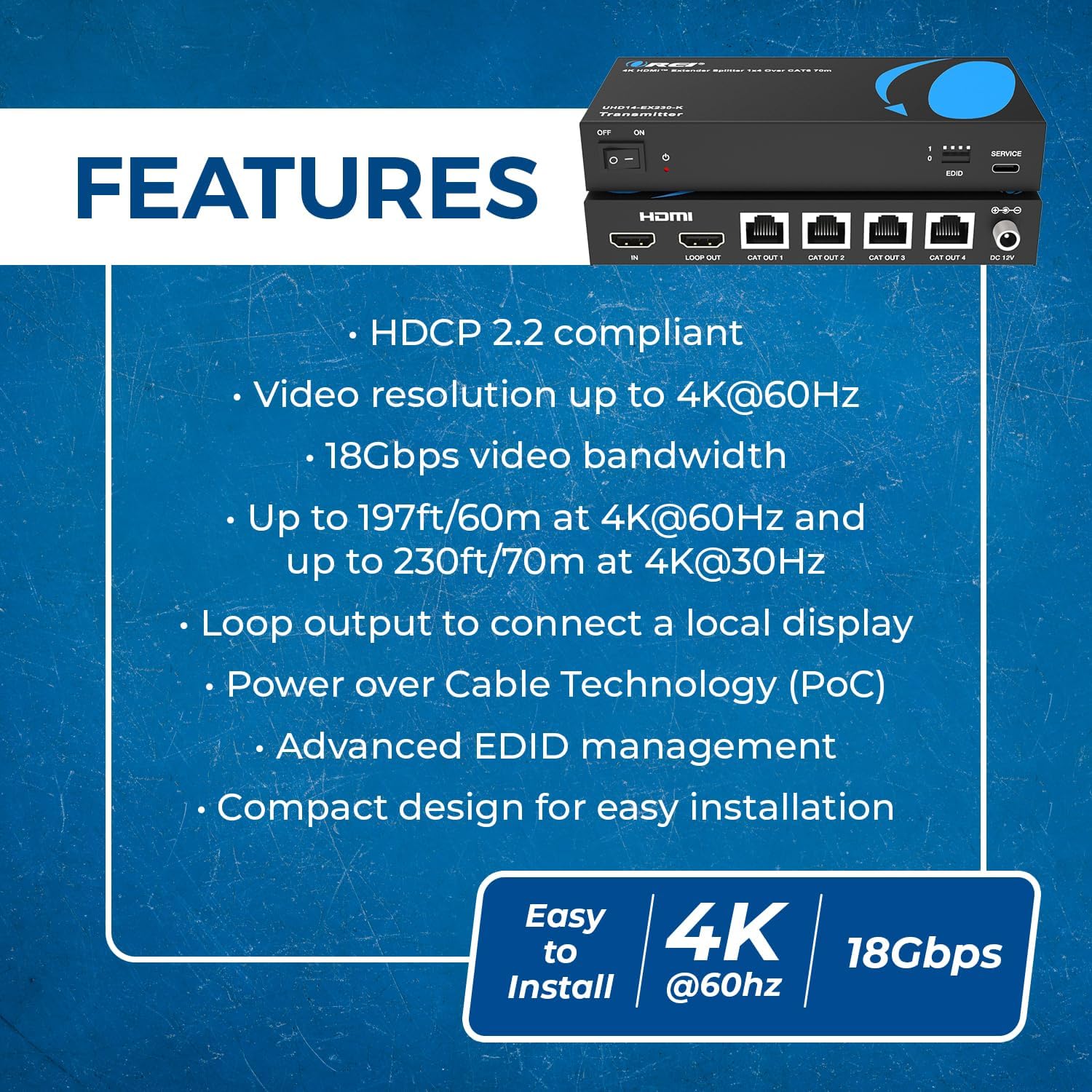
Key features of the OREI HDMI Extender Splitter.
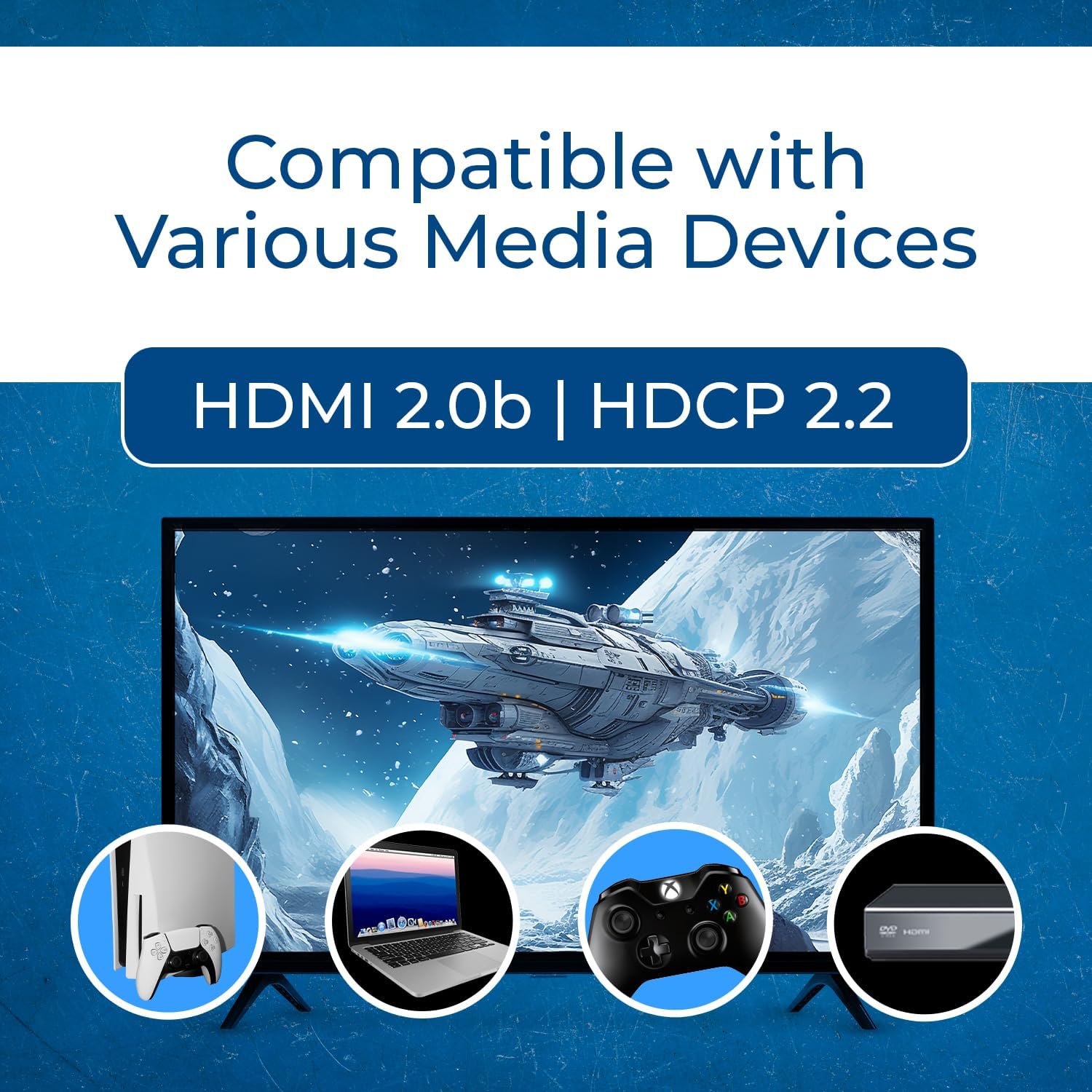
Compatible with various media devices including laptops, Xbox, Sony Playstation, Fire Stick, Blu-Ray/DVD players, Satellite Receivers, Roku, Chromecast, PCs, and Projectors.
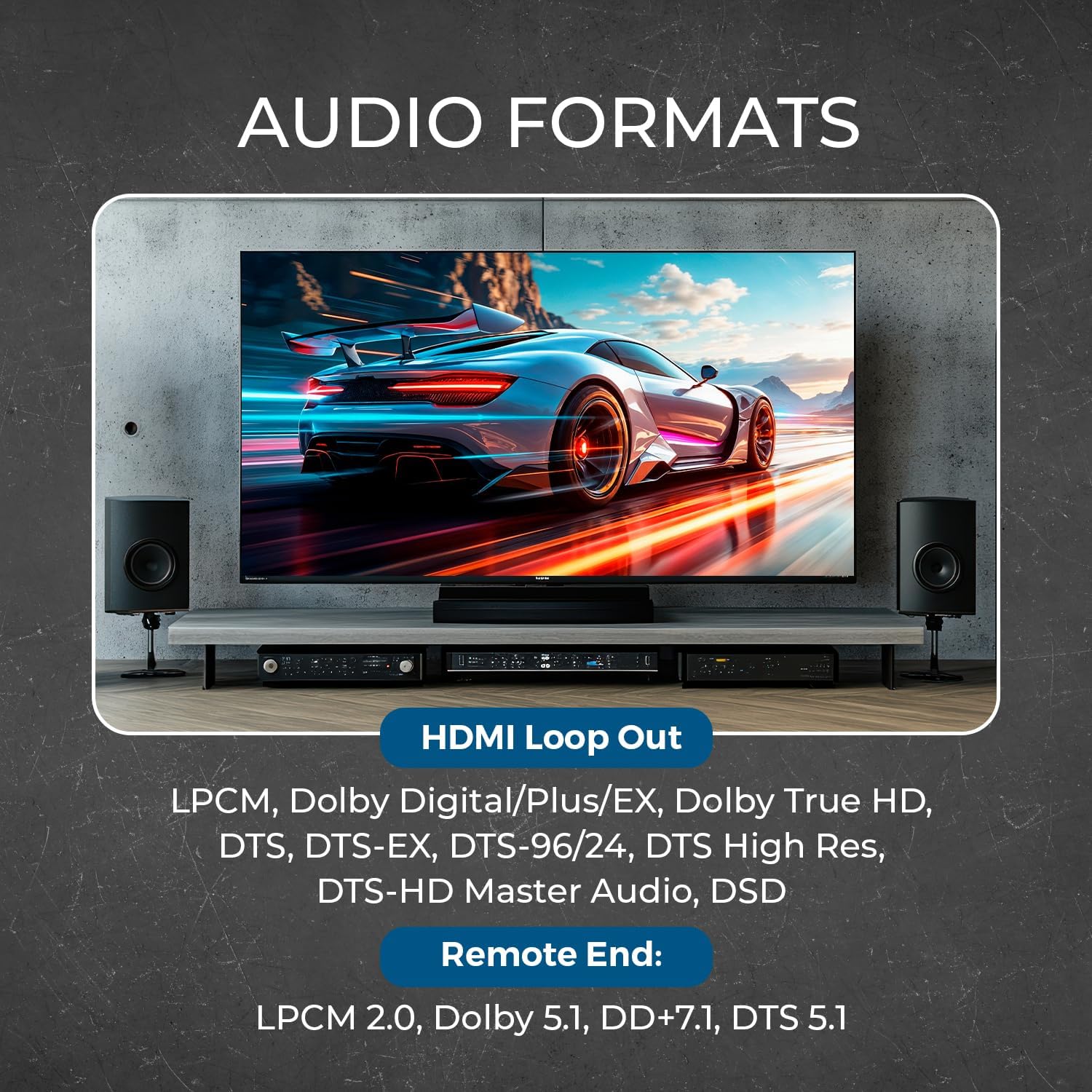
Supported audio formats for HDMI Loop Out (LPCM, Dolby Digital/Plus/EX, Dolby True HD, DTS, DTS-EX, DTS-96/24, DTS High Res, DTS-HD Master Audio, DSD) and Remote End (LPCM 2.0, Dolby 5.1, DD+7.1, DTS 5.1).
4. Product Overview (Ports and Indicators)
Transmitter Unit
The transmitter unit features a full metal enclosure for durability and to minimize interference. It includes ventilation slots to dissipate heat and mounting holes on the bottom for secure installation.

OREI HDMI Extender Splitter Transmitter Unit.
Front Panel:
- Power Switch: Toggles the unit ON/OFF.
- Power Indicator LED: Lights up after internal self-test, indicating the module is ready.
- EDID Switches: Used to adjust frame rate, resolution, and audio style for compatibility between input media and output displays. Refer to the user manual for specific configurations.
- USB-C Service Port: Used for updating the firmware of the transmitter.
Rear Panel:
- HDMI IN: Connects to your HDMI media source (e.g., Blu-ray player, game console).
- HDMI LOOP OUT: An additional HDMI output for connecting a local display at the primary location.
- CAT OUT (1-4): Four RJ45 ports for connecting to the remote receiver modules via CAT6/7 LAN cables.
- DC 12V: Power input port for the included 12V DC power adapter.
Receiver Unit
The receiver units also feature full metal enclosures with mounting holes on the sides. They do not require individual power supplies due to Power over Cable (PoC) technology.
Ports and Indicators:
- CAT IN: RJ45 port for connecting to the Transmitter via a CAT6/7 LAN cable. This port also supplies power to the receiver.
- HDMI OUT: Connects to your local display (e.g., TV, monitor) at the remote location.
- Power Indicator LED: Lights up when the receiver receives power and completes its self-test.
5. Setup and Installation
Follow these steps to set up your OREI 4K 1x4 HDMI Extender Splitter:
- Connect HDMI Source: Disconnect your media player or HDMI source from its local monitor. Connect the HDMI output of your media player/source to the HDMI IN port on the Transmitter unit.
- Power the Transmitter: Connect the included 12V DC power adapter to the DC 12V input port on the Transmitter. Plug the power adapter into a standard wall outlet. Finger-tighten the locking collar on the barrel connection to ensure a secure fit.
- Connect Remote Displays: Connect an HDMI cable from each of your remote displays (up to four) to the HDMI OUT port on each respective Receiver unit. Ensure you use high-quality HDMI cables for optimal 4K performance.
- Connect LAN Cables (CAT6/7): Connect CAT6 or CAT7 LAN cables from the CAT OUT (1-4) ports on the Transmitter to the CAT IN ports on each of the four Receiver units. These cables transmit both video/audio signals and power (PoC) to the Receivers. For optimal performance, shielded CAT6/7 cables are recommended.
- (Optional) Local Loop Out: If you wish to view the content at the primary location, connect an HDMI cable from the HDMI LOOP OUT port on the Transmitter to a local monitor.
- Power On: Turn on the Transmitter unit using the power switch. The power indicator LED on the Transmitter will light up after an internal self-test. The power indicator LEDs on the Receiver units will also light up once they receive power and complete their self-test.
- Automatic Adjustment: The system will automatically detect the resolution of the media content and the output displays, making necessary adjustments to provide the best possible picture.

Typical setup diagram for the OREI HDMI Extender Splitter.

Power over Cable (PoC) technology simplifies installation by powering receivers via the CAT cable.
6. Operating Instructions
Once all connections are made and the units are powered on, the OREI 4K 1x4 HDMI Extender Splitter operates automatically. The system will detect the input signal and the capabilities of the connected displays to provide the best possible video and audio output.
- Automatic Operation: The extender splitter is designed for plug-and-play functionality. No complex configuration is typically required for standard setups.
- EDID Management: If you encounter display issues such as no picture, incorrect resolution, or audio problems, utilize the EDID switches on the Transmitter's front panel. These switches allow you to manually adjust the EDID settings (Extended Display Identification Data) to ensure compatibility between your source device and displays. Refer to the detailed EDID table in the full user manual for specific switch positions and their corresponding settings.
- Power Cycling: In case of minor glitches or signal loss, power cycling the Transmitter (turning it off and then on again) can often resolve the issue.
7. Technical Specifications
- Product Dimensions: 8.5 x 4 x 1.5 inches
- Item Weight: 2 pounds
- Item Model Number: UHD14-EX100-K
- Color: Black
- Connector Type: HDMI
- Video Resolution: Supports up to 4K@60Hz (4:4:4)
- Bandwidth: 18 Gbps
- HDCP Compliance: HDCP 2.2
- Extension Distance: Up to 197 ft (60m) for 4K@60Hz, Up to 230 ft (70m) for 4K@30Hz
- Cable Type: CAT6/7 (Shielded recommended for optimal performance)
- Power: Power over Cable (PoC), single 12V power adapter at Transmitter

Detailed technical specifications for the OREI HDMI Extender Splitter.
8. Troubleshooting
If you encounter issues with your OREI 4K 1x4 HDMI Extender Splitter, please refer to the following troubleshooting steps:
- No Picture/Signal:
- Ensure all HDMI and CAT cables are securely connected to both the Transmitter and Receiver units, as well as to the source and display devices.
- Verify that the power adapter is correctly plugged into the Transmitter and a working power outlet. Check if the power indicator LEDs on both the Transmitter and Receivers are illuminated.
- Confirm that your HDMI source device (e.g., Blu-ray player, game console) is powered on and actively outputting a signal.
- Adjust the EDID switches on the Transmitter. Try different EDID modes to find one that is compatible with all connected displays. Refer to the user manual for the EDID switch settings.
- Test with shorter or different CAT6/7 cables to rule out cable issues.
- Ensure all connected devices (source, extender, displays) are HDCP compatible.
- Flickering or Intermittent Signal:
- Replace CAT6/7 cables with high-quality, shielded cables, especially for longer runs.
- Check that your cable lengths do not exceed the specified maximums (197 ft for 4K@60Hz, 230 ft for 4K@30Hz).
- Ensure all cable connections are tight and secure.
- No Audio:
- Verify the audio settings on your source device and display.
- Check the EDID settings on the Transmitter, particularly those related to audio formats. Adjust as necessary.
9. Maintenance
To ensure the longevity and optimal performance of your OREI 4K 1x4 HDMI Extender Splitter, follow these maintenance guidelines:
- Environment: Keep the device in a cool, dry, and well-ventilated area. Avoid exposing it to direct sunlight, high temperatures, or excessive humidity.
- Cleaning: Clean the device with a soft, dry cloth. Do not use liquid cleaners, aerosols, or abrasive solvents, as these may damage the unit.
- Ventilation: Ensure that the ventilation slots on the unit are not blocked to prevent overheating.
- Cable Management: Organize cables neatly to prevent strain on ports and accidental disconnections.
10. Warranty and Support
OREI stands behind the quality of its products. The OREI 4K 1x4 HDMI Extender Splitter comes with a 12-Month Manufacturer's Warranty from the date of purchase.
In addition, OREI provides Lifetime Technical Support for this product. If you encounter any issues, have questions about setup, or require assistance with troubleshooting, please do not hesitate to contact OREI customer support.

OREI commitment to quality and support.
For warranty claims or technical support, please visit the official OREI website or refer to the contact information provided in your user manual.
