
1. Introduction and Overview
The Nerf Elite 2.0 Commander RD-6 blaster is designed for action-packed play. It features a 6-dart rotating drum, allowing for both single-dart firing and rapid-fire slam-fire action. This blaster is equipped with 3 tactical rails and attachment points for a stock and barrel extension, offering customization options (accessories sold separately). Darts can reach distances of up to 27 meters.

Image: The Nerf Elite 2.0 Commander RD-6 blaster, shown with its 6-dart rotating drum and 12 included darts.
2. Safety Information
WARNING:
- Do not aim at eyes or face.
- To avoid injury, use only official NERF darts. Other darts may not meet safety standards.
- Do not modify darts or blaster.
- CHOKING HAZARD: Small parts. Not for children under 3 years.
- Always wear eyewear (not included) when using this product.
3. Package Contents
The package includes the following items:
- 1 x Nerf Elite 2.0 Commander RD-6 Blaster
- 12 x Official Nerf Elite Darts
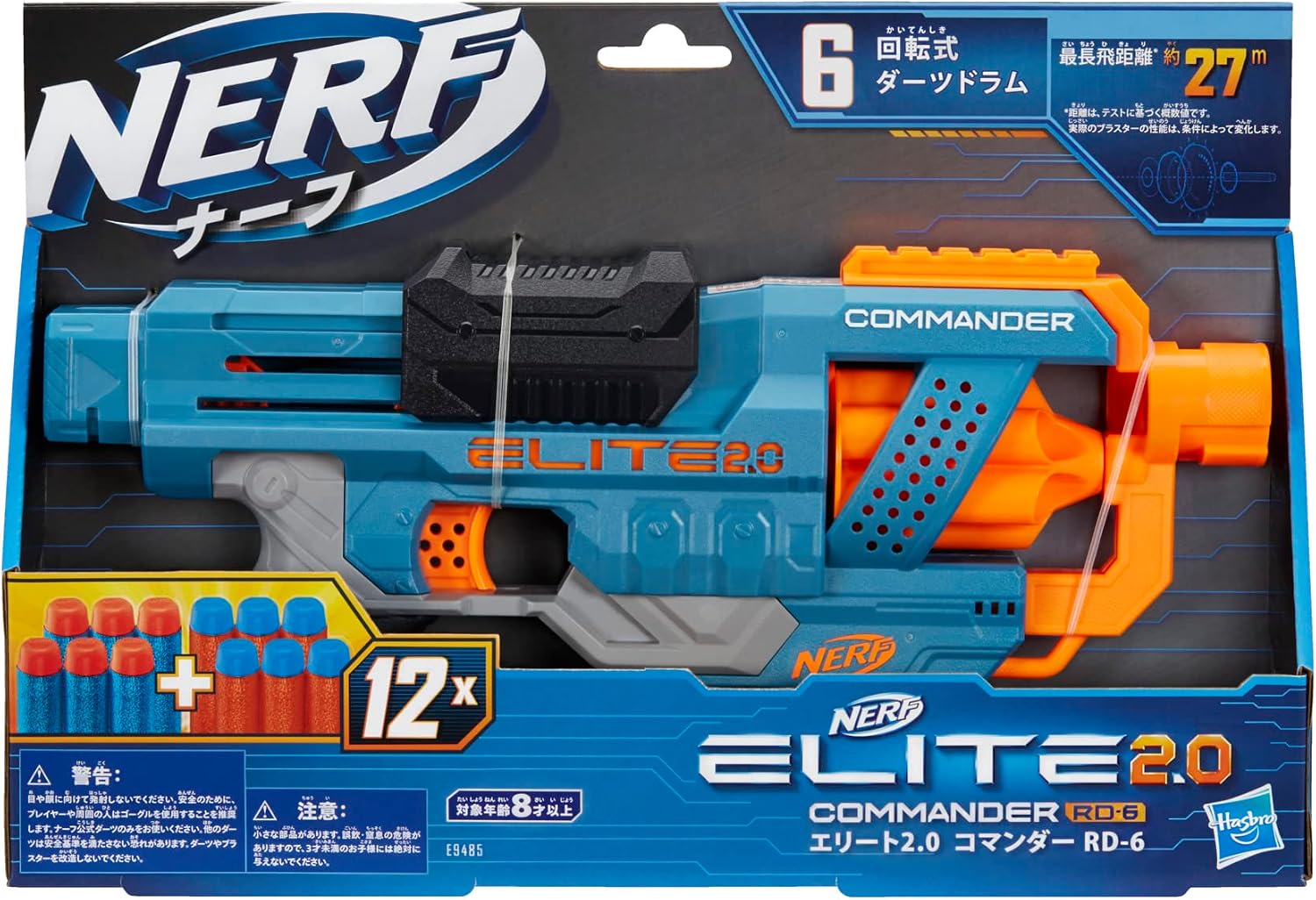
Image: The Nerf Elite 2.0 Commander RD-6 blaster shown in its original packaging, highlighting the included darts.
4. Setup
4.1 Loading Darts
- Insert 6 official Nerf Elite darts into the rotating drum.
- Keep the remaining 6 darts nearby for quick reloading during play.

Image: A person demonstrating how to load darts into the blaster's rotating drum.
4.2 Attaching Accessories (Optional)
The blaster features 3 tactical rails and attachment points for a stock and barrel extension. These allow for customization with compatible Nerf accessories (sold separately).
- To attach accessories, slide them onto the tactical rails until they click into place.
- For stock and barrel extensions, align them with the attachment points and push firmly until secured.
5. Operating Instructions
5.1 Single-Shot Firing
- Ensure darts are loaded into the drum.
- Pull the priming slide located at the top of the blaster all the way back, then push it all the way forward.
- Aim at your target and press the trigger to fire one dart.
5.2 Slam-Fire Action
- Ensure darts are loaded into the drum.
- Hold down the trigger.
- Repeatedly move the priming slide back and forth to rapidly fire all 6 darts in quick succession.

Image: A person demonstrating the aiming posture with the Nerf Elite 2.0 Commander RD-6 blaster.
6. Maintenance
- Keep the blaster clean and free from dirt or debris. Use a dry, soft cloth to wipe down the blaster.
- Store darts in a clean, dry place to maintain their shape and performance. Avoid bending or crushing darts.
- Do not submerge the blaster in water or use harsh chemicals for cleaning.
7. Troubleshooting
7.1 Darts Not Firing or Jamming
- Ensure that only official Nerf Elite darts are used. Unofficial or damaged darts can cause jamming.
- Check the dart drum and firing mechanism for any obstructions. Carefully remove any lodged darts or debris.
- Verify that the priming slide is fully pulled back and pushed all the way forward before attempting to fire. Incomplete priming can prevent firing.
8. Specifications
| Feature | Detail |
|---|---|
| Brand | Hasbro |
| Model Name | Nerf Elite 2.0 Commander RD-6 |
| Model Number | E9485 |
| UPC | 630509961269 |
| Dart Capacity | 6 darts (rotating drum) |
| Included Darts | 12 Official Nerf Elite Darts |
| Max Firing Range | Up to 27 meters |
| Recommended Age | 8 years and up |
| Material | Plastic |
| Product Dimensions (L x W x H) | 24.2 cm x 6.7 cm x 36.2 cm |
| Batteries Required | No |
9. Warranty
Warranty information for the Nerf Elite 2.0 Commander RD-6 blaster is not explicitly provided in the product details. For specific warranty terms and conditions, please refer to the official Hasbro website or contact their customer support directly.
10. Support
For additional assistance, product inquiries, or to report any issues, please visit the official Hasbro website:
You may also find helpful resources and FAQs on their support pages.
