
GTRACING GT099
GTRACING Gaming Chair User Manual
Model: GT099
1. Product Overview
The GTRACING Gaming Chair is an ergonomic racing-style chair designed for extended periods of sitting, ideal for gaming, office work, or studying. It features a strong metal frame, thick padded back and seat, and adjustable components to provide optimal comfort and support.

This image displays the overall design of the GTRACING Gaming Chair in white and black, highlighting its racing-style aesthetics and ergonomic shape.
2. Key Features
- Ergonomic Design: Strong metal frame designed to promote a comfortable seated position, reducing pressure and pain during long hours of use.
- Adjustable Backrest: Large angle adjuster provides perfect angle support from 90 to 155 degrees, suitable for working, reading, or resting.
- Comfortable Cushions: Well-padded seat, lumbar, and headrest cushions enhance comfort for extended sessions.
- Fully Adjustable: Features a Class 3 gas lift cylinder for height adjustment, multi-adjustable 3D armrests, and adjustable tilt rock tension.
- High-Quality Materials: Constructed with a durable metal frame, supportive molded foam, soft PU leather, and smooth-rolling casters.
Detailed Feature Overview

The chair's design is engineered to support the natural curve of the spine, promoting a healthy posture.

Removable and adjustable headrest and lumbar pillows provide targeted support for the neck and lower back.
The backrest can be adjusted from an upright 90-degree working position to a relaxed 155-degree resting position.

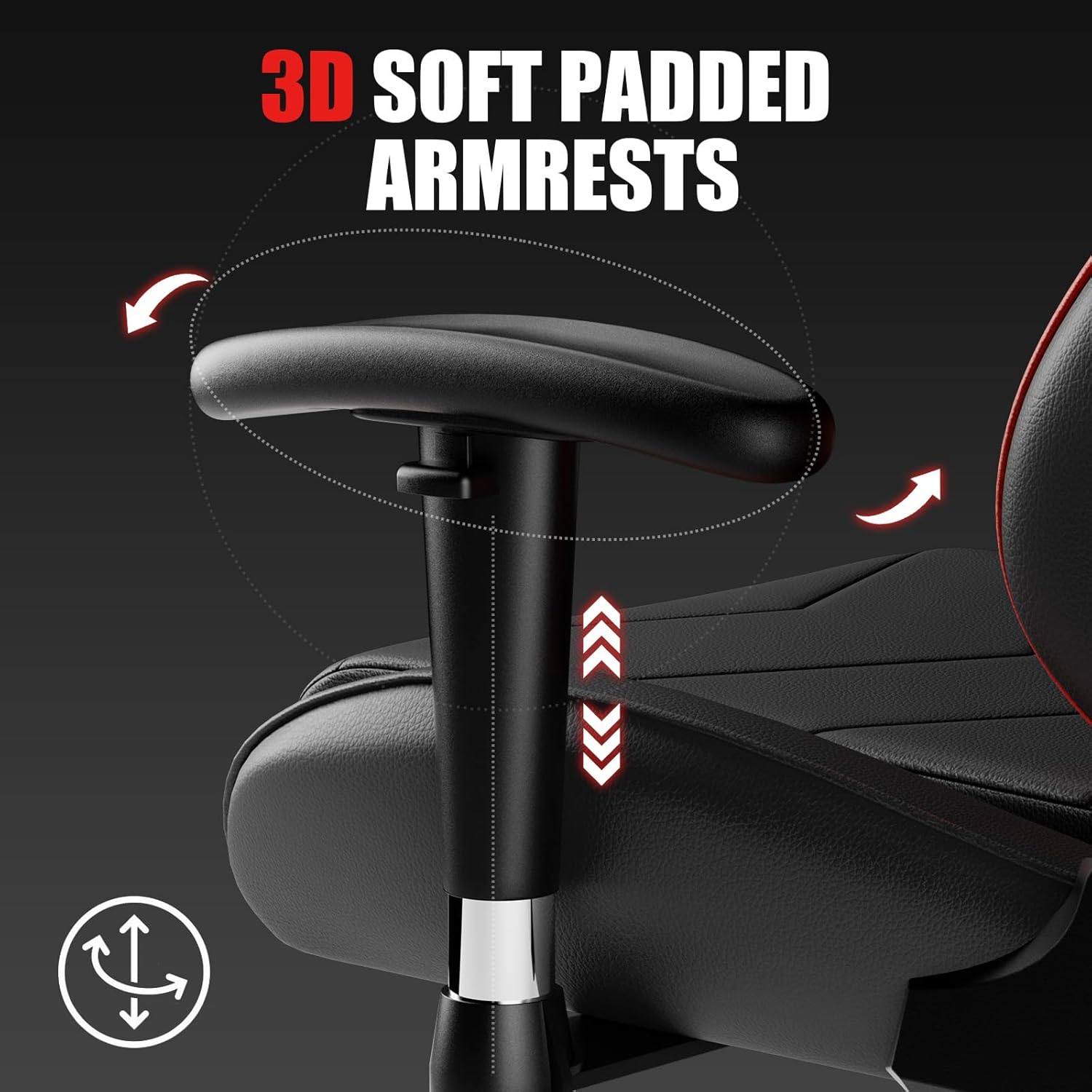
The armrests offer multi-directional adjustments for height, pivot, and depth, allowing personalized comfort.
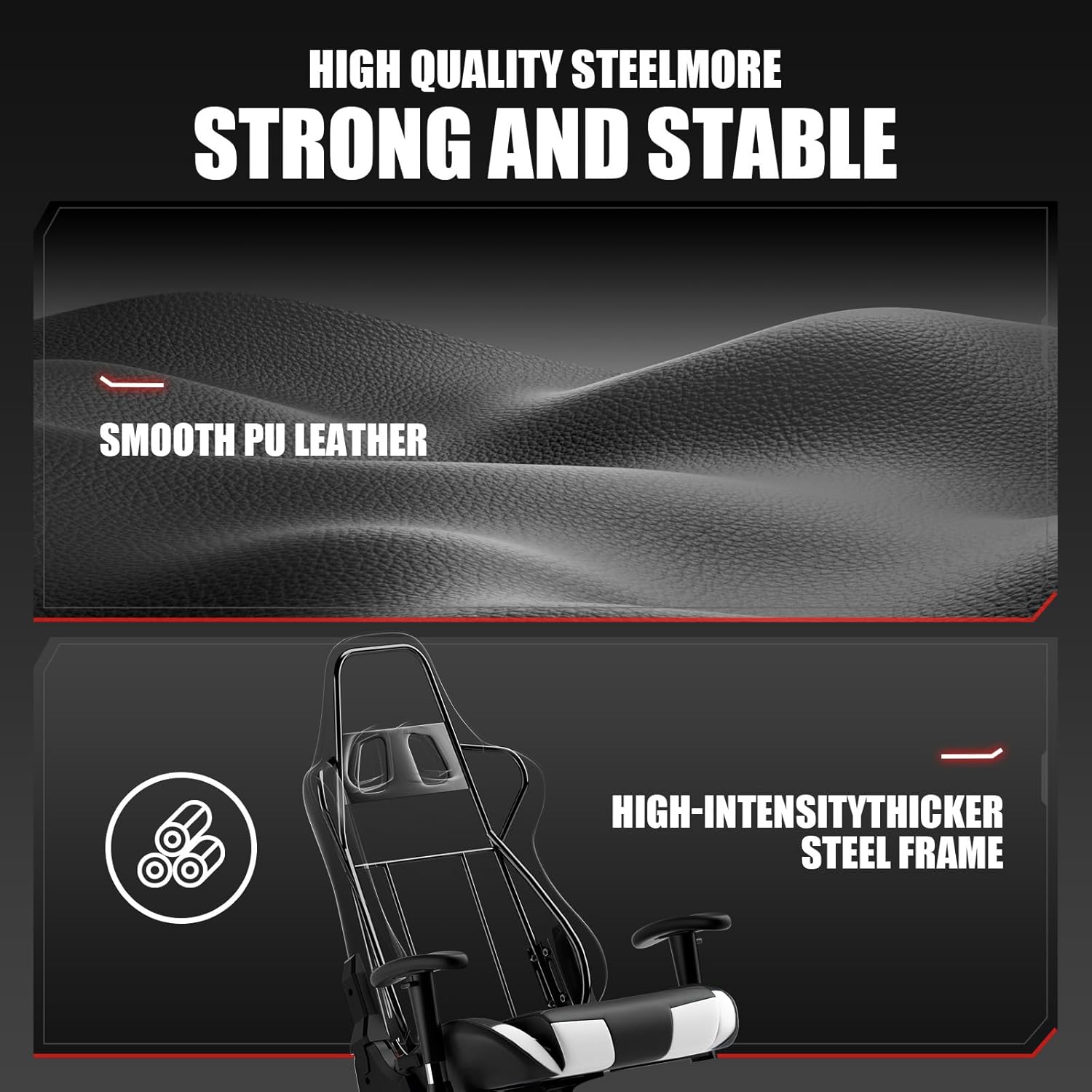
The chair features a high-intensity thicker steel frame and smooth PU leather for long-lasting durability.

Detailed dimensions of the chair, including seat height, backrest height, and overall width and depth.
3. Setup and Assembly
The GTRACING Gaming Chair requires assembly. All necessary tools and hardware are typically included in the packaging. Follow the step-by-step instructions provided in the assembly guide that accompanies your chair.
General Assembly Steps:
- Unpack all components and verify against the parts list.
- Attach the casters to the chair base.
- Insert the gas lift cylinder into the base.
- Assemble the seat and backrest components.
- Attach the assembled seat and backrest to the gas lift cylinder.
- Install the armrests and any additional cushions (headrest, lumbar pillow).
- Ensure all screws are tightened securely before use.
For detailed visual instructions, refer to the assembly manual included in your product packaging.
4. Operating Instructions
Your GTRACING Gaming Chair offers multiple adjustment options to customize your seating experience:
- Height Adjustment: Locate the lever on the right side, beneath the seat. Pull the lever up to raise the seat, or pull it up while seated to lower the seat. Release the lever at the desired height.
- Backrest Recline: Use the lever on the right side of the chair, near the seat. Pull the lever up to recline the backrest to your preferred angle (between 90 and 155 degrees). Push the lever down to lock the backrest in place.
- Armrest Adjustment: The 3D armrests can be adjusted in multiple ways:
- Height: Press the button on the side of the armrest and move it up or down.
- Pivot: Rotate the armrest pad left or right.
- Forward/Backward: Slide the armrest pad forward or backward.
- Tilt Tension: A knob located underneath the seat allows you to adjust the resistance when tilting the chair. Turn clockwise to increase tension, counter-clockwise to decrease.
- Lumbar & Headrest Pillows: These cushions are attached with straps and can be moved up or down along the backrest to provide support where you need it most. They can also be removed if preferred.
5. Maintenance
Proper maintenance will extend the life and appearance of your GTRACING Gaming Chair:
- Cleaning: Wipe clean with a damp cloth. Avoid using harsh chemicals or abrasive cleaners, as these can damage the PU leather.
- Regular Inspection: Periodically check all screws and bolts to ensure they are tight. Re-tighten if necessary to maintain stability and safety.
- Caster Care: Keep the casters free of debris (hair, dust, etc.) to ensure smooth rolling.
- Avoid Direct Sunlight: Prolonged exposure to direct sunlight can cause the PU leather to fade or crack.
6. Troubleshooting
If you encounter issues with your GTRACING Gaming Chair, consider the following common solutions:
- Chair feels unstable or wobbly:
- Check all assembly screws and bolts. Tighten any loose connections.
- Ensure the gas lift cylinder is properly seated in the base.
- Height adjustment not working:
- Verify the gas lift lever is fully engaged.
- Ensure no obstructions are preventing the gas lift from moving freely.
- Chair is squeaking:
- Apply a small amount of lubricant (e.g., silicone spray) to moving parts, especially where metal components meet.
- Check and tighten all screws.
- Casters not rolling smoothly:
- Remove any hair or debris wrapped around the caster wheels.
- Clean the wheels and axles.
If problems persist, please contact GTRACING customer support for assistance.
7. Specifications
| Attribute | Detail |
|---|---|
| Brand | GTRACING |
| Model Name | GT099 |
| Color | White |
| Product Dimensions | 22"D x 16"W x 51"H |
| Maximum Weight Recommendation | 300 Pounds |
| Material | PU Leather, Foam (Fill Material) |
| Item Weight | 47 pounds |
| Back Style | Solid Back |
| Reclining Position Count | 2 (90-155 degrees) |
| Furniture base movement | Swivel |
8. Safety Information
Please read and adhere to all safety warnings to ensure safe operation and longevity of your chair:
- Weight Capacity: Do not exceed the maximum weight capacity of 300 lbs (136 kg). Exceeding this limit may cause damage to the chair and potential injury.
- Assembly: Ensure all parts are correctly assembled and tightened according to the provided instructions before initial use. Periodically check and re-tighten all connections.
- Adjustable Mechanisms: Use adjustable reclining mechanisms carefully. Avoid sudden movements when reclining or adjusting the chair.
- Stability: Do not stand on the chair. Avoid leaning excessively to one side or the back, especially when fully reclined, to prevent tipping.
- Children and Pets: Keep children and pets away from moving parts of the chair during adjustment to prevent injury.
Refer to the product packaging and documentation for any additional detailed safety instructions.
9. Warranty and Support
Your GTRACING Gaming Chair is covered by a manufacturer's warranty:
- Warranty Period: 1-year warranty.
- Coverage: Free replacement for damaged or defective parts within 1 year. Free replacement or refund for any quality problems within 30 days of purchase.
For warranty claims, technical support, or any inquiries regarding your GTRACING product, please visit the official GTRACING website or contact their customer service department. Keep your proof of purchase for warranty validation.
Ask a question about this manual
Ask about setup, troubleshooting, compatibility, parts, safety, or missing instructions. Manuals+ will review the question and use this page’s manual context to help answer it.