
1. Introduction
Thank you for purchasing the CYBORIS T5 PRO 40W Portable Wireless Bluetooth Speaker. This manual provides essential information for setting up, operating, and maintaining your speaker. Please read it carefully before use to ensure optimal performance and longevity of the device.
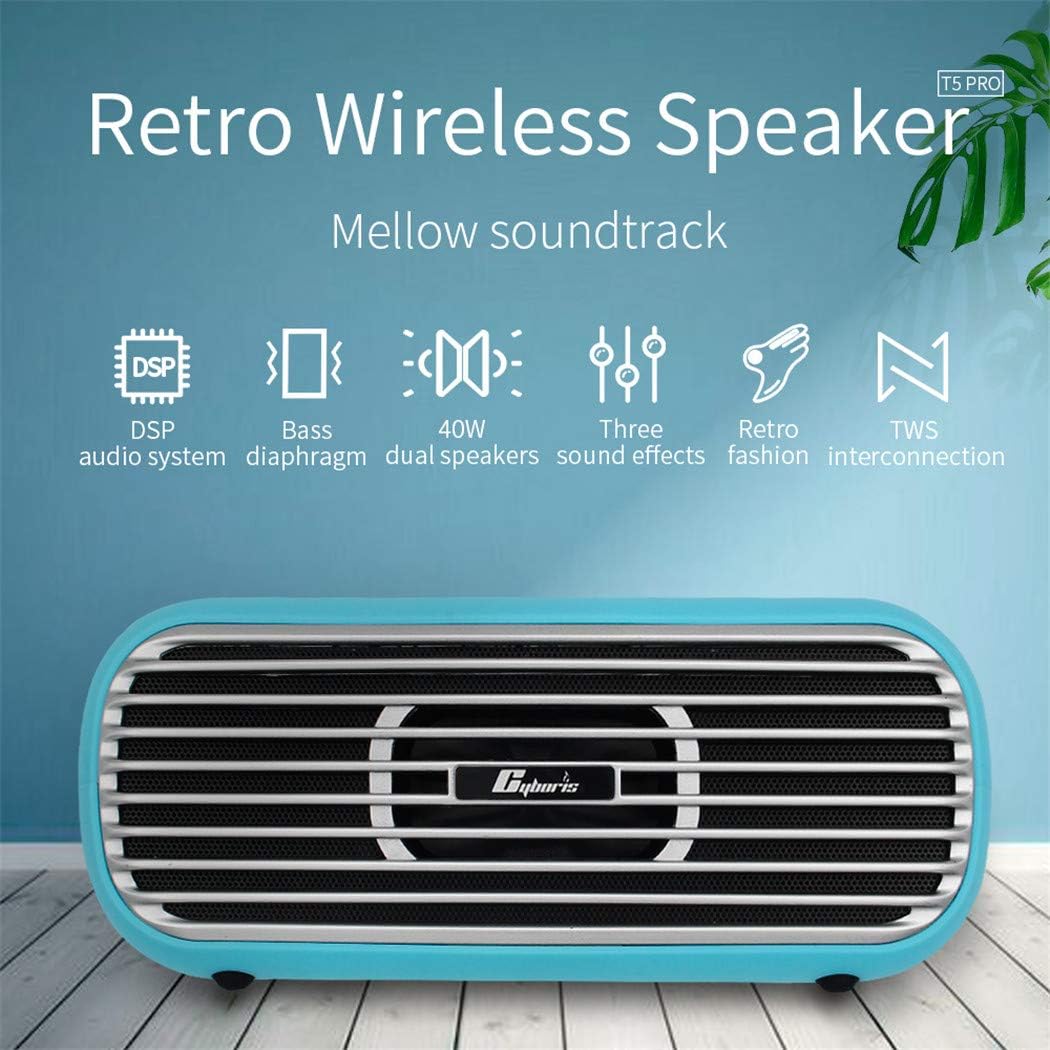
Image: The CYBORIS T5 PRO speaker, showcasing its retro design and key features like DSP audio, bass diaphragm, 40W dual speakers, three sound effects, retro fashion, and TWS interconnection.
2. Product Overview
2.1 Package Contents

Image: Diagram showing the contents included with the CYBORIS T5 PRO speaker.
- CYBORIS T5 PRO Speaker x 1
- Lanyard x 1
- 3.5mm Audio Cable x 1
- Type-C Charging Cable x 1
- User Manual x 1
2.2 Speaker Components and Controls
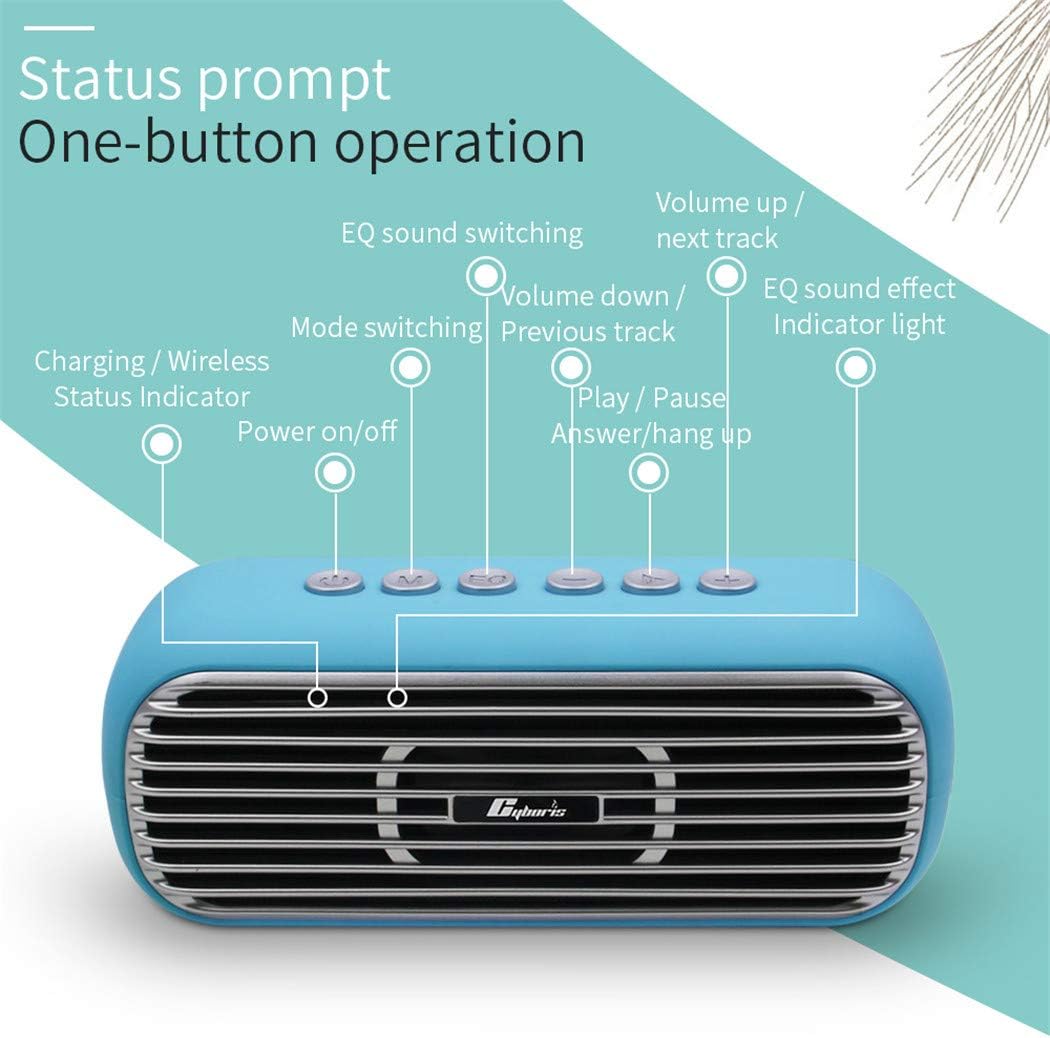
Image: Detailed view of the speaker's top panel, indicating the function of each button and indicator light.
- Power On/Off Button: Press and hold to power the speaker on or off.
- Mode Switching Button (M): Press to cycle through input modes (Bluetooth, TF Card, AUX).
- EQ Sound Switching Button (EQ): Press to switch between different sound effects.
- Play/Pause Button: Press to play or pause audio. Also used to answer/hang up calls.
- Volume Down / Previous Track Button (-): Press to decrease volume. Press and hold for previous track.
- Volume Up / Next Track Button (+): Press to increase volume. Press and hold for next track.
- Charging / Wireless Status Indicator Light: Indicates charging status and Bluetooth connection status.
- EQ Sound Effect Indicator Light: Indicates the currently active sound effect mode.

Image: Close-up of the speaker's side panel showing the TF card port, 3.5mm audio port, and Type-C port.
- TF Card Port: Insert a Micro SD/TF card for direct audio playback.
- 3.5mm Audio Port (AUX): Connect external audio devices using the included 3.5mm audio cable.
- Type-C Port: Connect the Type-C charging cable for power and charging.
3. Setup
3.1 Initial Charging
Before first use, fully charge the speaker. Connect the included Type-C charging cable to the speaker's Type-C port and the other end to a USB power adapter (not included) or a computer's USB port. The charging indicator light will show the charging status and turn off or change color once fully charged. A full charge takes approximately 3 hours.
4. Operating Instructions
4.1 Power On/Off
- To Power On: Press and hold the Power On/Off button for a few seconds until you hear an audible prompt and the indicator light illuminates.
- To Power Off: Press and hold the Power On/Off button for a few seconds until you hear an audible prompt and the indicator light turns off.
4.2 Bluetooth Pairing
- Ensure the speaker is powered on and in Bluetooth pairing mode (the indicator light will flash). If not, press the 'M' button to switch to Bluetooth mode.
- Enable Bluetooth on your device (smartphone, tablet, laptop).
- Search for available Bluetooth devices and select "CYBORIS T5 PRO" from the list.
- Once paired, the speaker will emit an audible confirmation, and the indicator light will stop flashing and remain solid.
4.3 True Wireless Stereo (TWS) Pairing
The TWS function allows you to connect two CYBORIS T5 PRO speakers for a synchronized, enhanced stereo sound experience.

Image: Two CYBORIS T5 PRO speakers wirelessly connected via TWS, creating a wider stereo sound array.
- Ensure both T5 PRO speakers are powered on and in Bluetooth mode, but not connected to any device.
- On one of the speakers (this will be the main speaker), double-press the Power On/Off button. The speaker will enter TWS pairing mode.
- The two speakers will automatically connect to each other. You will hear a confirmation tone once TWS pairing is successful.
- Now, connect your device to the main speaker via Bluetooth as described in section 4.2. Audio will play simultaneously through both speakers, providing a stereo effect.
4.4 Play Modes
The speaker supports multiple audio input modes:
Image: The speaker's ports for TF card, 3.5mm audio, and Type-C, illustrating the four available play modes: Wireless (Bluetooth), TF Card, Audio Cable (AUX), and Type-C Cable.
- Bluetooth Mode: Connect wirelessly to your Bluetooth-enabled devices.
- TF Card Mode: Insert a Micro SD/TF card (supports WAV/FLAC/APE/MP3 formats) into the TF card slot for direct playback.
- AUX Mode: Connect an external audio source (e.g., MP3 player, computer) using the 3.5mm audio cable.
- Type-C Audio Mode: Connect a device via the Type-C port for digital audio input (check device compatibility).
Press the 'M' button to switch between these modes.
4.5 Sound Effects (EQ)
The speaker features three distinct sound effects to enhance your listening experience.
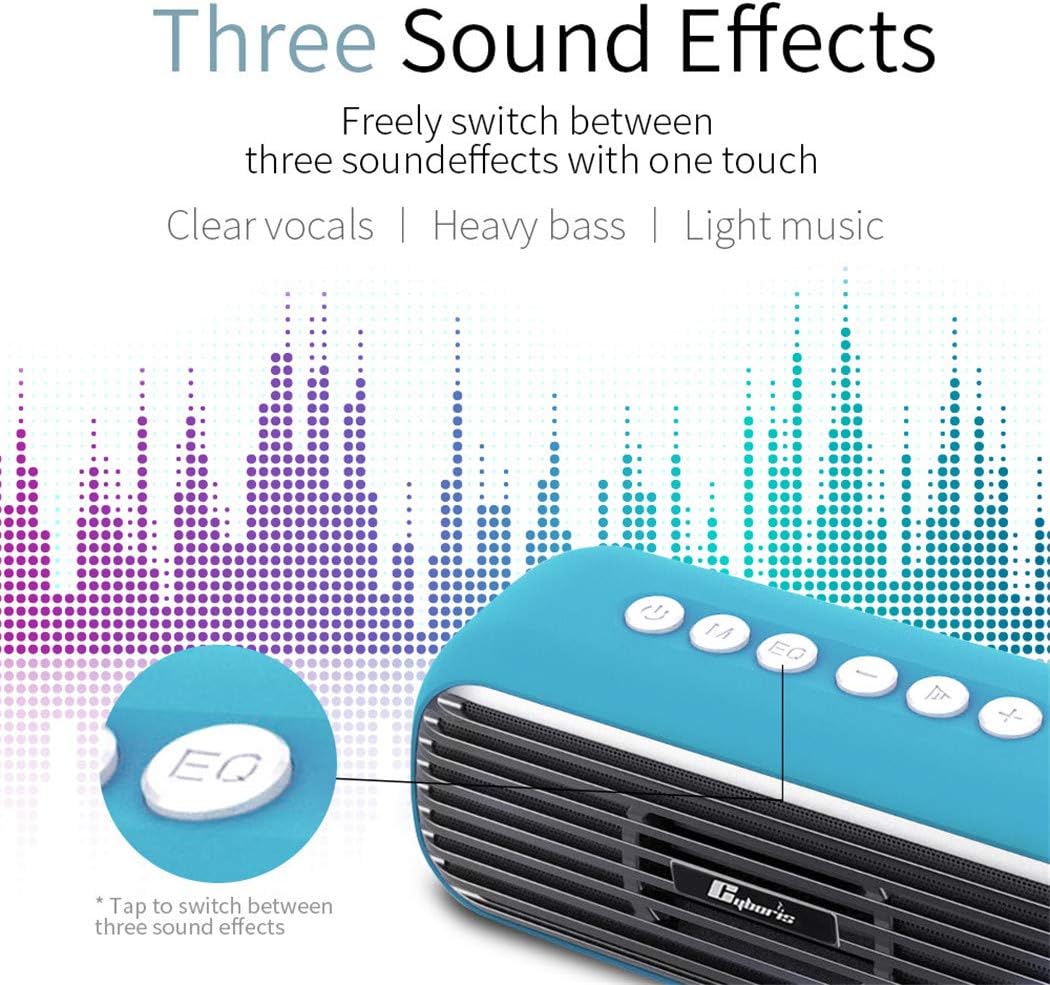
Image: The EQ button on the speaker, indicating the ability to switch between three sound effects: Clear Vocals, Heavy Bass, and Light Music.
Press the 'EQ' button to cycle through the available sound effects: Clear Vocals, Heavy Bass, and Light Music. The EQ indicator light will change to reflect the active mode.
4.6 Hands-free Calling
When connected to a smartphone via Bluetooth, the speaker can be used for hands-free calls.
- Answer Call: Press the Play/Pause button once to answer an incoming call.
- End Call: Press the Play/Pause button once during a call to hang up.
- Reject Call: Press and hold the Play/Pause button to reject an incoming call.
5. Charging
To charge the speaker, connect the Type-C charging cable to the speaker's Type-C port and a compatible USB power source. The charging indicator light will show the charging status. A full charge takes approximately 3 hours and provides up to 10 hours of playback at medium volume.
6. Maintenance
- Clean the speaker with a soft, dry cloth. Do not use abrasive cleaners or solvents.
- Avoid exposing the speaker to extreme temperatures, direct sunlight, or high humidity.
- The speaker is IPX5 waterproof, meaning it can resist a sustained, low-pressure water jet spray. Do not immerse it in water.
- Store the speaker in a cool, dry place when not in use for extended periods.
7. Troubleshooting
| Problem | Possible Cause | Solution |
|---|---|---|
| Speaker does not power on. | Low battery. | Charge the speaker fully. |
| Cannot pair via Bluetooth. | Speaker not in pairing mode; Bluetooth disabled on device; device too far. | Ensure speaker is in Bluetooth mode (flashing indicator). Enable Bluetooth on your device. Move device closer to speaker (within 20m). |
| No sound. | Volume too low; incorrect mode selected; audio cable not fully inserted. | Increase volume. Press 'M' to select correct input mode. Ensure audio cables are securely connected. |
| TWS pairing fails. | Speakers already connected to another device; speakers too far apart. | Ensure both speakers are disconnected from other devices. Place speakers close to each other during TWS pairing. |
8. Specifications

Image: Table displaying the technical parameters of the CYBORIS T5 PRO speaker.
| Feature | Specification |
|---|---|
| Model | T5 PRO |
| Dimensions (L x W x H) | 213 x 76 x 90 mm |
| Net Weight | 680g |
| Bluetooth Version | 4.2 + EDR |
| Peak Power Output | ≤40W |
| Speaker Unit | 53mm * 2 |
| Battery Capacity | 5200mAh |
| Charging Time | 3 hours |
| Play Time | Up to 10 hours (at medium volume) |
| Waterproof Level | IPX5 |
| Hands-free Calling | Supported |
| Special Features | TWS, DSP Audio, TF Card Support |
| Connectivity | Bluetooth, 3.5mm AUX, Type-C, TF Card |
| Compatible Devices | Smartphones, Tablets, Laptops, MP3 Players |
9. Safety Information
- Do not disassemble, repair, or modify the speaker. This may cause damage, electric shock, or fire.
- Keep the speaker away from heat sources, direct sunlight, and flammable materials.
- Do not expose the speaker to excessive force or impact.
- Keep out of reach of children.
- Dispose of the speaker and its battery responsibly according to local regulations.
10. Warranty and Support
For warranty information or technical support, please refer to the warranty card included in your package or contact CYBORIS customer service through the retailer where you purchased the product. Please have your model number (T5 PRO) and purchase details ready.


