
Introduction
This manual provides essential information for the proper installation, operation, and maintenance of your SounDigital 800.4 Evox 4 Ohm 4 Channel Car Amplifier. Please read this manual thoroughly before installation and use to ensure optimal performance and safety.
The SounDigital 800.4 Evox is a high-performance 4-channel car amplifier designed to deliver clear and powerful audio. It features advanced technology for efficient power delivery and reliable operation in automotive environments.
Important Safety Information
- Professional Installation Recommended: Due to the complexity of automotive electrical systems, professional installation is strongly recommended to prevent damage to the amplifier, vehicle, or personal injury.
- Always disconnect the vehicle's battery before performing any electrical work.
- Ensure proper grounding to prevent electrical hazards and noise.
- Do not expose the amplifier to moisture or extreme temperatures.
- Use appropriate gauge wiring for power and speaker connections as specified in this manual.
- This product contains chemicals known to the State of California to cause cancer and birth defects or other reproductive harm. (Proposition 65 Warning)
Product Overview
The SounDigital 800.4 Evox is a compact and powerful 4-channel amplifier. Below are images illustrating its design and connection points.

Figure 1: Top view of the SounDigital 800.4 Evox amplifier, highlighting its sleek black design with red accents and branding.

Figure 2: Side view of the amplifier, detailing the power input (GND, REM, +12V) and speaker output terminals (CH1, CH2, CH3, CH4).
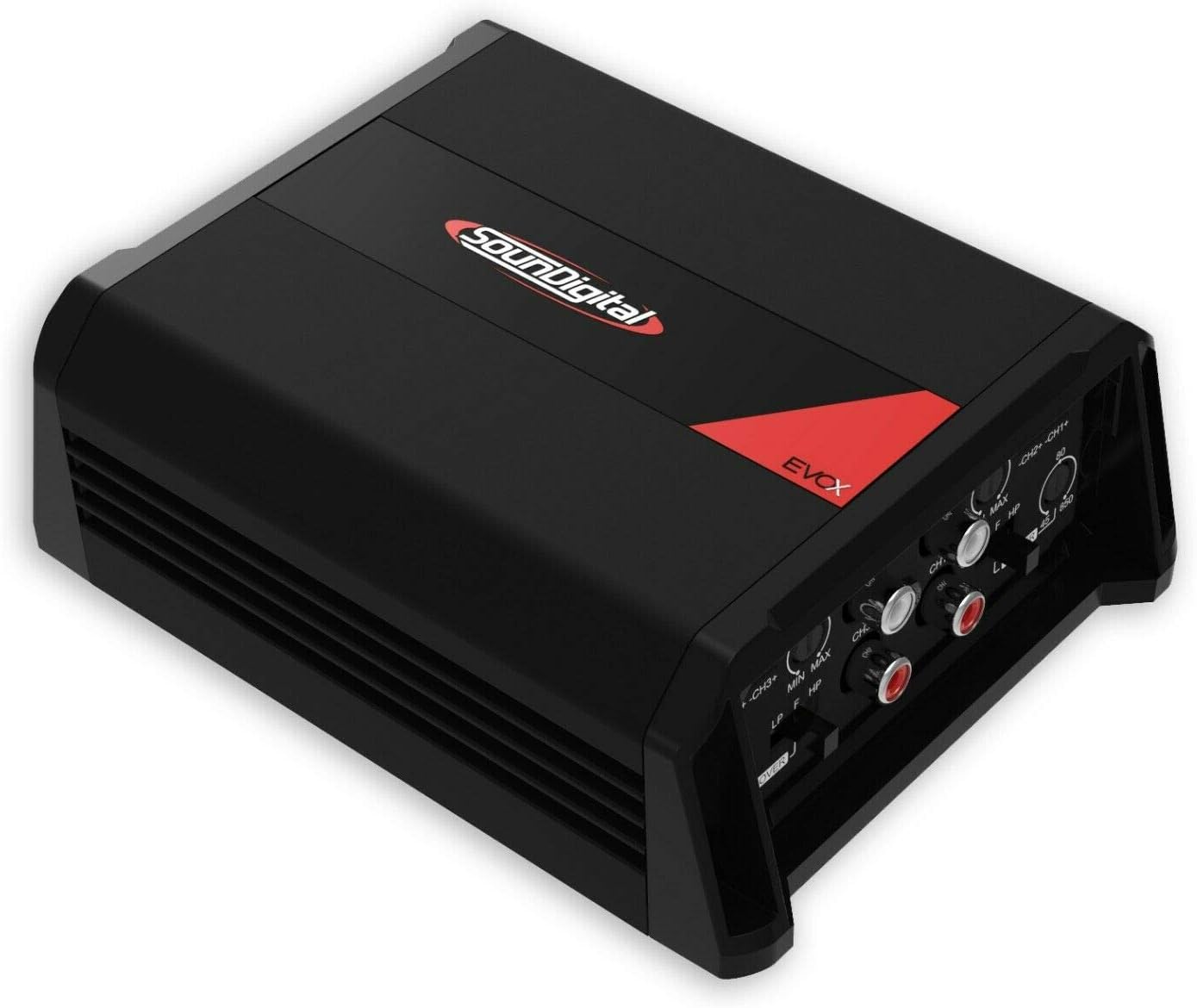
Figure 3: Opposite side view of the amplifier, displaying the RCA input jacks and various control knobs for crossover (HPF, LPF) and gain adjustments.

Figure 4: The SounDigital 800.4 Evox amplifier held in a hand, demonstrating its compact size relative to a human hand.

Figure 5: Bottom view of the amplifier, showing the heat sink fins designed for efficient cooling.

Figure 6: Angled view of the amplifier, providing a comprehensive look at both the power/speaker terminals and the RCA/control panel.
Setup and Installation
1. Mounting Location
Choose a mounting location that is dry, well-ventilated, and away from direct sunlight or heat sources. Ensure sufficient space around the amplifier for proper airflow and cooling. The amplifier can be surface mounted.
2. Wiring Connections
All wiring should be done with the vehicle's battery disconnected. Use high-quality, appropriate gauge wiring for all connections.
- Power (BATT +12V): Connect a fused power cable directly from the positive terminal of the vehicle's battery to the +12V terminal on the amplifier. The fuse should be located within 18 inches of the battery.
- Ground (GND): Connect a ground cable of the same gauge as the power cable to a clean, unpainted metal surface on the vehicle chassis. Ensure a secure, low-resistance connection.
- Remote (REM): Connect a remote turn-on wire from your head unit's remote output to the REM terminal on the amplifier. This wire signals the amplifier to turn on and off with your head unit.
- RCA Inputs: Connect RCA cables from your head unit's pre-amp outputs to the amplifier's RCA input jacks (CH1, CH2, CH3, CH4).
- Speaker Outputs: Connect your speakers to the corresponding speaker output terminals (CH1, CH2, CH3, CH4). Ensure correct polarity (+ to + and - to -). The amplifier supports 4 Ohm impedance per channel.
3. Initial Power-Up
After all connections are made and verified, reconnect the vehicle's battery. Turn on your head unit. The amplifier should power on, indicated by an LED indicator (if present).
Operating Instructions
Gain Adjustment
The gain control matches the amplifier's input sensitivity to the output level of your head unit. Start with the gain set to minimum. Play a familiar piece of music at about 75% of your head unit's maximum volume. Slowly increase the amplifier's gain until you hear distortion, then back off slightly. This ensures maximum clean output.
Crossover Settings
The SounDigital 800.4 Evox features adjustable High-Pass Filter (HPF) and Low-Pass Filter (LPF) crossovers. These allow you to direct specific frequency ranges to your speakers.
- HPF (High-Pass Filter): Allows frequencies above the set point to pass through. Useful for full-range speakers or tweeters to prevent low frequencies that can cause distortion or damage. Adjustable from 45Hz to 850Hz.
- LPF (Low-Pass Filter): Allows frequencies below the set point to pass through. Useful for subwoofers to prevent high frequencies. Adjustable from 45Hz to 850Hz.
- Adjust these settings based on your speaker types and desired sound profile. Refer to your speaker manufacturer's recommendations for optimal crossover points.
Maintenance
- Cleaning: Periodically clean the amplifier's exterior with a soft, dry cloth. Do not use harsh chemicals or abrasive cleaners.
- Ventilation: Ensure that the amplifier's cooling fins are free from dust and obstructions to maintain proper heat dissipation.
- Connections: Occasionally check all wiring connections for tightness and corrosion. Loose connections can lead to poor performance or damage.
Troubleshooting
| Problem | Possible Cause | Solution |
|---|---|---|
| No Power / Amplifier Not Turning On |
|
|
| No Sound Output |
|
|
| Distorted Sound |
|
|
| Excessive Noise (Hiss, Whine) |
|
|
If troubleshooting steps do not resolve the issue, contact SounDigital customer support or a qualified professional.
Specifications
| Feature | Detail |
|---|---|
| Model | 800.4 EVOX |
| Channels | 4 |
| Power @ 12.6V @ 4Ω | 4 x 132 WRMS |
| Power @ 12.6V @ 2Ω | 4 x 200 WRMS |
| Bridge Power @ 12.6V @ 4Ω | 2 x 400 WRMS |
| Power @ 14.4V @ 4Ω | 4 x 147 WRMS |
| Power @ 14.4V @ 2Ω | 4 x 223 WRMS |
| Bridge Power @ 14.4V @ 4Ω | 2 x 446 WRMS |
| Frequency Response (-3dB) | 5Hz – 22kHz |
| Signal-to-Noise Ratio (SNR) | 91dB |
| Crossover HPF | 45Hz – 850Hz |
| Crossover LPF | 45Hz – 850Hz |
| Voltage (Nominal) | 12.6 Volts (DC) |
| Minimum Supply Voltage | 8 Volts |
| Maximum Supply Voltage | 16 Volts (DC) |
| Supply Current | 80 Amps |
| Item Weight | 1.92 pounds |
| Package Dimensions | 8.27 x 6.06 x 3.39 inches |
| Mounting Type | Surface Mount |
| Compliance | FCC |
Warranty and Support
This product is sold as "Renewed." Please refer to the specific warranty terms provided by the seller or Amazon Renewed program at the time of purchase. Typically, renewed products come with a limited warranty or return policy.
For technical support or warranty claims, please contact the seller directly or refer to the SounDigital official website for contact information. You may also refer to the Amazon Renewed Store for information regarding renewed product policies: Amazon Renewed Store.