
1. Introduction
This manual provides instructions for the proper use and maintenance of the Wera 889/4/1 F Rapidaptor Bithalter Free-running holder. This tool is designed to facilitate quick bit changes and enhance screwdriving efficiency, particularly when used with torque drivers or power tools.
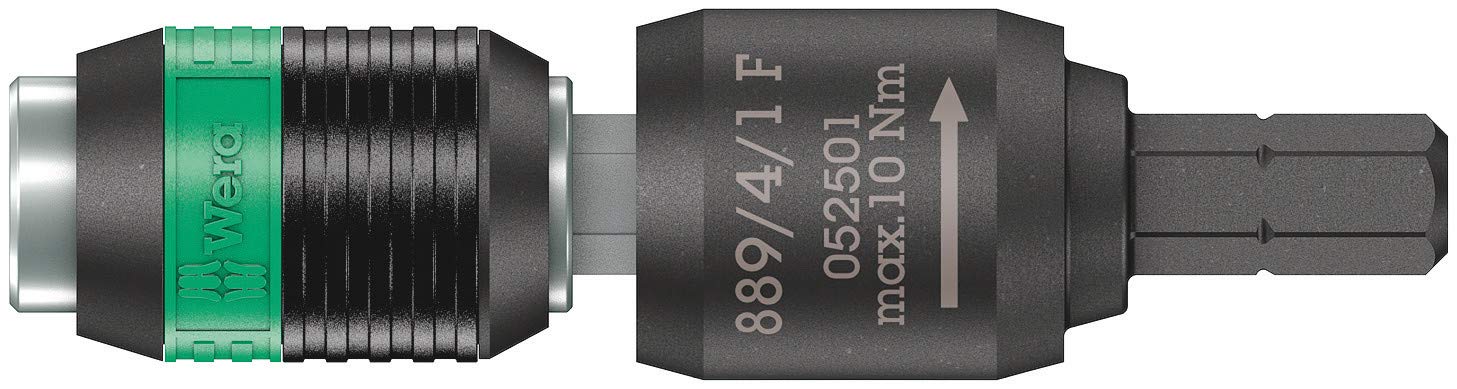
Figure 1: The Wera 889/4/1 F Rapidaptor Bithalter Free-running holder.
2. Product Overview
The Wera 889/4/1 F Rapidaptor Bithalter features Rapidaptor technology, allowing for fast and secure bit changes with one hand. The free-running sleeve design enables the user to guide the tool during screwdriving without having to hold the entire power tool, providing a more controlled and efficient operation, especially beneficial for applications requiring precise torque.

Figure 2: Illustration of Rapidaptor Technology, highlighting its quick-change mechanism.
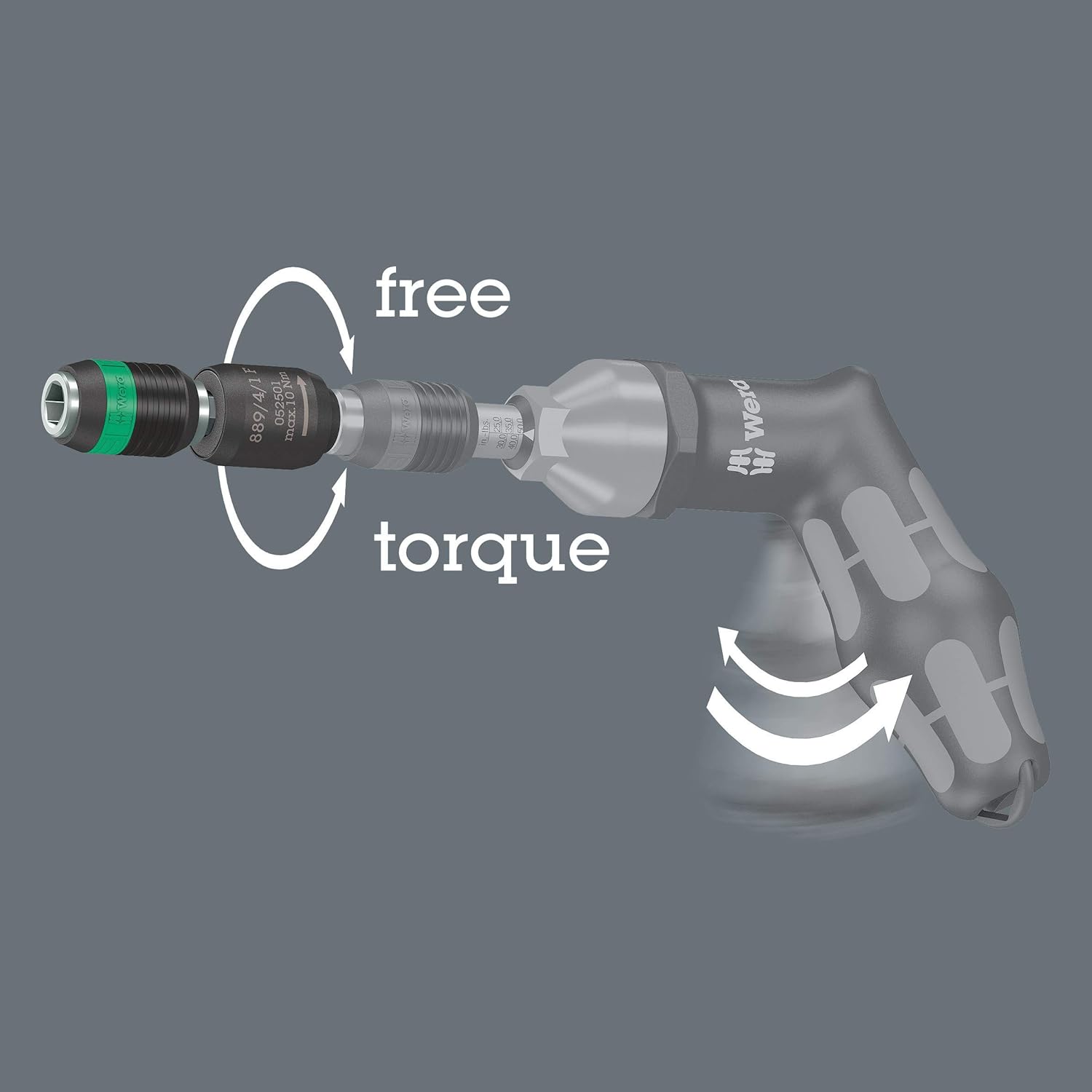
Figure 3: Diagram demonstrating the 'free' rotation of the sleeve and the 'torque' transfer during operation.
The integrated magnet ensures that bits are held securely during use. The holder is compatible with 1/4 inch hexagon drive bits according to DIN ISO 1173-C 6.3 and E 6.3.
3. Setup
3.1 Attaching the Holder to a Tool
Insert the hexagonal drive end of the Rapidaptor holder into the chuck or bit reception of your power tool or screwdriver. Ensure it is fully seated and locked in place according to your tool's mechanism.

Figure 4: The Rapidaptor holder correctly attached to a Wera screwdriver.
3.2 Inserting a Bit
- Hold the Rapidaptor holder firmly.
- Push the desired 1/4 inch hexagon bit into the holder until it clicks into place. The bit is automatically locked by the Rapidaptor mechanism.

Figure 5: Step 1 - Aligning the bit for insertion.

Figure 6: Step 2 - Pushing the bit into the holder until it locks.
3.3 Removing a Bit
To remove a bit, simply push the sleeve forward. The bit will be released and can be pulled out.

Figure 7: Removing a bit by pulling it out after pushing the sleeve forward.
4. Operating Instructions
Once the bit is securely inserted, the Rapidaptor holder is ready for use. The free-running sleeve allows you to stabilize and guide the screw with one hand while the power tool applies torque. This feature is particularly useful for applications where precise control and quick engagement/disengagement are required, such as with torque-limiting screwdrivers.

Figure 8: The Rapidaptor holder in action, driving a screw.

Figure 9: Practical application of the Rapidaptor holder during assembly work.
5. Maintenance
To ensure the longevity and optimal performance of your Wera Rapidaptor holder, follow these simple maintenance guidelines:
- Cleaning: After each use, wipe the holder clean with a dry cloth to remove any dust, dirt, or debris. Avoid using harsh chemicals or abrasive materials that could damage the finish or internal mechanisms.
- Lubrication: Periodically, a small amount of light machine oil can be applied to the moving parts of the Rapidaptor mechanism to ensure smooth operation of the free-running sleeve and bit retention.
- Storage: Store the holder in a dry environment, away from excessive moisture and extreme temperatures, to prevent corrosion and material degradation.
6. Troubleshooting
If you encounter issues with your Rapidaptor holder, consider the following:
- Bit not securely held: Ensure the bit is fully inserted until it clicks. Check for any debris or obstruction within the bit reception area that might prevent proper locking. Verify that the bit is a standard 1/4 inch hexagon type.
- Holder not attaching to screwdriver/power tool: Confirm that your screwdriver or power tool has a compatible 1/4 inch hexagon drive system. Ensure the holder's drive end is free of damage or debris.
- Free-running sleeve not rotating smoothly: Clean the sleeve and the area beneath it to remove any accumulated dirt. Apply a small amount of lubricant if necessary. If the issue persists, inspect for physical damage.
- Difficulty removing bit: Ensure the sleeve is pushed fully forward to release the bit. If the bit is stuck, gently wiggle it while pushing the sleeve.
7. Specifications
| Specification | Detail |
|---|---|
| Brand | Wera |
| Model Name | 05052501001 |
| Part Number | 05052501001 |
| Material | Blend |
| Finish Type | Brushed |
| Number of Pieces | 1 |
| Drive System | Hexagon (1/4 inch) |
| Item Dimensions (LxWxH) | 2.52 x 0.67 x 0.67 inches |
| Package Weight | 0.04 Kilograms |
8. Warranty and Support
Wera products are manufactured to high-quality standards. For information regarding warranty coverage, please refer to the warranty documentation provided with your purchase or visit the official Wera website. For technical support or further assistance, please contact Wera customer service directly.
Wera Tools Contact Information:
Please refer to the contact details available on the official Wera website (www.wera.de) for the most up-to-date support options.
