
1. Introduction
Thank you for choosing the Eureka Forbes Sure Fast Clean 1150 Watts Vacuum Cleaner. This manual provides essential information for the safe and efficient operation, maintenance, and troubleshooting of your new appliance. Please read it thoroughly before first use and keep it for future reference.

Image 1.1: The Eureka Forbes Sure Fast Clean 1150 Watts Vacuum Cleaner, showcasing its compact design and hose attachment.
2. Important Safety Instructions
To reduce the risk of fire, electric shock, or injury, always follow basic safety precautions when using an electrical appliance. Read all instructions before using this vacuum cleaner.
- Do not leave the appliance unattended when plugged in. Unplug from outlet when not in use and before servicing.
- Do not use outdoors or on wet surfaces.
- Do not allow to be used as a toy. Close attention is necessary when used by or near children.
- Use only as described in this manual. Use only manufacturer’s recommended attachments.
- Do not use with damaged cord or plug. If appliance is not working as it should, has been dropped, damaged, left outdoors, or dropped into water, return it to a service center.
- Do not pull or carry by cord, use cord as a handle, close a door on cord, or pull cord around sharp edges or corners. Do not run appliance over cord. Keep cord away from heated surfaces.
- Do not unplug by pulling on cord. To unplug, grasp the plug, not the cord.
- Do not handle plug or appliance with wet hands.
- Do not put any object into openings. Do not use with any opening blocked; keep free of dust, lint, hair, and anything that may reduce air flow.
- Keep hair, loose clothing, fingers, and all parts of body away from openings and moving parts.
- Do not pick up anything that is burning or smoking, such as cigarettes, matches, or hot ashes.
- Do not use to pick up flammable or combustible liquids, such as gasoline, or use in areas where they may be present.
- Do not use without dust bag and/or filters in place.
- Turn off all controls before unplugging.
3. Package Contents
Verify that all items listed below are included in your package:
- Eureka Forbes Sure Fast Clean Vacuum Cleaner Unit
- Flexible Hose Pipe (5 feet)
- Extension Tubes (2 pieces)
- Floor cum Carpet Brush
- Upholstery Cleaner
- Crevice Nozzle
- Reusable Dust Bag (pre-installed or separate)
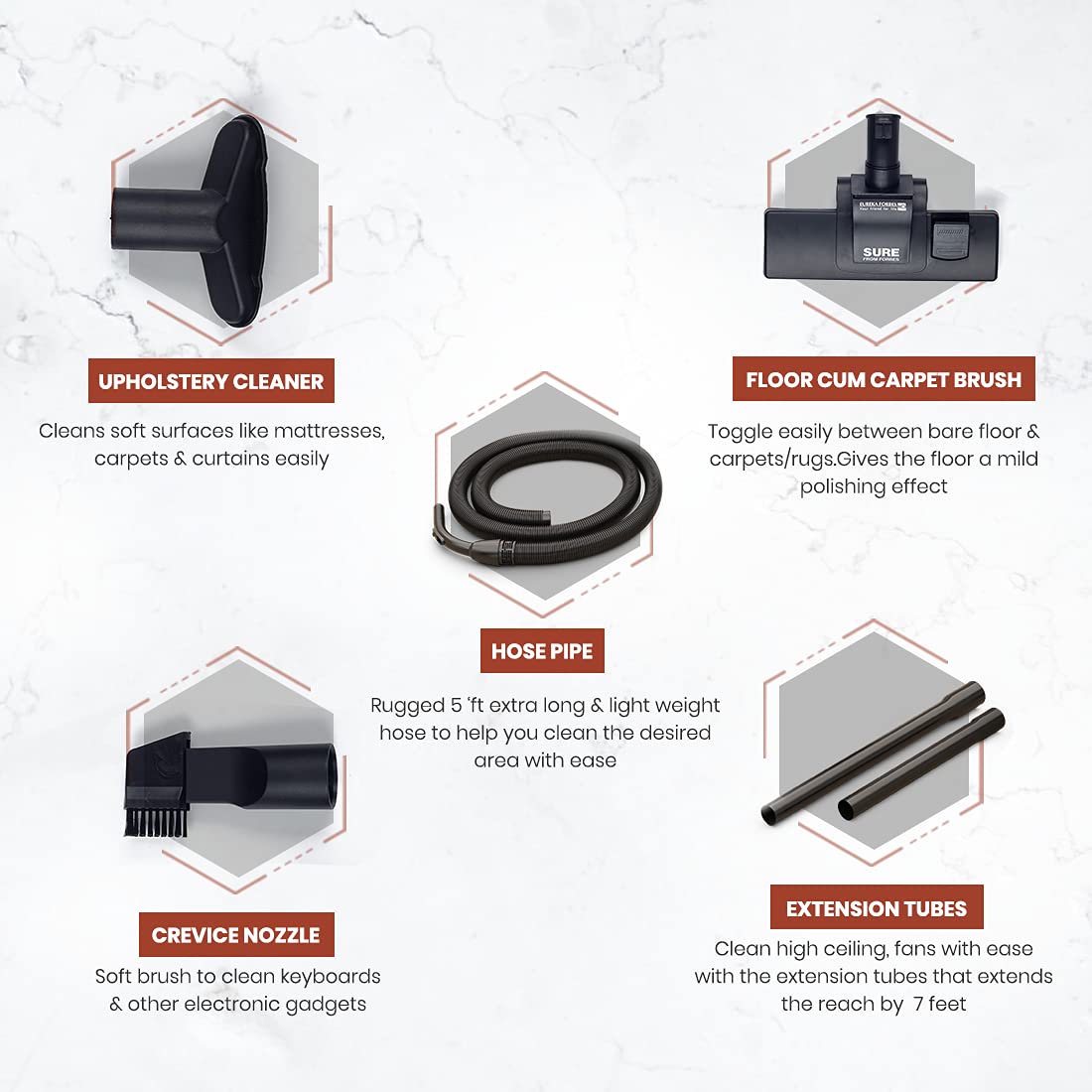
Image 3.1: Overview of the various cleaning accessories provided with the vacuum cleaner.
4. Assembly and Setup
Follow these steps to assemble your vacuum cleaner before first use:
- Attach the Flexible Hose: Insert the larger end of the flexible hose into the suction inlet on the main vacuum unit until it clicks securely into place.
- Connect Extension Tubes (Optional): For extended reach, connect the two extension tubes together. Then, attach one end to the handle of the flexible hose.
- Attach Cleaning Tool: Select the desired cleaning tool (e.g., Floor cum Carpet Brush, Upholstery Cleaner, Crevice Nozzle) and attach it firmly to the end of the extension tubes or directly to the hose handle if not using extension tubes.

Image 4.1: The vacuum cleaner fully assembled with the extension tube and floor cum carpet brush attached, ready for use.
5. Operating Your Vacuum Cleaner
Your Eureka Forbes Sure Fast Clean vacuum cleaner is designed for efficient and convenient cleaning.
5.1 Powering On/Off
- Plug the power cord into a suitable electrical outlet.
- To turn the vacuum cleaner ON, gently press the foot-operated power button located on the top of the main unit.
- To turn the vacuum cleaner OFF, press the same foot-operated power button again.
5.2 Using Cleaning Attachments
Select the appropriate attachment for your cleaning task:
- Floor cum Carpet Brush: Ideal for both hard floors and carpets. Some models may feature a toggle for switching between surfaces.
- Upholstery Cleaner: Use for cleaning soft surfaces such as sofas, mattresses, curtains, and car seats.
- Crevice Nozzle: Perfect for reaching narrow gaps, corners, and cleaning keyboards or other electronic gadgets.
5.3 Automatic Cord Winder
The vacuum cleaner features an automatic cord winder for convenient storage. After use, simply press the cord rewind button (usually located near the power button) and the power cord will retract into the unit.
5.4 Dust Bag Full Indicator
A visual indicator on the unit will show when the dust bag is full and needs to be emptied or replaced. This ensures optimal suction performance.

Image 5.1: Detailed view of the vacuum cleaner's user-friendly features, including the foot-operated power button, smooth wheels, dust bag full indicator, and automatic cord winder.
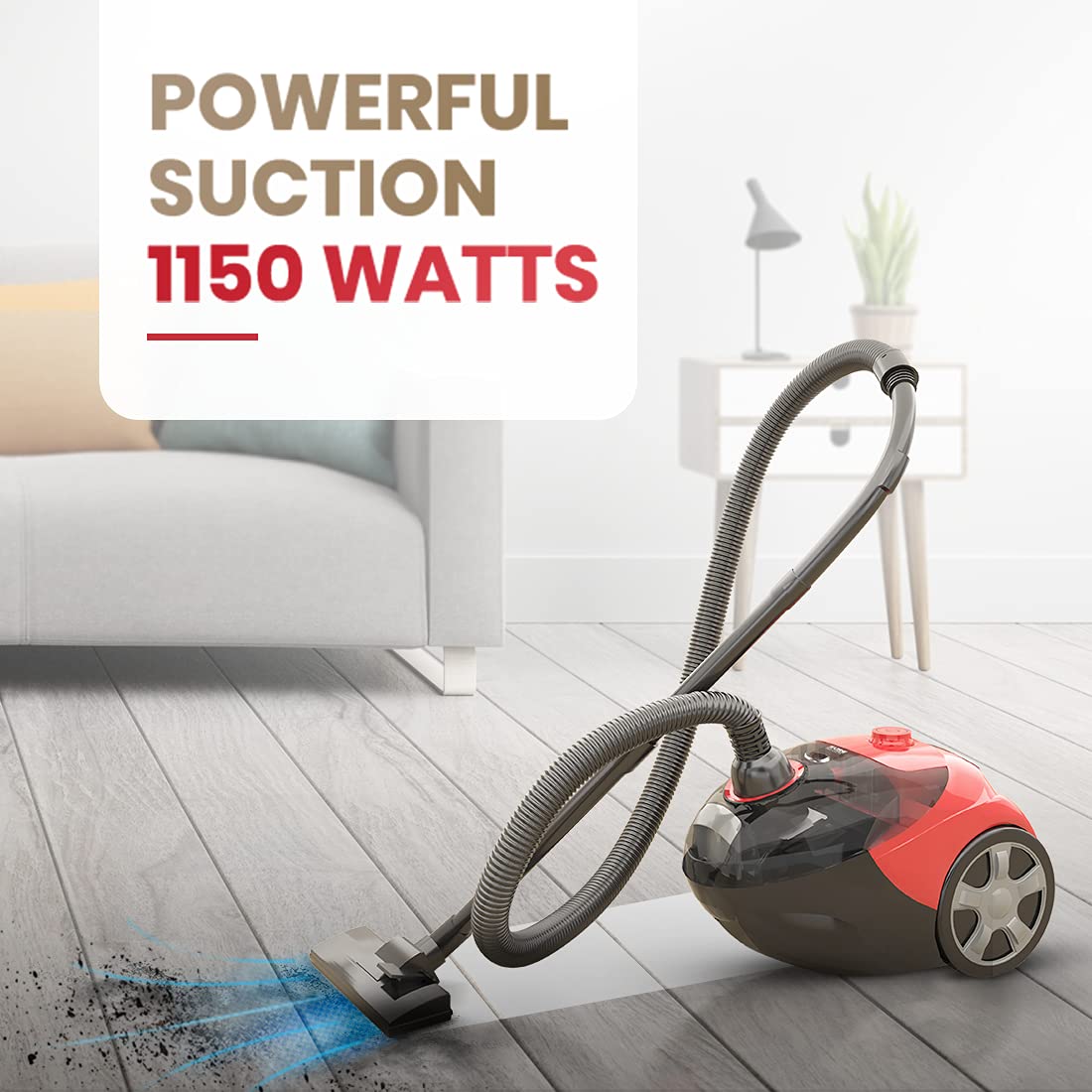
Image 5.2: The vacuum cleaner actively cleaning, highlighting its 1150 Watts powerful suction capability.
6. Maintenance
Regular maintenance ensures the longevity and optimal performance of your vacuum cleaner.
6.1 Emptying/Cleaning the Dust Bag
When the dust bag full indicator signals, or suction power decreases, it is time to empty the dust bag.
- Unplug the vacuum cleaner from the power outlet.
- Open the dust compartment cover (refer to your unit's specific design for latch location).
- Carefully remove the reusable dust bag.
- Empty the contents into a waste bin. For thorough cleaning, the reusable dust bag can be hand-washed with mild detergent and air-dried completely before re-installation.
- Re-insert the clean, dry dust bag into the compartment, ensuring it is properly seated.
- Close the dust compartment cover securely.

Image 6.1: The vacuum cleaner highlighting its 2-liter dust capacity and the reusable dust bag, which helps save recurring expenses.
6.2 Filter Maintenance
The vacuum cleaner uses a cartridge filter. Periodically check the filter for excessive dirt and debris. Clean or replace the filter as per the manufacturer's recommendations to maintain suction efficiency and air quality.
- Unplug the appliance before cleaning the filter.
- Locate the filter compartment (usually near the dust bag).
- Remove the filter and gently tap it to dislodge loose dust. If washable, rinse under cold water and ensure it is completely dry before re-inserting.
7. Troubleshooting
If you encounter any issues with your vacuum cleaner, refer to the following common problems and solutions:
| Problem | Possible Cause | Solution |
|---|---|---|
| Vacuum cleaner does not turn on | Not plugged in; Power outlet fault; Power button not pressed correctly | Check power cord connection; Test outlet with another appliance; Press power button firmly. |
| Loss of suction power | Dust bag full; Clogged filter; Blockage in hose or attachments | Empty/clean dust bag; Clean or replace filter; Check and clear any blockages. |
| Unusual noise or overheating | Blockage; Motor overload; Dust bag too full | Check for and remove blockages; Empty dust bag; Allow unit to cool down. If problem persists, contact customer support. |
| Cord winder not working | Cord jammed; Mechanism fault | Gently pull out a small length of cord and try again; Ensure cord is not twisted. |
If the problem persists after attempting these solutions, please contact Eureka Forbes customer support.
8. Specifications
| Feature | Detail |
|---|---|
| Brand | Eureka Forbes |
| Model Name | Fast Clean |
| Item Model Number | GFCDSFPFC00000 |
| Wattage | 1150 Watts |
| Suction Power | 16.5 KPA |
| Capacity | 2 litres (Dust Bag) |
| Filter Type | Cartridge |
| Hose Length | 5 Feet |
| Cable Length | 2 Metres |
| Form Factor | Canister |
| Color | Red & Black |
| Item Weight | 3 kg 800 g |
| Product Dimensions | 13.3L x 8.3W x 10.4H Centimeters |
| Noise Level | 1.5 Decibels |
| Control Method | Touch (Push Button) |
| Special Features | Bag, Lightweight, Powerful Suction, Wheels, Automatic Cord Winder, Foot Operated Power On/Off |
9. Warranty and Customer Support
Your Eureka Forbes Sure Fast Clean Vacuum Cleaner comes with a standard manufacturer's warranty. Please refer to the warranty card included in your product packaging for specific terms and conditions, including the warranty period and coverage details.
For any product-related queries, service requests, or technical assistance, please contact Eureka Forbes customer support:
- Website: Visit the official Eureka Forbes website for support resources and contact information.
- Customer Service: Refer to your product documentation for local customer service numbers.
When contacting support, please have your product model name (Fast Clean) and item model number (GFCDSFPFC00000) ready.