
1. Introduction
Thank you for choosing the intelamp Solar Pendant Light. This manual provides essential information for the safe and efficient use of your product. Please read it thoroughly before installation and operation, and retain it for future reference. This versatile light is designed for both indoor and outdoor applications, offering flexible lighting solutions with solar power.
2. Product Features
- Dual Mode Operation: Offers both ALL Day and Night modes for versatile illumination.
- Extended Cable Length: Features a 16.4Ft (5 meters) cable for flexible solar panel placement.
- Efficient Charging & Long Runtime: Equipped with a premium solar panel and a 4000mAh battery, charging fully in 6.5 hours under strong sunlight. Provides 8 hours at 100% brightness, 10.5 hours at 75%, and 16 hours at 50%.
- Durable & Waterproof: IP65 waterproof rating ensures resilience against wind and rain for outdoor installation.
- Remote Control Functionality: Allows ON/OFF, brightness adjustment (100%, 75%, 50%), lighting duration (2 to 12 hours), and color temperature selection (warm, natural, white).
- Easy Installation: Designed for simple mounting on walls, ground, or pillars.
3. Package Contents
Ensure all items are present and in good condition upon unpacking:
- Solar Panel
- Pendant Light (Chandelier)
- Remote Control (with 2 AAA batteries included)
- Mounting Hardware
- Instruction Manual

Image: All components of the intelamp Solar Pendant Light.
4. Safety Information
- Always handle the solar panel and light fixture with care.
- Ensure the solar panel is installed in a location that receives maximum direct sunlight.
- Do not attempt to modify or disassemble the product, as this may void the warranty and pose safety risks.
- Keep the product away from open flames or extreme heat sources.
- Dispose of batteries according to local regulations.
5. Setup & Installation
5.1 Solar Panel Placement
The solar panel must be positioned in an area that receives at least 6-8 hours of direct sunlight daily for optimal charging. Avoid shaded areas from trees, buildings, or other obstructions.
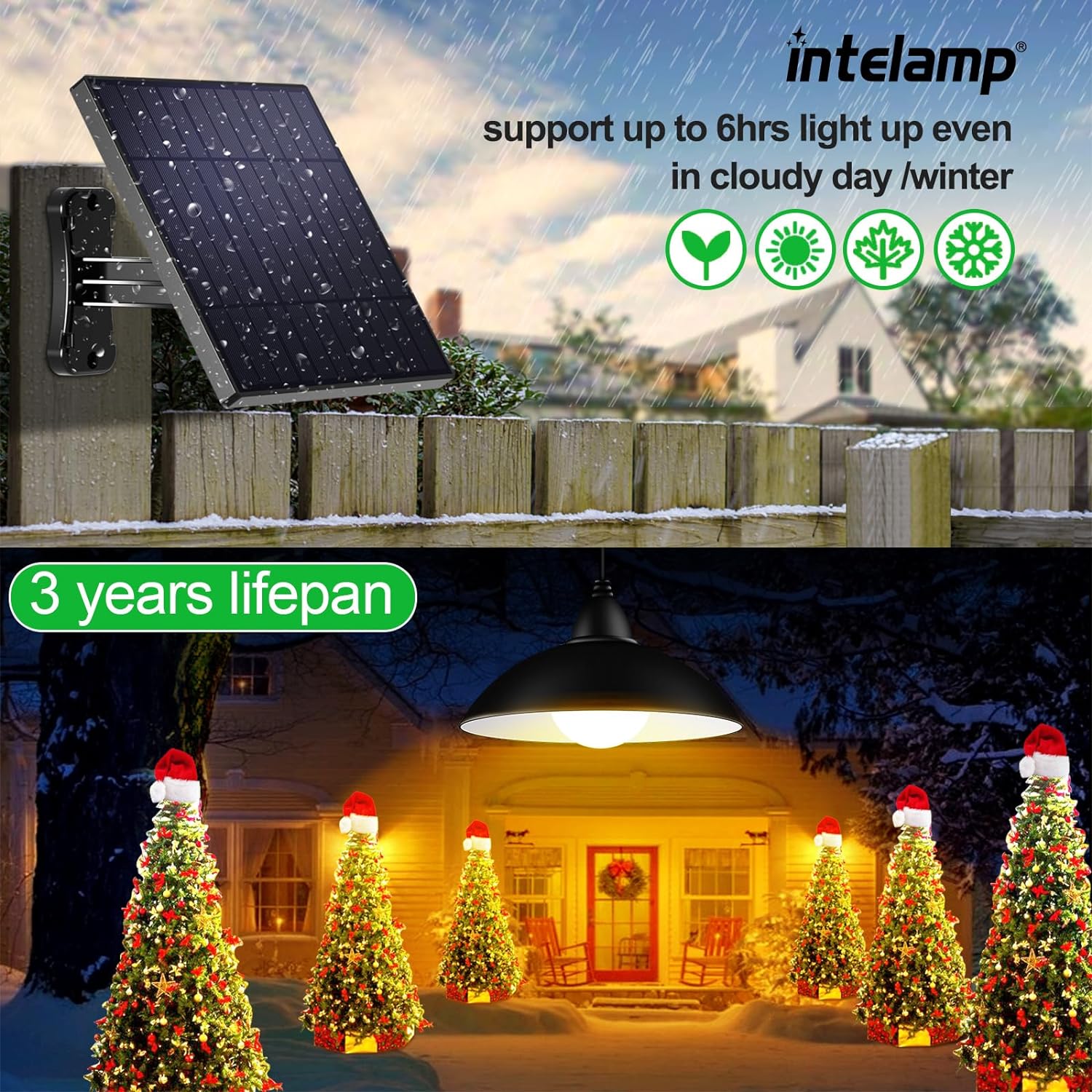
Image: Solar panel mounted on a fence, capturing sunlight.
5.2 Mounting the Solar Panel and Light
The solar panel can be mounted using screws or cable ties. The light fixture can be hung or secured using wire clips or by winding the cable around a branch or beam.
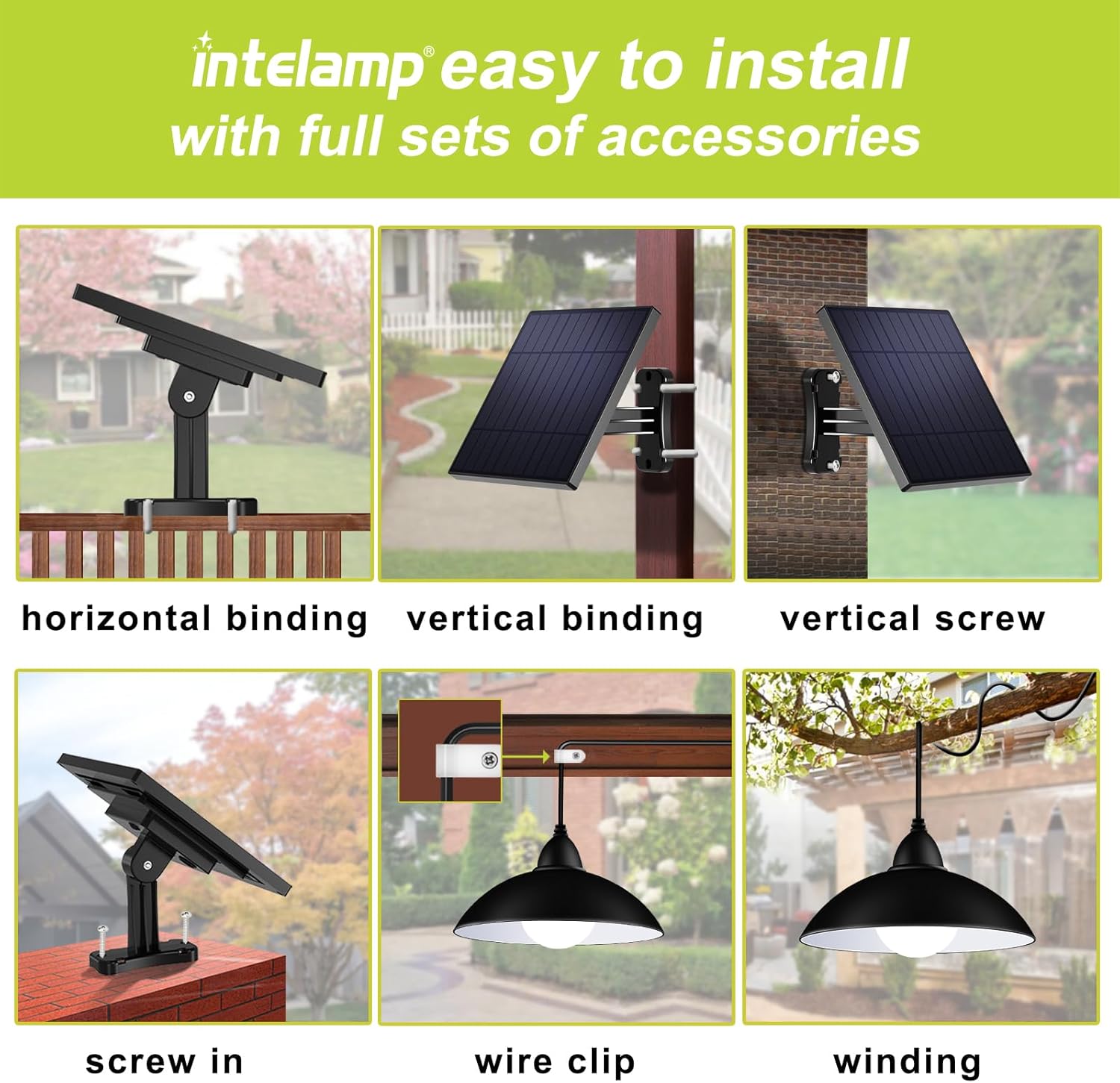
Image: Different installation methods for the solar panel and light.
5.3 Connecting the Components
Connect the pendant light cable to the solar panel's output. Ensure the waterproof wire connector is securely fastened to prevent water ingress.
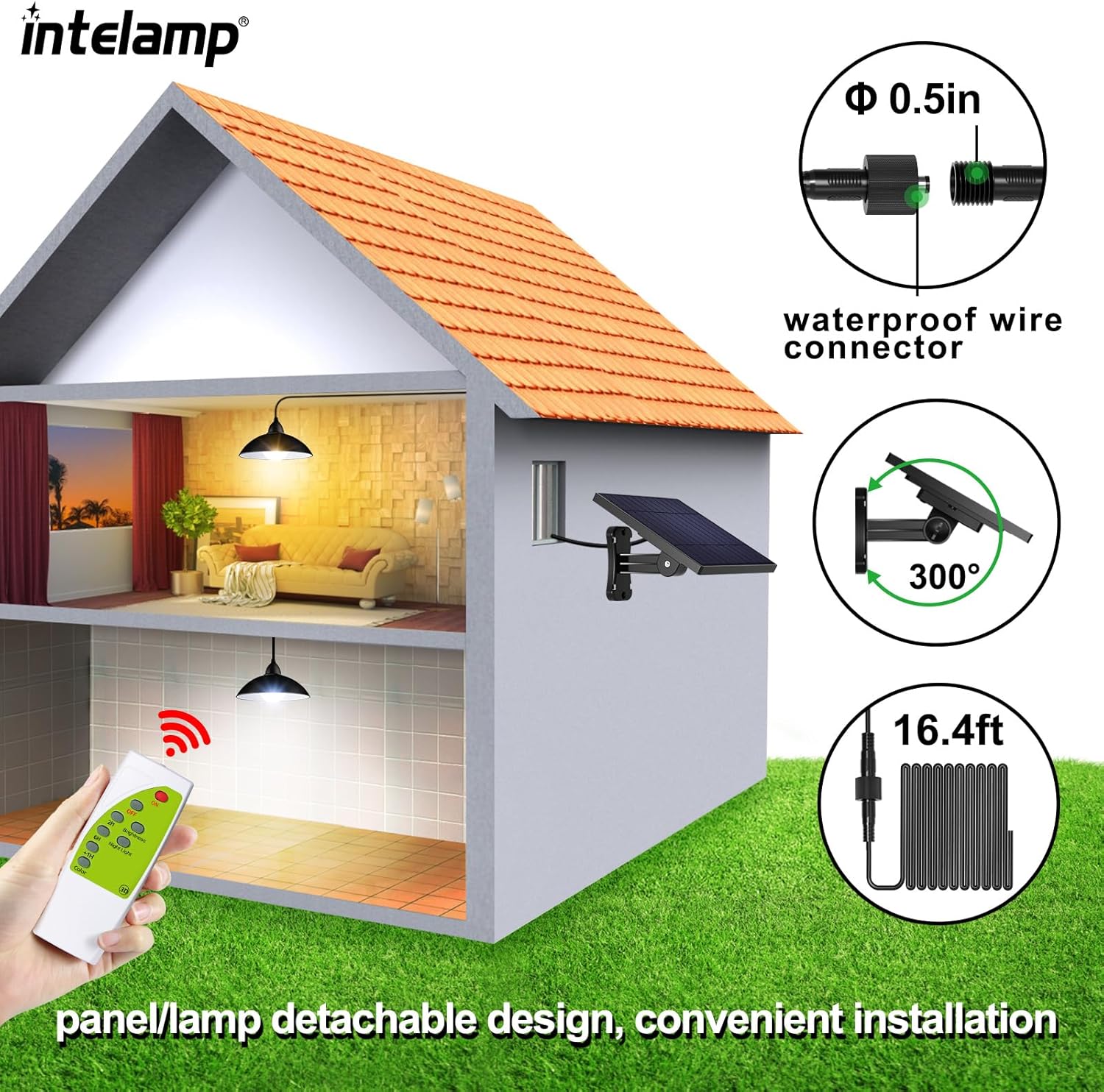
Image: Connection diagram of the solar panel and light.
5.4 Initial Activation
Upon receiving the light, locate the power button on the back of the solar panel. Press the ON button and select either 'ALL Day' or 'Night' mode directly on the light body. The light will then be ready for remote control operation.
Video: Demonstrates unboxing, connection, and initial setup of the intelamp Solar Pendant Light.
6. Operating Instructions
6.1 Remote Control Functions
The included remote control provides convenient access to various lighting settings:
- ON/OFF: Turn the light on or off.
- Brightness: Adjust brightness to 100%, 75%, or 50%.
- Timing: Set the light to turn off automatically after 2, 6, or 12 hours.
- Night Light: Activates a dim night light mode after the set timing is completed.
- Color Temperature: Switch between warm white, natural white, and cool white light.
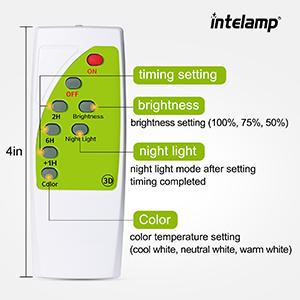
Image: Remote control for the intelamp Solar Pendant Light.
Video: Demonstrates the remote control functions for the solar light.
6.2 Day/Night Mode Selection
The solar panel has a switch to select between 'ALL Day' and 'Night' modes. In 'ALL Day' mode, the light can be turned on during daylight hours using the remote. In 'Night' mode, the light will automatically turn on at dusk and off at dawn.
Image: Power and mode buttons on the solar panel.
7. Maintenance
- Cleaning: Regularly wipe the solar panel with a soft, damp cloth to remove dust, dirt, or debris. A clean panel ensures efficient charging.
- Battery: The remote control uses 2 AAA batteries. Replace them when the remote's functionality diminishes. The main light unit has an integrated lithium battery designed for long-term use.
- Inspection: Periodically check all connections and mounting hardware for tightness and wear.
8. Troubleshooting
| Problem | Possible Cause | Solution |
|---|---|---|
| Light does not turn on. | 1. Power switch is OFF. 2. Insufficient solar charge. 3. Solar panel is in 'Night' mode during daytime. | 1. Press the ON button on the solar panel. 2. Ensure solar panel receives 6-8 hours of direct sunlight. 3. Switch to 'ALL Day' mode on the solar panel for daytime use. |
| Light is dim or runtime is short. | 1. Insufficient solar charge. 2. Solar panel is dirty. 3. Cloudy/rainy weather. | 1. Relocate solar panel to a sunnier spot. 2. Clean the solar panel surface. 3. Expect reduced performance during prolonged poor weather. |
| Remote control not working. | 1. Remote batteries are low or dead. 2. No line of sight to the solar panel's sensor. 3. Light is not in 'ALL Day' mode for daytime remote control. | 1. Replace AAA batteries in the remote. 2. Ensure remote is pointed towards the solar panel. 3. Switch the solar panel to 'ALL Day' mode if using the remote during the day. |
9. Specifications
| Feature | Detail |
|---|---|
| Brand | intelamp |
| Model Name | US-008-1F(150) |
| Item Model Number | TGD002-JP |
| Color | Black |
| Material | Acrylonitrile Butadiene Styrene, Stainless Steel |
| Style | Modern |
| Light Fixture Form | Chandelier |
| Product Dimensions | 7"L x 7"W x 5"H |
| Indoor/Outdoor Usage | Indoor, Outdoor |
| Power Source | Solar Powered |
| Special Feature | Dimmable |
| Control Method | Remote, Touch |
| Light Source Type | LED |
| Voltage | 3.2 Volts |
| Light Color | Warm, White |
| Item Weight | 1.47 Pounds |
| Controller Type | Remote Control |
| Water Resistance Level | Waterproof (IP65) |
| Brightness | 250 Lumen (up to 500 Lumens max output) |
| Mounting Type | Wall Mount |
| Assembly Required | Yes |
| Solar Panel Size | 164*164mm |
| Battery Type | Lithium, 2,000mAh *2pcs (integrated) |
| Cord Length | 16.4 feet (5 meters) |
10. Warranty & Support
The intelamp Solar Pendant Light comes with a Limited Warranty. For specific warranty details or technical support, please refer to the warranty card included in your package or contact intelamp US directly through their official channels. Please have your model number (TGD002-JP) and purchase information ready when contacting support.