
1. Introduction
The RHM K113 is a portable karaoke machine designed for audio playback and vocal performance. It features a 6.5-inch speaker, integrated LED lighting, and multiple connectivity options including Bluetooth, AUX, USB, TF card, and FM radio. This manual provides instructions for the safe and effective use of your device.
2. Package Contents
Please check the package for the following items:
- RHM K113 Karaoke Speaker Unit
- Wired Microphone
- AUX Input Cable
- Shoulder Strap
- Remote Control
- Power Adapter
- User Manual (this document)

Image: The RHM K113 Karaoke Machine, including the main speaker unit, wired microphone, and remote control.
3. Product Features
- Powerful Speaker: Equipped with a 6.5-inch speaker for stereo sound reproduction.
- Dynamic LED Lighting: Integrated LED lights at the bottom of the speaker, with color changes that can synchronize with music. Lights can be turned off.
- Multiple Playback Modes: Supports Bluetooth, AUX input, USB drive, TF (Micro SD) card, and FM radio.
- Recording Function: Record audio from the microphone to a USB or TF card.
- Portable Design: Compact size with an included shoulder strap for easy transport.
- Rechargeable Battery: Built-in battery provides approximately 4-6 hours of playtime on a full charge.
- EQ Modes: Five equalizer presets (Popular, Rock, Jazz, Classical, Scene) to adjust audio output.
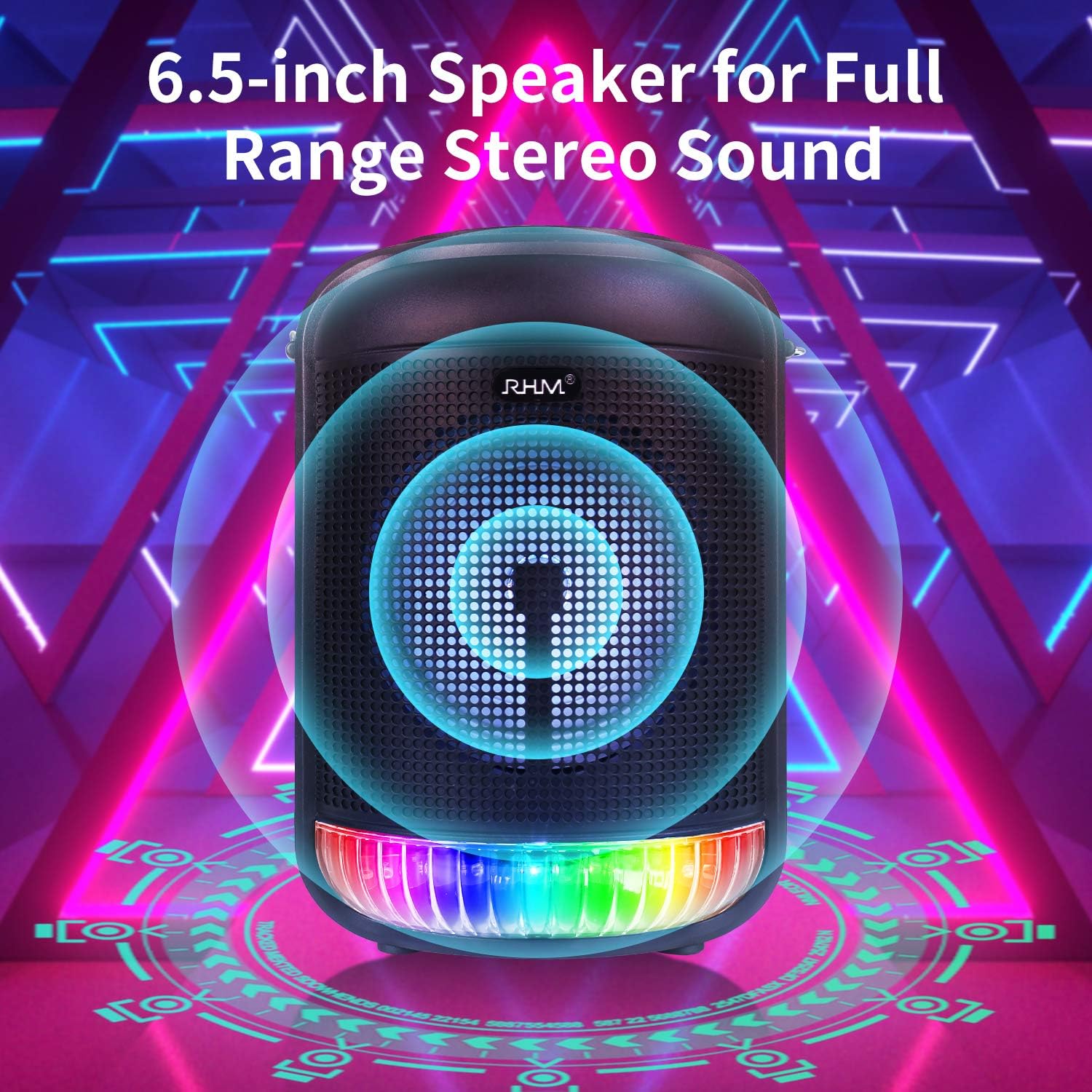
Image: The RHM K113 speaker unit, emphasizing its 6.5-inch speaker for audio output.

Image: Examples of the RHM K113's LED lighting displaying various colors.
4. Setup
- Unpacking: Carefully remove all components from the packaging. Retain packaging for future storage or transport.
- Initial Charge: Before first use, fully charge the karaoke machine. Connect the power adapter to the DC 5V input port on the unit and plug it into a power outlet. The charging indicator will illuminate.
- Microphone Connection: Insert the wired microphone's 3.5mm jack into the 'MIC IN' port on the unit.
- Attach Shoulder Strap: If desired, attach the included shoulder strap to the designated loops on the sides of the speaker for easier portability.
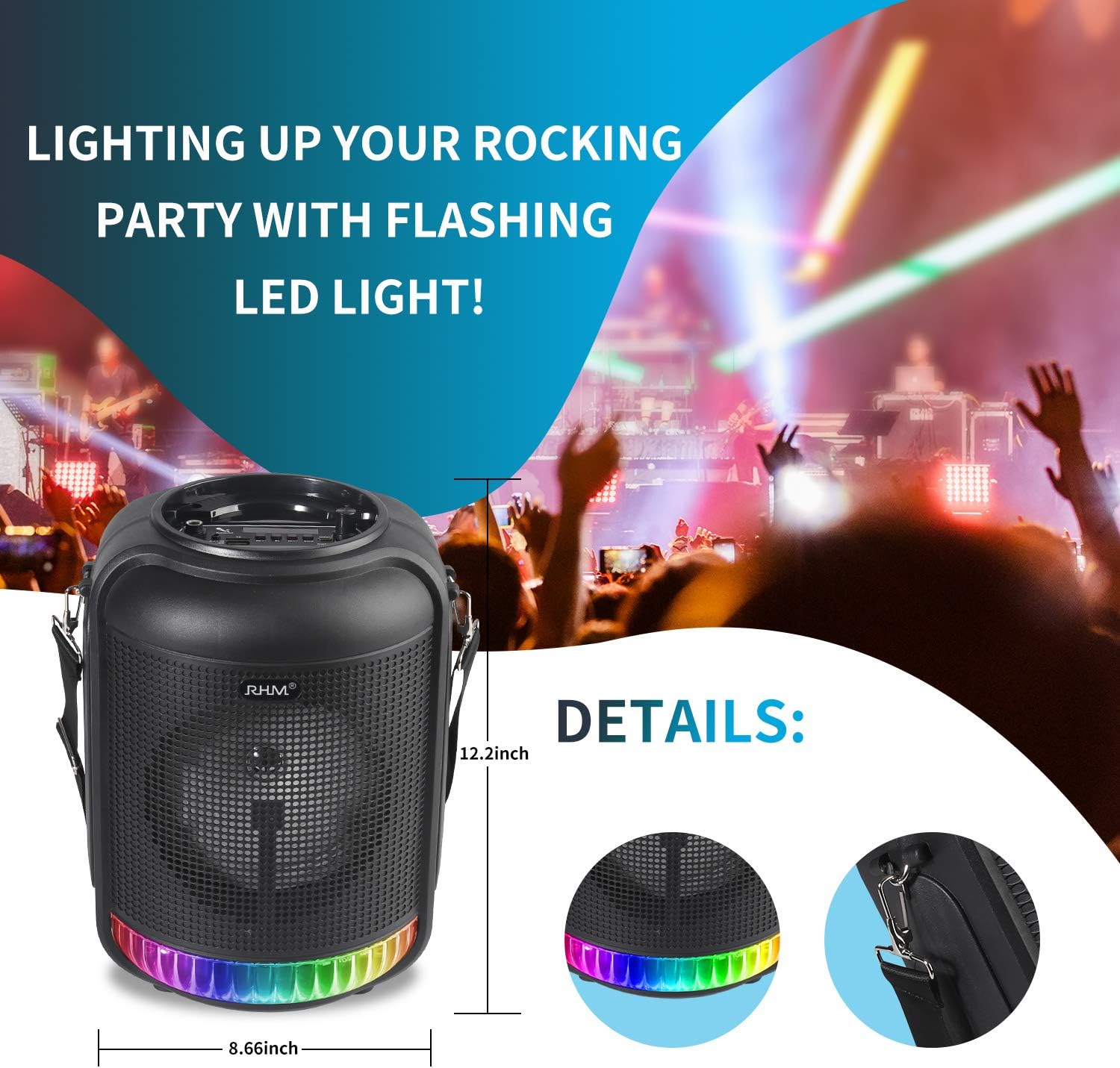
Image: The RHM K113 unit showing its dimensions and the attachment points for the shoulder strap.
5. Operating Instructions
5.1 Power On/Off
Press and hold the Power button on the unit or the remote control to turn the device on or off.
5.2 Mode Selection
Press the 'MODE' button on the unit or remote control to cycle through available modes: Bluetooth, AUX, USB, TF, FM Radio.
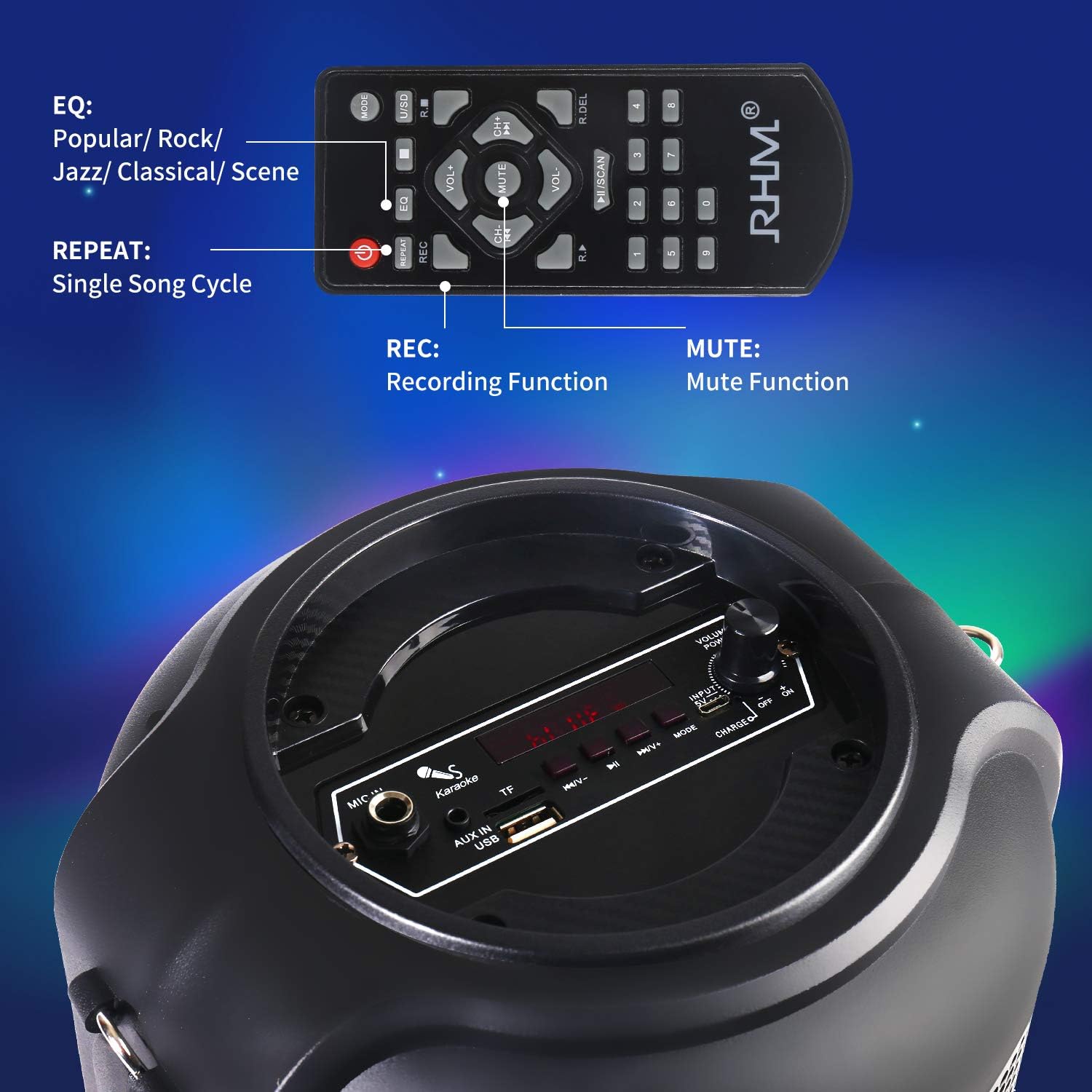
Image: The control panel of the RHM K113 and its remote control, showing various function buttons.
5.3 Bluetooth Connection
- Turn on the karaoke machine.
- Select Bluetooth mode using the 'MODE' button. The display will show 'BLUE' and a pairing indicator will flash.
- Enable Bluetooth on your smartphone or tablet and search for 'RHM K113'.
- Select 'RHM K113' to pair. A confirmation tone will sound upon successful connection.
- You can now play audio from your device through the karaoke machine.

Image: The RHM K113 demonstrating its various connectivity options including Bluetooth, Micro-SD, USB, FM-Radio, and AUX.
5.4 AUX Input
Connect an external audio device (e.g., MP3 player, computer) to the 'AUX IN' port using the provided 3.5mm AUX cable. The unit will automatically switch to AUX mode or can be selected manually via the 'MODE' button.
5.5 USB/TF Card Playback
Insert a USB drive or TF (Micro SD) card into the respective slot. The unit will automatically detect and play compatible audio files. Use the 'PREV' and 'NEXT' buttons to navigate tracks.
5.6 FM Radio
- Select FM Radio mode using the 'MODE' button.
- Press the 'SCAN' button (or Play/Pause button) to automatically scan and save available FM stations.
- Use the 'PREV' and 'NEXT' buttons to switch between saved stations.
5.7 Microphone Usage
Ensure the wired microphone is connected to the 'MIC IN' port. Adjust the microphone volume using the 'MIC VOL' knob on the unit or the 'VOL+' / 'VOL-' buttons on the remote while in microphone mode.
5.8 Recording Function
To record your voice or audio streamed through the microphone:
- Insert a USB drive or TF card into the unit.
- Press the 'REC' button on the remote control to start recording.
- Press 'REC' again to stop recording. The recorded file will be saved to the USB drive or TF card.
5.9 LED Light Control
The LED lights at the bottom of the speaker can be controlled. Refer to the remote control for a dedicated light button or mode to toggle the lights on/off or change patterns.
5.10 EQ Modes
Press the 'EQ' button on the remote control to cycle through the five available equalizer presets: Popular, Rock, Jazz, Classical, and Scene. This adjusts the audio output characteristics.
6. Charging and Battery
The RHM K113 is equipped with a rechargeable Lithium Ion battery. A full charge provides approximately 4-6 hours of playback time, depending on volume level and LED light usage.
- Connect the power adapter to the DC 5V input port and a power outlet to charge.
- The charging indicator light will show the charging status.
- Avoid completely draining the battery frequently to prolong its lifespan.
- Do not use the device while charging in environments with poor ventilation.

Image: The RHM K113 unit highlighting its rechargeable battery and estimated playtime.
7. Maintenance
- Cleaning: Use a soft, dry cloth to clean the exterior of the unit. Do not use liquid cleaners or abrasive materials.
- Storage: Store the device in a cool, dry place away from direct sunlight and extreme temperatures.
- Battery Care: If storing for an extended period, charge the battery to approximately 50% every 3 months to maintain battery health.
- Avoid Water: This device is not waterproof. Keep it away from water and high humidity.
8. Troubleshooting
| Problem | Possible Cause | Solution |
|---|---|---|
| No power | Battery is depleted; Power adapter not connected. | Charge the unit fully; Ensure power adapter is securely connected. |
| No sound | Volume too low; Incorrect mode selected; Device not paired (Bluetooth). | Increase volume; Select correct input mode; Re-pair Bluetooth device. |
| Microphone not working | Microphone not connected; Microphone volume too low. | Ensure microphone is fully plugged into 'MIC IN'; Increase 'MIC VOL'. |
| Bluetooth disconnection | Device out of range; Interference. | Move Bluetooth device closer to the karaoke machine (within 33ft); Avoid obstacles. |
| Recording not working | USB/TF card not inserted or full; Incorrect format. | Insert a compatible USB/TF card with sufficient space; Ensure card is formatted correctly. |
9. Specifications
| Feature | Detail |
|---|---|
| Model | K113 |
| Speaker Size | 6.5 inches |
| Connectivity | Bluetooth, AUX (3.5mm Jack), USB, TF Card, FM Radio |
| Battery Type | Lithium Ion (2 required) |
| Playtime | 4-6 hours (approx.) |
| Item Weight | 4.49 pounds |
| Product Dimensions | 14.9 x 5.9 x 8.89 inches |
| Power Source | Battery Powered |
| Special Feature | Rechargeable |
10. Warranty and Support
For warranty information or technical support, please refer to the contact details provided with your purchase documentation or visit the official RHM website. Keep your purchase receipt as proof of purchase for warranty claims.


