
1. Introduction
Thank you for choosing T-SUNUS Green Solar Spot Lights. This manual provides essential information for the proper setup, operation, and maintenance of your solar spotlights. Please read these instructions carefully before use to ensure optimal performance and longevity of the product.
2. Product Overview
The T-SUNUS Green Solar Spot Lights are designed for outdoor landscape lighting, featuring solar-powered operation and two brightness modes. They are built to withstand various weather conditions and offer flexible installation options.
Key Features:
- 20 bright LEDs for enhanced illumination.
- Wider 120° lighting angle and 120° adjustable solar panel.
- Two lighting modes: Low Light (up to 25 hours) and High Light (up to 8 hours).
- Automatic dusk-to-dawn operation.
- 2-in-1 installation: ground inserted or wall mounted.
- IP65 waterproof rating, resistant to rain, snow, frost, and heat.
- Extension arm for adjustable height up to 44 cm (18.3 inches).

Image 2.1: Two T-SUNUS Green Solar Spot Lights, showing the main components including the solar panel, LED light head, ground stake, and extension pole.

Image 2.2: Detailed view of the solar spotlight highlighting its construction from ABS material, high brightness copper LEDs, and a solar panel with a 20% energy conversion rate.
3. Setup and Installation
Proper installation ensures efficient charging and optimal lighting performance.
3.1 Choosing an Installation Location
Select a location where the solar panel can receive 6-8 hours of direct sunlight daily. Avoid areas under shade or near other strong light sources (like streetlights) as these can interfere with the light sensor and prevent the spotlights from turning on automatically at night.

Image 3.1: Guidelines for selecting an installation location, emphasizing direct sunlight and avoiding shade or other light sources.
3.2 Assembly and Installation Options
Your T-SUNUS solar spotlights offer two primary installation methods: ground insertion and wall mounting.

Image 3.2: Visual instructions for both ground insertion and wall mounting. For ground insertion, assemble the light and stake, then insert into the ground. For wall mounting, drill holes, screw the light onto the wall, then turn on and adjust.
3.2.1 Ground Insertion:
- Assemble: Attach the ground stake to the bottom of the spotlight. If desired, use the extension arm to increase the height.
- Insert into Ground: Firmly push the assembled spotlight into the soil in your chosen location. The jagged blade of the stake ensures secure attachment.
- Adjust Angle: Adjust the solar panel and light head to the desired angle (up to 120 degrees) to maximize sun exposure and light direction.
3.2.2 Wall Mounting:
- Mark and Drill: Mark the desired mounting points on the wall. Drill holes and insert anchors if necessary.
- Mount: Securely screw the spotlight bracket onto the wall.
- Adjust Angle: Adjust the solar panel and light head to the desired angle (up to 120 degrees).
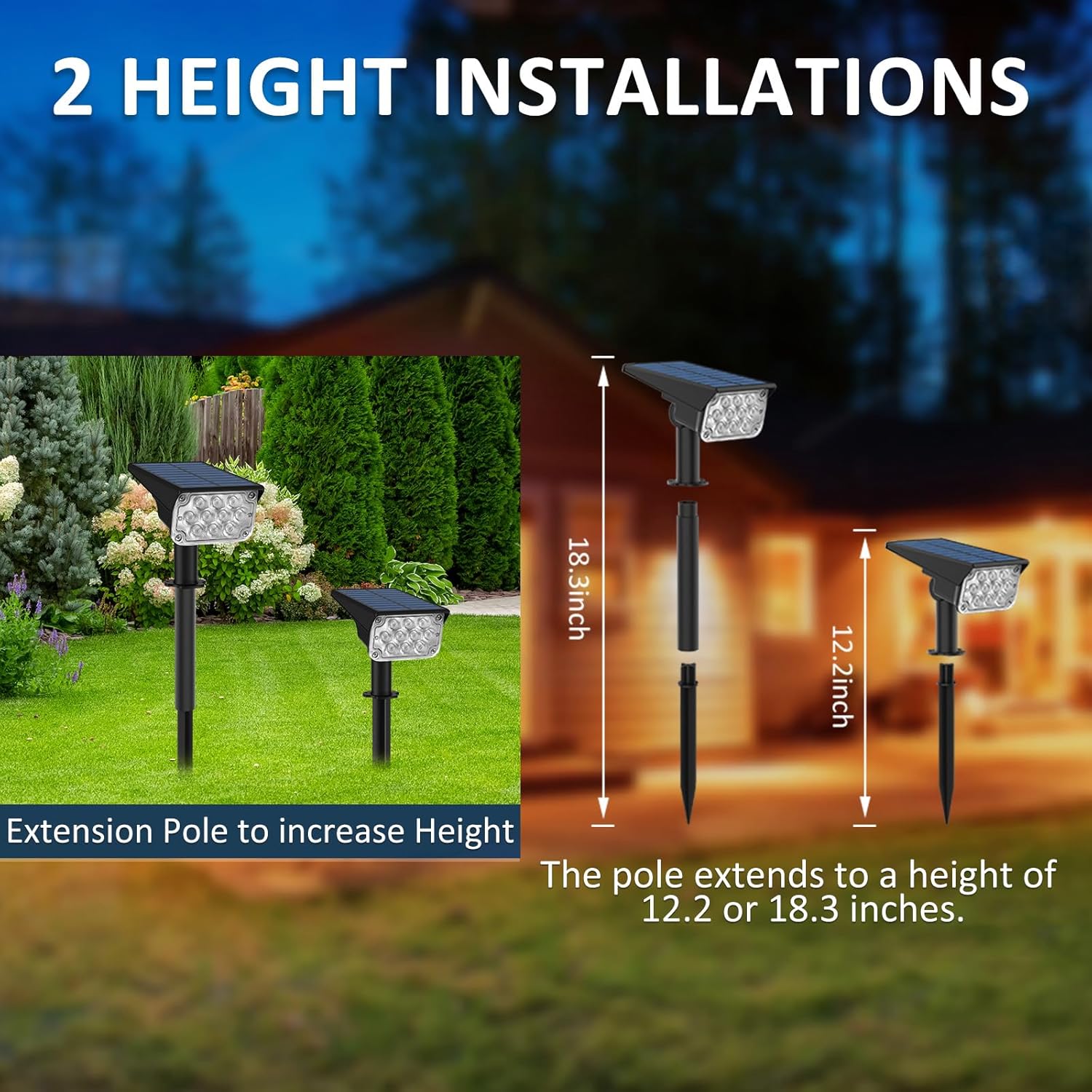
Image 3.3: The extension pole allows for two height installations: 12.2 inches or 18.3 inches, providing flexibility for different landscape needs.

Image 3.4: Illustration of the two installation options: wall-mounted for accent lighting on structures, and ground-inserted for pathways or garden features. The light head is shown with a 120-degree adjustable beam angle.
4. Operating Instructions
The T-SUNUS solar spotlights are designed for simple, automatic operation.
4.1 Initial Activation
Before first use, ensure the solar panel is exposed to direct sunlight for at least 6-8 hours to fully charge the battery. Locate the ON/OFF/MODE button, typically on the back or underside of the light head. Cover the solar panel to test the light before placing it in its final location.
4.2 Power On/Off and Mode Selection
Press the ON/OFF/MODE button to cycle through the lighting modes:
- First Press: High Light Mode (approx. 8 hours of illumination).
- Second Press: Low Light Mode (approx. 25 hours of illumination).
- Third Press: Off.
The light will automatically turn on at dusk and turn off at dawn, based on the selected mode, as long as the switch is in an 'on' position (High or Low Light Mode).

Image 4.1: The ON/OFF/MODE button is used to switch between the two lighting modes. High light mode provides brighter illumination for 6-8 hours, while low light mode offers longer duration of 10-12 hours (note: product feature bullets state 8hrs/25hrs, image states 6-8hrs/10-12hrs, using feature bullet values in text).

Image 4.2: Visual representation of the two lighting modes. Mode 1 (High Light) provides intense illumination, while Mode 2 (Low Light) offers a softer glow for extended periods.

Image 4.3: The solar spotlights automatically charge during 6-8 hours of daytime sunlight and illuminate for 10-12 hours at night, demonstrating the auto on/off functionality.
5. Maintenance
Regular maintenance ensures the longevity and efficiency of your solar spotlights.
- Clean Solar Panel: Periodically wipe the solar panel with a soft, damp cloth to remove dust, dirt, or debris. A clean panel ensures maximum sunlight absorption and charging efficiency.
- Clear Obstructions: Ensure no leaves, snow, or other obstructions cover the solar panel, especially during seasonal changes.
- Battery Care: The integrated rechargeable battery is designed for long-term use. If the light's performance significantly diminishes over time, it may indicate the battery is reaching the end of its lifespan. Contact customer support for replacement options if available.
Weather Resistance:
The T-SUNUS solar spotlights are rated IP65 waterproof, meaning they are protected against dust ingress and low-pressure water jets from any direction. They are designed to withstand various outdoor conditions, including rain, snow, frost, and heat.
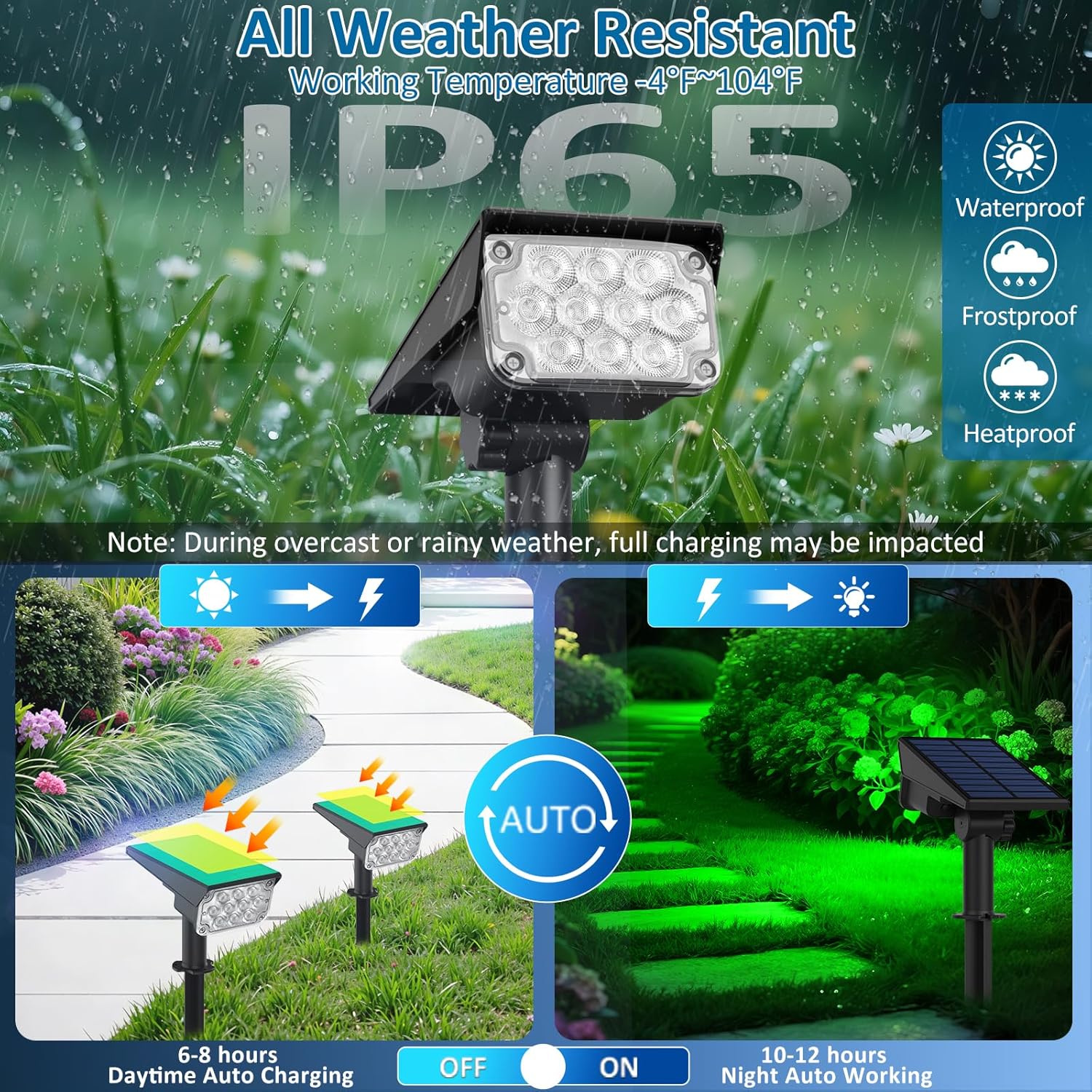
Image 5.1: The solar spotlight is shown in various weather conditions, highlighting its IP65 waterproof, frostproof, and heatproof design, ensuring durability in outdoor environments.

Image 5.2: A visual confirmation of the product's IP65 waterproof rating, along with its resistance to frost and heat, making it suitable for diverse climates.
6. Troubleshooting
If you encounter issues with your T-SUNUS Green Solar Spot Lights, refer to the following common problems and solutions:
| Problem | Possible Cause | Solution |
|---|---|---|
| Light does not turn on at night. |
|
|
| Light stays on for a short duration. |
|
|
| Light is dim. |
|
|
7. Specifications
Detailed technical specifications for the T-SUNUS Green Solar Spot Lights.

Image 7.1: A comprehensive diagram detailing the product's dimensions, features like 20 bright LEDs, 120-degree adjustable solar panel, and a high energy conversion rate.
| Specification | Detail |
|---|---|
| Brand | T-SUNUS |
| Model Number | TS-G2202 |
| Color | Green |
| Material | Acrylonitrile Butadiene Styrene (ABS), Polycarbonate |
| Light Source Type | LED (20 LEDs) |
| Power Source | Solar Powered |
| Voltage | 3.7 Volts |
| Wattage | 3 Watts |
| Brightness | 284 Lumens |
| Lighting Modes | High Light (8 Hrs), Low Light (25 Hrs) |
| Water Resistance Level | IP65 Waterproof |
| Product Dimensions | 1"L x 1"W x 1"H (approximate, actual dimensions may vary slightly) |
| Item Weight | 1.34 pounds |
| Installation Type | Ground Mount, Wall Mount |
| UPC | 661596188833 |
8. Safety Information
- Do not attempt to disassemble or modify the product. This may cause damage and void any warranty.
- Keep the product away from fire or extreme heat sources.
- Ensure the ground stake is inserted firmly to prevent the light from falling over, especially in windy conditions.
- Dispose of the product responsibly at the end of its lifespan, following local regulations for electronic waste.
9. Warranty and Support
For any product inquiries, technical support, or warranty claims, please contact T-SUNUS customer service. While specific warranty details are not provided in this manual, T-SUNUS aims to provide a satisfactory customer experience. Please refer to your purchase documentation or the seller's contact information for assistance.
You can typically reach T-SUNUS customer support via email, and they aim to respond within 24 working hours.
10. Product Video
Watch this video for a visual overview of the T-SUNUS Green Solar Spot Lights and their features.
Video 10.1: An 11-second video showcasing the T-SUNUS Green Solar Spotlights, demonstrating their outdoor use and highlighting features like IP65 waterproofing for various weather conditions.