
POPOMAN LMBT60
POPOMAN LMBT60 Laser Distance Measure User Manual
Model: LMBT60
1. Introduction
The POPOMAN LMBT60 is a versatile and precise laser distance measure designed for various measurement tasks in home improvement, construction, and professional settings. Featuring Bluetooth connectivity and a dedicated smartphone application, it streamlines data collection and floor plan creation. This manual provides detailed instructions for the safe and effective use of your device.
2. Product Features
- Bluetooth Connectivity & Smart App: Features Bluetooth 4.0 for automatic data transmission to a mobile application, enabling 3D CAD modeling, floor plan generation, and real-time data integration.
- Electronic Angle Sensor: Provides real-time angle display, offering more accurate measurements compared to traditional bubble levels.
- High Precision & Multiple Measurement Modes: Offers a working distance of up to 60m/196ft with an error as low as ±0.2mm. Supports single distance, area, volume, Pythagorean, addition, subtraction, and continuous measurement modes.
- USB-C Charging: Built-in rechargeable lithium battery provides up to 8000 measurements on a single charge, with quick 30-minute charging.
- 2.25'' LCD Backlit Display: Ensures clear readability of measurements even in bright sunlight or low-light conditions.
- Data Storage: Stores up to 99 sets of measurement data for easy review and comparison.
- Delay Measurement: Allows for timed measurements, useful for stable readings in challenging positions.
- Silent Mode: Enables quiet operation, suitable for sensitive environments.
3. Package Contents
Upon opening the package, please verify that all items listed below are present and in good condition:
- 1 x POPOMAN LMBT60 Laser Distance Measure
- 1 x USB-C Charging Cable
- 1 x User Manual
- 1 x Portable Carrying Pouch
- 1 x Portable Wrist Strap
- 1 x Reflection Plate (if included with your specific model)

This image showcases the complete package contents of the POPOMAN LMBT60 Laser Distance Measure, including the device itself, the user manual, a USB-C charging cable, a protective carrying pouch, and a portable wrist strap.
4. Device Layout
Familiarize yourself with the buttons and display elements of your POPOMAN LMBT60 for optimal operation.

This diagram provides a comprehensive overview of the POPOMAN LMBT60's user interface. It labels key display elements such as laser status, angle, and major measurement readings, along with all button functions including measurement activation, addition, subtraction, unit switching, reference point selection, mode selection (Area, Volume, Pythagorean, Delay), data saving, and power control. Additional icons indicate features like fast charging, tripod compatibility, 99 data sets memory, backlit screen, delay measurement, and mute function.
Button Functions:
- READ Button: Activates laser, initiates single measurement, confirms selection.
- FUNC Button: Cycles through measurement modes (Area, Volume, Pythagorean, Delay).
- +/- Button: Performs addition/subtraction of measurements.
- Unit/Reference Point Button: Switches measurement units (m/ft/in) and changes the measurement reference point (front, middle, rear of device).
- OFF/CLEAR Button: Turns the device off (long press), clears current measurement, or exits a menu.
- Save Button: Saves the current measurement to memory.
- Mute Button: Toggles sound on/off.
Display Elements:
- Laser On Indicator: Shows when the laser is active.
- Angle Display: Shows the real-time angle of the device.
- Major Display: Shows the primary measurement result.
- Unit Indicator: Displays the current measurement unit (m, ft, in).
- Battery Indicator: Shows remaining battery life.
- Bluetooth Indicator: Shows Bluetooth connection status.
- Reference Point Indicator: Shows the active measurement reference point.
5. Setup
5.1 Charging the Device
The POPOMAN LMBT60 is equipped with a built-in rechargeable lithium battery. Before first use, or when the battery indicator shows low power, charge the device using the provided USB-C cable.
- Connect the USB-C cable to the charging port on the device.
- Connect the other end of the USB-C cable to a standard USB power adapter (e.g., smartphone charger) or a computer's USB port.
- The battery indicator on the display will show charging status. A full charge typically takes about 30 minutes.

This image emphasizes the convenience of USB-C charging for the POPOMAN LMBT60, illustrating that it eliminates the need for disposable dry batteries. It highlights the device's ability to undergo 500 charging cycles and achieve a quick charge in just 30 minutes.
5.2 App Installation and Bluetooth Pairing
To utilize the smart features of your LMBT60, download and connect to the companion mobile application.
- Download the App: Search for the "Intelligent House App" or "JoyPlan" (refer to your product packaging or included manual for the exact app name) on your smartphone's app store (Google Play Store for Android, Apple App Store for iOS). Install the application.
- Enable Bluetooth: Ensure Bluetooth is enabled on your smartphone and on the LMBT60 device.
- Pairing: Open the installed app. The app should automatically detect and prompt you to connect to the LMBT60. Follow the on-screen instructions to complete the pairing process. The Bluetooth icon on the LMBT60 display will illuminate steadily once connected.

This image illustrates the Bluetooth connection between the POPOMAN LMBT60 and a smartphone. The phone screen shows a floor plan, emphasizing features like area list generation, support for three floor plan formats, and real-time data transmission.
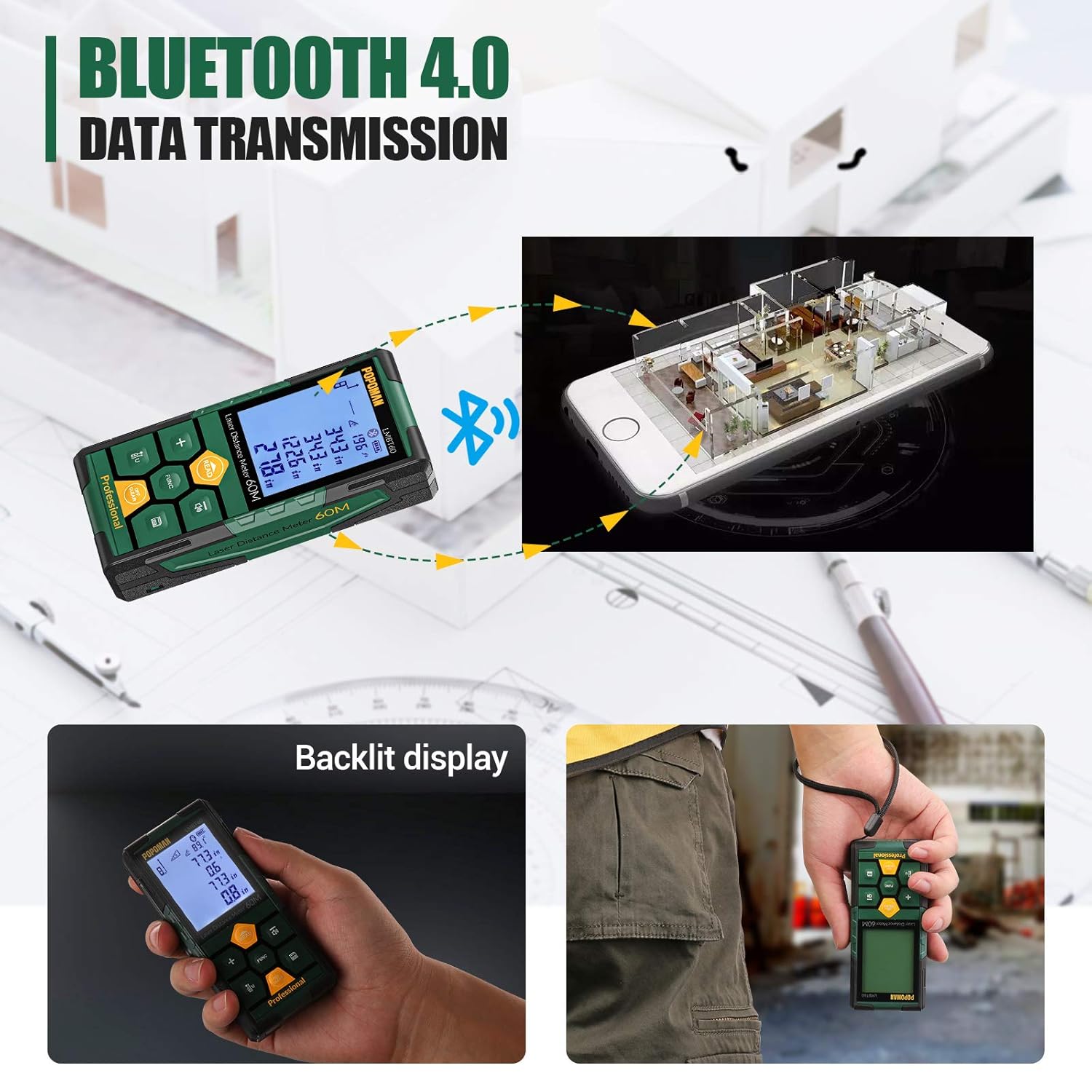
This composite image highlights three key aspects: seamless Bluetooth 4.0 data transmission from the device to a smartphone, the clear and bright backlit LCD display for easy reading in various lighting conditions, and the compact, portable design of the laser measure, suitable for carrying.
6. Operating Instructions
6.1 Basic Measurement
- Power On: Press the READ button briefly to turn on the device.
- Activate Laser: Press the READ button again to activate the laser pointer. Aim the laser dot at your target.
- Take Measurement: Press the READ button a third time to take the measurement. The result will be displayed on the main screen.
6.2 Measurement Modes
Press the FUNC button repeatedly to cycle through the available measurement modes:
- Single Distance Measurement: Default mode. Measures the direct distance between the device and the target.
- Area Measurement: Measures length and width to calculate area. Follow on-screen prompts to take two measurements.
- Volume Measurement: Measures length, width, and height to calculate volume. Follow on-screen prompts to take three measurements.
- Pythagorean Measurement: Calculates indirect distances using the Pythagorean theorem (e.g., height of a building). Follow on-screen prompts to take the required measurements (e.g., hypotenuse and one leg).
- Continuous Measurement (Tracking): Displays real-time distance as you move the device. Press READ to start and OFF/CLEAR to stop.
6.3 Addition and Subtraction
To add or subtract measurements:
- Take the first measurement.
- Press the +/- button. A "+" or "-" symbol will appear on the display.
- Take the second measurement. The result will be automatically added or subtracted.
- Repeat for additional measurements.
6.4 Delay Measurement
This feature allows you to set a delay before the measurement is taken, useful for avoiding device movement during measurement.
- Enter Delay Measurement mode via the FUNC button.
- Use the +/- buttons to adjust the delay time.
- Press READ to start the countdown. The measurement will be taken automatically after the set delay.
6.5 Data Storage and Recall
The LMBT60 can store up to 99 sets of measurement data.
- Save: After a measurement is displayed, press the Save button to store it.
- Recall: Press the Save button (or a dedicated recall button if present, refer to diagram) in standby mode to browse stored data. Use the +/- buttons to navigate.
6.6 Unit Switching and Reference Point Selection
Press the Unit/Reference Point button to:
- Cycle through measurement units: meters (m), feet (ft), inches (in).
- Change the measurement reference point: from the front of the device, from the middle (for tripod use), or from the rear of the device. The active reference point is indicated on the display.

The laser measure is shown next to a smartphone displaying the companion application. Various icons illustrate the device's capabilities, including precise drawing, cloud synchronization, Bluetooth connectivity, 3D design, one-click CAD generation, area list management, unit switching, direct lithium battery charging, and digital tape display.
7. Maintenance
7.1 Cleaning
- Use a soft, damp cloth to clean the device casing. Do not use abrasive cleaners or solvents.
- For the lens, use a clean, soft cloth specifically designed for optics (e.g., microfiber cloth) to gently wipe away dust or smudges. Do not touch the lens with your fingers.
7.2 Storage
- Store the device in its protective carrying pouch when not in use.
- Keep the device in a cool, dry place, away from direct sunlight, extreme temperatures, and high humidity.
- If storing for an extended period, ensure the battery is partially charged (around 50%) to prolong battery life. Recharge every few months if not in use.
8. Troubleshooting
If you encounter issues with your POPOMAN LMBT60, refer to the following common problems and solutions:
| Problem | Possible Cause | Solution |
|---|---|---|
| Device does not turn on. | Low battery; device malfunction. | Charge the device fully. If issue persists, contact customer support. |
| Measurement error / Inaccurate readings. | Laser obstructed; unstable surface; extreme lighting conditions; dirty lens. | Ensure clear line of sight. Place device on a stable surface. Avoid direct sunlight or strong light sources. Clean the laser lens. |
| Bluetooth connection fails. | Bluetooth not enabled; app not running; device out of range. | Ensure Bluetooth is on for both device and phone. Restart app and device. Move closer to the device (within 10m). |
| Display is dim or unreadable. | Low battery; strong ambient light. | Charge the device. Move to a shaded area or adjust viewing angle. |
If the problem persists after attempting these solutions, please contact POPOMAN customer support.
9. Specifications
| Feature | Specification |
|---|---|
| Model | LMBT60 |
| Working Distance | 60m / 196ft |
| Accuracy | ±0.2mm |
| Display | 2.25'' LCD Backlit |
| Battery Type | Rechargeable Lithium Battery |
| Charging Port | USB-C |
| Data Memory | 99 sets |
| Bluetooth Version | 4.0 |
| Item Weight | 358 g |
| Package Dimensions | 16.21 x 8.99 x 6.6 cm |
| Manufacturer | TECCPO |
10. Warranty and Support
The POPOMAN LMBT60 Laser Distance Measure comes with a 2-year quality promise from the date of purchase. This warranty covers manufacturing defects and ensures the product meets its specified performance standards under normal use.
For warranty claims, technical support, or any inquiries regarding your device, please contact POPOMAN customer service through the contact information provided on your product packaging or the official POPOMAN website. Please have your purchase receipt and product model number (LMBT60) ready when contacting support.
Ask a question about this manual
Ask about setup, troubleshooting, compatibility, parts, safety, or missing instructions. Manuals+ will review the question and use this page’s manual context to help answer it.