
1. Introduction
Thank you for choosing the Aduro PowerUp Ultra Boost 20,000mAh Portable Charger. This device is designed to provide reliable power for your mobile devices on the go. Please read this manual carefully to ensure proper use and optimal performance.
2. Package Contents
- Aduro PowerUp Ultra Boost 20,000mAh Portable Charger
- USB Charging Cable (for recharging the power bank)
- User Manual

Image: The Aduro PowerUp Ultra Boost portable charger shown alongside its retail packaging and included USB cable.
3. Product Features
- 20,000mAh High Capacity: Provides multiple charges for smartphones and tablets.
- Dual USB Output Ports: Charge two devices simultaneously.
- Smart Charge Technology: Automatically detects and delivers optimal charging current for connected devices.
- LED Power Indicator: Displays remaining battery capacity.
- Compact and Portable Design: Easy to carry for travel and daily use.
- Built-in Safety Protections: Guards against over-heating, over-current, over-charging, over-circuit, and anti-fire.
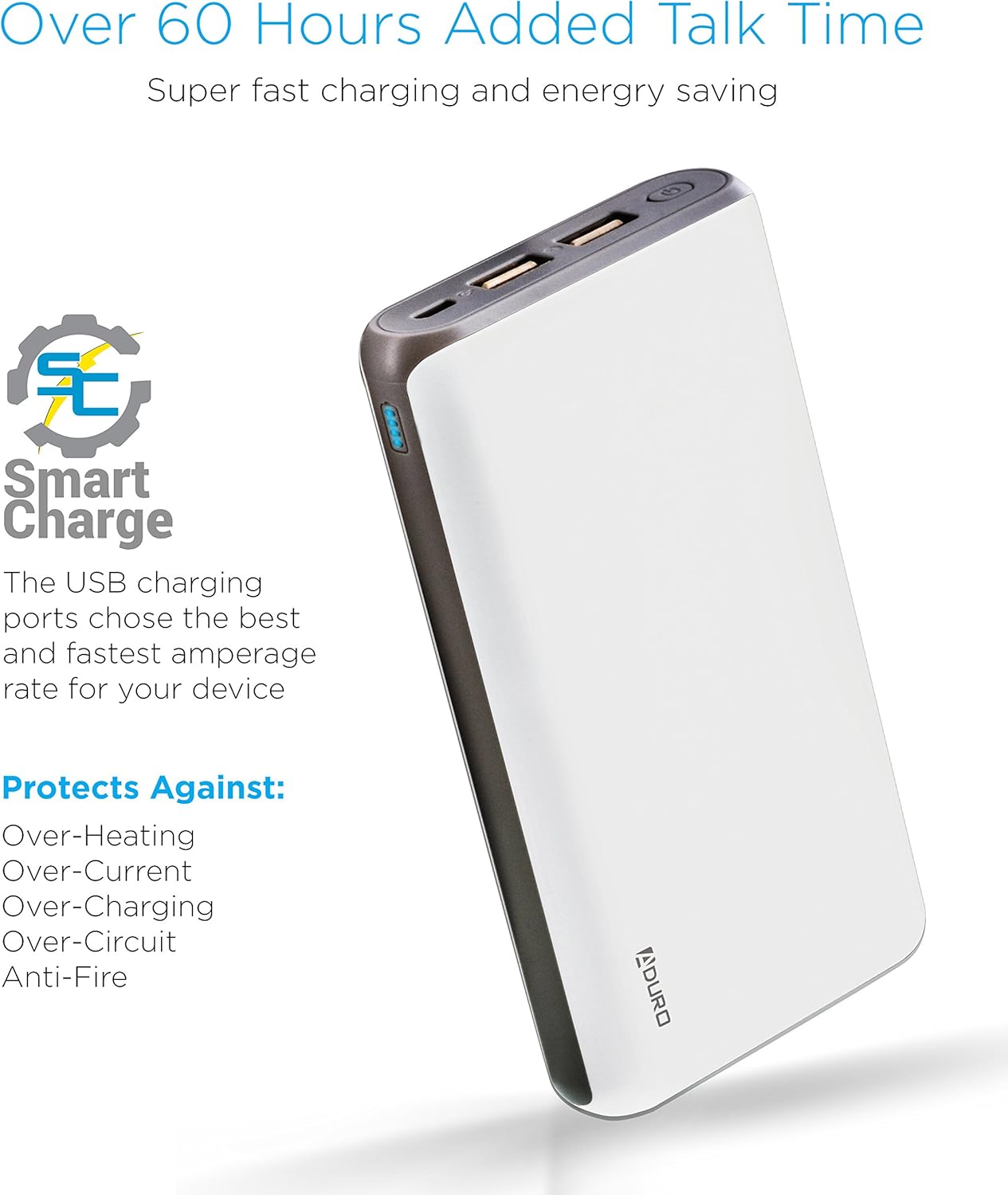
Image: The Aduro power bank highlighting its Smart Charge technology and various safety features like protection against over-heating and over-charging.

Image: A detailed view of the Aduro power bank's dual USB output ports, micro USB input port, and the LED power indicator lights.
4. Getting Started
4.1 Charging the Power Bank
- Connect the included USB charging cable to the power bank's Micro USB input port.
- Plug the other end of the USB cable into a USB wall adapter (not included) or a computer's USB port.
- The LED indicators will illuminate and blink to show the charging progress. All four LEDs will be solid when the power bank is fully charged.
It is recommended to fully charge the power bank before its first use.
4.2 Charging Your Devices
- Connect your device's charging cable to one of the power bank's USB output ports.
- Connect the other end of the cable to your device.
- The power bank will automatically begin charging your device. The LED indicators will show the remaining power.
- To charge a second device, connect it to the other USB output port.
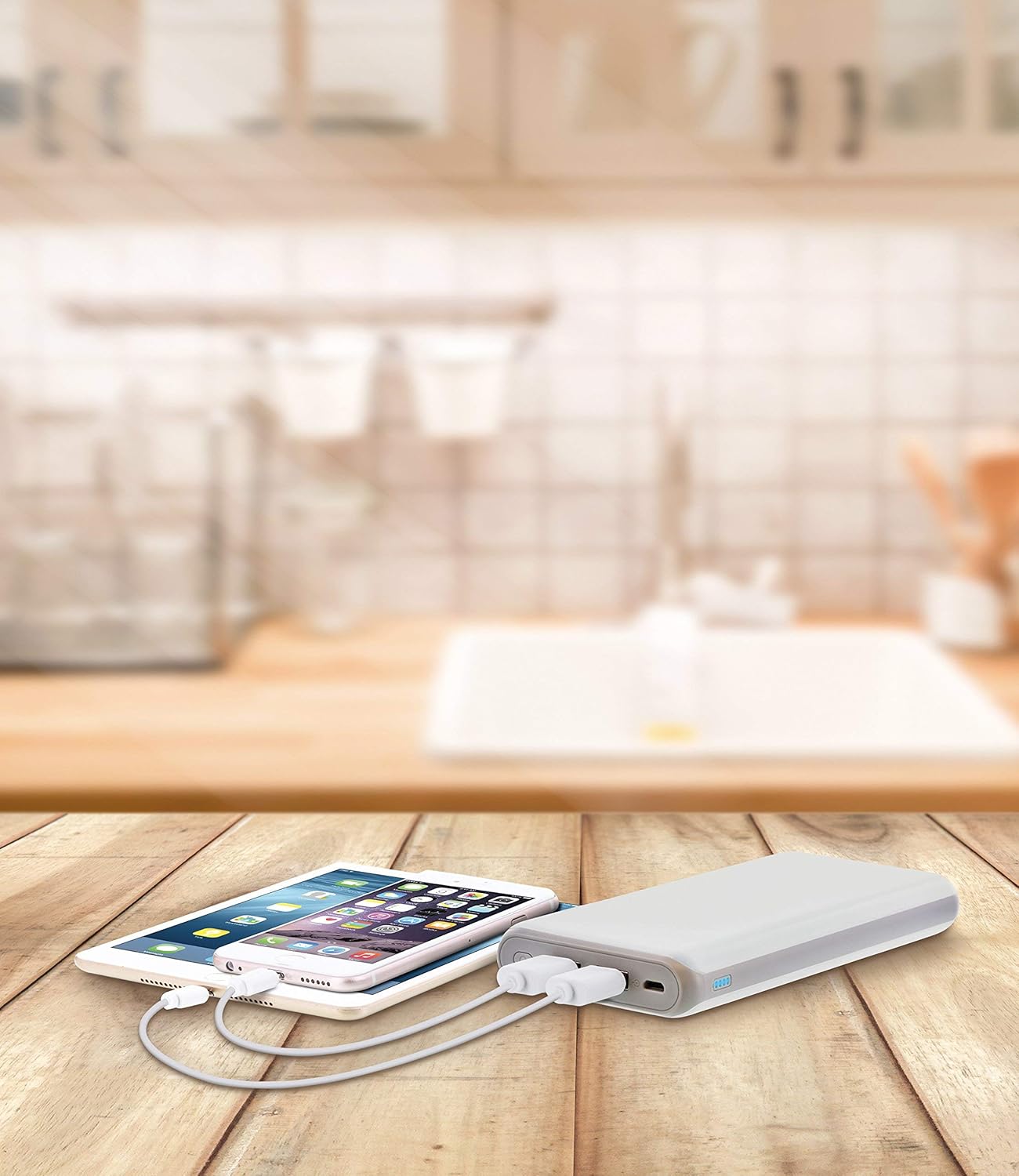
Image: The Aduro power bank connected via USB cables to two smartphones, demonstrating its dual-device charging capability.
5. LED Indicator Guide
The LED lights on the power bank indicate the remaining battery capacity:
- 4 LEDs Solid: 75% - 100% charged
- 3 LEDs Solid: 50% - 75% charged
- 2 LEDs Solid: 25% - 50% charged
- 1 LED Solid: 0% - 25% charged (recharge soon)
- LEDs Blinking: Power bank is currently charging
6. Safety Precautions
- Do not expose the power bank to extreme temperatures (above 104°F / 40°C or below 14°F / -10°C).
- Do not disassemble, modify, or attempt to repair the device.
- Avoid dropping or subjecting the power bank to strong impacts.
- Keep away from water, moisture, and flammable materials.
- Do not use if the power bank is damaged or swollen.
- Keep out of reach of children.
- Dispose of the power bank responsibly according to local regulations.
7. Care and Maintenance
- Clean the power bank with a soft, dry cloth. Do not use harsh chemicals or abrasive cleaners.
- Store the power bank in a cool, dry place when not in use.
- If storing for extended periods, charge the power bank to approximately 50% every 3 months to maintain battery health.
8. Troubleshooting
- Power bank not charging: Ensure the charging cable is securely connected to both the power bank and the power source. Try a different USB cable or wall adapter.
- Device not charging from power bank: Ensure the power bank has sufficient charge. Check that the cable connecting your device to the power bank is functional and properly connected. Try a different USB port on the power bank.
- Slow charging: Ensure you are using a compatible charging cable. Some devices may charge slower due to their input requirements or the cable used.
9. Specifications
| Feature | Detail |
|---|---|
| Model Number | F-208C |
| Battery Capacity | 20,000 mAh |
| Input | 5V / 2A (Micro USB) |
| Output 1 | 5V / 1A (USB Type A) |
| Output 2 | 5V / 2.1A (USB Type A) |
| Product Dimensions | 6.4 x 3 x 0.8 inches |
| Item Weight | 13.6 ounces |
| Color | White |

Image: The Aduro power bank displaying its physical dimensions for reference.
10. Warranty Information
Aduro provides a Lifetime Limited Warranty for this product. This warranty covers manufacturing defects and ensures the product functions as intended under normal use. Please retain your proof of purchase for warranty claims.
11. Customer Support
For any questions, technical assistance, or warranty claims, please contact Aduro customer service. Refer to the product packaging or the official Aduro website for the most current contact information.