
1. Product Overview
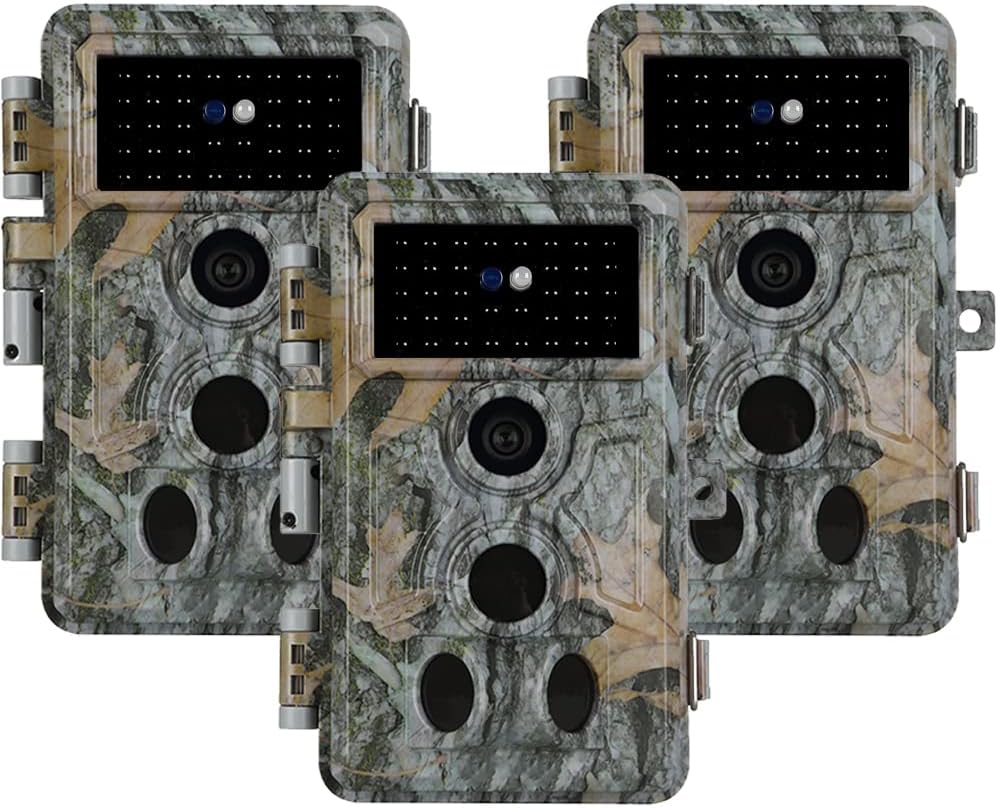
The Folgtek Trail Camera is a high-performance digital camera designed for outdoor use, ideal for wildlife monitoring, hunting, and home security. It features advanced motion detection, high-resolution imaging, and robust weather resistance to capture clear photos and videos day and night.
2. Key Features
- High Resolution Imaging: Captures 48MP crystal clear images and 1296P HD videos with sound recording.
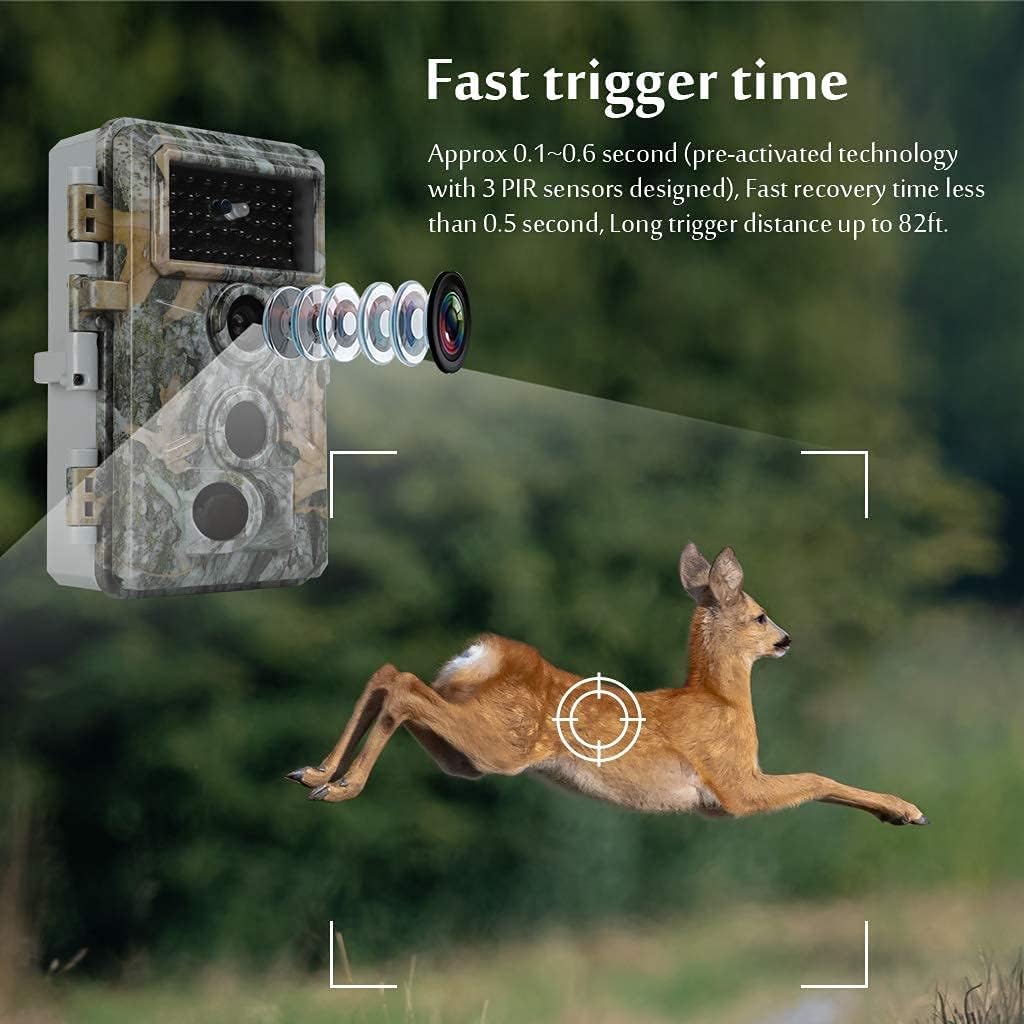
- Fast Trigger Time: Equipped with high sensitivity infrared detector sensors, triggering instantly in approximately 0.1-0.6 seconds upon detecting animal movements.
- Wide Detection Angle: Features a 120° angle lens with three detection zones for comprehensive coverage.
- Advanced Night Vision: Built-in 36pcs no-glow 940nm infrared LEDs provide clear night vision up to 100ft/30m without disturbing wildlife.
- Durable and Waterproof: IP66 waterproof rating ensures reliable operation in various weather conditions, including rain and dust.
- Flexible Storage: Supports SD/SDHC cards up to 512GB (not included).
- Versatile Power: Operates on 8 AA 1.5V batteries (not included).






3. Package Contents
Please check the package contents carefully. If any items are missing or damaged, contact customer support.
- Folgtek Trail Camera (3 units)
- Adjustable Mounting Straps (3 units)
- User Manual
Note: SD card and 8 AA 1.5V batteries are NOT INCLUDED and must be purchased separately.
4. Safety Precautions
- Do not expose the camera to extreme temperatures outside its operating range (-4°F to 140°F).
- Ensure the battery compartment is securely closed to maintain IP66 waterproof rating.
- Use only recommended battery types (AA 1.5V). Do not mix old and new batteries or different battery types.
- Keep the camera away from strong magnetic fields.
- Do not attempt to disassemble or repair the camera yourself. Refer to qualified service personnel.
- Dispose of batteries and electronic components responsibly according to local regulations.
5. Setup Guide
5.1. Battery Installation
- Open the camera's battery compartment latch.
- Insert 8 AA 1.5V batteries, ensuring correct polarity (+/-).
- Close the battery compartment securely until the latch clicks into place.
5.2. SD Card Installation
- Locate the SD card slot, usually next to the battery compartment.
- Insert a compatible SD/SDHC card (up to 512GB) with the metal contacts facing down until it clicks.
- Important: After inserting the SD card, it is highly recommended to format it using the camera's menu. Navigate to the setup menu and select "Format Card" to ensure proper functionality and prevent reading issues.
5.3. Mounting the Camera
- Use the adjustable straps provided to secure the camera to a tree or pole.
- Ensure the camera is positioned to capture the desired area, considering the 120° wide detection angle.
- Mount the camera at an appropriate height to optimize motion detection and avoid false triggers from small vegetation.
6. Operating Instructions
6.1. Powering On/Off
To power on the camera, switch the mode selector to "ON" or "TEST" (if available). To power off, switch to "OFF".
6.2. Menu Navigation
Use the navigation buttons (Up, Down, Left, Right, OK/Menu) to browse through the camera's settings. The built-in screen allows for easy configuration.
6.3. Recording Modes
The camera supports two primary working modes:
- Motion Detection: The camera will trigger and record photos/videos when motion is detected by the PIR sensors.
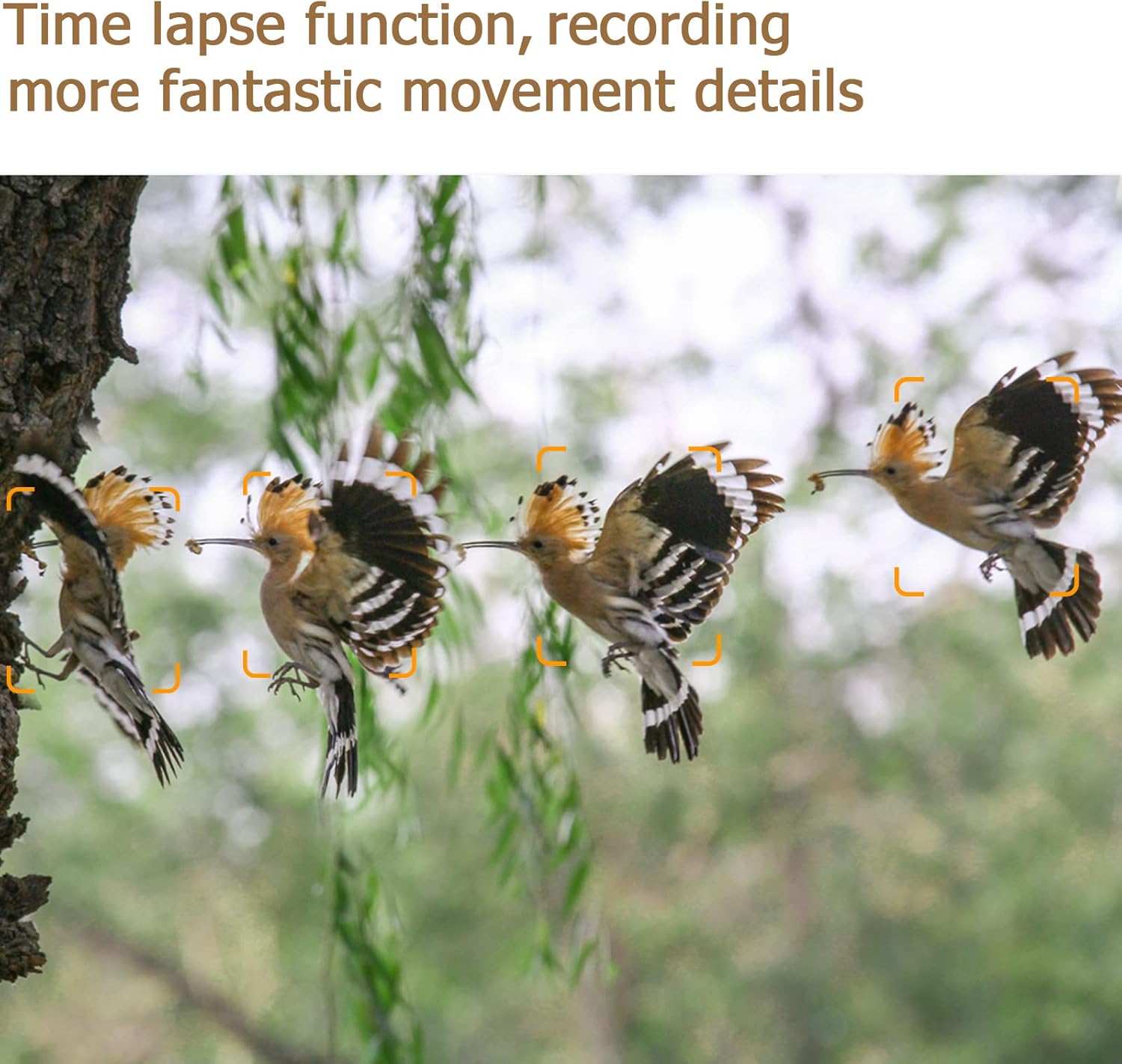
- Time Lapse: The camera will capture images at set intervals, regardless of motion, useful for observing slow processes like plant growth or construction.
6.4. Viewing Captured Media
You can view captured photos and videos directly on the camera's screen in "TEST" mode, or by connecting the camera to a computer via USB, or by inserting the SD card into a card reader.
7. Maintenance
- Cleaning: Use a soft, dry cloth to clean the camera lens and PIR sensors. Do not use abrasive cleaners or solvents.
- Battery Replacement: Replace all 8 AA batteries when the low battery indicator appears.
- SD Card Management: Regularly back up important files from the SD card and format it periodically to maintain optimal performance.
- Storage: When not in use for extended periods, remove batteries and store the camera in a cool, dry place.
8. Troubleshooting
- Camera not powering on:
- Ensure batteries are inserted correctly with proper polarity and are fully charged. Check that the battery compartment is securely closed.
- SD card not reading or errors:
- Ensure the SD card is inserted correctly. Navigate to the camera's setup menu and select "Format Card". This often resolves issues with memory card recognition. Try a different compatible SD card if the problem persists.
- Poor image/video quality:
- Check the camera lens for dirt or condensation and clean if necessary. Ensure the camera is stable and not subject to vibrations. Verify settings for photo/video resolution are set to desired levels.
- Motion detection not working or false triggers:
- Ensure the PIR sensors are clear of obstructions. Adjust the camera's sensitivity settings in the menu. Avoid placing the camera in direct sunlight or near heat sources that could cause false triggers. Ensure the trigger interval is set appropriately.
9. Specifications
| Feature | Detail |
|---|---|
| Model Name | A262 |
| Effective Still Resolution | 48 MP |
| Video Capture Resolution | 1296p/1080p/720p |
| Trigger Time | 0.1 - 0.6 seconds |
| PIR Sensing Distance | Up to 90ft/27m |
| PIR Sensing Angle | Total 120° (Middle 60°, Side 30° each) |
| Night Vision Range | Up to 100ft/30m (36 pcs No-glow 940nm IR LEDs) |
| Storage | Max. 512 GB SD/SDHC card (not included) |
| Power Source | 8 AA 1.5V batteries (not included) |
| Water Resistance Level | IP66 Waterproof |
| Operating Temperature | -4°F to 140°F (-20°C to 60°C) |
| Connectivity Technology | Wireless (Wi-Fi) |
| Dimensions | 10.83 x 7.91 x 5.16 inches (Package) |
| Item Weight | 3.68 pounds |
10. Warranty and Support
Folgtek products are designed for reliability and performance. For warranty information, technical support, or service inquiries, please refer to the contact information provided on the product packaging or visit the official Folgtek website.
Online Resources: For additional support and frequently asked questions, please visit the Folgtek brand store on Amazon: Folgtek Store.


