
1. Introduction
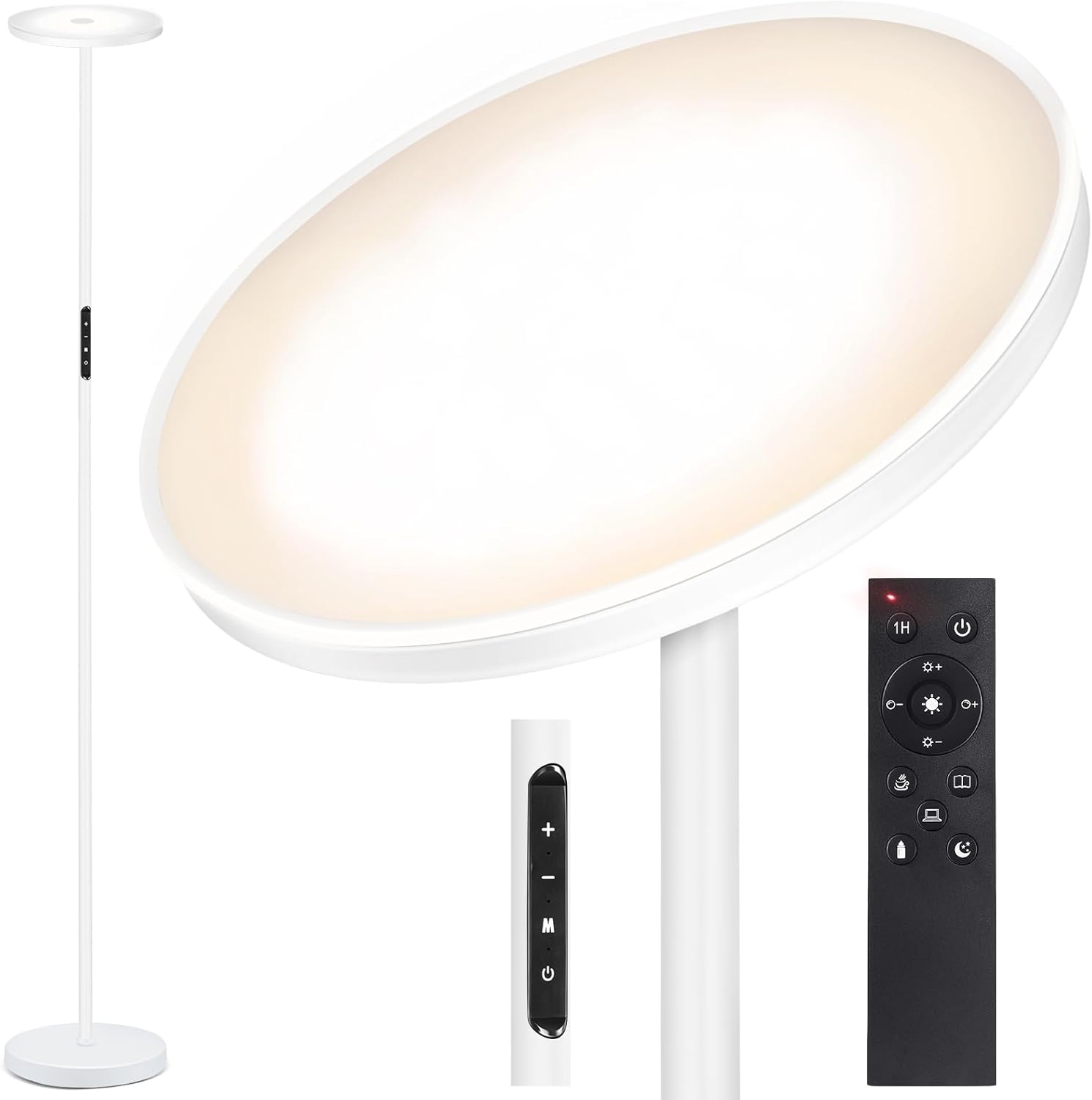
The OUTON Floor Lamp (Model H10005-W-US) is a modern LED torchiere lamp designed to provide versatile and bright illumination for various indoor spaces. Featuring advanced control options and adjustable light settings, it enhances comfort and productivity in living rooms, bedrooms, and offices.
2. Safety Instructions
Please read all instructions carefully before using the lamp. Keep this manual for future reference.
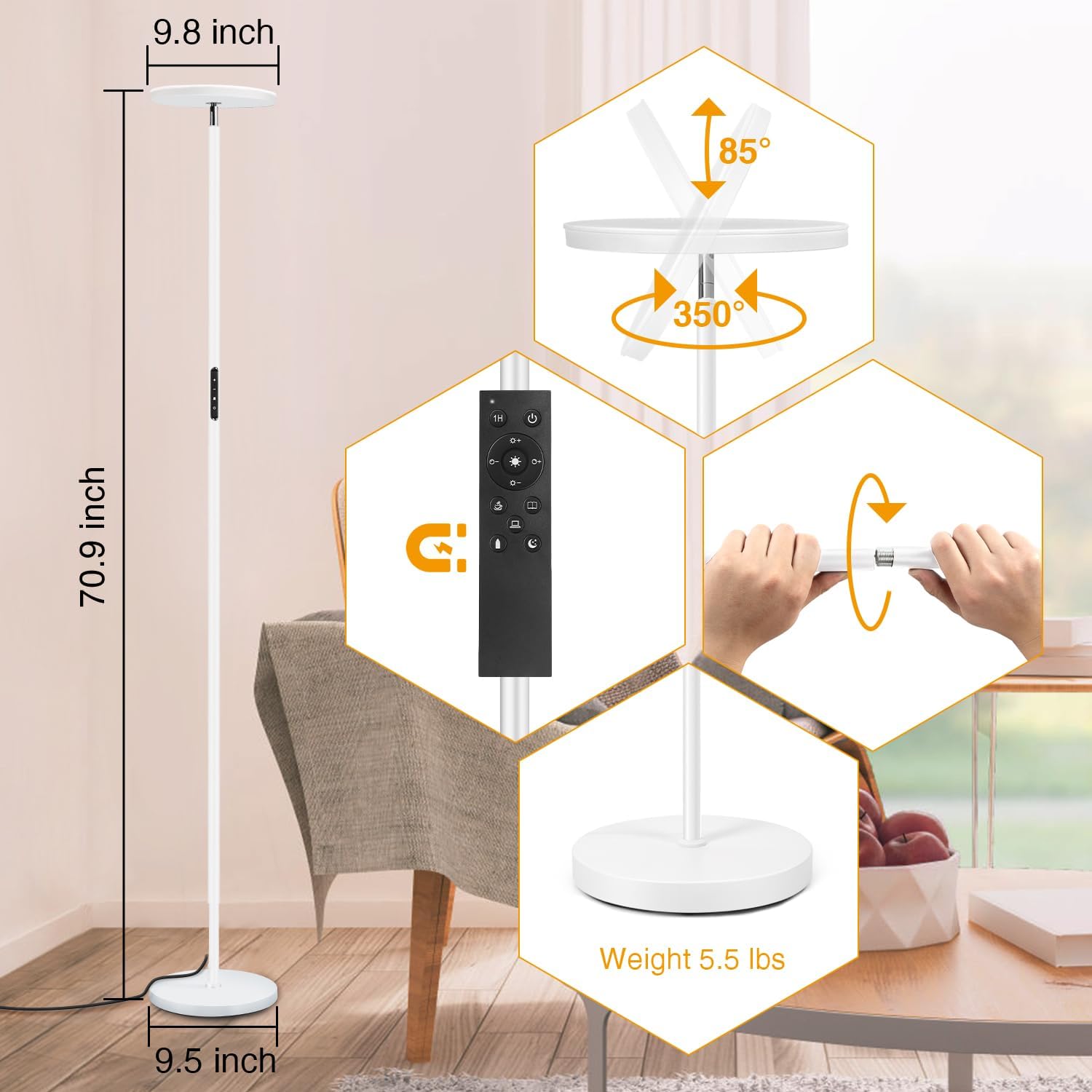
- Ensure the lamp is placed on a stable, level surface to prevent accidental tipping. The weighted base (5.5 lbs) provides stability.
- This product is designed for indoor use only. Do not expose to water, moisture, or high humidity.
- Unplug the lamp from the power outlet before cleaning or performing any maintenance.
- Do not attempt to disassemble, modify, or repair the lamp yourself. Contact customer service for assistance.
- Keep the lamp and its components out of reach of children and pets.

3. Package Contents
Verify that all items are present in the package:
- Floor Lamp (multiple pole sections, lamp head, weighted base)
- Remote Control
- User Manual
4. Setup and Assembly
Assembly of the OUTON Floor Lamp is straightforward and requires no additional tools.
- Carefully unpack all components from the product box.
- Screw the lamp pole sections together clockwise. Ensure each section is tightly secured to form a rigid pole.
- Attach the assembled pole to the weighted base by screwing it clockwise until it is firmly connected and stable.
- Connect the power adapter cable to the lamp's power input port, then plug the adapter into a standard electrical wall outlet.
Video 1: This video demonstrates the unboxing and simple assembly process of the OUTON Floor Lamp, highlighting how easily the pole sections screw together and attach to the base.
5. Operating Instructions
The OUTON Floor Lamp offers versatile control options and lighting modes to suit your needs.
5.1. Remote Control Operation
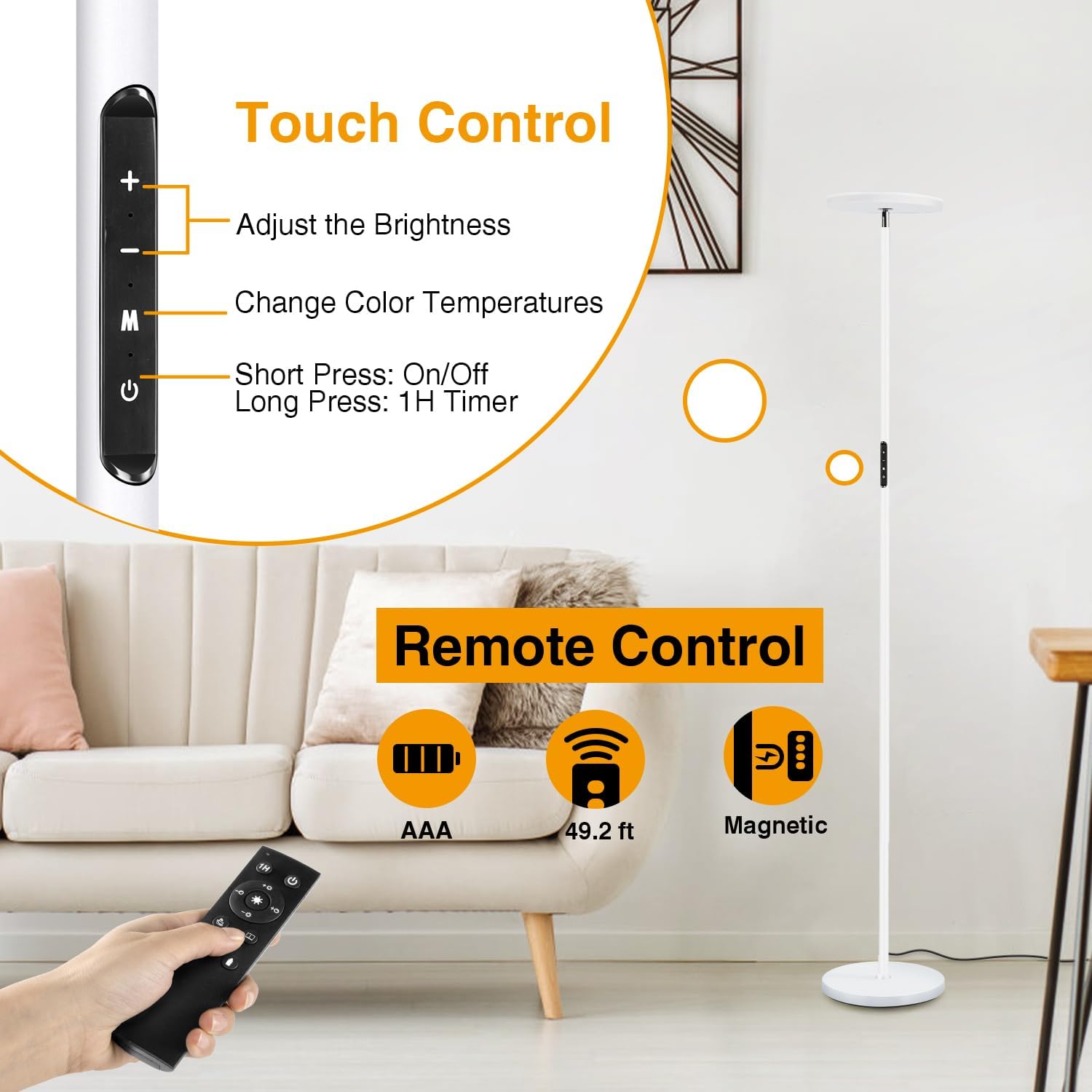
The magnetic remote control provides convenient access to all lamp functions from up to 49.2 feet away. It can be attached to metal surfaces for easy storage.
- Power Button (⏻): Press to turn the lamp On or Off.
- Brightness Adjustment (+ / -): Use the '+' and '-' buttons to increase or decrease the light intensity. The lamp features stepless dimming from 5% to 100%.
- Color Temperature (CCT buttons): Cycle through 4 distinct color temperatures: Warm (3000K), Warm White (4000K), Cool White (5000K), and Daylight White (6000K).
- 1-Hour Timer (1H): Press this button to activate a 1-hour timer. The lamp will automatically turn off after 60 minutes.
- Memory Function: The lamp automatically remembers your last brightness and color temperature setting when it is turned off and then back on.
- Preset Modes: Dedicated buttons on the remote allow you to instantly switch to optimized lighting modes for various activities such as Leisure, Reading, Working, Breastfeeding, and Night Light.


Video 2: This video showcases the various lighting modes and color temperature adjustments of the OUTON Floor Lamp, demonstrating its versatility for different activities.
5.2. Touch Control Operation
A touch-sensitive control panel is located on the lamp's pole for direct adjustments.
- Short Press On/Off (⏻): Tap the power icon to quickly turn the lamp on or off.
- Adjust Brightness (+ / -): Use the '+' and '-' buttons on the panel to adjust the brightness level.
- Change Color Temperatures (M): Press the 'M' button to cycle through the 4 available color temperatures.
- Long Press for 1-Hour Timer (⏻): Press and hold the power icon for approximately 3 seconds to activate the 1-hour timer function.
5.3. Flexible Lamp Head
The lamp head is designed to be flexible, allowing for rotation up to 360 degrees. This enables you to direct the light precisely where it's needed, whether for ambient room lighting or focused task illumination.
Video 3: This video highlights the adjustable neck design of the OUTON Floor Lamp, demonstrating how the lamp head can be swiveled and tilted to direct light as needed.
6. Maintenance
To ensure the longevity and optimal performance of your OUTON Floor Lamp, follow these simple maintenance guidelines:
- Always unplug the lamp from the power outlet before cleaning.
- Wipe the lamp's surface with a soft, dry cloth. Do not use liquid cleaners, abrasive materials, or chemical solvents, as these may damage the finish or electrical components.
- Regularly check the power cord for any signs of damage, fraying, or loose connections. If any damage is found, discontinue use and contact customer service.
- The LED light source is integrated and designed for a long lifespan (50,000+ hours), so bulb replacement is not necessary.
7. Troubleshooting
If you encounter any issues with your OUTON Floor Lamp, refer to the table below for common problems and their solutions.
| Problem | Possible Cause | Solution |
|---|---|---|
| Lamp does not turn on. | Power cord not securely plugged in. | Ensure the power cord is fully inserted into the lamp and a working electrical outlet. |
| Remote control batteries are low or dead. | Replace the remote control batteries (AAA). | |
| Light flickers or is dim. | Loose connection in pole sections. | Tighten all lamp pole sections by screwing them clockwise. |
| Brightness setting is too low. | Increase brightness using the remote control or touch panel. | |
| Remote control is not responding. | Remote is out of range. | Move closer to the lamp (within 49.2 feet). |
| Remote control batteries are low or dead. | Replace the remote control batteries (AAA). | |
| Interference from other electronic devices. | Ensure there are no major obstructions or strong electronic interference between the remote and the lamp. |
If the problem persists after trying these solutions, please contact OUTON Customer Service.
8. Specifications
- Model: H10005-W-US
- Product Dimensions: 9.5"D x 9.5"W x 70.8"H
- Item Weight: 8.3 Pounds
- Light Source Type: LED
- Wattage: 30 watts
- Brightness: 3000 Lumens
- Color Temperatures: 3000K (Warm), 4000K (Warm White), 5000K (Cool White), 6000K (Daylight White)
- Lifespan: 50,000+ Hours
- Control Method: Remote Control, Touch Control
- Power Source: Corded Electric
- Voltage: 110 Volts
- Material: Metal (Base), Plastic (Shade)
- Finish Type: White
- Cable Length: 7.25 Feet
9. Warranty and Support
OUTON is committed to providing high-quality products and excellent customer service.
- Warranty: This product comes with a 2-year quality support warranty.
- Customer Service: For any questions, concerns, or technical support, please contact OUTON Customer Service. 24/7 support is available. Refer to the product packaging or the official OUTON website for specific contact information.


