
1. Overview
The ENERLITES 91150-W is a single pole decorator paddle rocker light switch designed for residential and light commercial applications. This switch features a gloss finish, a durable impact-resistant polycarbonate thermoplastic construction, and solid steel components. It is rated for 15 Amps at 120V/277V AC and is UL Listed, ensuring safety and reliability. Its shallow body design allows for easy installation in standard junction boxes.
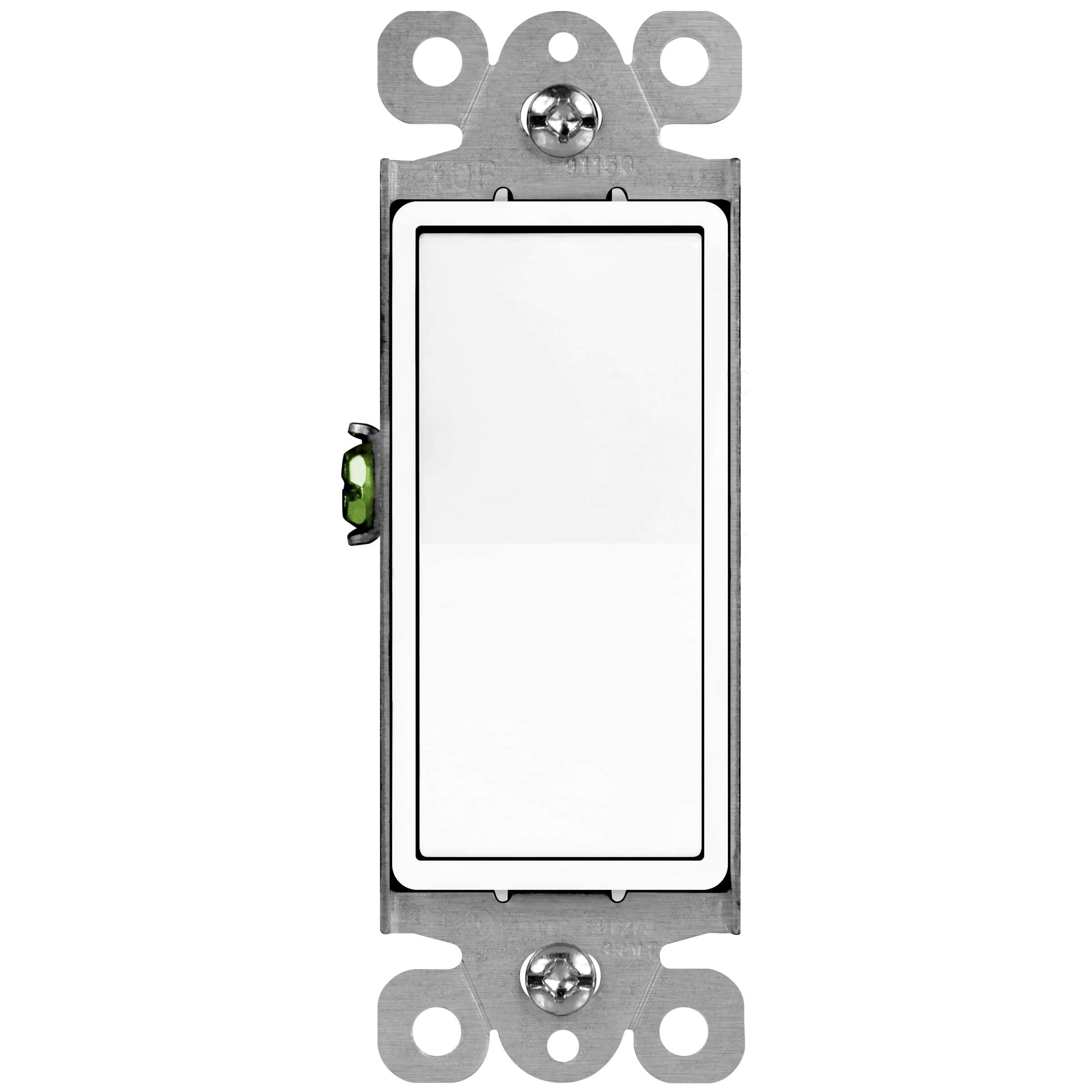
Image 1: Front view of the ENERLITES 91150-W Single Pole Decorator Paddle Rocker Light Switch in white.
2. Safety Information
WARNING: To avoid fire, shock, or death, turn off power at the circuit breaker or fuse box and test that power is off before wiring. Installation should be performed by a qualified electrician or a person with proper electrical knowledge. Use only with copper wire. Do not use with aluminum wire.
- Always turn off power at the service panel before working on electrical circuits.
- Ensure all wire connections are secure and properly insulated.
- Do not exceed the specified electrical ratings (15A, 120V/277V AC).
- This device is intended for indoor use only.
3. Package Contents
- 1 x ENERLITES 91150-W Single Pole Decorator Paddle Rocker Light Switch
- Wiring Instructions
4. Features
- Durable Construction: Made of high-quality, impact-resistant polycarbonate thermoplastic and solid steel.
- Modern Decorator Style: Suitable for residential use in houses, condos, apartments, and commercial areas requiring 15A switches.
- Shallow Body Design: Facilitates easy installation in standard junction boxes.
- Wiring Options: Features push-in wiring (for copper only) and screw terminals.
- Grounding Screw: Includes a grounding screw for safe installation.
- Break-off Plaster Ears: For precise alignment during installation.
- UL Listed: Ensures compliance with safety standards.
5. Specifications
| Operation Mode | ON-OFF |
| Current Rating | 15 Amps |
| Operating Voltage | 120V-277V AC |
| Switch Type | Rocker |
| Terminal Type | Screw, Push-in |
| Material | Polycarbonate Thermoplastic, Steel |
| Item Dimensions (L x W x H) | 2.76 x 1.4 x 1.07 inches |
| Circuit Type | Single Pole (1-way) |
| Mounting Type | Wall Mount |
| Wattage | 1800 watts |
| Certification | UL Listed |
6. Installation (Setup)
Follow these steps for safe and proper installation of your ENERLITES 91150-W switch:
- Turn Off Power: Locate the circuit breaker or fuse box controlling the switch location. Turn off the power completely. Verify power is off using a voltage tester.
- Remove Old Switch: Carefully remove the existing wall plate and unscrew the old switch from the electrical box. Disconnect the wires from the old switch, noting which wire was connected to which terminal.
- Identify Wires: In a single pole setup, you will typically find two hot wires (Line and Load) and a ground wire. The Line wire brings power from the circuit breaker, and the Load wire sends power to the light fixture. The ground wire is usually bare copper or green insulated.
- Connect Wires:
- Ground Wire: Connect the bare copper or green insulated ground wire from the electrical box to the green grounding screw on the ENERLITES switch.
- Line and Load Wires: Connect the incoming hot (Line) wire and the outgoing hot (Load) wire to the two brass-colored screw terminals on the switch. It does not matter which brass terminal the Line or Load wire connects to for a single pole switch. Alternatively, for 14 AWG solid copper wire, you can use the push-in terminals by inserting the stripped wire fully into the holes.

Image 2: Detailed view of the switch terminals, highlighting the grounding screw, side wiring screw terminals, and push-in terminals for quick wiring.
- Mount Switch: Carefully fold the wires into the electrical box. Secure the switch to the electrical box using the provided mounting screws. The break-off plaster ears can be adjusted for flush mounting.
- Install Wall Plate: Attach a compatible decorator wall plate (not included) over the switch.
- Restore Power: Turn the power back on at the circuit breaker or fuse box. Test the switch to ensure proper operation.
7. Wiring Diagrams
The ENERLITES 91150-W is a single pole switch, meaning it controls a light fixture from one location. Below is a typical wiring configuration:
Single Pole Wiring
- Connect the Line (Hot) wire from the power source to one of the brass screw terminals on the switch.
- Connect the Load (Hot) wire going to the light fixture to the other brass screw terminal on the switch.
- Connect the Ground wire (bare copper or green) from the electrical box to the green grounding screw on the switch.
- Ensure the Neutral wire (white) is connected directly to the light fixture and not to the switch.

Image 3: Illustrative diagram of a single pole light switch setup, showing connections for Line, Load, and Ground wires.
8. Operation
Operating the ENERLITES 91150-W switch is straightforward:
- Press the top part of the paddle to turn the connected light or device ON.
- Press the bottom part of the paddle to turn the connected light or device OFF.
9. Maintenance
The ENERLITES 91150-W switch requires minimal maintenance:
- Cleaning: To clean the switch, wipe it with a soft, damp cloth. Do not use abrasive cleaners or solvents, as these may damage the finish. Ensure power is off before cleaning.
- Periodic Inspection: Periodically check the switch and wall plate for any signs of damage, loose connections, or discoloration. If any issues are observed, turn off power and consult a qualified electrician.
10. Troubleshooting
If you encounter issues with your ENERLITES 91150-W switch, refer to the following common problems and solutions:
| Problem | Possible Cause | Solution |
|---|---|---|
| Light does not turn ON/OFF | No power to the switch; Loose wiring connection; Faulty bulb/fixture; Defective switch. | Check circuit breaker/fuse. Ensure all wire connections are secure. Test bulb/fixture. Replace switch if necessary. |
| Switch feels loose | Mounting screws are loose. | Turn off power, remove wall plate, and tighten mounting screws. |
| Flickering light | Loose wiring connection; Incompatible bulb. | Turn off power and check all wire connections. Ensure bulb is compatible with standard switches. |
If the problem persists after attempting these solutions, consult a qualified electrician.
11. Warranty and Support
The ENERLITES 91150-W switch comes with a 1-year warranty from the date of purchase. This warranty covers defects in material and workmanship under normal use.
For technical support, warranty claims, or further assistance, please contact ENERLITES customer service. Refer to the official ENERLITES website for the most current contact information.
Online Resources: For additional product information, FAQs, and support, visit the ENERLITES Store on Amazon.


