
Introduction
This manual provides essential information for the safe and effective use of your Kastar Ni-MH 3.6V 600mAh replacement battery pack. These batteries are designed to provide reliable power for compatible Uniden cordless telephones. Please read these instructions carefully before installation and use.
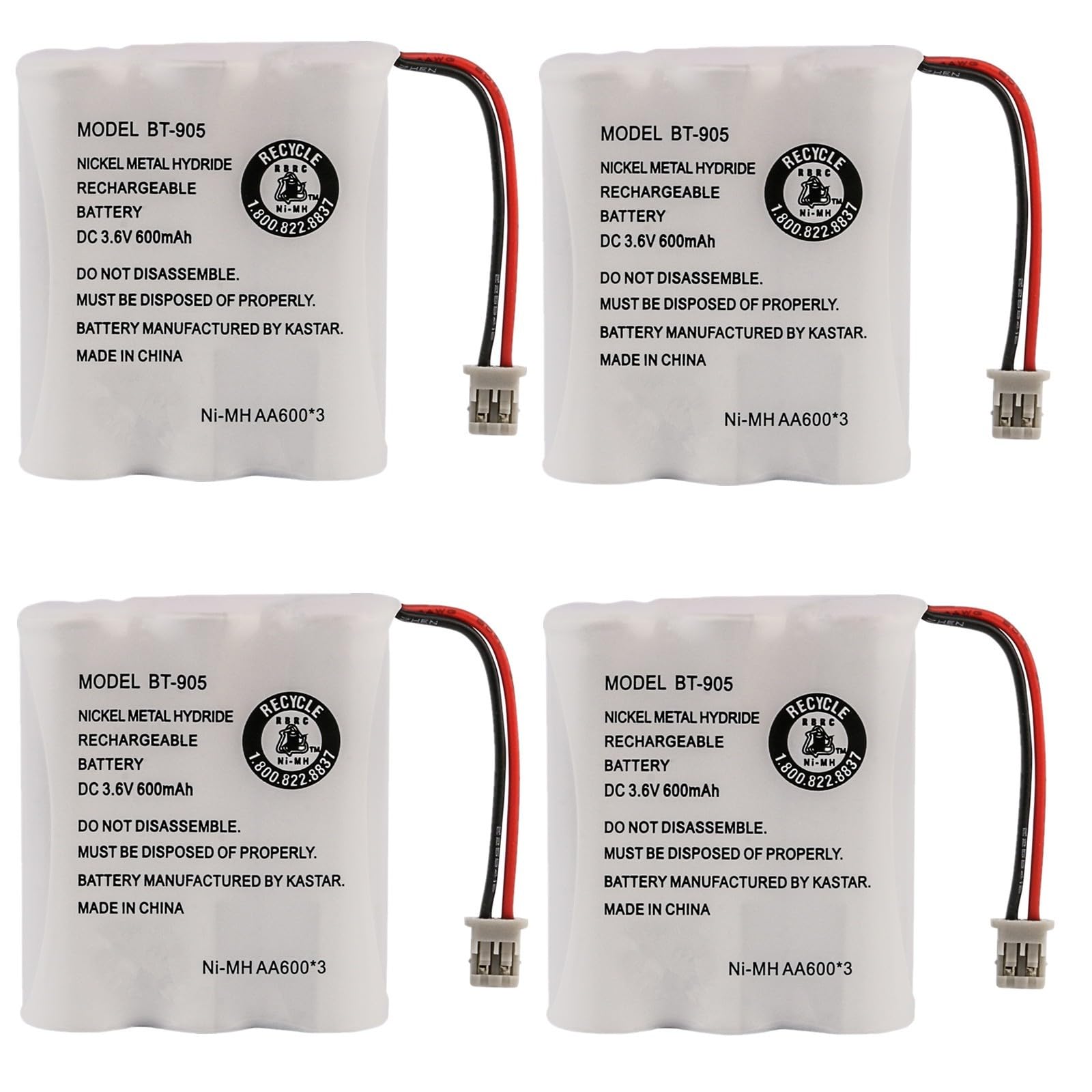
Image: Kastar 4-Pack Ni-MH 3.6V 600mAh Cordless Phone Batteries. This image displays the four individual battery packs, each with its connector, packaged together.
Setup and Installation
Follow these steps to properly install your new Kastar replacement battery:
- Identify Battery Compartment: Locate the battery compartment on your cordless telephone handset. This is typically on the back or bottom of the handset.
- Remove Old Battery: Carefully open the battery compartment cover. Disconnect the old battery by gently pulling its connector from the handset's socket. Remove the old battery.
- Insert New Battery: Place the new Kastar battery into the compartment, ensuring it fits snugly.
- Connect Battery: Align the connector of the new battery with the socket inside the handset's battery compartment. Gently push the connector in until it clicks securely into place. Do not force the connection.
- Close Compartment: Replace the battery compartment cover, ensuring it is securely latched.

Image: Kastar Battery Connector. This image shows a close-up of the battery's two-pin connector, which plugs into the cordless phone handset.
Operating Instructions
After installation, follow these guidelines for optimal battery performance:
- Initial Charge: For the first use, place the handset with the new battery in its charging cradle for a continuous charge of 12-16 hours. This ensures the battery reaches its full capacity.
- Regular Charging: Return the handset to its charging cradle when not in use. This keeps the battery charged and ready.
- Discharge Cycles: To maintain battery health, occasionally allow the battery to fully discharge before recharging it completely. This helps to prevent memory effect, although Ni-MH batteries are less prone to this than older Ni-Cd types.
Maintenance
Proper maintenance extends the lifespan of your Kastar battery:
- Storage: If storing the battery for an extended period, charge it to approximately 50% capacity and store it in a cool, dry place. Avoid extreme temperatures.
- Cleaning: Keep the battery contacts and the phone's charging contacts clean and free of dust or debris. Use a dry, soft cloth for cleaning.
- Environmental Protection: These Ni-MH batteries are eco-friendly and do not contain harmful heavy metals like mercury, cadmium, or lead. Please dispose of old batteries responsibly at designated recycling centers.
Troubleshooting
If you encounter issues with your battery, consider the following:
- Phone Not Turning On:
- Ensure the battery is correctly installed and its connector is firmly seated.
- Verify the handset is properly placed in the charging cradle and the cradle is receiving power.
- Allow for the initial 12-16 hour charge.
- Short Talk Time/Poor Battery Life:
- Ensure the battery has completed its initial full charge cycle.
- Confirm the phone's charging contacts and battery contacts are clean.
- If the battery is old, its capacity may naturally degrade over time.
- Battery Not Charging:
- Check the power connection to the charging cradle.
- Clean the charging contacts on both the handset and the cradle.
- Ensure the battery is correctly inserted and connected.
If problems persist, refer to your phone's original manual or contact Kastar customer support.
Specifications
| Battery Type | Ni-MH (Nickel-Metal Hydride) |
| Voltage | 3.6 Volts |
| Capacity | 600 mAh (Milliampere Hour) |
| Dimensions | 1.98" x 1.67" x 0.57" (50.29 x 42.4 x 14.37 mm) |
| Model Number | MH-4B-BT905-H |
| Estimated Lifespan | Up to 1200 charge/discharge cycles |
| Environmental Features | Eco-friendly cell, free from Mercury (Hg), Cadmium (Cd), Lead (Pb) |
| Compatibility | Compatible with various Uniden cordless phone models including BT-905, BT905, BP-905, BP905, BT-1006, BT-800, BT800, BP-800, BP800, EXI5560, EXI5660, AE-255, B1000, B300, B300A, B900, BATT-3AAB, BBTY-0300001, BBTY0300001, BBTY-0444001, and many others. Please refer to your phone's manual for specific battery model requirements. |
Warranty and Support
Kastar products are manufactured to high-quality standards. For specific warranty information or technical support, please refer to the packaging of your product or visit the official Kastar website. You may also contact Kastar customer service directly for assistance with product-related inquiries.