
Introduction
Thank you for purchasing the FEZIBO Electric Standing Desk. This desk is designed to provide a versatile and ergonomic workspace, allowing seamless transitions between sitting and standing positions. It features a robust frame, quiet motor, height memory presets, and integrated USB-A and Type-C charging ports for enhanced convenience. This manual provides essential information for assembly, operation, maintenance, and troubleshooting to ensure safe and optimal use of your new desk.
Safety Information
This desk is equipped with a collision detection function to prevent accidents during height adjustment. The maximum load capacity for this desk is 70 kg (154 lbs). Please adhere to this weight limit to ensure stability and prevent damage. Always ensure the area around the desk is clear of obstructions before adjusting the height. Keep children and pets away from moving parts during operation.
Setup and Assembly
Assembly typically takes approximately 30 minutes. It is recommended to have a power drill on hand to expedite the process. Follow the steps below carefully. All parts are clearly labeled for easy identification.
Assembly Overview

Figure 1: Exploded view of desk components for assembly.
The desk arrives with all necessary components for assembly. Ensure all parts are present and undamaged before beginning. The desktop is typically split into multiple sections for compact shipping and easier handling.
Detailed Assembly Steps
- Unpack Components: Carefully remove all parts from the packaging. Verify against the parts list in your included manual.
- Assemble the Frame: Attach the crossbar to the leg columns. Ensure all screws are tightened securely.
- Attach Feet: Secure the feet to the bottom of the leg columns.
- Mount Desktop: Place the desktop sections onto the assembled frame. Align the pre-drilled holes and secure the desktop using the provided screws.
- Install Control Panel: Attach the control panel to the underside of the desktop in the designated area.
- Connect Cables: Connect the motor cables and power cable to the control box and power supply.
Assembly Video Guides
Video 1: FEZIBO Assembly Video. This video provides a visual guide for assembling your FEZIBO electric standing desk.
Video 2: FEZIBO Installation Tutorial. A detailed tutorial demonstrating the installation process for the FEZIBO standing desk.
Operating Instructions
Your FEZIBO Electric Standing Desk is designed for intuitive operation. The control panel allows for easy height adjustments and memory presets.
Control Panel Functions
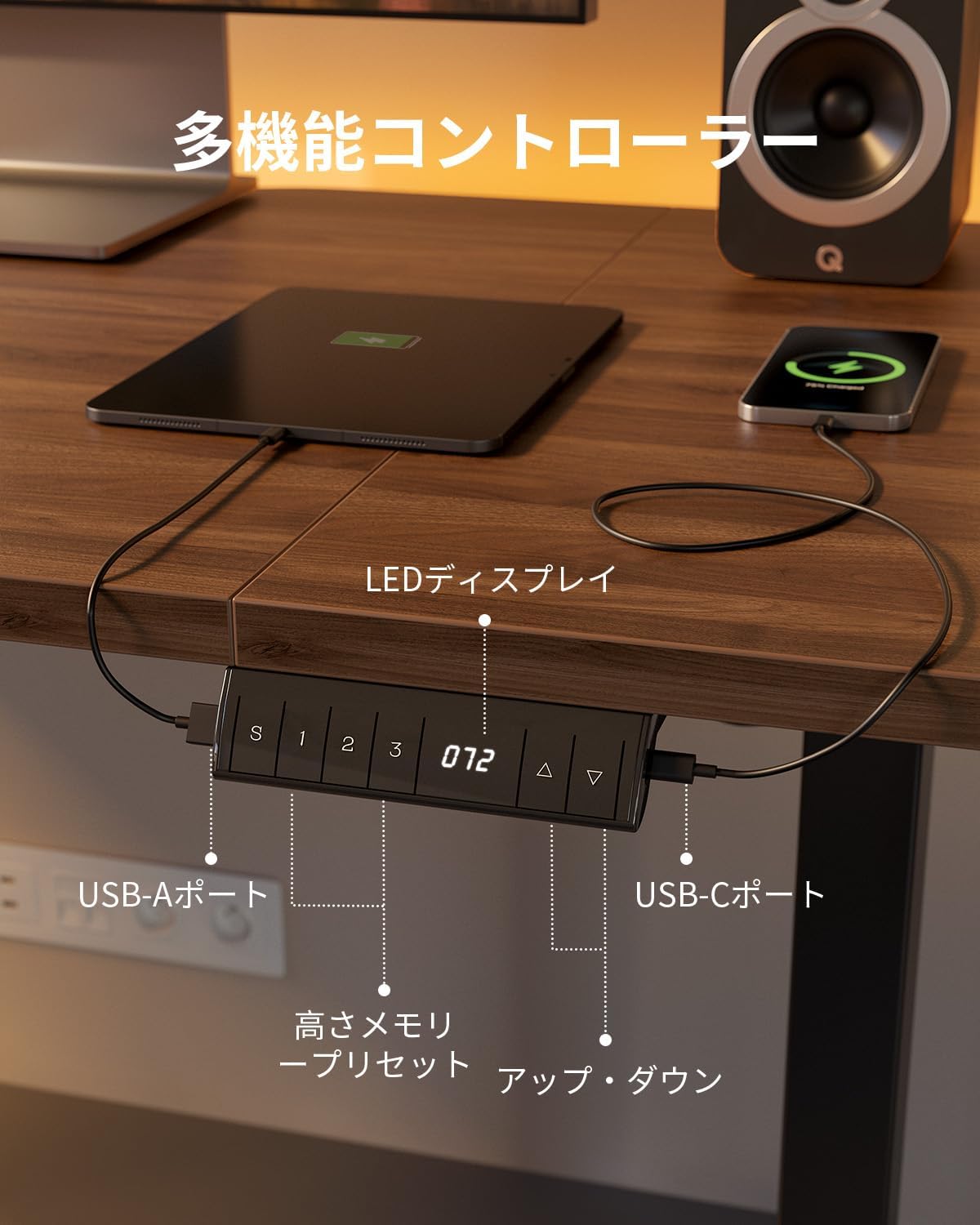
Figure 2: Multi-functional control panel with USB ports.
- Up/Down Buttons (▲ / ▼): Press and hold to adjust the desk height smoothly. Release the button to stop at the desired height.
- LED Display: Shows the current desk height in centimeters.
- Memory Presets (1, 2, 3): Save up to three preferred heights. To set a memory position: Adjust the desk to the desired height, then press the 'S' button followed by '1', '2', or '3'. The desk will beep to confirm the setting. To recall a saved height, simply press the corresponding memory button (1, 2, or 3).
- USB-A and Type-C Ports: Located on the control panel, these ports allow for convenient charging of your electronic devices such as smartphones and tablets.
Collision Detection System

Figure 3: Collision detection system in action.
The desk is equipped with a collision detection system. If the desk encounters an obstruction during height adjustment, it will automatically stop and reverse slightly to prevent damage to the desk or objects. This feature enhances safety, especially in environments with children or pets.
Quiet Operation
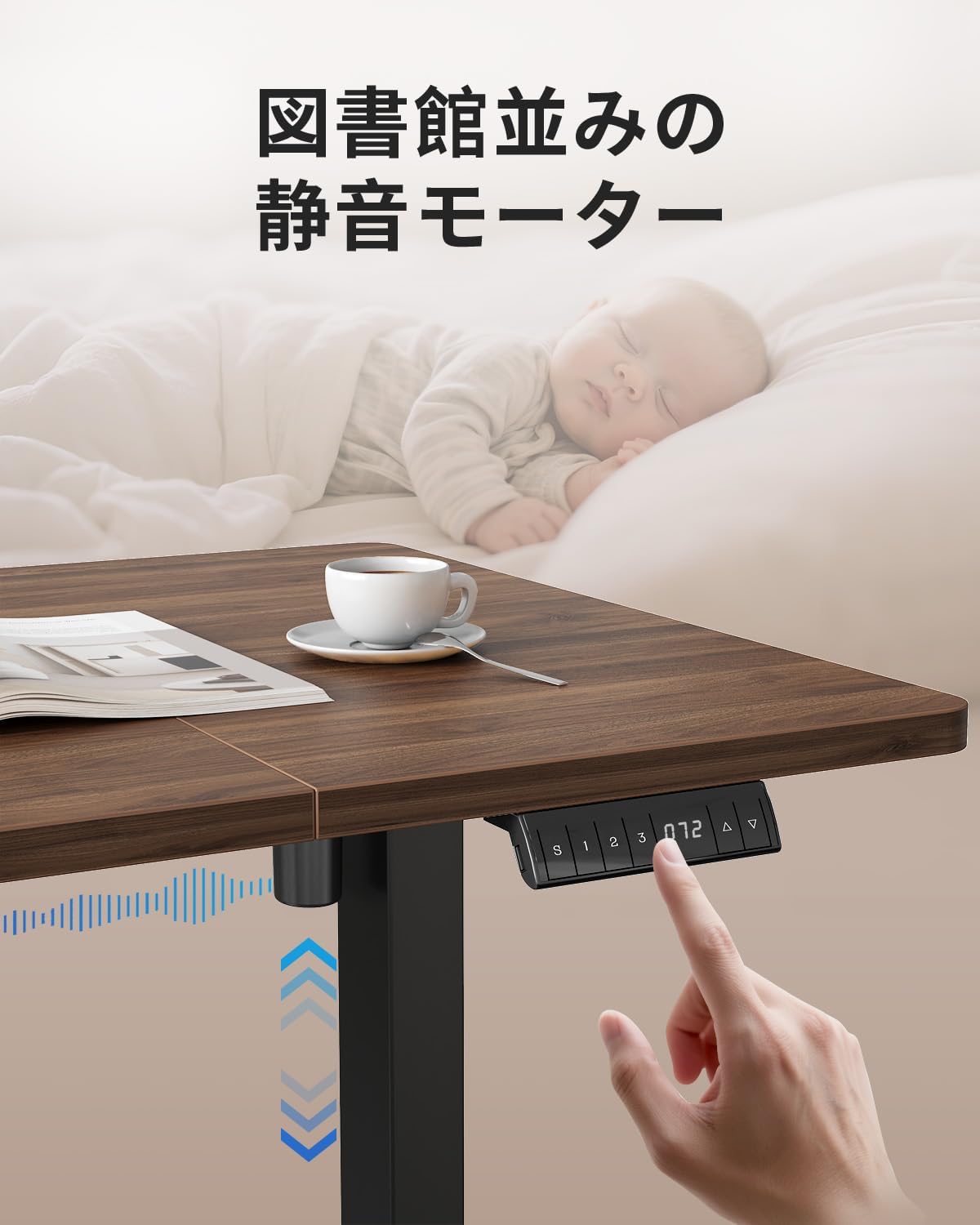
Figure 4: Quiet motor operation, suitable for any environment.
The high-quality motor ensures quiet operation, with noise levels below 45dB. This allows for discreet height adjustments without disturbing others, making it ideal for shared workspaces or late-night use.
Maintenance
Proper maintenance ensures the longevity and optimal performance of your FEZIBO Electric Standing Desk.
- Cleaning: Wipe the desktop and frame with a soft, damp cloth. Avoid abrasive cleaners or harsh chemicals that could damage the surface. The melamine-processed top plate is resistant to scratches, dirt, and heat.
- Cable Management: Regularly check and organize cables to prevent tangles and damage. Use the integrated cable management features or additional clips if needed.
- Inspection: Periodically inspect all screws and connections to ensure they are tight. Retighten if necessary.
- Weight Limit: Do not exceed the maximum load capacity of 70 kg (154 lbs) to prevent strain on the motor and frame.
Troubleshooting
If you encounter any issues with your FEZIBO Electric Standing Desk, refer to the following common troubleshooting steps:
- Desk Not Moving:
- Check if the power cable is securely plugged into both the desk and the wall outlet.
- Ensure all motor cables are properly connected to the control box.
- If the display shows an error code, consult the full manual for specific error interpretations.
- Uneven Movement or Wobbling:
- Verify that the desk is placed on a flat, stable surface.
- Check if all assembly screws are tightened.
- Ensure the weight on the desk is evenly distributed and within the load capacity.
- Memory Presets Not Working:
- Re-program the memory positions by adjusting to the desired height, pressing 'S', then the desired number (1, 2, or 3).
- Collision Detection Triggering Unnecessarily:
- Ensure there are no objects near the desk that could be mistaken for an obstruction.
- If the issue persists, a factory reset might be necessary (refer to the full manual for instructions).
If these steps do not resolve the issue, please contact customer support.
Specifications
Detailed specifications for the FEZIBO Electric Standing Desk (Model YJJF-SD0183-140DWA-01).

Figure 5: Desk dimensions and height range.
| Feature | Detail |
|---|---|
| Brand | FEZIBO |
| Model Number | YJJF-SD0183-140DWA-01 |
| Desk Type | Electric Standing Desk |
| Desktop Dimensions (W x D) | 140 cm x 70 cm (55.1 in x 27.5 in) |
| Height Adjustment Range | 72 cm - 118 cm (28.3 in - 46.5 in) |
| Load Capacity | 70 kg (154 lbs) |
| Motor Noise Level | Below 45 dB |
| Desktop Material | Melamine-processed Walnut/Brown Top |
| Frame Material | Reinforced Steel |
| Special Features | Electric Height Adjustment, 3-Position Height Memory, USB-A Port, USB-C Port, Collision Detection |
Warranty and Support
FEZIBO products are manufactured to high-quality standards. For warranty information, technical support, or any inquiries regarding your product, please refer to the warranty card included in your packaging or visit the official FEZIBO website.
Contact Information:
- Website: FEZIBO Official Store
- Email: Refer to your product documentation.
- Phone: Refer to your product documentation.
Please have your model number (YJJF-SD0183-140DWA-01) and purchase date ready when contacting support.


