
Synvy SN87
Synvy Privacy Screen Protector User Manual
For SENBONO SN87 Smartwatch
Introduction
Thank you for choosing the Synvy Privacy Screen Protector. This product is designed to safeguard your SENBONO SN87 Smartwatch screen from scratches and provide privacy by limiting the viewing angle. Please read this manual carefully to ensure proper installation and optimal use of your screen protector.
This screen protector is made of TPU Soft Film, not tempered glass, offering flexibility and durability.
Product Overview
The Synvy Privacy Screen Protector is a multi-layered film engineered for protection and privacy. It features an anti-spy layer that restricts screen visibility to only those directly in front of the device, and a scratch-resistant surface to protect against daily wear and tear.

Image: Synvy Privacy Screen Protector on a SENBONO SN87 Smartwatch. Note the privacy film overlay on the left side of the screen.

Image: Two Synvy screen protectors. The right protector highlights its oleophobic and hydrophobic coating, which reduces smudges and fingerprints.
Setup and Installation
Proper installation is key to the performance and longevity of your screen protector. Follow these steps carefully:
- Clean the Screen: Thoroughly clean your smartwatch screen with a microfiber cloth to remove all dust, smudges, and fingerprints. Ensure the screen is completely dry before proceeding.
- Align the Protector: Carefully peel off the protective layer from the adhesive side of the screen protector. Align the protector with the edges and cutouts of your smartwatch screen.
- Apply and Smooth: Gently place the protector onto the screen. Once it makes contact, use a squeegee or a soft card to push out any air bubbles from the center towards the edges.
- Remove Top Layer: If applicable, remove the top protective film after the protector is fully adhered and bubble-free.
The protector features 100% Bubble-Free Adhesives for easy installation and no residue upon removal.
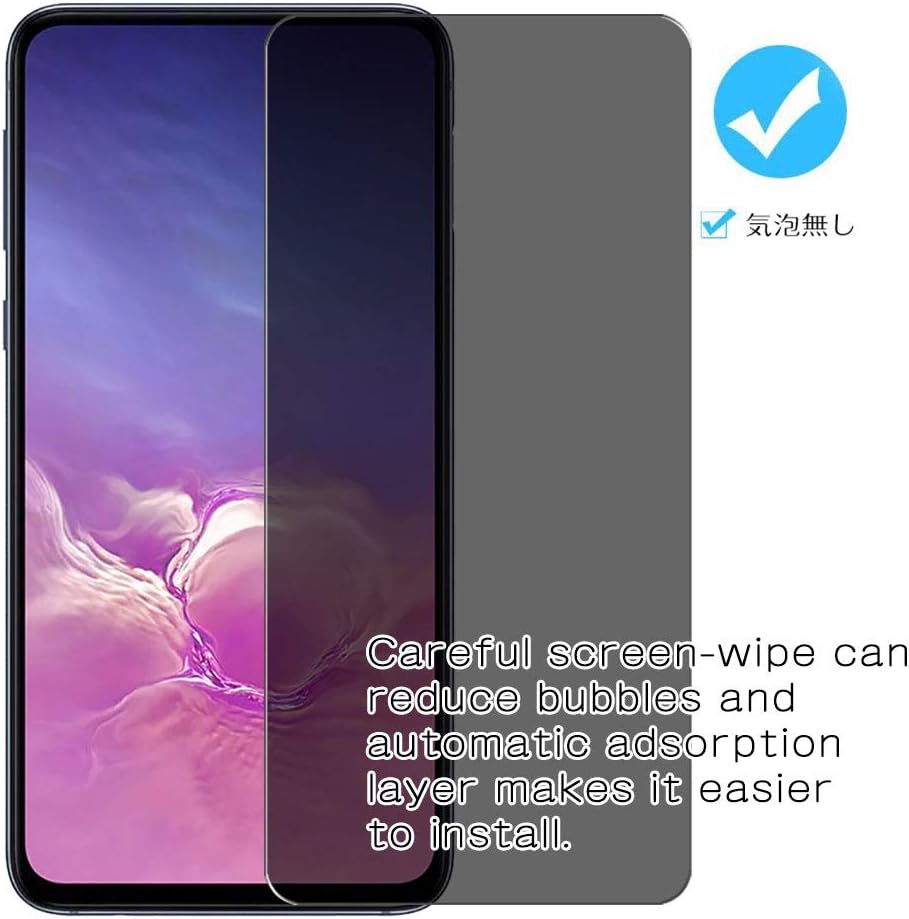
Image: Two Synvy screen protectors. The right protector shows a checkmark and text indicating that careful screen-wiping can reduce bubbles and that the automatic adsorption layer makes installation easier.
Operating and Usage
The primary function of this screen protector is to provide privacy and screen protection.
- Privacy Feature: The screen is only visible to persons directly in front of the screen. This keeps your personal, private, and sensitive information hidden from strangers, especially in public settings.
- Brightness Adjustment: This privacy cover will naturally darken the image to prevent peeking eyes. You may need to turn your device's display brightness up when using it to maintain optimal visibility for yourself.
- Scratch Resistance: The protector can effectively protect your smartwatch screen from unwanted scuffs and scratches caused by objects like knives, keys, and other hard substances.

Image: A smartphone screen demonstrating the anti-spy feature. The text states that the screen is only visible to persons directly in front, effectively protecting privacy.

Image: A hand holding a smartphone with the privacy screen protector. The screen appears darkened and unreadable from an angle, illustrating the privacy effect.
Maintenance
To ensure the longevity and clarity of your Synvy Privacy Screen Protector, follow these maintenance tips:
- Cleaning: Use a soft, lint-free cloth to gently wipe the screen protector. For stubborn smudges, slightly dampen the cloth with water or a screen cleaner designed for electronics. Avoid harsh chemicals or abrasive materials.
- Avoid Sharp Objects: While the protector is scratch-resistant, excessive force or direct contact with very sharp objects can still cause damage.
- Self-Healing Properties: Made of military-grade thermoplastic urethane, minor scratches on the protector will weaken and often disappear within 48 hours.

Image: A smartphone screen with a knife. The text indicates that 4H Hardness can effectively protect the screen from scratches caused by coins, keys, etc.

Image: A close-up of a screen showing minor scratches. The text states that the protector is made of military-grade thermoplastic urethane, and scratches will weaken in 48 hours.
Troubleshooting
If you encounter any issues with your screen protector, refer to the following common problems and solutions:
- Bubbles After Installation:
Solution: Small bubbles often disappear within 24-48 hours as the adhesive settles. For larger bubbles, gently lift the nearest edge of the protector and re-apply, pushing the bubble out with a squeegee.
- Privacy Effect Too Strong / Screen Too Dark:
Solution: This is a characteristic of privacy screens. Increase your smartwatch's display brightness setting to compensate for the darkening effect.
- Protector Not Sticking Properly:
Solution: Ensure the screen was thoroughly cleaned and free of dust or oil before installation. If the issue persists, the protector may need to be replaced.
- Scratches Appearing:
Solution: Minor scratches on the TPU film are designed to self-heal within 48 hours. For deeper scratches, the protector has absorbed the damage to protect your screen and may need replacement.
Specifications
| Feature | Detail |
|---|---|
| Brand | Synvy |
| Compatible Devices | SENBONO SN87 Smartwatch |
| Material | TPU Soft Film (Not Tempered Glass) |
| Item Hardness | 4H |
| Special Features | Anti-Spy, Scratch Resistant, Bubble-Free Adhesives, Oleophobic Hydrophobic Coating, Self-Healing |
| ASIN | B08GKCH817 |
| Date First Available | August 24, 2020 |
Warranty and Support
Synvy products are designed for quality and performance. While specific warranty details are not provided in this manual, please refer to the retailer or manufacturer's website for information regarding warranty coverage and customer support.
For technical assistance or inquiries, please contact Synvy customer service through the platform where you purchased the product.
Ask a question about this manual
Ask about setup, troubleshooting, compatibility, parts, safety, or missing instructions. Manuals+ will review the question and use this page’s manual context to help answer it.