
Introduction
The Xbox One S is a versatile gaming and entertainment console designed to deliver an immersive experience. It supports over 1,300 games, including major blockbusters and popular franchises, alongside exclusive Xbox titles. Enjoy built-in 4K Ultra HD Blu-ray playback and 4K video streaming for your favorite movies and shows. The console also features HDR technology for brilliant graphics, premium audio, and fast, reliable online gaming through Xbox Live.
Key features include:
- Enjoy over 100 games right out of the box with a 1 month Xbox Game Pass trial.
- Fully customizable back triggers that allow the user to program the PS4 Controller and map any of the input Buttons to the two extra triggers.
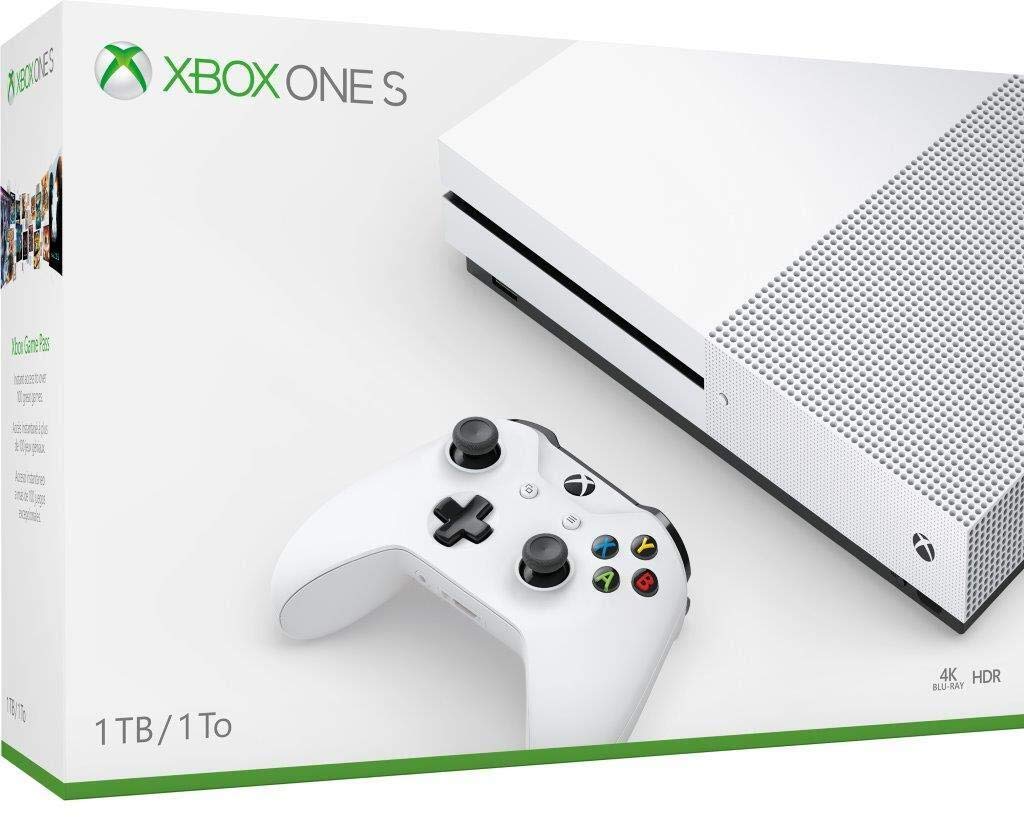
Xbox One S console and controller in retail packaging.
Setup Guide
Unboxing and Initial Placement
Carefully remove all components from the packaging. Place your Xbox One S console on a flat, stable surface with adequate ventilation. Ensure that no vents are blocked to prevent overheating.

Front view of the Xbox One S console, showing the disc drive and power button.
Connecting to Power and Display
- Connect the power cable to the console's power port and then to a wall outlet.
- Connect one end of the HDMI cable to the HDMI OUT port on the console and the other end to an HDMI input on your TV.

Rear view of the Xbox One S console, highlighting the HDMI, USB, and power ports.
Controller Pairing
To pair your wireless controller:
- Insert the included AA batteries into the controller.
- Press the Xbox button on the controller to turn it on.
- Press and hold the Pair button on the console (small circular button near the front USB port) until the Xbox logo on the console flashes.
- Press and hold the Pair button on the controller (small circular button on the top edge, near the USB port) until the Xbox logo on the controller flashes.
- Once both logos stop flashing and remain solid, the controller is paired.

Xbox One S console with its wireless controller.
Operating Your Console
Powering On/Off
To turn on the console, press the Xbox button on the front of the console or on your paired controller. To turn off, hold the Xbox button on the controller and select 'Turn console off' from the power options.
Navigating the Dashboard
Use the controller's directional pad or left analog stick to navigate through the Xbox dashboard. The A button confirms selections, and the B button goes back. The Xbox button opens the Guide menu for quick access to friends, games, apps, and settings.
Playing Games
Insert a game disc into the disc drive or select a digital game from your 'My games & apps' library. The console will automatically launch the game or prompt you to install it.
Media Playback
The Xbox One S supports 4K Ultra HD Blu-ray discs. Insert a movie disc to begin playback. You can also download and stream content from various entertainment apps available on the Microsoft Store.
Online Gaming and Xbox Live
Connect your console to the internet via Wi-Fi or an Ethernet cable. Sign in with your Microsoft account to access Xbox Live, where you can play multiplayer games, chat with friends, and access online features.
Maintenance and Care
Cleaning Your Console
Regularly dust the exterior of your console with a soft, dry cloth. Avoid using liquid cleaners or abrasive materials. Keep the disc drive free of dust and debris.
Ensuring Proper Ventilation
To maintain optimal performance and prevent overheating, ensure your Xbox One S is placed in an area with good airflow. Do not place it in an enclosed cabinet or on soft surfaces that could block the vents.
Troubleshooting
Common Issues
- Console Not Powering On: Check all power cable connections. Try a different power outlet.
- No Display on TV: Ensure the HDMI cable is securely connected to both the console and the TV. Try a different HDMI port on your TV or a different HDMI cable. Verify your TV input is set to the correct HDMI source.
- Disc Read Errors: Ensure the disc is clean and free of scratches. Try a different game disc.
- Controller Not Connecting: Re-attempt the pairing process as described in the Setup Guide. Ensure controller batteries are charged or replaced.
For persistent issues, try restarting your console by holding the Xbox button on the console for 10 seconds until it powers off, then power it back on.
Technical Specifications
| Feature | Detail |
|---|---|
| ASIN | B08GGDT47N |
| Release Date | September 25, 2020 |
| Product Dimensions | 17 x 4.5 x 11.5 inches |
| Item Weight | 9.04 Pounds |
| Item Model Number | 234-01249 |
| Manufacturer | Microsoft |
| Batteries | 2 AA batteries required (included) |
Warranty and Support
Product Warranty
Your Xbox One S console is covered by a manufacturer's limited warranty. Please refer to the warranty information provided with your purchase or visit the official Xbox support website for details on coverage and terms.
Customer Support
For further assistance, technical support, or warranty claims, please visit the official Xbox Support website. You can find comprehensive FAQs, troubleshooting guides, and contact options there.


