
1. Introduction and Overview
The REL Acoustics Tzero MKIII is a compact powered subwoofer designed to enhance the audio experience in home theater and stereo systems. It features a 6.5-inch down-firing driver powered by a 100-watt Class D amplifier, providing tight and controlled bass. This model is ideal for small to medium-sized rooms, complementing bookshelf speakers or lower-end 3-way speakers by adding textural depth and expanding the soundstage.
The Tzero MKIII offers versatile connectivity options, including high-level, low-level, and LFE inputs, making it adaptable to various audio setups. Its robust construction and high-gloss finish ensure both acoustic performance and aesthetic integration into any living space.

Image: The REL Acoustics Tzero MKIII Powered Subwoofer in Gloss White, showcasing its compact, cubic design and elevated feet.
2. Unboxing and Package Contents
Upon opening the packaging, ensure all components are present and in good condition. The following items should be included:
- REL Acoustics Tzero MKIII Powered Subwoofer (Gloss White)
- 10-meter High-Level Cable with Neutrik Speakon Connector
- User Manual (this document)
- Power Cord
If any items are missing or damaged, please contact REL Acoustics customer support immediately.
3. Setup
3.1 Placement
Optimal placement of the Tzero MKIII is crucial for achieving the best bass performance. While it is a compact unit designed to fit in various spaces, consider the following:
- Corner Placement: Placing the subwoofer in a corner often provides the most efficient and impactful bass output, pressurizing the room effectively.
- Near Main Speakers: For seamless integration with your main speakers, try placing the subwoofer close to them. This helps create a cohesive soundstage.
- Listening Position: Experiment with placement relative to your primary listening position. Small adjustments can significantly impact bass response.
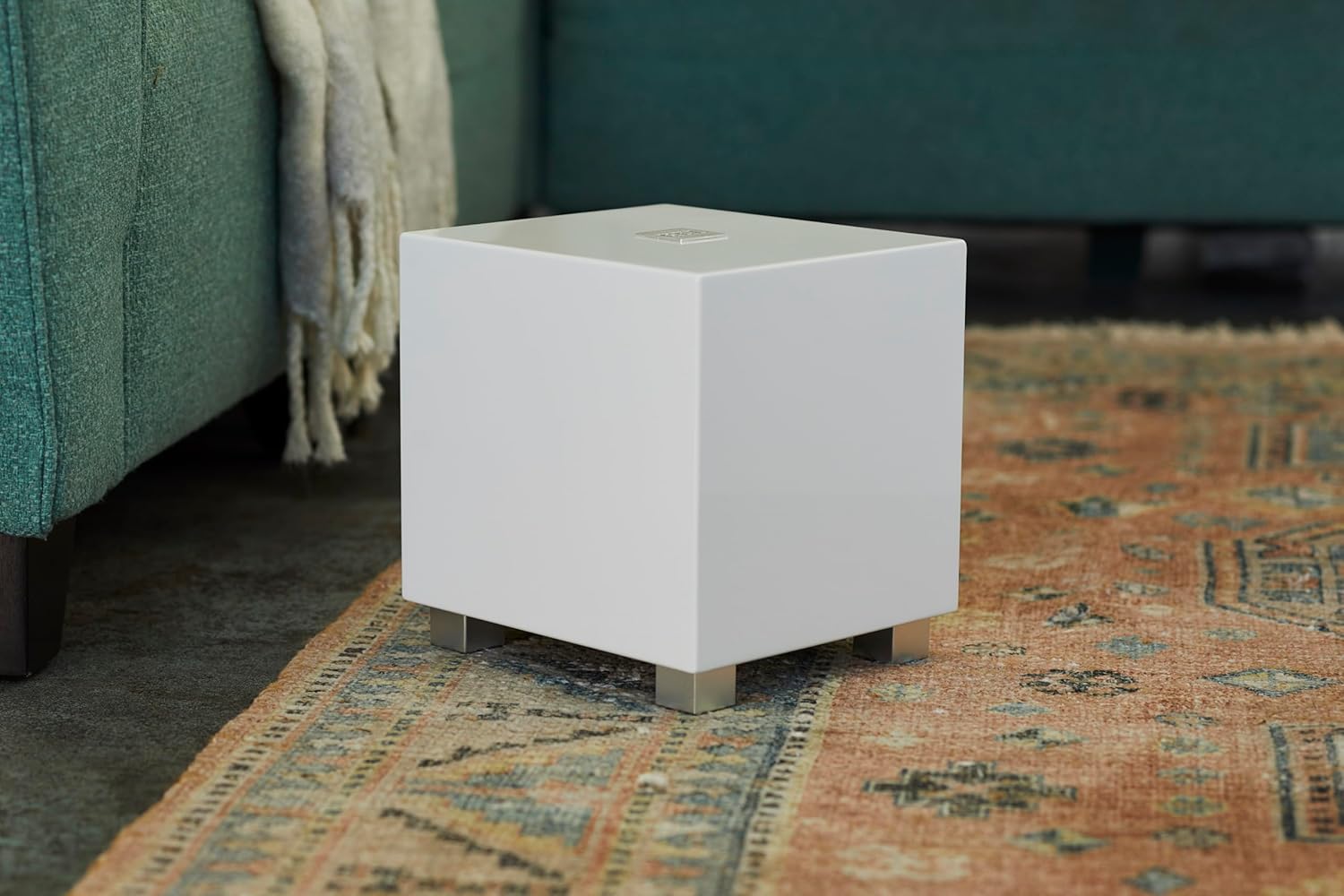
Image: The REL Acoustics Tzero MKIII in a living room, demonstrating its discreet integration into a home environment.
3.2 Connections
The Tzero MKIII offers multiple input options to accommodate various audio systems. Refer to the rear panel for connection points.
Video: REL Acoustics Tzero MKIII Product Overview. This video provides a visual guide to the subwoofer's features and connectivity options, including a detailed look at the rear panel controls and inputs (0:17 - 0:21, 1:19 - 1:23, 1:39 - 1:44, 1:58 - 2:04, 2:32 - 2:46, 2:59 - 3:06).
- High-Level Input (Neutrik Speakon): This is the preferred connection method for music systems. Connect the supplied 10-meter high-level cable to the speaker output terminals of your amplifier (left and right main speaker terminals). This allows the subwoofer to receive the same signal as your main speakers, ensuring seamless integration and superior musicality.
- Low-Level Input (RCA): For systems without high-level outputs or for dedicated LFE (Low-Frequency Effects) channels in home theater setups.
- Low Level Input: Use a single RCA cable (not included) to connect from your receiver's subwoofer output (LFE or Sub Out) to the "LOW LEVEL INPUT" on the Tzero MKIII.
- .1/LFE Input: For dedicated LFE channels, connect a single RCA cable (not included) from your receiver's LFE output to the ".1/LFE INPUT" on the Tzero MKIII. This input has a separate gain control for fine-tuning.
- Wireless Connectivity (Optional): The Tzero MKIII is compatible with the optional REL HT-Air wireless system (sold separately). This 5.8 GHz wireless unit provides uncompressed wireless signal transmission for 0.1 or low-level inputs, offering flexible placement without long cable runs. Note that the HT-Air does not support high-level input.
4. Operating Instructions
The Tzero MKIII features intuitive controls on its rear panel for precise integration with your audio system.

Image: Rear panel of a similar REL Tzero MKIII model, showing the various inputs and control knobs.
- HI/LOW LEVEL Control: Adjusts the overall volume of the subwoofer for both high-level and low-level inputs. Start with a low setting and gradually increase until the bass blends seamlessly with your main speakers.
- .1/LFE LEVEL Control: A dedicated volume control specifically for the .1/LFE input, allowing independent adjustment for home theater effects.
- CROSSOVER Control: This knob sets the upper frequency limit at which the subwoofer operates. Adjust this to blend the subwoofer's output with the low-frequency capabilities of your main speakers. Experiment to find the point where the bass sounds natural and not localized to the subwoofer.
- PHASE Switch (0°/180°): This switch adjusts the phase of the subwoofer's output relative to your main speakers. Listen for the setting that provides the most impactful and cohesive bass. Typically, one setting will sound fuller and more integrated than the other.
- STANDBY Switch (ON/ALWAYS ON):
- ON: The subwoofer will enter a low-power standby mode when no audio signal is detected for a period. It will automatically wake up when a signal is present.
- ALWAYS ON: The subwoofer remains fully powered on at all times, regardless of audio signal presence. This is recommended for critical listening or if you experience delays in the subwoofer waking from standby.
4.1 Usage Scenarios
The Tzero MKIII is designed for optimal performance in both music and home theater applications:
- For Music: Utilize the high-level input for the most natural and integrated bass response. Adjust the crossover and level controls to achieve a seamless blend with your main speakers, adding depth and richness without overpowering the music.
- For Home Theater: Connect via the .1/LFE input for dedicated low-frequency effects. You can also use the high-level input simultaneously for a fuller, more immersive sound experience that benefits both music and movie playback.
5. Maintenance
To ensure the longevity and optimal performance of your REL Acoustics Tzero MKIII subwoofer, follow these maintenance guidelines:
- Cleaning: Use a soft, dry cloth to wipe down the high-gloss finish. Avoid abrasive cleaners or solvents, as they can damage the surface. For stubborn marks, a slightly damp cloth followed by a dry one may be used.
- Placement Environment: Keep the subwoofer away from direct sunlight, heat sources, and excessive moisture. Ensure adequate ventilation around the unit to prevent overheating.
- Cable Connections: Periodically check all cable connections to ensure they are secure. Loose connections can lead to signal loss or degraded performance.
6. Troubleshooting
If you encounter issues with your Tzero MKIII, refer to the following common troubleshooting steps:
| Problem | Possible Cause | Solution |
|---|---|---|
| No Sound from Subwoofer |
|
|
| Weak or Muffled Bass |
|
|
| Boomy or Overpowering Bass |
|
|
If the issue persists after trying these steps, please contact REL Acoustics customer support.
7. Specifications
| Feature | Detail |
|---|---|
| Model Name | Tzero MKIII White |
| Speaker Type | Powered Subwoofer |
| Woofer Diameter | 6.5 Inches (Down-Firing Driver) |
| Amplifier Type | Class D |
| Speaker Maximum Output Power | 100 Watts |
| Connectivity Technology | Wired (RCA, Neutrik Speakon) |
| Wireless Communication Technology | Bluetooth (for optional HT-Air, 5.8 GHz) |
| Audio Output Mode | Stereo |
| Surround Sound Channel Configuration | 5.1 or 7.1 compatible |
| Material | Wood (3/4 inch MDF, braced and glued) |
| Color | High Gloss White |
| Product Dimensions (D x W x H) | 8.5" x 8.5" x 8.5" |
| Item Weight | 15 Pounds |
| Power Source | AC |
| UPC | 857316005508 |
8. Warranty and Support
The REL Acoustics Tzero MKIII Powered Subwoofer comes with a Limited Warranty. For specific details regarding the warranty period, coverage, and terms, please refer to the warranty card included with your product or visit the official REL Acoustics website.
For technical support, troubleshooting assistance beyond this manual, or warranty claims, please contact REL Acoustics customer support through their official channels. You can find contact information on the REL Acoustics website or in the documentation provided with your subwoofer.