
Introduction
Thank you for purchasing the Beastron SI-859 Wired RGB Backlit Gaming Keyboard. This manual provides essential information for setting up, operating, maintaining, and troubleshooting your new keyboard. Please read this manual thoroughly before use to ensure optimal performance and longevity of your device.
Package Contents
Please verify that all items listed below are included in your package:
- 1 x Beastron SI-859 Wired RGB Backlit Gaming Keyboard
- 1 x Keycap Puller Tool
- 8 x Crystal Programmable Keycaps
- 1 x Product Manual (this document)
- 1 x Certificate of Conformity
Product Overview
The Beastron SI-859 is a 104-key wired gaming keyboard designed for an enhanced gaming and typing experience. It features an ergonomic design with a wrist rest, RGB backlighting, and a spill-resistant construction. The keys offer a quiet mechanical feel with tactile feedback.
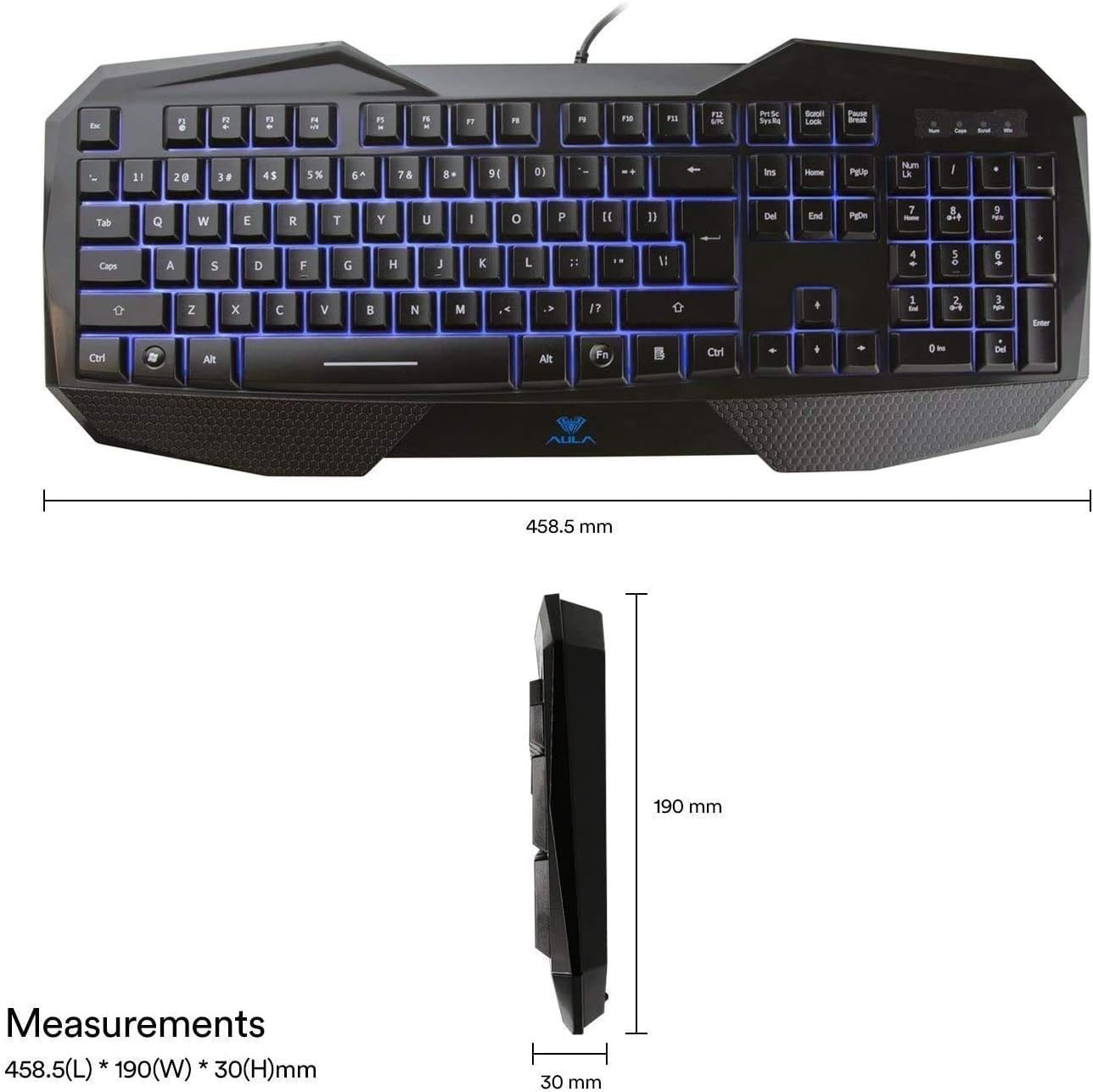
Figure 1: Beastron SI-859 Gaming Keyboard with overall dimensions (458.5mm L x 190mm W x 30mm H).
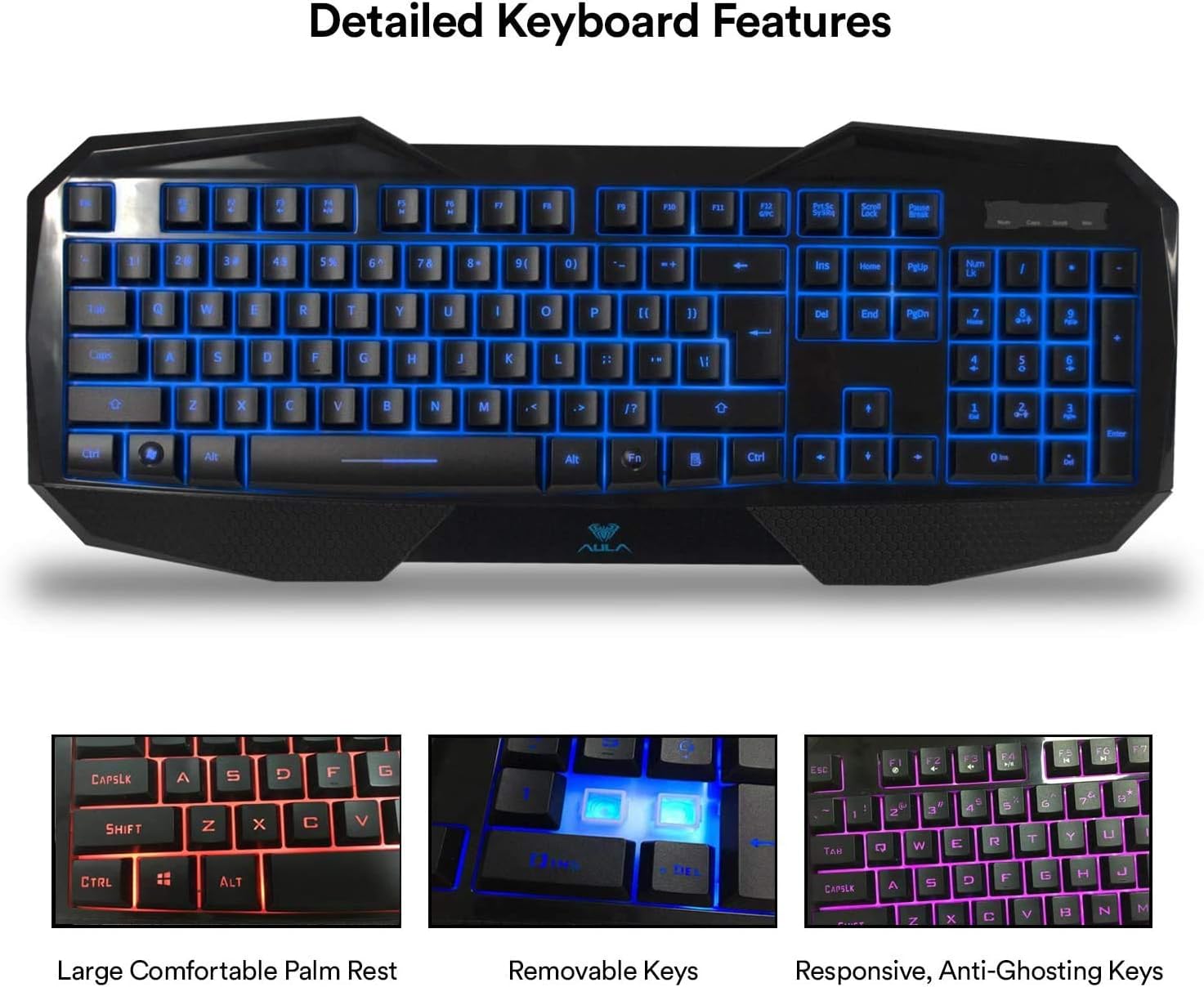
Figure 2: Detailed view highlighting key features such as the large comfortable palm rest, removable keycaps, and responsive anti-ghosting keys.

Figure 3: The keyboard displaying its RGB backlighting capabilities with multiple color zones.

Figure 4: Underside of the keyboard, illustrating the support frame, anti-slip rubber pads, and the wired USB connector.
Setup
The Beastron SI-859 keyboard is designed for simple plug-and-play functionality. No additional software or drivers are required for basic operation.
- Unpack the Keyboard: Carefully remove the keyboard and all accessories from the packaging.
- Connect to Computer: Locate an available USB port on your computer. Insert the USB connector of the keyboard firmly into the USB port.
- System Recognition: Your operating system should automatically detect and install the necessary drivers for the keyboard. This process may take a few moments.
- Ready for Use: Once recognized, the keyboard's RGB backlighting will illuminate, indicating it is ready for use.
Operating Instructions
This section details the various functions and features of your Beastron SI-859 keyboard.
RGB Backlighting Control
The keyboard features 3 different RGB lighting effects (Blue, Red, Purple) and adjustable brightness levels.
- Changing Lighting Effects: Use the dedicated backlight control keys (usually located near the top right of the keyboard, or via FN key combinations) to cycle through the available RGB lighting modes.
- Adjusting Brightness: Use the designated brightness control keys (often FN + Up/Down arrow keys or similar) to increase or decrease the backlight intensity.
Multimedia and Anti-Ghosting Keys
The keyboard includes 25 conflict-free keys for improved gaming performance and 12 additional FN + multimedia keys for quick access to various functions.
- Multimedia Functions: Press the FN key simultaneously with the designated multimedia keys (e.g., F1-F12) to control volume, media playback, and other system functions. Refer to the keycap legends for specific functions.
- Anti-Ghosting: The 25 conflict-free keys ensure that multiple key presses are registered accurately during intense gaming sessions, preventing missed commands.
Maintenance
Proper maintenance will help extend the life of your keyboard.
- Cleaning: The keycaps are removable, making cleaning easier. Use the provided keycap puller tool to gently remove keycaps. Clean dust and debris from under the keys using compressed air or a soft brush. Wipe the surface of the keyboard with a soft, damp cloth. Avoid using harsh chemicals.
- Spill Resistance: The keyboard features a spill-resistant design that can withstand most accidental liquid spills. However, it is not waterproof. Avoid direct exposure to large amounts of water or submerging the keyboard. If a spill occurs, immediately disconnect the keyboard from your computer and allow it to dry completely before reconnecting.
- Storage: Store the keyboard in a cool, dry place away from direct sunlight and extreme temperatures when not in use for extended periods.
Troubleshooting
If you encounter issues with your Beastron SI-859 keyboard, please refer to the following common solutions:
- Keyboard Not Responding:
- Ensure the USB cable is securely connected to both the keyboard and the computer.
- Try connecting the keyboard to a different USB port on your computer.
- Test the keyboard on another computer to determine if the issue is with the keyboard or the computer's USB port.
- Restart your computer.
- Backlighting Not Working or Incorrect:
- Check if the backlight brightness is set to the lowest level. Adjust using the brightness control keys.
- Cycle through the lighting modes to ensure it's not set to an 'off' mode.
- Keys Sticking or Not Registering:
- Remove the affected keycap(s) using the keycap puller and check for any debris underneath. Clean as described in the Maintenance section.
- Ensure the keycap is properly seated on the switch.
- Typing Sensitivity Issues (e.g., repeating characters):
- Adjust keyboard repeat delay and repeat rate settings in your operating system's keyboard preferences.
Specifications
| Brand | Beastron |
| Model Number | SI-859 |
| Connectivity Technology | USB (Wired) |
| Number of Keys | 104 |
| Keyboard Layout | QWERTY |
| Backlighting | RGB (3 colors: Blue, Red, Purple) |
| Key Type | Mechanical Feel (Tactile) |
| Material | ABS |
| Special Features | Ergonomic Wrist Rest, Spill-resistant Design, Removable Keycaps, Anti-Ghosting (25 keys), Multimedia Keys |
| Color | Black |
| Durability | Up to 1 million clicks |
| UPC/GTIN | 850016082077 |
Compatibility
The Beastron SI-859 keyboard is compatible with a wide range of operating systems:
- Windows Vista
- Windows 7
- Windows 8
- Windows 10
- Windows XP
- Mac OS
- Linux
- Other operating systems with a standard USB port.
Warranty and Support
Your Beastron SI-859 Gaming Keyboard comes with a 12-month warranty from the date of purchase. This warranty covers manufacturing defects and ensures reliable operation under normal use.
For technical support, warranty claims, or any questions regarding your product, please contact Beastron customer service through the retailer where you purchased the product or visit the official Beastron website for contact information.
Please retain your proof of purchase for warranty purposes.