
TREBLAB HD-Max
TREBLAB HD-Max Wireless Speaker User Manual
Model: HD-Max
Introduction
This manual provides detailed instructions for the safe and efficient use of your TREBLAB HD-Max Wireless Speaker. Please read this manual thoroughly before operating the device and retain it for future reference.
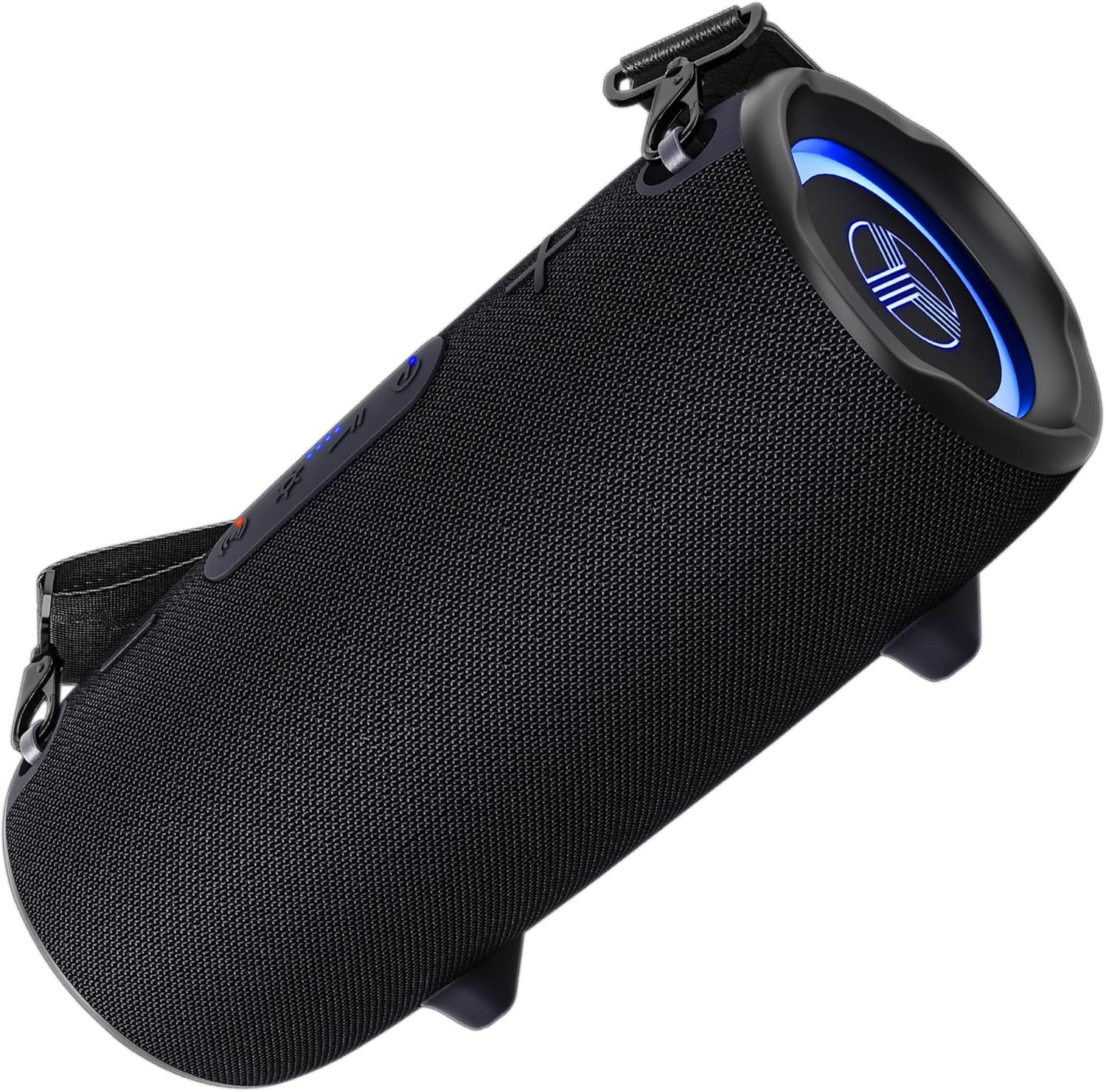
Image: The TREBLAB HD-Max Wireless Speaker, shown from an angled perspective, highlighting its cylindrical shape and control buttons.
Package Contents
Verify that all items are present in your product packaging:
- TREBLAB HD-Max Bluetooth Speaker
- 3.5mm AUX cable
- USB/Type-C Charging cable
- Carrying strap
- Bottle opener
- TREBLAB HD-Max User Manual
- Warranty card, sticker, catalogue

Image: A visual representation of the TREBLAB HD-Max speaker and its included accessories, such as the charging cable, AUX cable, carrying strap, and bottle opener.
Product Overview
Controls and Ports
Familiarize yourself with the speaker's buttons and connection ports:
- Power Button: Turns the speaker on/off.
- Volume Up/Next Track Button: Increases volume with a short press, skips to the next track with a long press.
- Volume Down/Previous Track Button: Decreases volume with a short press, goes to the previous track with a long press.
- Play/Pause/Call Button: Plays or pauses audio, answers or ends calls.
- Mode Button: Cycles through sound modes (Indoor, Outdoor, Bass Boost).
- RGB Light Button: Controls the speaker's RGB lighting effects.
- USB-C Charging Port: For charging the speaker.
- USB-A Output Port: Functions as a power bank to charge external devices.
- AUX Input Port: For wired audio connection using the 3.5mm AUX cable.
- USB Reader Port: For playing audio from a USB drive.
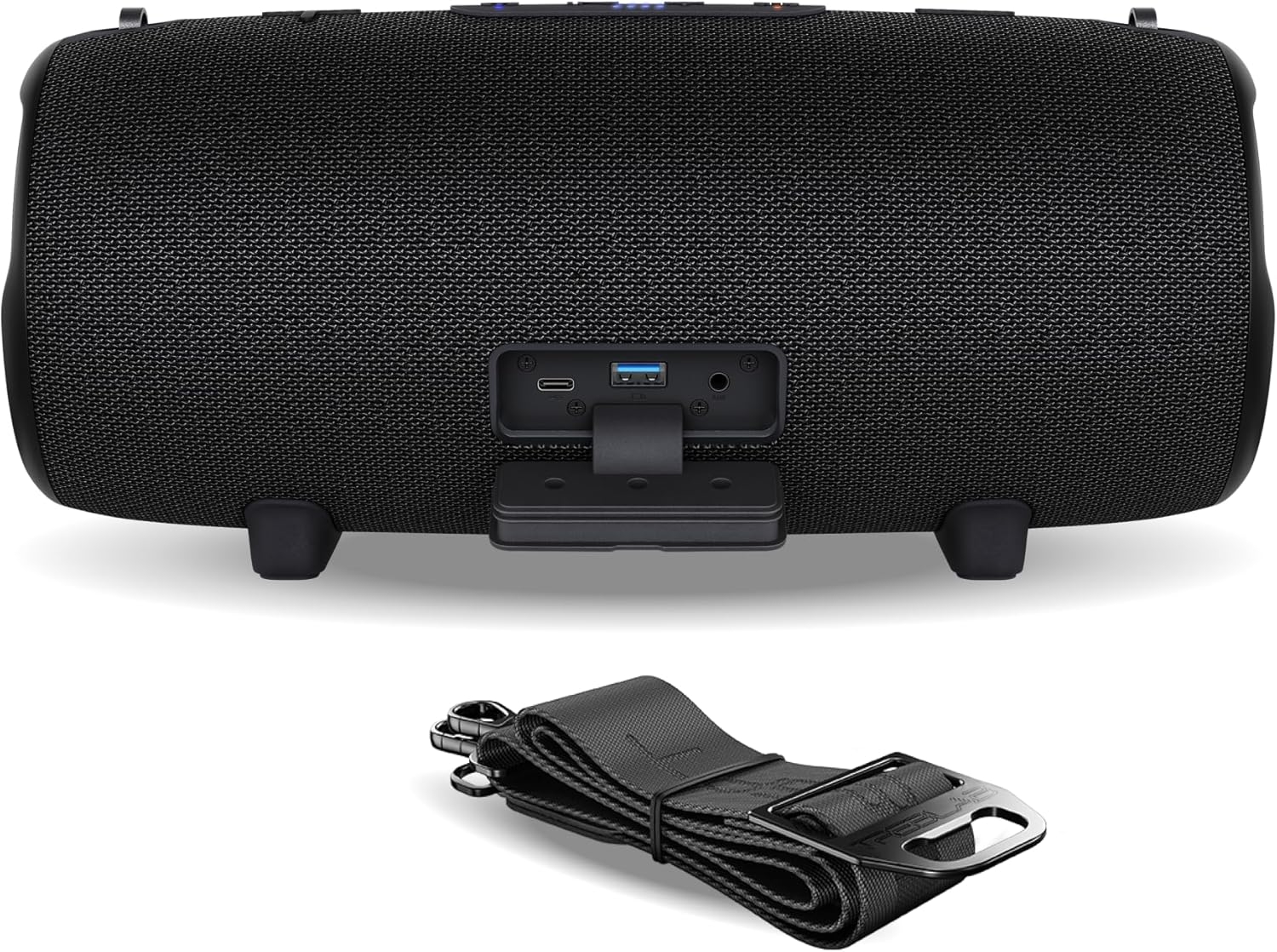
Image: The rear view of the TREBLAB HD-Max speaker, showing the various input/output ports including USB-C, USB-A, AUX, and USB reader, along with the attached carrying strap.
Setup
Charging the Speaker
- Connect the USB-C charging cable to the speaker's USB-C port.
- Connect the other end of the cable to a compatible USB power adapter (not included) or a computer's USB port.
- The LED indicator will show charging status. A full charge takes approximately 5 hours.
Power On/Off
- To power on, press and hold the Power button until the LED indicator lights up.
- To power off, press and hold the Power button until the LED indicator turns off.
Bluetooth Pairing
- Ensure the speaker is powered on and in Bluetooth pairing mode (LED indicator will flash blue).
- On your device (smartphone, tablet, etc.), enable Bluetooth and search for available devices.
- Select "TREBLAB HD-Max" from the list.
- Once paired, the LED indicator will turn solid blue.
True Wireless Stereo (TWS) Pairing
To achieve a stereo sound experience, you can pair two TREBLAB HD-Max speakers together:
- Ensure both HD-Max speakers are powered on and not connected to any other Bluetooth device.
- On one speaker (this will be the primary speaker), press and hold the Play/Pause button for 3 seconds. The speaker will emit a sound indicating TWS pairing mode.
- The two speakers will automatically connect to each other. Once connected, the primary speaker's LED will flash blue, and the secondary speaker's LED will be solid blue.
- Now, connect your device to the primary speaker via Bluetooth as described in the "Bluetooth Pairing" section.

Image: Two TREBLAB HD-Max speakers positioned in a living room, demonstrating the True Wireless Stereo (TWS) pairing feature for an immersive audio experience.
AUX Connection
For wired audio playback:
- Connect one end of the 3.5mm AUX cable to the speaker's AUX input port.
- Connect the other end to the audio output jack of your device.
- The speaker will automatically switch to AUX mode.
USB Playback
To play audio directly from a USB drive:
- Insert a USB drive containing audio files into the speaker's USB Reader port.
- The speaker will automatically detect the USB drive and begin playback.
Operating Instructions
Basic Audio Controls
- Play/Pause: Short press the Play/Pause button.
- Volume Up: Short press the Volume Up button.
- Volume Down: Short press the Volume Down button.
- Next Track: Long press the Volume Up button.
- Previous Track: Long press the Volume Down button.
Sound Modes
The TREBLAB HD-Max offers three distinct sound modes:
- Indoor Mode: Optimized for balanced audio within enclosed spaces.
- Outdoor Mode: Enhanced for projection and clarity in open environments.
- Bass Boost Mode: Amplifies low frequencies for a more pronounced bass response.
To switch between modes, short press the Mode button.

Image: A visual demonstration of the three sound modes (Indoors, Outdoors, Bass Boost) available on the TREBLAB HD-Max speaker, showing different usage scenarios.
RGB Lighting
The speaker features dynamic RGB lighting. Press the RGB Light button to cycle through different lighting effects or turn them off.
Power Bank Function
The TREBLAB HD-Max can charge other devices using its built-in power bank feature:
- Connect your device's charging cable to the speaker's USB-A output port.
- The speaker will begin charging your device.

Image: The TREBLAB HD-Max speaker connected via USB to a smartphone, illustrating its power bank capability to charge external devices.
Hands-Free Calling
When connected via Bluetooth, the speaker's built-in microphone allows for hands-free calls:
- Answer/End Call: Short press the Play/Pause button.
- Reject Call: Long press the Play/Pause button.

Image: The TREBLAB HD-Max speaker with a microphone icon, indicating its clear call microphone feature for hands-free communication.
Maintenance
Cleaning
- Wipe the speaker with a soft, damp cloth.
- Do not use abrasive cleaners or solvents.
- Ensure all ports are dry before charging or connecting cables.
Storage
- Store the speaker in a cool, dry place away from extreme temperatures.
- If storing for an extended period, charge the battery periodically to maintain its lifespan.
Troubleshooting
- Speaker does not power on: Ensure the battery is charged. Connect the speaker to a power source and try again.
- Cannot pair via Bluetooth:
- Ensure the speaker is in pairing mode (flashing blue LED).
- Make sure Bluetooth is enabled on your device.
- Move the speaker closer to your device.
- Forget "TREBLAB HD-Max" from your device's Bluetooth list and try pairing again.
- No sound:
- Check the volume levels on both the speaker and your connected device.
- Ensure the correct input mode (Bluetooth, AUX, USB) is selected.
- If using AUX, ensure the cable is fully inserted and not damaged.
- TWS pairing issues:
- Ensure both speakers are fully charged and not connected to any other Bluetooth device.
- Follow the TWS pairing instructions carefully.
- Note: New Bluetooth 5.3 speakers may not pair in TWS mode with older Bluetooth 4.2 or 5.0 versions.
- Power bank not charging device: Ensure the speaker has sufficient battery charge. Check the connection cable.
Specifications
| Model Name | HD-Max |
| Wireless Technology | Bluetooth 5.3 |
| Output Power | 60W |
| Signal Range | Up to 33 feet (10 m) |
| Playtime | Up to 20 hours (at 10% volume) |
| Battery Capacity | 6600 mAh |
| Charging Time | Up to 5 hours |
| Water Resistance | IPX7 |
| Dimensions (D x W x H) | 4.72" x 4.72" x 12.4" |
| Item Weight | 5.97 pounds (95.59 ounces) |
| Speaker Type | Outdoor, Portable |
| Special Features | Bass Boost, Built-in Microphone, Built-in Powerbank, Shockproof, Stereo Pairing (TWS), Waterproof, RGB Lighting |
| Connectivity | Bluetooth, 3.5mm AUX, USB Reader |
| Audio Output Mode | Stereo, Surround |
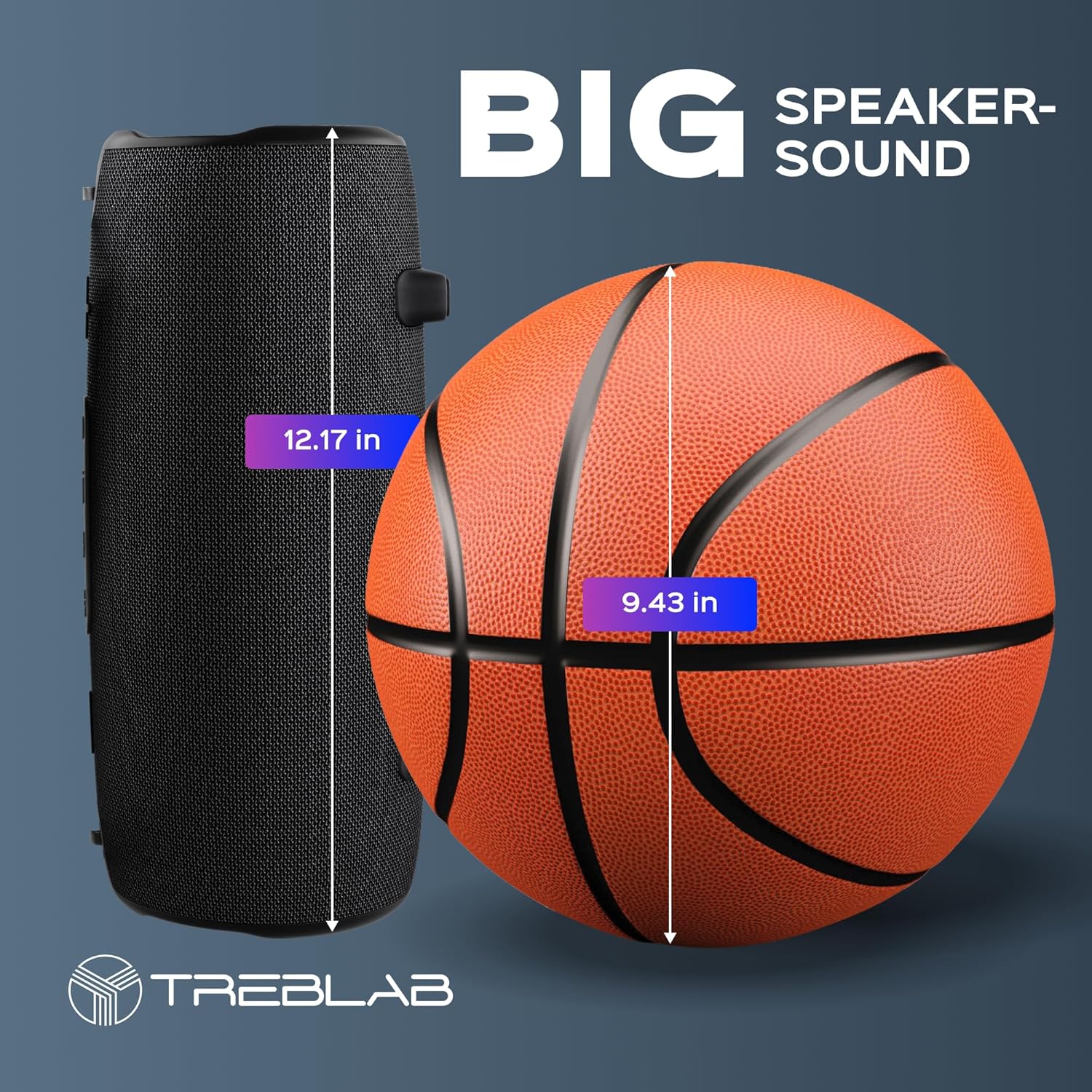
Image: A size comparison of the TREBLAB HD-Max speaker next to a basketball, illustrating its substantial dimensions.
Warranty and Support
TREBLAB products are covered by a 1-YEAR WARRANTY and a 30-DAY RETURN POLICY. For warranty claims, technical support, or any inquiries, please contact TREBLAB customer service. Refer to the included warranty card for specific details and contact information.
For California Residents Only: Warning-Cancer and Reproductive Harm – P65Warnings ca gov.
Related documentsHD-Max


Ask a question about this manual
Ask about setup, troubleshooting, compatibility, parts, safety, or missing instructions. Manuals+ will review the question and use this page’s manual context to help answer it.