
1. Overview
This manual provides essential information for the safe and effective operation of your WORKPRO 3.6V 6-in-1 Cordless Staple Gun. This versatile tool is designed for various fastening tasks, accommodating six different types of staples and nails. Please read all instructions carefully before use and retain this manual for future reference.

Image 1: The WORKPRO 3.6V 6-in-1 Cordless Staple Gun, its charging adapter, and a variety of compatible staples and nails.
2. Safety Instructions
Always follow basic safety precautions to reduce the risk of fire, electric shock, and personal injury when using this tool.
- Read All Instructions: Familiarize yourself with the tool's operation and safety guidelines.
- Wear Eye Protection: Always wear safety glasses with side shields that comply with ANSI Z87.1.
- Keep Work Area Clean: Cluttered areas invite accidents.
- Do Not Operate in Explosive Atmospheres: Do not use the tool in the presence of flammable liquids, gases, or dust.
- Keep Children Away: Do not let children handle the tool.
- Secure Workpiece: Use clamps or a vise to hold the workpiece. This is safer than using your hand and frees both hands to operate the tool.
- Avoid Accidental Firing: Keep fingers away from the trigger when not actively stapling.
- Disconnect Power: Always disconnect the charger from the power source before making any adjustments, changing accessories, or storing the tool.
- Use Correct Fasteners: Only use fasteners specified for this tool.
- Inspect Tool Before Use: Check for misalignment or binding of moving parts, breakage of parts, and any other condition that may affect the tool’s operation.
3. Package Contents
Verify that all items are present upon unpacking:
- WORKPRO 3.6V 6-in-1 Cordless Staple Gun
- Charging Adapter
- 7500-Count Assorted Staples and Brad Nails (2500 x 1/2" T50 staples, 2500 x 3/8" T50 staples, 2500 x 5/8" brad nails)
- Instruction Manual

Image 2: A selection of T50 staples and brad nails, part of the included 7500-count combo kit.
4. Product Features
4.1 6-in-1 Compatibility
This staple gun is designed for exceptional versatility, compatible with six different types of fasteners:
- T50 Staples (Rapid No.140)
- JT21 Staples (Rapid No.53)
- T25 Staples (Rapid No.36)
- T20 Staples (CT300)
- BN18 Brad Nails (Rapid No.7)
- PIN Nails (Rapid No.9)
The tool features automatic power switching to adapt to the selected fastener type.

Image 3: The side of the staple gun displaying clear icons for the six compatible staple and nail types.

Image 4: A visual guide to the different fastener shapes and their corresponding codes, including T50, JT21, T20, CT10X, BN18, and PIN.
4.2 Extended Battery Life
The integrated 3.6V battery provides cordless operation, allowing for approximately 1100 staple firings on a single full charge. The tool can fire up to 60 fasteners per minute.
5. Setup
5.1 Charging the Battery
- Connect the charging adapter to the charging port on the staple gun.
- Plug the adapter into a standard electrical outlet.
- Allow the battery to charge fully before first use. The charging indicator light will change color to indicate a full charge (refer to the tool's specific indicator light behavior).
5.2 Loading Staples/Nails
- Ensure the tool is disconnected from the charger and the safety switch is engaged.
- Locate the magazine release latch, typically at the bottom rear of the tool.
- Pull the magazine open or slide it out according to the tool's design.
- Insert the correct type and size of staples or nails into the magazine, ensuring they are oriented correctly (points facing forward).
- Close the magazine securely until it latches into place.

Image 5: A detailed view of the staple gun's magazine area, showing how to load different types of fasteners like heavy-duty D-type staples, light-duty D-type staples, and brad nails.
6. Operating Instructions
6.1 Basic Operation
- Ensure the battery is charged and the correct fasteners are loaded.
- Position the nose of the staple gun firmly against the workpiece where the fastener is to be driven. The safety contact trip must be fully depressed against the surface.
- Press the trigger to fire a fastener.
- Release the trigger after each shot.
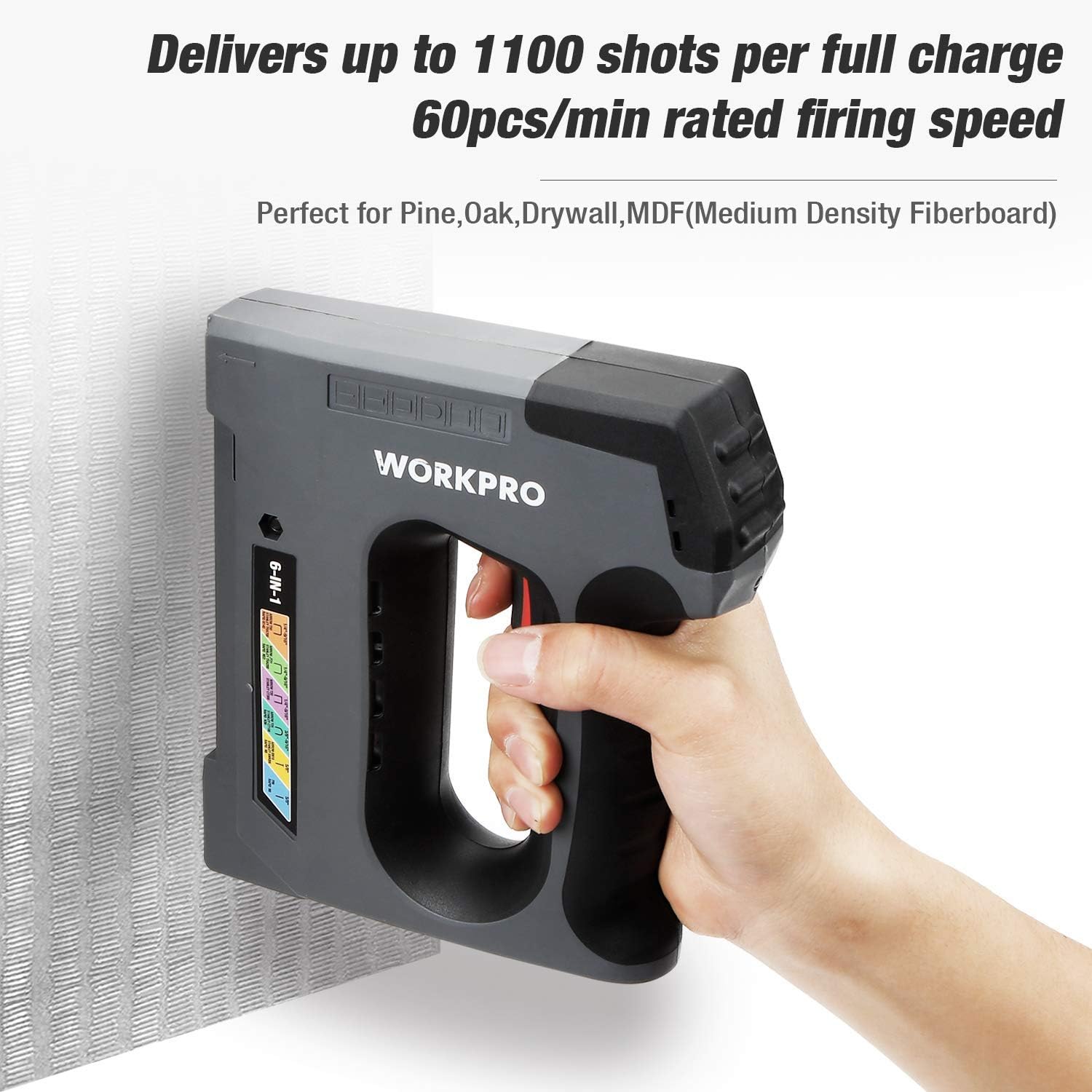
Image 6: A person demonstrating the use of the staple gun on a drywall surface, highlighting its firing speed and suitability for materials like pine, oak, and MDF.
6.2 Applications
This tool is suitable for a variety of home improvement and crafting projects, including:
- Upholstery
- DIY artwork and crafts
- Carpeting
- Fastening fabric
- Weather stripping
- Foam and padding installation
- Cable and small fencing
- Light construction tasks (e.g., building birdhouses, dog houses)

Image 7: The staple gun being used to fasten wood pieces together and for securing trim along a baseboard, demonstrating its versatility in various applications.
7. Maintenance
7.1 Cleaning
- Always disconnect the charger before cleaning.
- Wipe the tool's exterior with a clean, damp cloth. Do not use harsh chemicals or abrasive cleaners.
- Keep the magazine and firing mechanism free of dust and debris. Use compressed air if necessary.
7.2 Storage
- Store the tool in a dry, secure location out of reach of children.
- Ensure the battery is partially charged (not fully depleted or fully charged for long-term storage) to prolong battery life.
8. Troubleshooting
If you encounter issues with your staple gun, refer to the following common problems and solutions:
| Problem | Possible Cause | Solution |
|---|---|---|
| Tool does not fire | Battery is depleted Magazine is empty Safety contact trip not fully depressed | Charge the battery Load fasteners Press the tool firmly against the workpiece |
| Fasteners do not drive fully | Incorrect fastener type for material Tool not pressed firmly enough Battery low | Ensure correct fastener for material density Apply more pressure to the tool Charge the battery |
| Jammed fasteners | Debris in magazine Damaged fasteners Incorrect fastener size | Clear the magazine of debris Use new, undamaged fasteners Ensure correct fastener size for the tool |
| Battery not charging | Charger not connected properly Faulty charger or battery | Check connections Contact customer support if issue persists |
9. Specifications
- Brand: WORKPRO
- Model: 3.6V 6-in-1 Cordless Staple Gun
- Voltage: 3.6V
- Material: Metal
- Fastener Compatibility: T50, JT21, T25, T20, BN18, PIN
- Rated Firing Speed: Up to 60 fasteners/minute
- Shots per Full Charge: Approximately 1100
- Included Fasteners: 7500-count (1/2" T50, 3/8" T50, 5/8" Brad Nail)
- ASIN: B08G4KZ2GL
9.1 Fastener Characteristics

Image 8: A detailed view of a staple, highlighting its chisel point design which aids in easier penetration into materials.

Image 9: A visual comparison demonstrating the improved chisel point design of WORKPRO staples and brad nails compared to standard fasteners, indicating better penetration.
10. Warranty and Support
For warranty information or technical support, please refer to the warranty card included with your product or visit the official WORKPRO website. Keep your purchase receipt as proof of purchase.

