
Soundcore A3951
Contents
Soundcore Liberty Air 2 Pro True Wireless Earbuds User Manual
Model: A3951
1. Introduction
The Soundcore Liberty Air 2 Pro are advanced true wireless earbuds designed to deliver a superior audio experience with targeted active noise cancellation. Featuring PureNote Driver Technology and LDAC support, these earbuds provide exceptional sound clarity and detail. With multiple microphones for clear calls and personalized EQ via the HearID system, they offer a customizable and immersive listening experience for various environments.

Figure 1: Soundcore Liberty Air 2 Pro Earbuds and Charging Case.
2. What's in the Box
Ensure all components are present upon unboxing:
- Liberty Air 2 Pro True Wireless Earbuds
- Wireless Charging Case
- 9 Pairs of EarTips (XXXS/XXS/XS/S/M/M+/L/L+/XL)
- 60cm USB-C Cable
- Quick Start Guide
- Brand Card

Figure 2: Included components, including the earbuds, charging case, and various eartips.
3. Setup
3.1 Charging the Earbuds and Case
Before first use, fully charge the earbuds and the charging case. The charging case can be charged via the provided USB-C cable or a Qi-certified wireless charger.
- Connect the USB-C cable to the charging port on the case and a power source.
- Alternatively, place the charging case on a wireless charging pad.
- The LED indicators on the case will show charging status. A full charge provides up to 26 hours of playtime with the case.

Figure 3: Earbuds inside the charging case, ready for charging.
3.2 Choosing the Right EarTips and Fit Test
A proper fit is crucial for optimal sound quality and noise cancellation. The Liberty Air 2 Pro comes with 9 pairs of EarTips.
- Try different sizes of EarTips to find the most comfortable and secure fit for your ears.
- Install the Soundcore app and use the Tip Fit Test feature to ensure you have the correct size and are wearing the earbuds properly for the best seal.

Figure 4: Selection of ear tips for personalized fit.
3.3 Pairing with Your Device
The earbuds will automatically enter pairing mode when the charging case is opened for the first time.
- Open the charging case. The earbuds will automatically enter Bluetooth pairing mode.
- On your device, enable Bluetooth and search for "Soundcore Liberty Air 2 Pro" in the list of available devices.
- Select the earbuds to connect. Once connected, you will hear an audible confirmation.

Figure 5: Enjoying pure sound after successful pairing.
4. Operating the Earbuds
4.1 Touch Controls
The Liberty Air 2 Pro earbuds feature touch-sensitive controls on each earbud. These controls can be customized via the Soundcore app.
| Action | Function (Default) |
|---|---|
| Double-tap (Right Earbud) | Play/Pause |
| Double-tap (Left Earbud) | Next Track |
| Press and hold (Either Earbud) | Switch Noise Cancellation Modes |
| Double-tap (Either Earbud during call) | Answer/End Call |
| Press and hold (Either Earbud during call) | Reject Call |
4.2 Active Noise Cancellation (ANC) Modes
The Liberty Air 2 Pro offers targeted active noise cancellation to suit different environments. You can switch between modes using the touch controls or the Soundcore app.
- Transport Mode: Designed to eliminate low-frequency noises like engine sounds.
- Outdoor Mode: Reduces ambient noise in outdoor environments, such as traffic.
- Indoor Mode: Minimizes voices and mid-frequency sounds in indoor settings.
- Transparency Mode: Allows you to hear your surroundings without removing the earbuds.
- Normal Mode: Standard audio playback without noise cancellation or transparency.

Figure 6: Illustration of different noise cancellation modes.
Video 1: Demonstration of the Soundcore app interface for adjusting noise cancellation settings.
4.3 PureNote Driver Technology and LDAC
The earbuds utilize PureNote Driver Technology with 10 hardened nano-layers for enhanced accuracy and clarity. LDAC technology transmits three times more data than standard Bluetooth codecs, preserving audio detail for a high-resolution listening experience.

Figure 7: PureNote Driver Technology for superior sound.
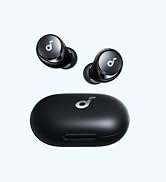
Figure 8: LDAC mode provides 3x more audio detail.
4.4 HearID Personalized EQ
The Soundcore app features HearID, which intelligently analyzes your unique hearing profile to create a personalized sound setup. You can also manually adjust the EQ or choose from 22 preset sound profiles.

Figure 9: Customize your sound with HearID in the Soundcore app.
4.5 Clear Calls
Equipped with 6 microphones, the Liberty Air 2 Pro ensures clear voice pickup and effective noise reduction during calls, providing excellent face-to-face call quality.

Figure 10: Microphone array for clear call quality.
4.6 Auto Pause/Play
Built-in sensors automatically pause music when the earbuds are removed from your ears and resume playback when they are put back in.
5. Maintenance
To ensure the longevity and optimal performance of your Soundcore Liberty Air 2 Pro earbuds, follow these maintenance guidelines:
- Cleaning: Regularly clean the earbuds and charging case with a soft, dry, lint-free cloth. Do not use harsh chemicals or abrasive materials.
- EarTips: Remove and clean the EarTips periodically with water and mild soap. Ensure they are completely dry before reattaching them to the earbuds.
- Charging Contacts: If you experience charging issues, gently clean the charging contacts on both the earbuds and inside the case with a dry cotton swab.
- Storage: When not in use, always store the earbuds in their charging case to protect them from dust and damage. Store in a cool, dry place away from extreme temperatures.
- Avoid Water: While the earbuds may have some water resistance, avoid submerging them in water or exposing them to excessive moisture.
6. Troubleshooting
If you encounter issues with your Soundcore Liberty Air 2 Pro earbuds, refer to the following common solutions:
6.1 Connectivity Issues
- Earbuds not pairing: Ensure both earbuds are in the charging case and the lid is open. Check your device's Bluetooth settings and forget any previous pairings, then try pairing again.
- Only one earbud playing: Place both earbuds back into the charging case, close the lid, wait a few seconds, then open it again. This often re-syncs them.
- Intermittent connection: Ensure there are no obstructions between the earbuds and your device. Avoid using them in areas with high Wi-Fi or Bluetooth interference.
6.2 Sound Quality Issues
- Low volume or poor bass: Perform the Tip Fit Test in the Soundcore app to ensure you have the correct EarTip size and a proper seal. A poor seal significantly impacts sound quality.
- Distorted sound: Try reducing the volume on your device. Ensure the earbuds are fully charged.
- Noise Cancellation not effective: Verify that the correct ANC mode (Transport, Outdoor, Indoor) is selected for your environment. Ensure a tight seal with the EarTips.
6.3 Charging Issues
- Earbuds not charging: Ensure the charging contacts on both the earbuds and inside the case are clean and dry. Make sure the charging cable is securely connected or the wireless charger is properly aligned.
- Charging case not charging: Try a different USB-C cable and power adapter. If using wireless charging, ensure the case is correctly positioned on the charging pad.
6.4 Resetting the Earbuds
If issues persist, a factory reset may resolve them. Refer to the Soundcore app or the official Soundcore support page for specific reset instructions for your model.
7. Specifications
| Feature | Detail |
|---|---|
| Model Name | Liberty Air 2 Pro |
| Item Model Number | A3951 |
| Connectivity Technology | Wireless (Bluetooth 5.0, True Wireless) |
| Noise Control | Active Noise Cancellation (Targeted) |
| Audio Driver Type | Hybrid Driver |
| Audio Driver Size | 11 Millimeters |
| Battery Life (Earbuds) | Up to 7 Hours (single charge) |
| Total Playtime with Case | Up to 26 Hours |
| Charging Time (Quick Charge) | 15 minutes for 3 hours of listening |
| Charging Interface | USB-C, Wireless Charging |
| Microphones | 6 (for calls) |
| Control Method | App, Touch Control |
| Material | Silicone, Plastic |
| Item Weight | 0.15 Pounds (earbuds) / 2.4 ounces (total) |
| Product Dimensions | 4.61 x 2.4 x 6.73 inches |
8. Warranty and Support
Soundcore products typically come with a limited warranty. Please refer to the warranty card included in your product packaging or visit the official Soundcore website for detailed warranty information and terms and conditions.
8.1 Customer Support
For technical support, troubleshooting assistance, or any product-related inquiries, please contact Soundcore customer service through their official website or the contact information provided in your product documentation.
You can also find additional resources, FAQs, and the full user manual PDF online:
Documents and downloads
Ask a question about this manual
Ask about setup, troubleshooting, compatibility, parts, safety, or missing instructions. Manuals+ will review the question and use this page’s manual context to help answer it.