
Bell+Howell 2754
Bell+Howell Power Table Lamp
Instruction Manual
Product Overview
The Bell+Howell Power Table Lamp is a versatile and portable lighting solution designed for various environments. Featuring COB LED bulbs, it offers three distinct brightness settings: Low, Medium, and High, providing optimal illumination for reading, working, or hobbies. Its folding design ensures easy portability and compact storage. The lamp supports dual-connection options, allowing it to be powered wirelessly via batteries or through a USB connection, making it ideal for use with laptops or standard USB power adapters.
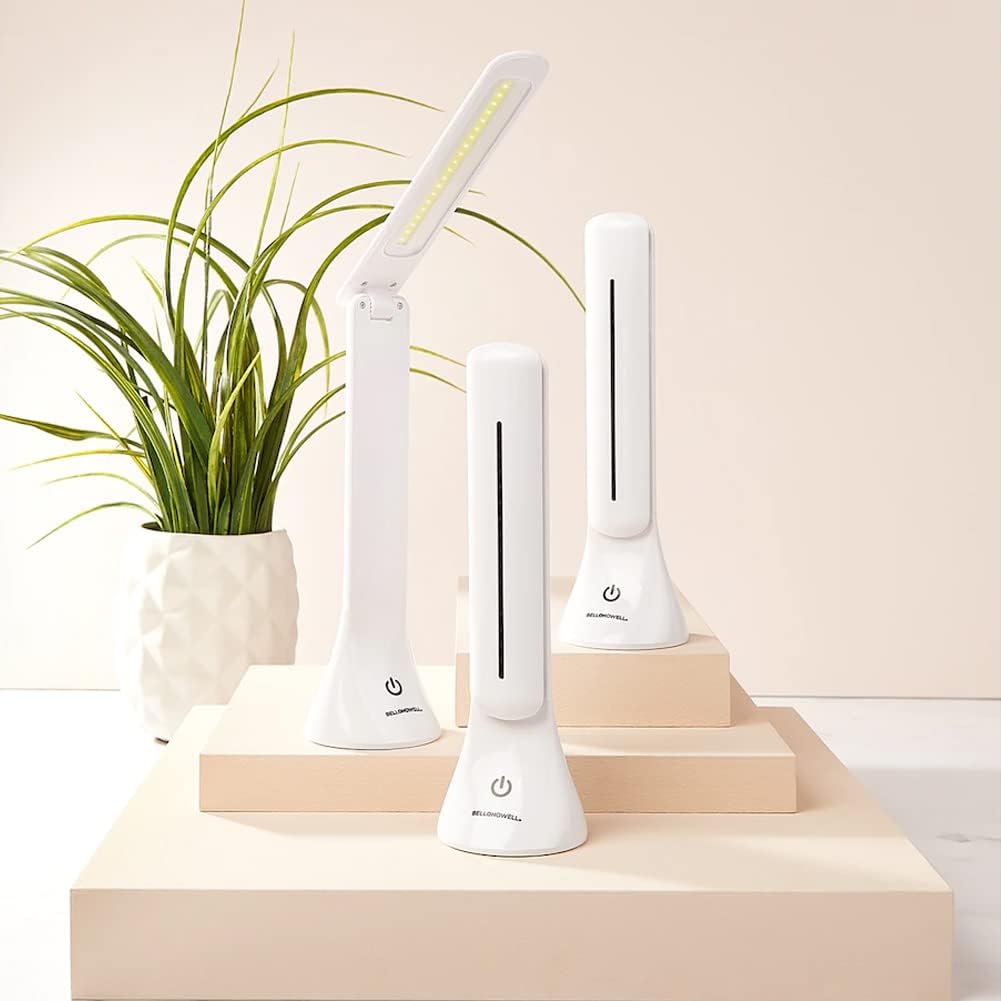
Image: The Bell+Howell Power Table Lamp shown in both its compact, folded state and its extended, operational position, highlighting its portability and design.

Image: A visual representation of the Bell+Howell Power Table Lamp, emphasizing its 200 lumens output, USB or battery power capability, three light levels, and water-resistant design.
Setup and Power Options
What's in the Box
- Bell+Howell Power Table Lamp
- USB Cable (for charging/powering)
Powering Your Lamp
The Bell+Howell Power Table Lamp offers flexible power options:
- USB Power Option: Connect the provided USB cable to the lamp's USB port and plug the other end into a USB power source, such as a laptop, a USB wall adapter (not included), or a power bank. This option is ideal for continuous use in a fixed location.
- Battery Power Option: For wireless operation and portability, insert the required batteries (not included) into the designated battery compartment. This is perfect for outdoor use, camping, or as an emergency light source.

Image: The Bell+Howell Power Table Lamp packaging, illustrating its USB and battery power capabilities, along with its 180-degree head swivel feature.
Operating Instructions
Adjusting Brightness
The lamp features a touch-sensor on/off button that also controls the brightness levels:
- First Touch: Activates the lamp at the Low brightness setting.
- Second Touch: Switches to the Medium brightness setting.
- Third Touch: Switches to the High brightness setting.
- Fourth Touch: Turns the lamp Off.
Simply tap the touch-sensor button repeatedly to cycle through the brightness levels and turn the lamp off.
Folding and Swivel Functionality
The lamp head can be folded and swiveled up to 180 degrees, allowing you to direct light precisely where needed. Gently adjust the lamp head to your desired angle.

Image: The Bell+Howell Power Table Lamp being used in different settings, including reading with a child, working at a desk, and reading while traveling, demonstrating its adaptability.
Care and Maintenance
- Cleaning: To clean the lamp, gently wipe it with a soft, dry cloth. Do not use abrasive cleaners, solvents, or harsh chemicals, as these may damage the finish or internal components.
- Storage: When not in use, fold the lamp into its compact form and store it in a cool, dry place away from direct sunlight and extreme temperatures.
- Battery Replacement: If using battery power, replace batteries when the light dims or fails to turn on. Ensure correct polarity when inserting new batteries.
- Water Resistance: The lamp is water-resistant, but it is not waterproof. Avoid submerging the lamp in water or exposing it to heavy rain. Wipe off any moisture immediately.
Troubleshooting
| Problem | Possible Cause | Solution |
|---|---|---|
| Lamp does not turn on. | No power supply; batteries are dead or incorrectly inserted; USB cable is loose or faulty. | Ensure USB cable is securely connected to a working power source. If using batteries, replace them with new ones and check polarity. |
| Light is dim or flickers. | Low battery power; insufficient USB power. | Replace batteries. If using USB, try a different USB port or power adapter with sufficient output. |
| Touch sensor is unresponsive. | Moisture or dirt on the sensor; internal malfunction. | Ensure the sensor area is clean and dry. If the issue persists, ensure the lamp has adequate power. |
| Lamp does not fold or swivel smoothly. | Obstruction or damage to the hinge mechanism. | Check for any visible obstructions. Do not force the mechanism. |
Product Specifications
| Feature | Specification |
|---|---|
| Model Number | 2754 |
| Light Source Type | COB LED |
| Brightness Settings | Low, Medium, High (3 levels) |
| Power Source | USB Powered, Battery Powered |
| Switch Type | Touch Sensor |
| Material | Metal (Base, Shade) |
| Color | White |
| Dimensions (Package) | 14.33 x 11.34 x 3.11 inches |
| Item Weight | 1.41 pounds |
| Manufacturer | Emson |
| UPC | 080313027543 |
| Special Feature | Folding, Portable, 180° Head Swivel |
Warranty and Customer Support
For information regarding warranty coverage, product support, or to inquire about replacement parts, please refer to the contact information provided on the product packaging or visit the official Bell+Howell website. Keep your purchase receipt as proof of purchase for any warranty claims.
For additional assistance, you may also contact the retailer from whom you purchased the product.
Related documents2754

Ask a question about this manual
Ask about setup, troubleshooting, compatibility, parts, safety, or missing instructions. Manuals+ will review the question and use this page’s manual context to help answer it.