1. Introduction
This manual provides detailed instructions for the installation, operation, and maintenance of your GBF Smart Video Door Phone & Doorbell Intercom System Kit. This system includes one 3rd generation IP Door Station (PL963PM) and one Upgraded IP Indoor Monitor (MR930), designed to enhance your home security and communication. The system offers remote access, smart keypad functionality, and high-definition video monitoring.
2. What's in the Box
Please verify that all components are present in your package:
- One GBF outdoor station (PL963PMPOE)
- One GBF WiFi IP indoor monitor (MR920)
- Power adapter (12VDC 1A)
- Wiring harness for locking systems
- Mounting screws and accessories
- User Manual
3. Safety Information
For your safety and to prevent damage to the product, please observe the following:
- Professional installation is recommended for optimal performance and safety.
- Ensure all power connections are secure and correctly wired to avoid electrical hazards.
- The outdoor station is weatherproof (IP55 rated) but should be installed in a location that minimizes direct exposure to extreme weather conditions for prolonged durability.
- Do not attempt to disassemble or repair the unit yourself. Contact technical support for assistance.
4. Setup
4.1. Components Overview
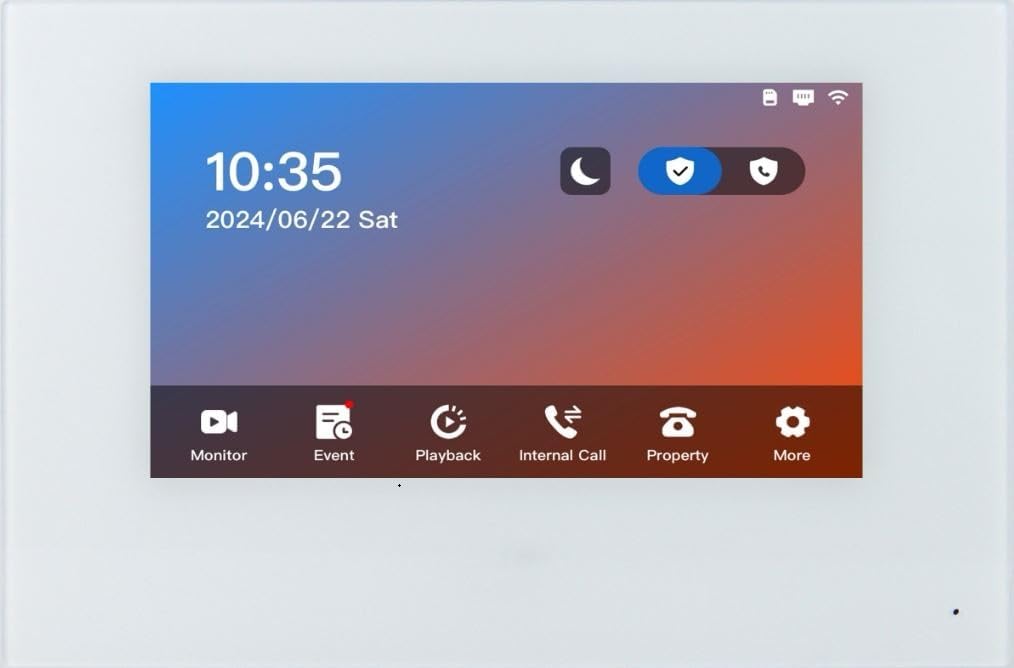
The system consists of an outdoor station (PL963PM) and an indoor monitor (MR930). The outdoor station features a 1080P HD camera, speaker, two call buttons, and a smart keypad. The indoor monitor is a 7-inch touch screen for viewing and interacting with visitors.

4.2. Wiring and Installation
The outdoor station can be powered via 12VDC 1A power adapter (included) or Power over Ethernet (PoE) through a wired Ethernet connection. It includes two integrated SPDT relays to trigger two different remote door locks or gates. An internal normally-open dry-contact relay activates with the press of the 'Bell' button, allowing connection to an existing chime.
The indoor monitor connects wirelessly via Wi-Fi to the system.
4.3. App Configuration
The system is managed through the free DoorDeer app, available for iOS and Android devices. Follow the app's instructions to connect your indoor monitor and outdoor station to your home Wi-Fi network. The app allows for easy setup and management of all system features.
5. Operating the System
5.1. Remote Access and Communication
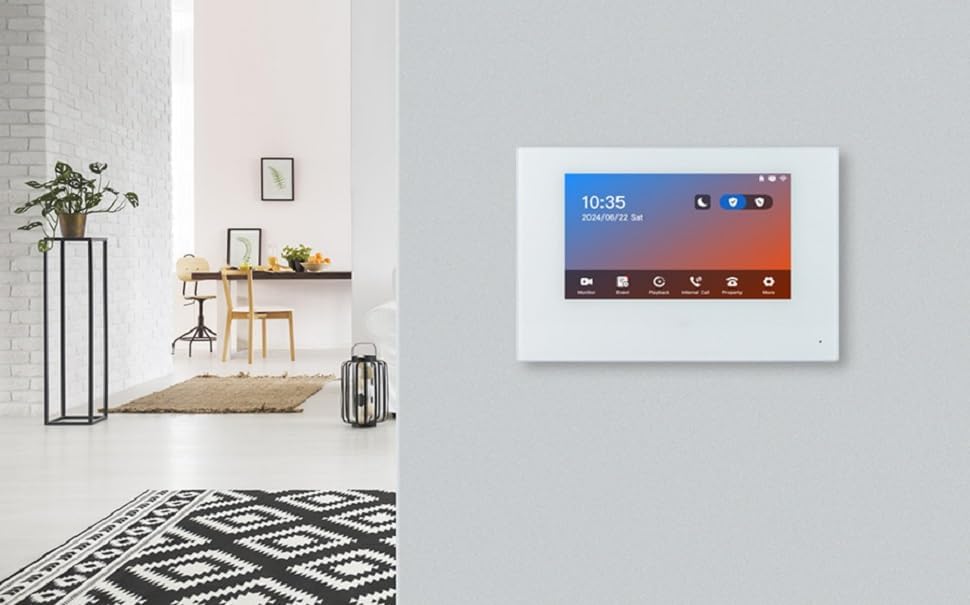
Answer and view callers at your door remotely via your mobile device or indoor monitor. The video IP Doorbell sends push notifications to your smart devices. Engage in two-way audio communication with visitors.
5.2. Smart Keypad and Access Control
The smart keypad allows you to remotely change personal PINs or generate temporary/permanent PIN codes for guests through the app. You can also set your gate to open automatically during specified time periods and days of the week.

5.3. Motion Detection and Event Log
Advanced Motion Detection can be programmed from the app, allowing you to define areas of interest, sensitivity, and active times. An event log of one week can be retrieved through the app or indoor monitor, tracking all events (Ring-in, App unlock, Keypad unlock, Motion Detection) with timeline and video clips.
6. Maintenance
6.1. Cleaning
Regularly clean the brushed aluminum faceplate of the outdoor station with a soft, damp cloth. Avoid abrasive cleaners that could damage the finish. Keep the camera lens clear of dust and debris for optimal video quality.
6.2. Firmware Updates
Periodically check the DoorDeer app for available firmware updates for your devices. Keeping the firmware updated ensures optimal performance, security, and access to new features. Follow the in-app instructions for any update procedures.
7. Troubleshooting
7.1. No Connection to App/Monitor
- Check Power: Ensure the outdoor station and indoor monitor are properly powered.
- Wi-Fi Signal: Verify that both devices are within range of your Wi-Fi network and have a strong signal.
- App Status: Confirm the DoorDeer app is running and logged in on your mobile device.
- Router Settings: Ensure your router is functioning correctly and not blocking device connections.
7.2. Poor Video Quality
- Clean Lens: Gently clean the camera lens on the outdoor station.
- Network Bandwidth: Ensure your Wi-Fi network has sufficient bandwidth for video streaming.
- Lighting: Verify adequate lighting conditions. The illumination LEDs provide clearer night vision.
7.3. Keypad Not Responding
- Power Cycle: Disconnect and reconnect power to the outdoor station.
- Check App Settings: Verify keypad settings and PIN codes are correctly configured in the DoorDeer app.
8. Specifications
| Feature | Detail |
|---|---|
| Brand | GBF |
| Model Number | GBF-PL963PM |
| Video Capture Resolution | 1080p |
| Connectivity Technology | Wireless (Wi-Fi), Wired Ethernet (PoE) |
| Connectivity Protocol | ONVIF |
| Power Source | 12VDC 1A (adapter included) or PoE |
| Material | Aluminum |
| International Protection Rating | IP55 |
| Viewing Angle | 160 Degrees |
| Item Dimensions L x W x H | 8 x 5 x 2 inches |
| Item Weight | 3 Pounds |
| Compatible Devices | Smartphone (iOS/Android) |
9. Warranty Information
The GBF Smart Video Door Phone & Doorbell Intercom System Kit comes with a 1-year manufacturer's warranty. Please retain your proof of purchase for warranty claims.
10. Support
For technical support, troubleshooting assistance, or warranty inquiries, please contact GBF-US directly. Their technical support team is available to help with any questions regarding installation, configuration, or operation of your intercom system.


