
1. Product Overview
The FORGING MOUNT Heavy Duty Long Arm TV Mount is designed to provide a robust and versatile mounting solution for large flat and curved screen televisions. This full-motion bracket offers extensive adjustability, allowing you to optimize your viewing experience from various angles within your space. It is engineered for durability and ease of installation, suitable for both wood stud and solid concrete walls.
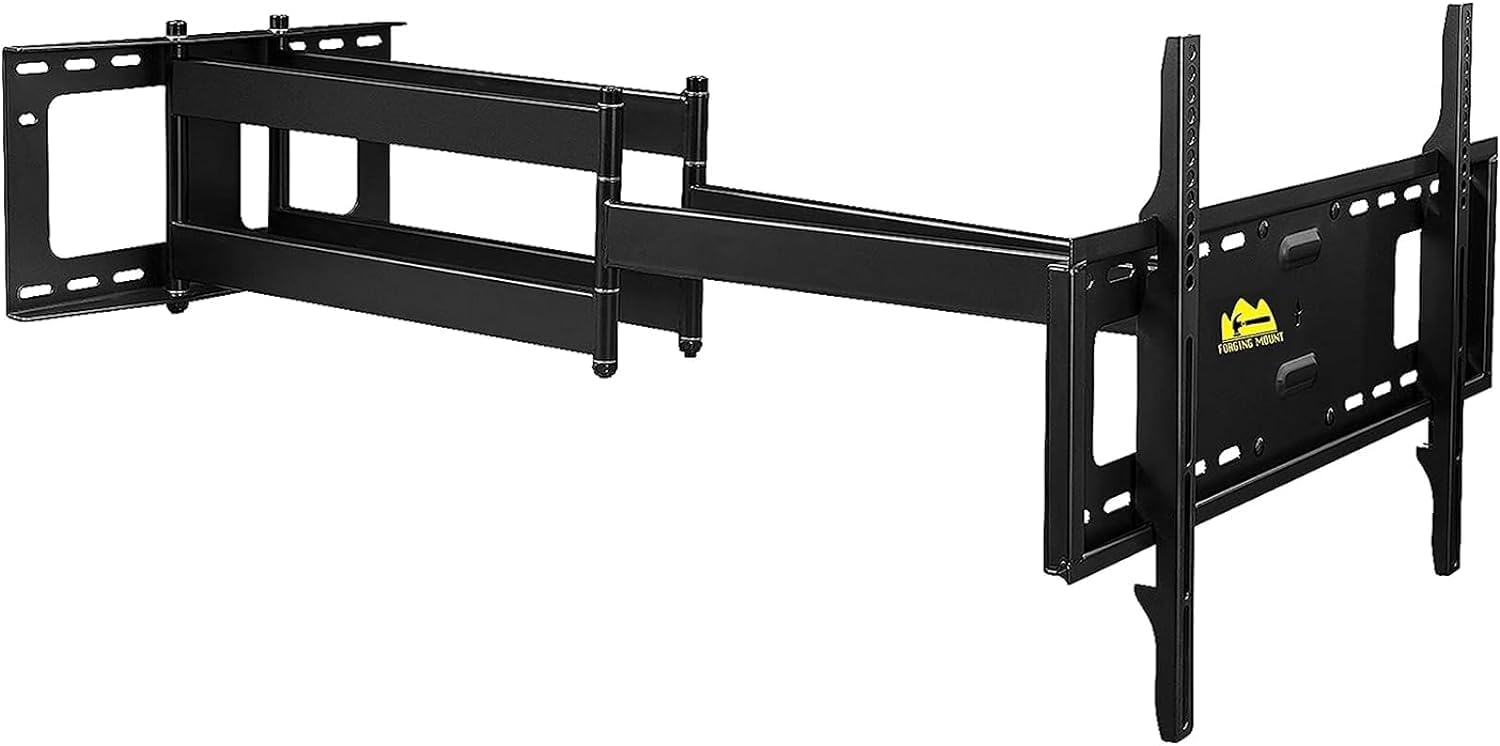
Figure 1.1: The FORGING MOUNT Heavy Duty Long Arm TV Mount in its extended position, showcasing its dual articulating arms.
Key Features:
- Compatibility: Fits most 50-inch to 90-inch Flat/Curve LCD LED OLED TVs.
- Weight Capacity: Supports TVs weighing up to 198 lbs (90 kg).
- VESA Compliance: Compatible with VESA patterns ranging from 100x100mm to 600x400mm.
- Extended Reach: Features a 43-inch articulating arm for maximum versatility and maneuverability, ideal for corner installations or large rooms.
- Full Motion Capabilities: Allows for extension, tilt (+5°/-15°), swivel (up to 130° left to right), and leveling (±4°) adjustments.
- Robust Construction: Equipped with steel dual mounting arms and a reinforced steel frame for enhanced strength and stability.
- Easy Installation: Includes a pre-set drill hole template, a variety of screws, and an easy-to-follow instruction manual.
- Wall Type Compatibility: Designed for installation on 16-inch wood stud walls and solid concrete walls.
- Included Accessories: Comes with a 3-Axis bubble level and 6 cable ties for organized cable management.
2. Specifications
| Specification | Value |
|---|---|
| Brand | FORGING MOUNT |
| Model Number | HY9398-B2 |
| Item Weight | 26 pounds (11.8 kg) |
| Product Dimensions (folded) | Approximately 43 x 26 x 16 inches (109.2 x 66 x 40.6 cm) |
| Country of Origin | China |
| Color | Black |
| Mounting Type | Wall Mount |
| Movement Type | Articulating/Full Motion/Swivel/Tilt |
| Material | Alloy Steel |
| Maximum Compatible TV Size | 90 Inches |
| Minimum Compatible TV Size | 50 Inches |
| Compatible Devices | Television |
| Maximum Tilt Angle | 15 Degrees (downward) |
| UPC | 700961557932 |
3. Compatibility and VESA Information
Before installation, ensure your television is compatible with this mount. Verify your TV's screen size, weight, and VESA mounting pattern.
- TV Size: This mount is designed for TVs between 50 and 90 inches.
- Weight Capacity: The mount can safely hold TVs up to 198 lbs (90 kg). Do not exceed this weight limit.
- VESA Pattern: VESA refers to the distance between the four mounting holes on the back of your TV. This mount supports VESA patterns from 100x100mm up to 600x400mm. Common VESA patterns include:
- 100x100mm
- 200x100mm, 200x200mm
- 300x200mm, 300x300mm
- 400x200mm, 400x300mm, 400x400mm
- 600x200mm, 600x300mm, 600x400mm

Figure 3.1: Illustration of VESA mounting patterns, showing horizontal and vertical screw hole distances on the back of a TV.

Figure 3.2: Visual representation of the compatible TV size range (50"-90") and maximum weight capacity (198 lbs).
4. Installation Guide
This section provides a general overview of the installation process. For detailed, step-by-step instructions, please refer to the official Installation Manual (PDF) provided with your product. It is highly recommended to have two people for safe installation of large TVs.
4.1. Pre-Installation Steps
- Verify Wall Type: This mount is suitable for 16-inch wood stud walls and solid concrete/brick walls. Do not install on drywall alone.
- Locate Studs (for wood stud walls): Use a stud finder to accurately locate the center of your wood studs.
- Determine Mounting Height: Decide on the optimal viewing height for your TV.
- Prepare Tools: Ensure you have all necessary tools, including a drill, level, and measuring tape.
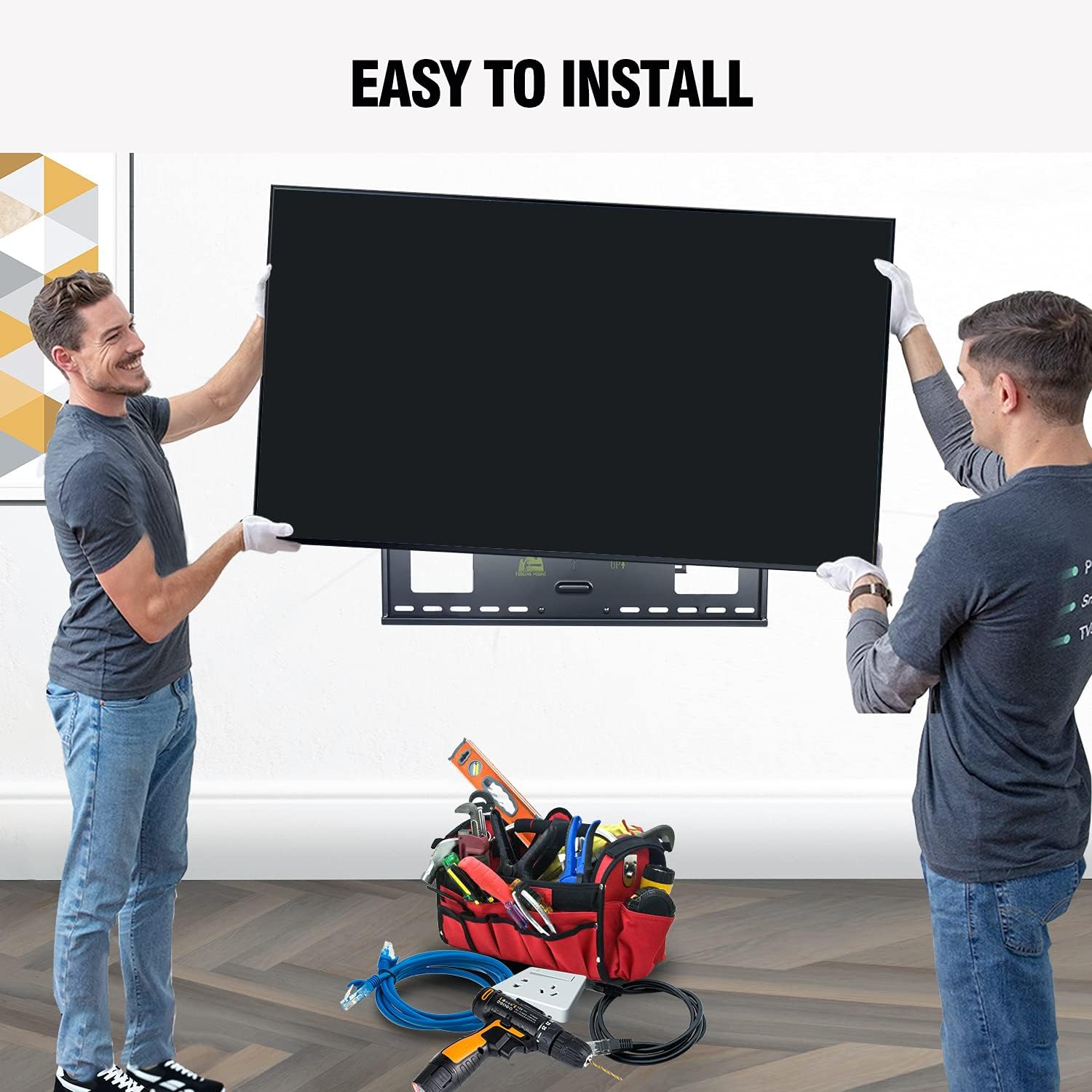
Figure 4.1: Two individuals demonstrating the ease of installation, highlighting the need for assistance with larger TVs.
4.2. Included Hardware
The mount comes with a variety of screws, washers, and spacers to accommodate different TV models and wall types. Always use the correct hardware as specified in the detailed installation manual.

Figure 4.2: Assortment of screws (M4, M6, M8), washers, and spacers provided for TV attachment.
4.3. General Installation Process
- Attach TV Brackets to TV: Secure the vertical TV brackets to the back of your television using the appropriate screws, washers, and spacers provided. Ensure the brackets are centered and level.
- Install Wall Plate: Position the wall plate on your chosen wall location. Use the provided drilling template to mark pilot holes. Drill the holes and secure the wall plate firmly using the lag bolts for wood studs or concrete anchors for concrete/brick walls.
- Hang TV onto Wall Plate: Carefully lift the TV with the attached brackets and hook them onto the wall plate's horizontal bars. Ensure the TV is securely seated.
- Secure Safety Screws: Tighten the safety screws located on the bottom of the TV brackets to prevent accidental dislodgement.

Figure 4.3: Simplified 3-step installation process: (1) Attach the TV Plate, (2) Install the Wall Plate, (3) Hang the TV to Wall Plate.
Video 4.1: An animated guide demonstrating the installation process for the FORGING MOUNT TV mount, including attaching brackets to flat and curved TVs, locating studs, drilling, mounting the wall plate, and hanging the TV.
5. Adjustments and Usage
The FORGING MOUNT TV mount offers a wide range of adjustments to achieve your ideal viewing angle and position.
- Extension: The dual articulating arms allow the TV to extend up to 43 inches (109.2 cm) from the wall, providing significant flexibility for viewing from different areas of a room or for corner mounting. It can also retract to a minimum distance of approximately 4 inches (10.2 cm) from the wall.
- Tilt: Adjust the vertical tilt of your TV from +5° (upward) to -15° (downward) to reduce glare and achieve optimal viewing comfort.
- Swivel: The mount allows for a wide swivel range, up to 130° left to right, enabling you to direct the screen towards your preferred viewing area.
- Leveling: Fine-tune the horizontal level of your TV by ±4° after installation to ensure a perfectly straight display.

Figure 5.1: Visual representation of the mount's extension (43 inches), tilt (+5°/-15°), and retractable features.

Figure 5.2: An example of the full motion TV wall mount enhancing the viewing experience in a living room setting.
6. Maintenance
Regular maintenance ensures the longevity and safe operation of your TV mount.
- Cleaning: Wipe the mount with a soft, dry cloth to remove dust. For stubborn marks, a slightly damp cloth can be used, followed by drying. Avoid abrasive cleaners or solvents.
- Periodic Checks: Every 6-12 months, inspect all screws and bolts to ensure they remain tight. Re-tighten if necessary. Check for any signs of wear or damage to the articulating arms or wall plate.
- Lubrication: The articulating joints are designed for smooth operation. If you notice any stiffness over time, a small amount of silicone-based lubricant can be applied to the pivot points.
7. Troubleshooting
If you encounter issues with your FORGING MOUNT TV mount, refer to the following common problems and solutions:
| Problem | Possible Cause | Solution |
|---|---|---|
| TV is not level after installation. | Minor misalignment during installation or settling. | Use the built-in leveling adjustment (±4°) to correct the tilt. Refer to the detailed manual for specific instructions on adjusting the leveling screws. |
| Mount arms are stiff or difficult to move. | Lack of lubrication or dust accumulation in joints. | Apply a small amount of silicone-based lubricant to the articulating joints. Ensure the joints are clean before application. |
| TV feels unstable or wobbly. | Loose mounting screws or incorrect installation. | Immediately remove the TV from the mount. Re-check all wall plate and TV bracket screws for tightness. Ensure the mount is securely fastened to studs or concrete. Consult the installation manual or a professional if unsure. |
| Cannot achieve desired extension or swivel. | Obstructions or mount positioned too close to a corner/wall. | Ensure there are no physical obstructions preventing full movement. Review your installation location relative to walls or furniture. |
If the problem persists or is not listed here, please contact FORGING MOUNT customer support for assistance.
8. Warranty and Support
FORGING MOUNT products are manufactured with quality and durability in mind. For specific warranty information regarding your Heavy Duty Long Arm TV Mount, please refer to the warranty card included with your product or visit the official FORGING MOUNT brand store.
For further assistance, technical support, or to explore other FORGING MOUNT products, please visit the FORGING MOUNT Store on Amazon.


