
Introduction
This manual provides detailed instructions for the installation, operation, and maintenance of your LiNKFOR SPDIF/TosLink Optical Digital Audio Splitter. This device allows you to connect one optical digital audio source to three optical digital audio receiving devices simultaneously. Please read this manual thoroughly before use to ensure proper functionality and to maximize your product experience.
Product Features
- 1 Input to 3 Output Splitting: Distributes a single optical fiber audio signal to three separate optical digital audio outputs.
- High-Quality Audio Support: Compatible with LPCM2.0, DTS, and Dolby-AC3 audio formats.
- Extended Signal Transmission: Utilizes a high-quality chip for reliable long-distance signal transmission, supporting output distances up to 40 meters with minimal signal loss (less than 0.2dB/m).
- User-Friendly Operation: Features a power LED indicator to clearly display the device's operational status.
- Compact and Durable Design: Small, lightweight, and designed with an integrated 1-meter optical fiber cable for convenient connection. The ABS casing provides excellent anti-interference properties.
- Broad Compatibility: Supports various devices including PS3, STB, Xbox, VHS, VCR, Blu-ray DVD players, HDTVs, and power amplifiers.
Package Contents
Please verify that all items listed below are included in your package:
- 1x LiNKFOR SPDIF/TosLink Optical Digital Audio Splitter (Model 1x3)
- 1x USB Power Cable
- 1x Instruction Manual (this document)
- 1x Product Box

Figure 1: Contents of the LiNKFOR SPDIF/TosLink Optical Digital Audio Splitter package, including the splitter unit, USB power cable, and user manual.
Setup Instructions
Follow these steps to connect your LiNKFOR Optical Digital Audio Splitter:
- Connect the Audio Source: Insert the optical output cable from your audio source device (e.g., HDTV, Blu-ray player, game console) into the single optical input port on the LiNKFOR splitter. Ensure the connection is secure.
- Connect Audio Receiving Devices: Connect up to three optical digital audio cables from the three output ports of the splitter to your desired audio receiving devices (e.g., soundbar, headphones, amplifier, Bluetooth transmitter).
- Provide Power: Connect the supplied USB power cable to the splitter's power input port. Plug the other end of the USB cable into a 5V USB power source, such as a USB port on your TV or a USB wall adapter (not included). The power LED indicator on the splitter will illuminate when power is supplied.
- Verify Connections: Double-check all optical cable connections to ensure they are firmly seated. Loose connections can result in no audio or intermittent sound.

Figure 2: Connection diagram illustrating how to connect an HDTV as the input source and various audio devices as outputs to the splitter. Note that the splitter can be powered via the TV's USB port.

Figure 3: An alternative view of the connection setup, emphasizing the versatility of output options for different audio systems.
Operating Instructions
The LiNKFOR Optical Digital Audio Splitter is designed for simple plug-and-play operation:
- Once all connections are made and the splitter is powered on (indicated by the illuminated LED), turn on your audio source device.
- Ensure your audio receiving devices are also powered on and set to the correct optical input.
- The splitter will automatically distribute the audio signal from your source to all connected output devices. No additional configuration is typically required on the splitter itself.

Figure 4: Example of simultaneous audio output to wireless headphones and a soundbar, demonstrating the splitter's functionality.

Figure 5: The splitter enables private listening through headphones without disturbing others, while also allowing other audio outputs to function.
Troubleshooting
If you encounter issues with your LiNKFOR Optical Digital Audio Splitter, please refer to the following common problems and solutions:
- No Audio Output:
- Ensure the splitter is properly powered. Check if the power LED indicator is illuminated.
- Verify all optical cables are securely connected to both the splitter and your audio devices. Loose connections are a common cause of no sound.
- Confirm that your audio source device is outputting an optical digital audio signal.
- Check the audio settings on your source device (e.g., TV, game console) to ensure the optical output is enabled and the audio format is compatible (LPCM2.0, DTS, Dolby-AC3). Some devices may require specific settings for optical output.
- Ensure your receiving audio devices are set to the correct optical input channel.
- Intermittent Audio or Static:
- Inspect optical cables for damage or kinks. A damaged cable can degrade signal quality.
- Ensure all connections are firm. Even a slight misalignment can cause signal interruption.
- Test with different optical cables if possible to rule out a faulty cable.
- Audio Format Not Supported:
- While the splitter supports LPCM2.0, DTS, and Dolby-AC3, some advanced audio formats (e.g., Dolby Digital Plus, Dolby TrueHD, DTS-HD Master Audio) are not supported. Ensure your source device is configured to output a supported format.
Specifications
| Feature | Description |
|---|---|
| Brand | LiNKFOR |
| Model Number | 1x3 |
| Input | 1x TosLink (Optical Digital Audio) |
| Output | 3x TosLink (Optical Digital Audio) |
| Supported Audio Formats | LPCM2.0, DTS, Dolby-AC3 |
| Max Output Distance | 40 meters (using optical fiber cable with <0.2dB/m loss) |
| Cable Length (Integrated) | Approx. 1 meter (39.37 inches) |
| Power Supply | 5V USB (via included USB power cable) |
| Color | Black |
| Finish | Matte |
| Item Weight | 46 grams |
| Material | ABS Casing |

Figure 6: The compact and lightweight design of the LiNKFOR optical splitter, making it easy to integrate into any audio setup.
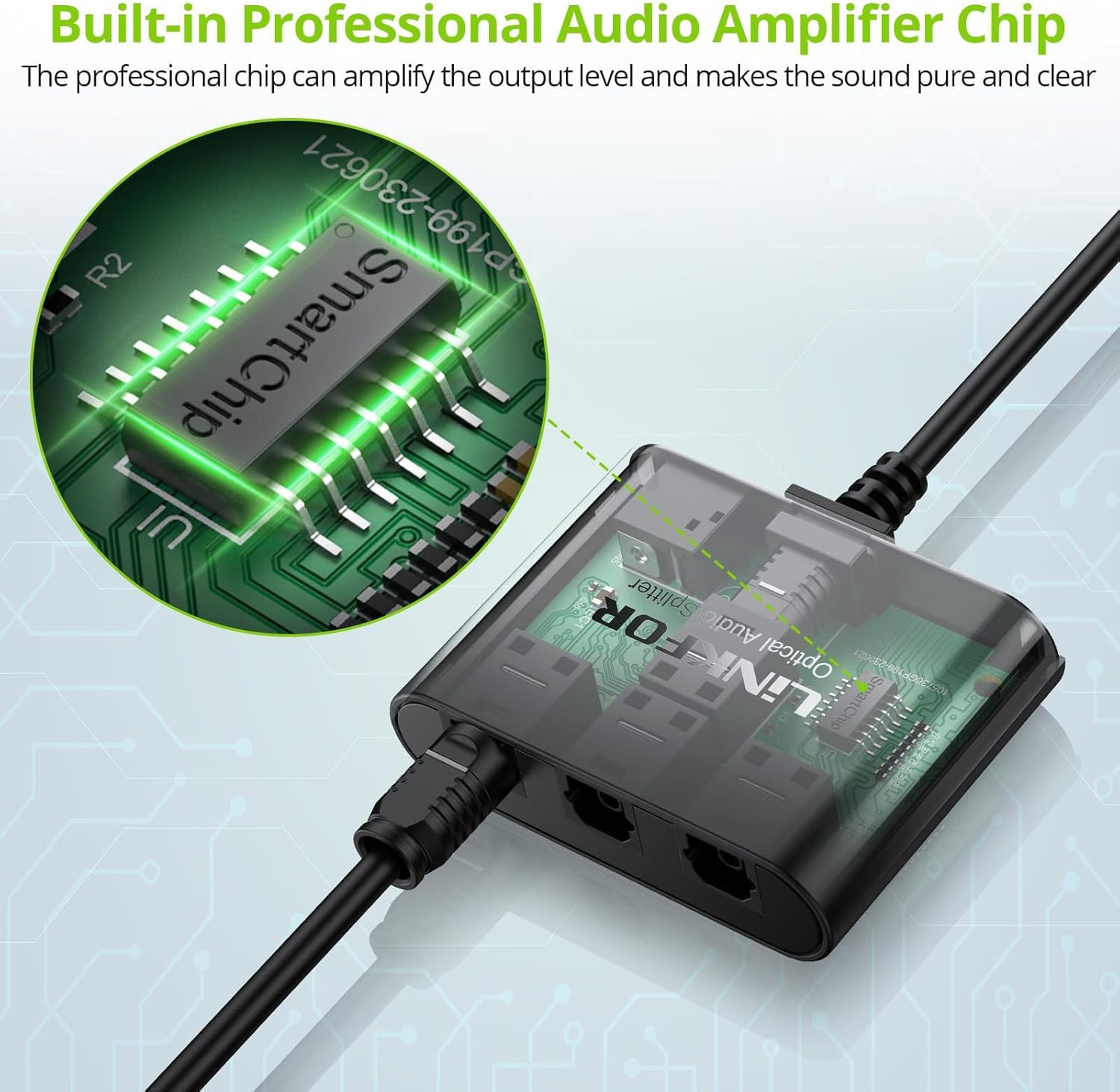
Figure 7: The internal smart chip ensures high-quality audio amplification and clear sound transmission.
Maintenance
To ensure the longevity and optimal performance of your LiNKFOR Optical Digital Audio Splitter, please follow these maintenance guidelines:
- Cleaning: Use a soft, dry cloth to clean the exterior of the device. Do not use liquid cleaners or abrasive materials, as they may damage the finish or internal components.
- Storage: Store the device in a cool, dry place away from direct sunlight, high temperatures, and humidity when not in use for extended periods.
- Cable Care: Avoid bending or kinking the optical cables excessively, as this can damage the fiber optic core and impair signal transmission.
- Connection Integrity: Periodically check all connections to ensure they remain secure and free from dust or debris.
Warranty and Support
LiNKFOR products are designed for reliability and performance. For specific warranty information, please refer to the documentation included with your purchase or contact LiNKFOR customer support directly. If you experience any issues that cannot be resolved using the troubleshooting guide, please reach out to our support team for assistance.
Contact Information: Please visit the official LiNKFOR website or your retailer's support page for the most current contact details.