
FORGING MOUNT HY9398-B
FORGING MOUNT Long Extension TV Mount User Manual
Model: HY9398-B
Brand: FORGING MOUNT
1. Product Overview
The FORGING MOUNT HY9398-B is a heavy-duty, full-motion TV wall mount designed for large flat and curved LCD, LED, and OLED televisions. It features dual articulating arms that provide extensive reach and flexibility, allowing for optimal viewing angles from various positions within a room. This mount is engineered for robust support and ease of adjustment.
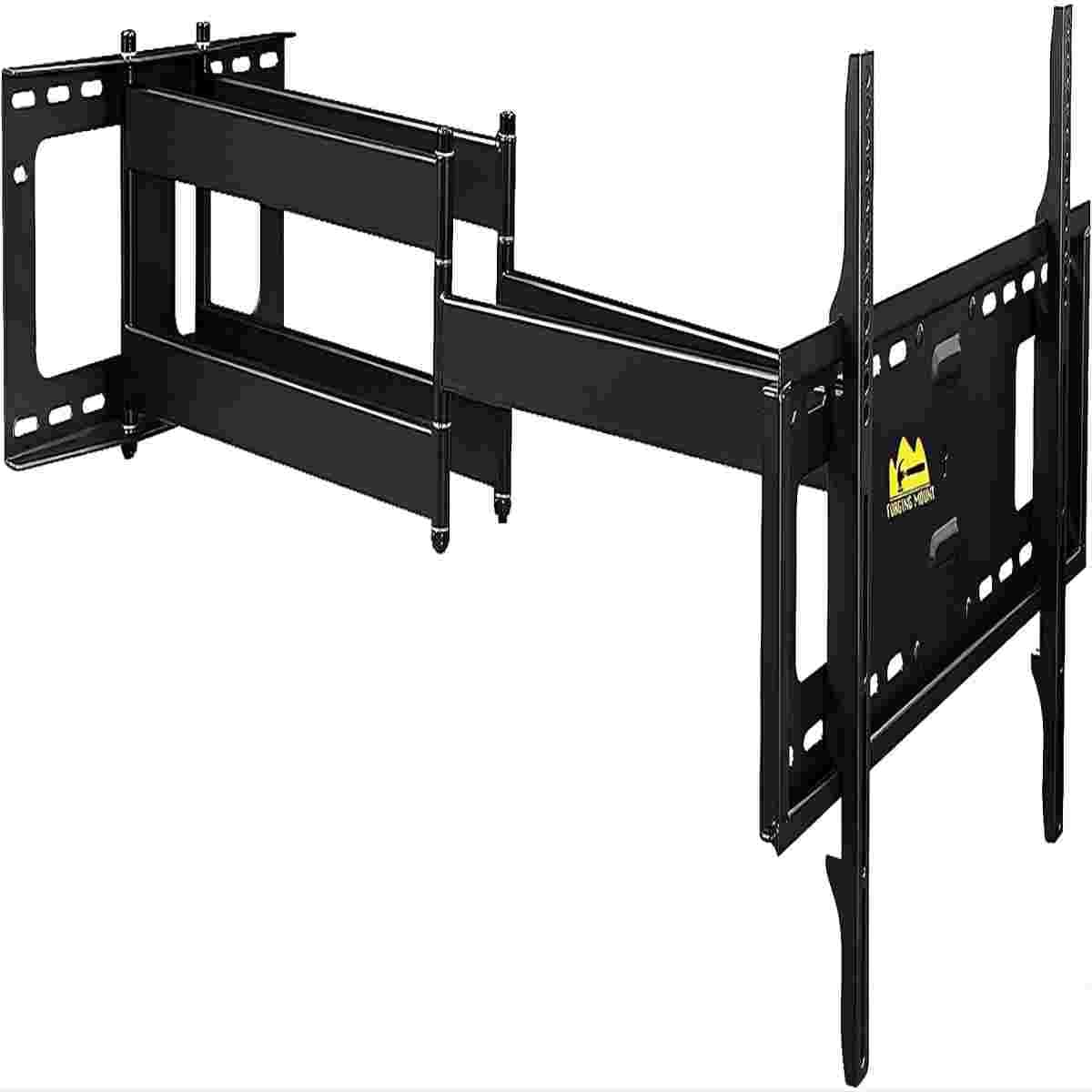
Image: The FORGING MOUNT Long Extension TV Mount, showcasing its dual articulating arm design.
Key Features:
- Extra Long Dual Arm: Extends up to 43 inches from the wall, providing maximum versatility.
- Wide Compatibility: Fits most 50-90 inch flat/curve LCD LED OLED TVs.
- High Weight Capacity: Supports TVs weighing up to 165 lbs (75 kg).
- VESA Compliance: Compatible with VESA patterns from 100x100mm up to 600x400mm.
- Full Motion Adjustments: Allows for tilt, swivel, and leveling adjustments for optimal viewing.
- Robust Construction: Made with high-quality alloy steel for durability and safety.
2. Setup and Installation
2.1 Pre-Installation Checklist
Before beginning installation, ensure you have all necessary tools and that your wall and TV are compatible with this mount.
Required Tools (Not Included):
- Stud Finder
- Drill with appropriate bits (wood/concrete)
- Level
- Phillips Head Screwdriver
- Socket Wrench
- Pencil
- Measuring Tape
Wall Compatibility:
This mount is designed for installation on 16-inch wood stud walls, solid concrete walls, and brick walls. DO NOT install this mount into drywall alone.

Image: Diagram illustrating compatibility with solid concrete walls, wood studs (12-16 inch spacing), and brick walls, along with VESA patterns and maximum load capacity.
TV Compatibility:
Verify your TV's VESA pattern, size, and weight are within the mount's specifications:
- TV Size: 50 to 90 inches
- Max Load: 165 lbs (75 kg)
- VESA Patterns: 100x100, 200x100, 200x200, 300x200, 300x300, 400x200, 400x300, 400x400, 500x300, 600x200, 600x400mm
2.2 Wall Plate Installation
Follow these steps to securely mount the wall plate to your chosen wall type.
For Wood Stud Walls:
- Locate the center of your wood studs using a stud finder. Mark the drilling locations.
- Drill pilot holes at the marked locations.
- Attach the wall plate to the studs using the provided lag bolts and washers. Ensure it is level.
For Concrete or Brick Walls:
- Mark the drilling locations on the concrete/brick wall.
- Drill pilot holes using a masonry drill bit.
- Insert the concrete anchors into the drilled holes.
- Attach the wall plate using the provided lag bolts and washers, ensuring it is level.
2.3 Attaching TV Brackets to TV
Secure the TV brackets to the back of your television.
- Carefully place your TV face down on a soft, clean surface.
- Identify the correct size screws (M4, M6, M8) and spacers for your TV's VESA mounting holes.
- Attach the vertical TV brackets to the back of your TV using the appropriate screws and washers. For curved TVs, use the provided spacers to ensure a flat mounting surface.
2.4 Mounting TV to Wall Plate
With the wall plate and TV brackets installed, you can now mount your TV.
- With assistance, carefully lift the TV and hook the TV brackets onto the horizontal bar of the wall plate.
- Ensure the TV is securely seated on the wall plate.
- Tighten the safety screws located on the bottom of the TV brackets to prevent accidental dislodgement.
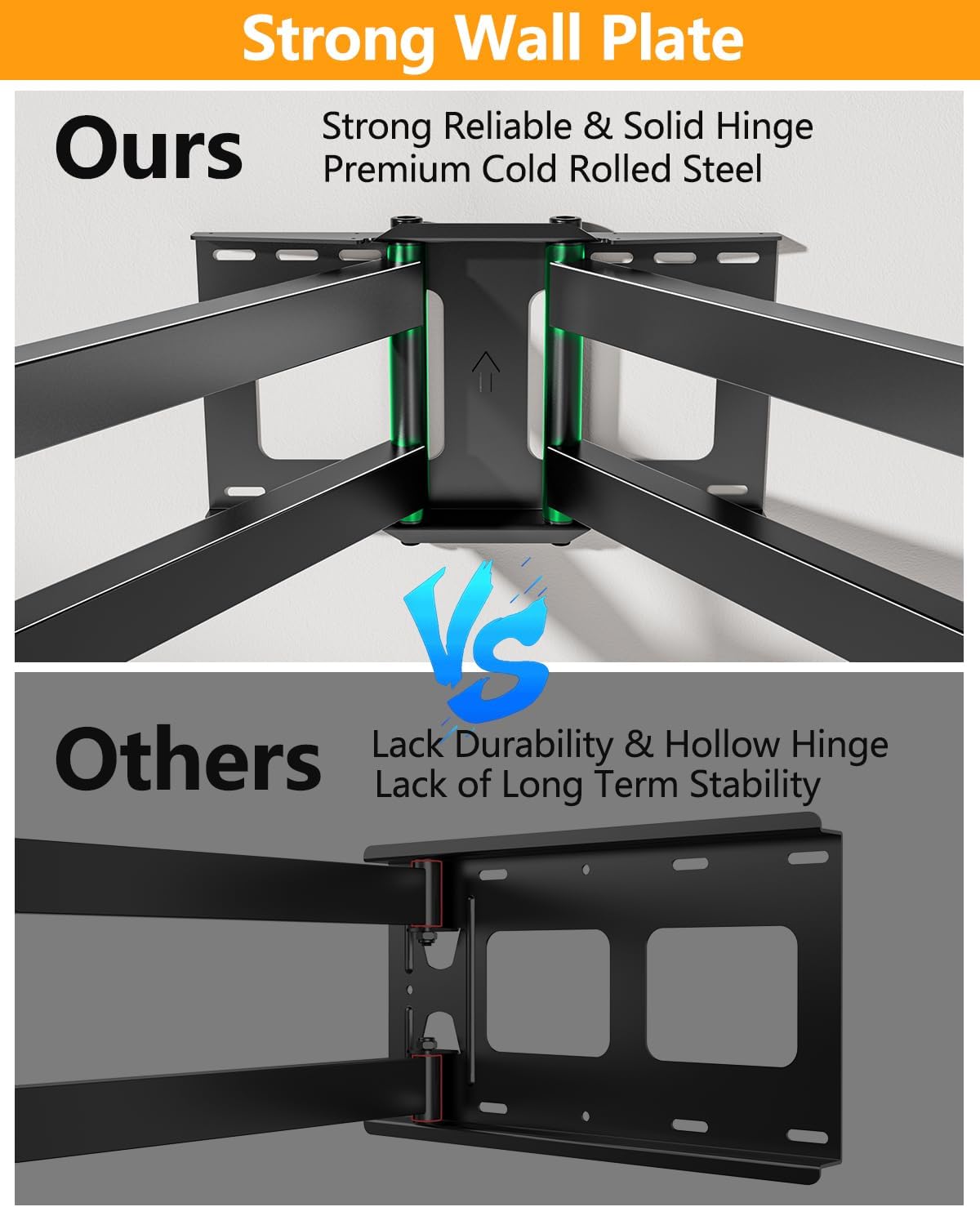
Image: Two individuals carefully lifting and installing a large television onto the mounted wall bracket, demonstrating the ease of installation.
3. Operating and Adjustments
The FORGING MOUNT TV mount offers a range of adjustments to optimize your viewing experience.
3.1 Extension and Retraction
The dual articulating arms allow the TV to extend up to 43 inches from the wall and retract back to a minimum distance of approximately 4 inches. Gently push or pull the TV to achieve the desired distance.

Image: Diagrams illustrating the mount's ability to extend up to 43 inches, tilt (+5°/-10°), swivel 180°, and level ±3°.
3.2 Swivel Adjustment
The mount allows for significant horizontal swivel, up to 180 degrees, providing optimal viewing angles from various positions. The swivel range is approximately +/- 75 degrees from the center for optimal viewing angles.

Image: A large 75-inch TV mounted on the wall, swiveled to the side, demonstrating its ability to turn 90 degrees sideways without hitting the wall.
3.3 Tilt Adjustment
Adjust the vertical tilt of your TV to reduce glare and achieve a comfortable viewing angle. The mount supports a tilt range of +5 degrees up and -10 degrees down.
3.4 Level Adjustment
If your TV appears slightly unlevel after installation, you can make fine adjustments. The mount allows for a level adjustment of +/- 4 degrees.
3.5 Cable Management
Utilize the included cable ties to neatly route and secure cables along the mount arms, ensuring a clean and organized appearance.
3.6 Instructional Videos
For visual guidance on installation and adjustments, please refer to the official product videos:
Video: FORGING MOUNT Dual Arm TV Mount for 42 to 90 Inch Flat/Curve TVs. This video demonstrates the features and basic installation steps for the TV mount.
Video: Dual Long Arm TV mount with 43 inch Extension. This video provides a detailed overview of the mount's long extension capability and full motion features.
4. Maintenance
Regular maintenance ensures the longevity and safe operation of your TV mount.
- Cleaning: Wipe the mount with a soft, dry cloth to remove dust. For stubborn marks, use a slightly damp cloth and mild detergent, then dry thoroughly. Avoid abrasive cleaners or solvents.
- Periodic Checks: Every 6-12 months, check all screws and bolts to ensure they are securely tightened. Pay particular attention to the wall mounting bolts and the screws attaching the TV brackets to the TV.
- Smooth Movement: If the articulating arms become stiff, a small amount of silicone-based lubricant can be applied to the pivot points. Do not use oil-based lubricants as they can attract dust.
5. Troubleshooting
This section addresses common issues you might encounter with your TV mount.
| Problem | Possible Cause | Solution |
|---|---|---|
| TV is not level | Minor misalignment during installation or settling. | Use the built-in level adjustment feature (+/- 4 degrees) to fine-tune the TV's horizontal position. |
| Mount arms are stiff or difficult to move | Lack of lubrication or initial stiffness. | Apply a small amount of silicone-based lubricant to the pivot points. The mount is designed for stability, so some resistance is normal. |
| TV feels unstable or wobbly | Loose mounting bolts or incorrect installation. | Immediately check all wall mounting bolts and TV bracket screws. Ensure they are tightened according to the installation instructions. Verify wall type compatibility. |
| Safety screws on TV brackets are difficult to tighten or seem loose | Misalignment or improper seating of the TV on the wall plate. | Ensure the TV brackets are fully seated on the wall plate bar. Do not overtighten the safety screws, as this can cause damage. If issues persist, re-evaluate the TV hanging step. |
If you encounter an issue not listed here or require further assistance, please contact FORGING MOUNT customer support.
6. Specifications
Detailed technical specifications for the FORGING MOUNT Long Extension TV Mount.
- Brand Name: FORGING MOUNT
- Model Number: HY9398-B
- Item Weight: 9.59 pounds
- Product Dimensions: 43 x 26 x 16 inches (fully extended)
- Color: Black
- Material: Alloy Steel
- Mounting Type: Wall Mount
- Movement Type: Articulating/Full Motion/Swivel/Tilt
- Minimum Compatible TV Size: 50 Inches
- Maximum Compatible TV Size: 90 Inches
- Maximum Load Capacity: 165 lbs (75 kg)
- VESA Compatibility: 100x100mm, 200x100mm, 200x200mm, 300x200mm, 300x300mm, 400x200mm, 400x300mm, 400x400mm, 500x300mm, 600x200mm, 600x400mm
- Maximum Tilt Angle: 12 Degrees (down)
- Swivel Range: Up to 180 degrees (depending on TV size and wall distance)
- Level Adjustment: +/- 4 Degrees
- Extension from Wall: 4 inches (min) to 43 inches (max)
- UPC: 746608619540, 700961557932, 700961557925

Image: Visual representation highlighting the mount's robust load-bearing capacity, indicating a maximum load of 198 lbs (90 KG).
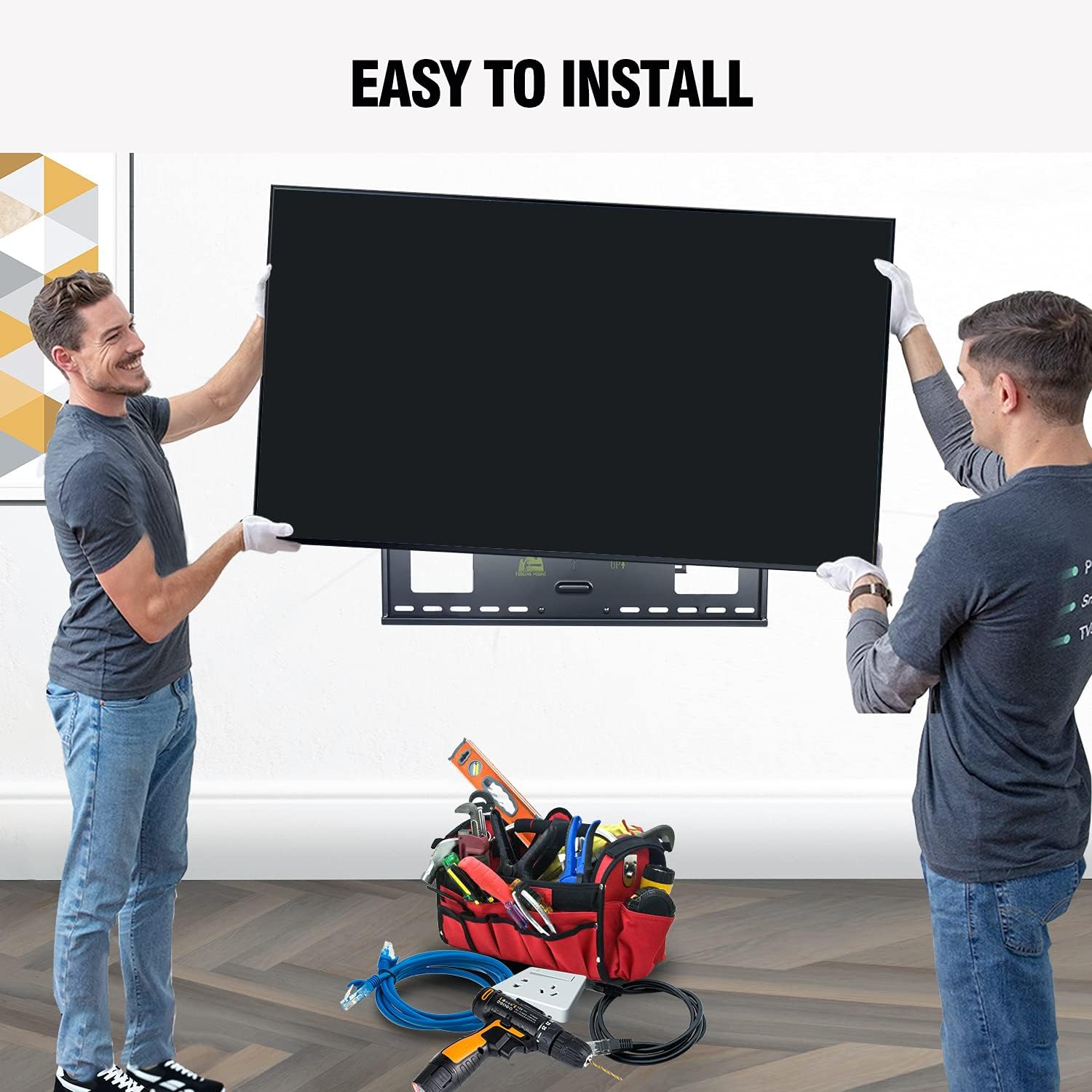
Image: A comparison showing the strong, reliable, and solid hinge of the FORGING MOUNT wall plate versus a hollow hinge design, emphasizing premium cold rolled steel construction.
7. Warranty and Support
FORGING MOUNT is committed to providing high-quality products and customer satisfaction.
7.1 Warranty Information
Specific warranty details for your FORGING MOUNT TV mount are typically included with the product packaging or can be found on the official FORGING MOUNT website. Please retain your proof of purchase for warranty claims.
7.2 Customer Support
For any questions, technical assistance, or support needs regarding your FORGING MOUNT product, please contact our customer service team. You can typically find contact information on the FORGING MOUNT official website or through the retailer where you purchased the product.
When contacting support, please have your product model number (HY9398-B) and purchase details ready to facilitate a quicker resolution.
Related documentsHY9398-B


Ask a question about this manual
Ask about setup, troubleshooting, compatibility, parts, safety, or missing instructions. Manuals+ will review the question and use this page’s manual context to help answer it.