
1. Overview
The Sharper Image Heated Vibrating Massager is designed to provide soothing relief and relaxation for your neck, shoulders, and upper back. It combines adjustable heat therapy with invigorating vibration massage to alleviate muscle tension and promote comfort.
This versatile massager features a soft, quilted plush fabric design that contours to your body, allowing for hands-free operation. With multiple heat levels and massage modes, you can customize your experience for optimal relief.

Image: The Sharper Image Neck + Shoulder Massager, showing the product itself and its retail packaging.
2. Key Features
- Calming Warmth & Vibration: Experience ultimate relaxation with 5 adjustable pulse & heat settings.
- Customizable Massage Modes: Choose from five invigorating massage modes to target aches and pains.
- Indulgent, Luxurious Design: Crafted from premium, soft, quilted plush fabric for comfort.
- Convenient & Portable: Lightweight and compact, ideal for on-the-go relief.
- Safety-First with Auto Shut-Off: Includes a 30-minute automatic shutoff timer for worry-free use.

Image: A woman wearing the massager, illustrating its ergonomic fit and highlighting the warmth and vibration functions.
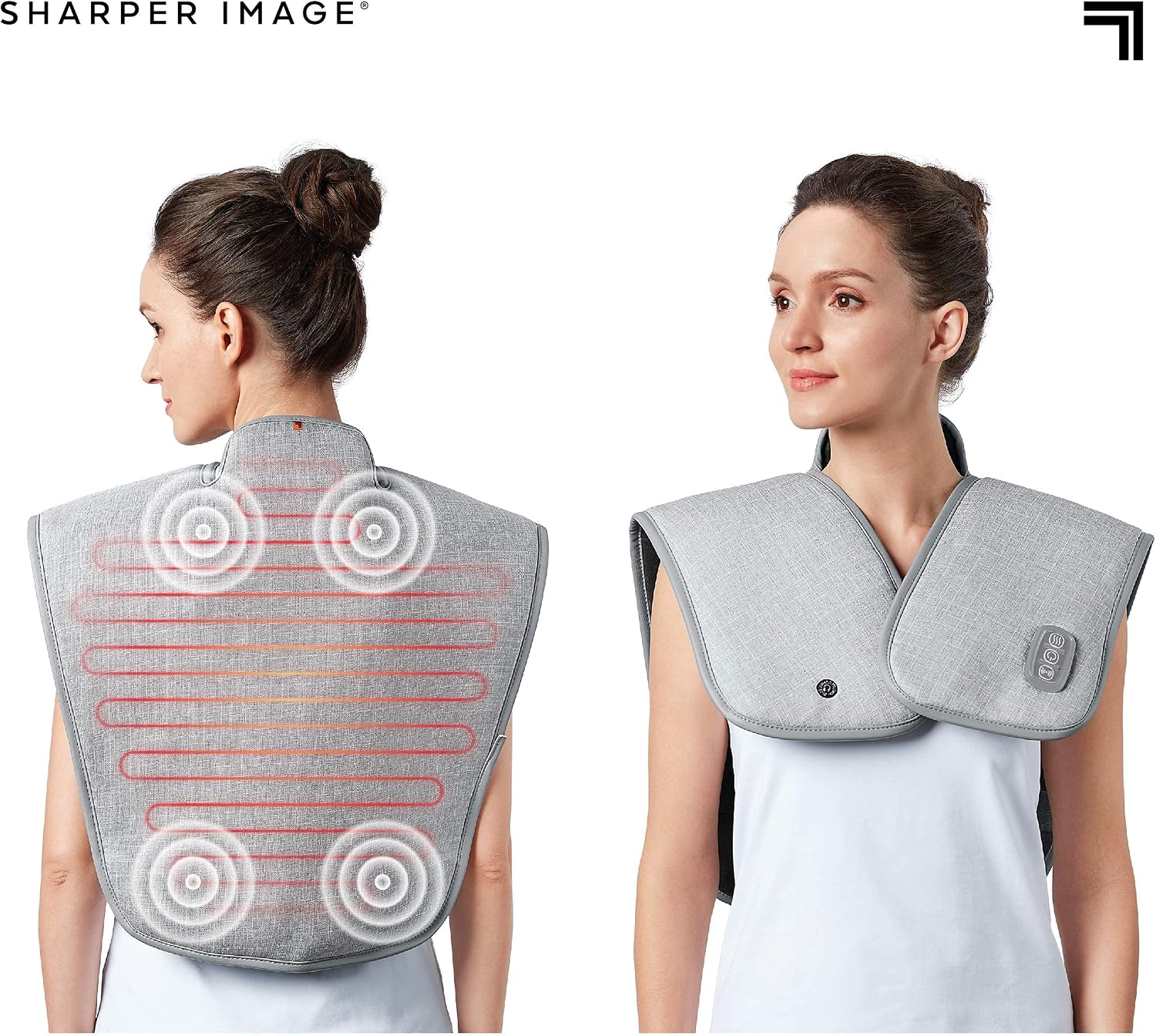
Image: A detailed view of the massager's control panel, showing buttons for heat and massage settings.

Image: A body diagram indicating the heated and vibrating zones of the massager on the neck, shoulders, and upper back.
3. Setup
- Unpack: Carefully remove the massager and all accessories from the packaging.
- Connect Power: Locate the AC adapter. Plug the small end of the adapter into the massager's power port, typically found near the control panel. Plug the other end into a standard electrical outlet.
- Position: Place the massager around your neck and shoulders, ensuring it sits comfortably and covers the desired areas of your upper back.
- Secure: Use the adjustable strap to secure the massager around your torso, ensuring a snug fit for optimal contact with your body.
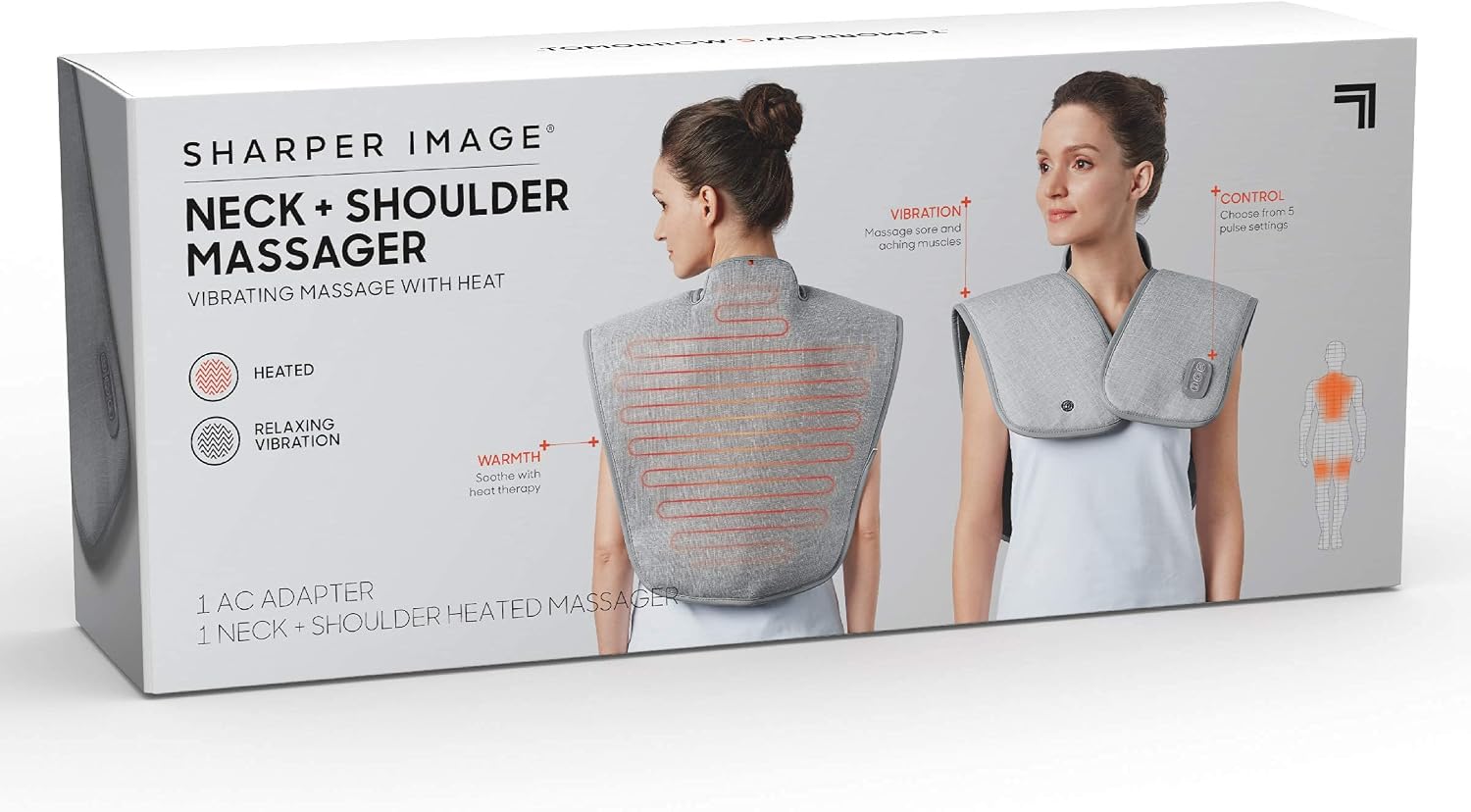
Image: The massager with its AC adapter, demonstrating how to connect it for power.
4. Operating Instructions
The massager features an integrated control panel for easy access to all functions.
- Power On/Off: Press the power button (usually indicated by a circle with a vertical line) to turn the massager on or off.
- Adjust Heat: Press the heat button (often indicated by wavy lines or a temperature icon) to cycle through the available heat levels (e.g., low, medium, high). The indicator light will change to reflect the selected heat intensity.
- Select Massage Mode: Press the massage button (often indicated by vibration waves or a massage icon) to cycle through the five different vibration modes. Each press will change the pattern or intensity of the massage.
- Combine Functions: You can use the heat and massage functions independently or simultaneously for a combined therapeutic experience.
- Automatic Shut-Off: For safety and energy conservation, the massager is equipped with a 30-minute automatic shut-off timer. It will power down automatically after 30 minutes of continuous use.

Image: A user demonstrating comfortable use of the massager while relaxing.
5. Maintenance
To ensure the longevity and cleanliness of your massager, follow these maintenance guidelines:
- Cleaning: Disconnect the massager from the power outlet before cleaning. Use a damp cloth to spot clean the fabric surface. Do not immerse the unit in water or use harsh chemical cleaners. Allow it to air dry completely before storage or next use.
- Storage: When not in use, store the massager in a cool, dry place, away from direct sunlight and extreme temperatures. Avoid placing heavy objects on top of the massager.

Image: The massager folded, illustrating its compact design for easy storage.
6. Troubleshooting
If you encounter any issues with your Sharper Image Heated Vibrating Massager, please refer to the following common solutions:
| Problem | Possible Cause | Solution |
|---|---|---|
| Massager does not turn on. | Not properly plugged in; Power outlet issue; Unit malfunction. | Ensure AC adapter is securely plugged into both the massager and a working electrical outlet. Try a different outlet. If problem persists, contact customer support. |
| No heat or insufficient heat. | Heat setting too low; Unit not fully warmed up; Malfunction. | Increase heat setting. Allow a few minutes for the heating elements to reach full temperature. Ensure the massager is properly positioned. |
| No vibration or weak vibration. | Massage mode not selected; Unit malfunction. | Cycle through massage modes to find desired intensity. Ensure the unit is powered on. |
| Massager turns off unexpectedly. | Automatic 30-minute shut-off activated. | This is a safety feature. Simply press the power button again to restart the massager for another cycle. |
7. Specifications
- Product Dimensions: 18 x 8 x 5 inches
- Item Weight: 2.1 Pounds
- Item Model Number: 1013599
- Manufacturer: MerchSource
- Power Source: Corded Electric
- Material: Plush
- Use For: Body (Neck, Shoulder, Back)
8. Safety Information
- Always disconnect the massager from the power source when not in use or before cleaning.
- Do not use the massager in wet or damp environments.
- Keep out of reach of children.
- Do not use if the power cord or plug is damaged.
- Do not use on open wounds, swollen areas, or skin eruptions.
- Consult a physician before use if you have any medical conditions, including but not limited to heart conditions, pregnancy, or diabetes.
- The 30-minute auto shut-off feature is for safety. Do not attempt to bypass it.
- Statements regarding dietary supplements have not been evaluated by the FDA and are not intended to diagnose, treat, cure, or prevent any disease or health condition. (This is a general disclaimer from the product page, included for completeness as per instructions, though not directly related to massager safety).
9. Warranty and Support
For warranty information or technical support, please refer to the contact details provided on the product packaging or visit the official Sharper Image website. Keep your purchase receipt as proof of purchase for any warranty claims.
Manufacturer: MerchSource