
Introduction
This manual provides detailed instructions for the safe and efficient operation of your Generic KC-808 Bluetooth CD Player. Please read this manual thoroughly before using the device and retain it for future reference.
Package Contents
Verify that all items listed below are included in your package:
- 1 x KC-808 CD Player
- 1 x Power Charger
- 4 x Wall Hanging Panels
- 1 x Remote Control
- 6 x Tripod Screws
- 1 x User Manual
Key Features
- Classic and Elegant Design: Wall-mountable design for aesthetic integration.
- Multiple Playback Modes: Supports CD, CD-R, CD-RW, MP3, and WMA audio files from CD/USB flash disk.
- Bluetooth 4.2 + EDR: Connects wirelessly to Bluetooth-enabled devices for audio streaming.
- FM Radio: Built-in FM tuner for radio reception.
- USB/MP3 Player: Play music directly from a USB flash drive.
- AUX Input/Output: 3.5mm audio jack for connecting external audio sources or outputting to other speaker systems.
- Remote Control: Convenient operation from a distance.
- High-Fidelity Audio: Dual speakers with digital amplifier output for rich, clear sound.
Setup Guide
1. Wall Mounting (Optional)
- Choose a suitable location on a wall for mounting.
- Use the provided wall hanging panels and screws to securely attach the player to the wall. Ensure it is level and stable.
2. Power Connection
- Connect the power charger to the DC input port on the CD player.
- Plug the power charger into a standard electrical outlet.
- The device is now ready for operation.
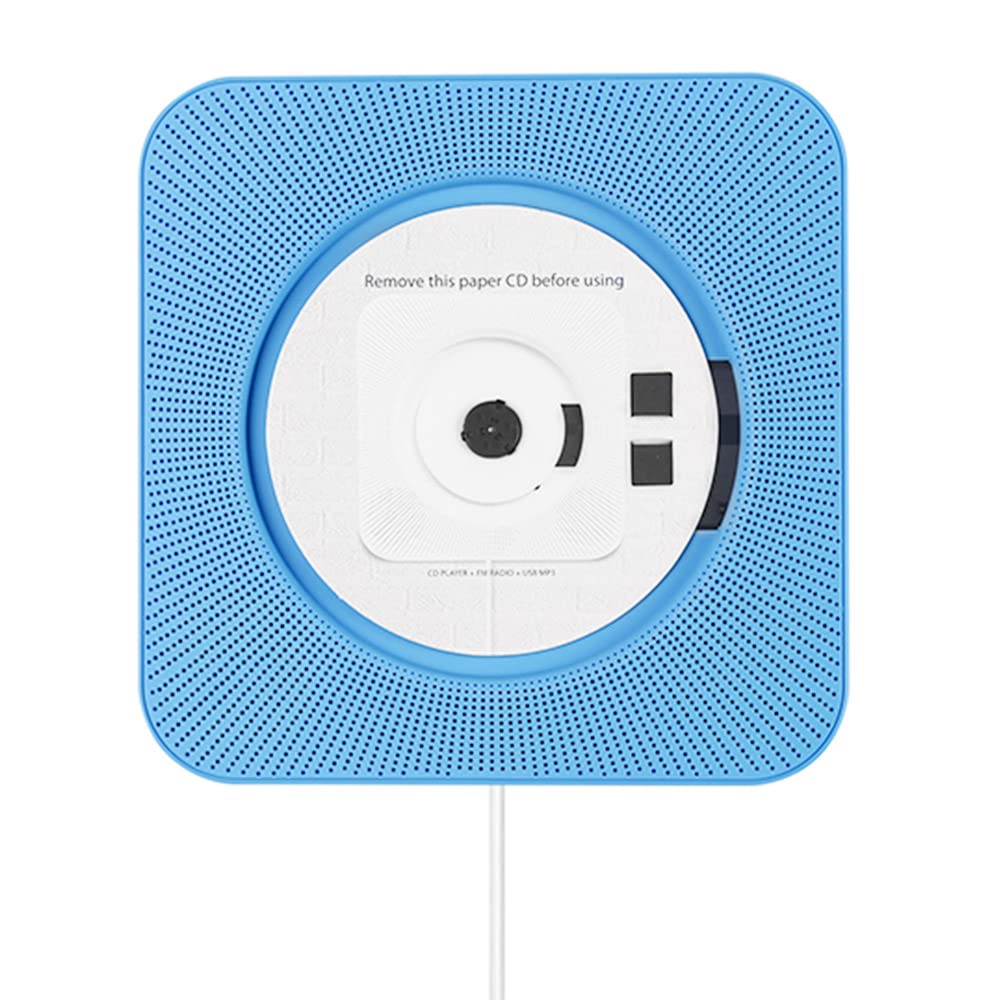
Image: Front view of the KC-808 CD Player, illustrating its compact design and main interface.
Operating Instructions
1. Power On/Off
Pull the power cable gently to turn the device ON or OFF. Alternatively, use the power button on the remote control.
2. CD Playback
- Insert a CD (CD, CD-R, CD-RW) into the CD slot. The player will automatically detect and begin playback.
- Use the PLAY/PAUSE, NEXT, and PREVIOUS buttons on the device or remote control to manage playback.
3. Bluetooth Mode
- Press the MODE button on the device or remote control to switch to Bluetooth mode. The display will show "BT".
- Enable Bluetooth on your external device (e.g., smartphone, tablet) and search for "KC-808".
- Select "KC-808" to pair. Once connected, you can stream audio from your device.
4. FM Radio
- Press the MODE button to select FM radio mode.
- Press the PLAY/PAUSE button to auto-scan and save available FM stations.
- Use the NEXT and PREVIOUS buttons to navigate through saved stations.
5. USB/MP3 Playback
- Insert a USB flash drive containing MP3 or WMA audio files into the USB port.
- The player will automatically switch to USB mode and begin playback.
- Use the playback controls as with CD mode.
6. AUX Input/Output
- AUX Input: Connect an external audio device (e.g., smartphone, MP3 player) to the 3.5mm AUX IN port using an audio cable. Switch the player to AUX mode.
- AUX Output: Connect the 3.5mm AUX OUT port to an external speaker system or headphones for enhanced audio.
7. Remote Control
The included remote control allows for convenient operation of all functions from a distance. Ensure the remote has working batteries and is pointed towards the player's sensor.
Maintenance
- Cleaning: Use a soft, dry cloth to clean the exterior of the player. Do not use liquid cleaners or abrasive materials.
- CD Care: Handle CDs by their edges. Clean dirty CDs with a soft, lint-free cloth, wiping from the center outwards.
- Storage: When not in use for extended periods, unplug the device and store it in a cool, dry place.
Troubleshooting
| Problem | Possible Cause | Solution |
|---|---|---|
| No power | Power cable not connected; outlet not working. | Ensure power cable is securely connected and the outlet is functional. |
| CD not playing | CD is dirty, scratched, or inserted incorrectly; unsupported disc format. | Clean the CD, check for scratches, reinsert correctly. Ensure it's a supported format (CD, CD-R, CD-RW, MP3, WMA). |
| Bluetooth not connecting | Device not in Bluetooth mode; external device Bluetooth off; too far from player. | Switch player to BT mode. Enable Bluetooth on external device. Move closer to the player. |
| Poor FM reception | Weak signal; interference. | Adjust the player's position. Try auto-scanning again. |
| Remote control not working | Dead batteries; obstruction between remote and player. | Replace batteries. Remove any obstructions. Ensure remote is pointed at the sensor. |
Specifications
- Model: KC-808
- Bluetooth Version: 4.2 + EDR
- Supported Disc Formats: CD, CD-R, CD-RW
- Supported Audio Formats (USB): MP3, WMA
- Connectivity: Bluetooth, FM Radio, USB, 3.5mm AUX In/Out
- Speaker Output: High-fidelity digital amplifier with dual speakers
- Dimensions: 18.8 cm x 18.8 cm x 3.2 cm (approximately 7.4 x 7.4 x 1.3 inches)
- Power Source: AC/DC Adapter (Charger included)
Warranty and Support
For warranty information or technical support, please refer to the documentation provided at the time of purchase or contact your retailer. Keep your proof of purchase for any warranty claims.


