
Lasko 1827
Lasko 18" Oscillating Pedestal Fan and 20" High Velocity Floor Fan Instruction Manual
Comprehensive instruction manual for the Lasko 18-inch Oscillating Pedestal Fan (Model 1827) and 20-inch High Velocity Floor Fan (Model 2264QM), covering setup, operation, maintenance, and specifications.
Product Overview
This bundle includes two distinct Lasko fans designed for efficient air circulation in various home environments: the 18-inch Elegance & Performance Adjustable Pedestal Fan (Model 1827) and the 20-inch High Velocity QuickMount Floor Fan (Model 2264QM).

Image: The Lasko 18-inch Oscillating Pedestal Fan and 20-inch High Velocity Floor Fan, shown together as a bundle.
18" Oscillating Pedestal Fan (Model 1827)
- Adjustable Height: From 38 inches to 54.5 inches.
- Speed Settings: 3 quiet, energy-efficient speeds.
- Oscillation: 60-degree oscillation for widespread air circulation.
- Tilt-back Fan Head: Provides full room coverage.
- Safety: Features Lasko's patented Blue Plug™ safety fuse technology and ETL safety listing.

Image: The Lasko 18-inch Oscillating Pedestal Fan in black, standing upright.

Image: Visual representation of the Lasko 18-inch Pedestal Fan's key features: adjustable height up to 55 inches, 3 speed settings (Low, Medium, High), and widespread oscillation.
20" High Velocity Floor Fan (Model 2264QM)
- Powerful Air Movement: Equipped with 3 powerful speeds and metal fan blades.
- QuickMount System: Easily converts from floor to wall mount for versatile placement.
- Pivoting Fan Head: Directs airflow and circulation precisely where needed.
- Durable Construction: Made with durable steel.
- Portability: Features a built-in carry handle and rubber pads to protect surfaces.
- Safety: ETL safety listing and Lasko's patented Blue Plug™ safety fuse technology.

Image: The Lasko 20-inch High Velocity Floor Fan in black, designed for floor use.
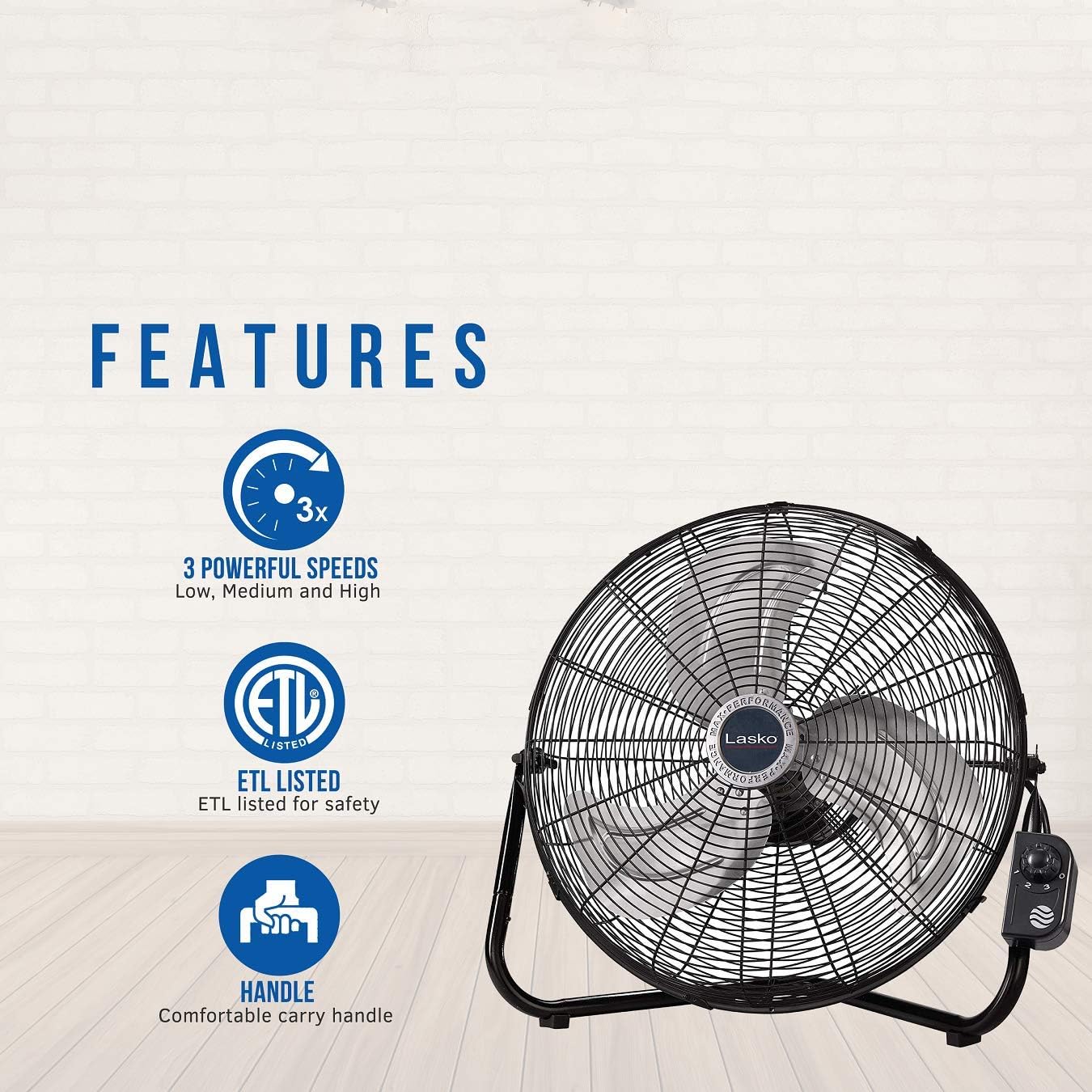
Image: Visual representation of the Lasko 20-inch Floor Fan's key features: 3 powerful speeds, ETL listed for safety, and a comfortable carry handle.
Setup Instructions
18" Oscillating Pedestal Fan (Model 1827)
This pedestal fan is designed for simple, no-tools assembly. Follow the instructions provided in the packaging for quick setup.
Image: The Lasko 18-inch Pedestal Fan, fully assembled and ready for use.
20" High Velocity Floor Fan (Model 2264QM)
This high velocity floor fan also features simple, no-tools assembly. The main fan unit comes pre-assembled. You will primarily need to attach the stand and the control panel.
- Attach the Stand: The fan comes with a U-shaped stand. Align the pins on the stand with the corresponding holes on the fan's frame. Push the pins in and snap the stand into place on both sides.
- Attach the Control Panel: The control panel is a separate unit. It attaches to the side of the fan's frame. Unscrew the pre-inserted screw from the control panel, align the panel with the designated slot on the fan frame, and re-insert the screw to secure it.
Image: The Lasko 20-inch High Velocity Floor Fan, fully assembled and ready for use.

Image: The Lasko 20-inch Floor Fan demonstrating its QuickMount feature for easy conversion to a wall-mounted fan.
Operating Instructions
18" Oscillating Pedestal Fan (Model 1827)
- Power On/Off: Use the control buttons located on the fan's pole to turn the fan on or off.
- Speed Adjustment: Select from 3 quiet speeds (Low, Medium, High) using the control buttons.
- Oscillation: Activate the 60-degree oscillation feature to circulate air across a wider area. The oscillation control is typically a push-button or lever located on the motor housing at the back of the fan head.
- Height Adjustment: Adjust the fan's height from 38 to 54.5 inches by loosening the height adjustment collar on the pole, setting the desired height, and then tightening the collar.
- Tilt Function: Manually tilt the fan head up or down to direct airflow.
20" High Velocity Floor Fan (Model 2264QM)
- Power On/Off & Speed Adjustment: Use the rotary knob on the front-mounted control panel to turn the fan on/off and select one of the 3 powerful speeds.
- Pivoting Head: Manually adjust the angle of the fan head to direct air flow. The durable construction allows for stable positioning.
- QuickMount Conversion: To convert to a wall-mounted fan, detach the fan from its floor stand and secure it to a compatible wall bracket (sold separately or included with specific models).
Maintenance
Regular cleaning ensures optimal performance and longevity of your Lasko fans.
General Cleaning Tips:
- Always unplug the fan from the power outlet before cleaning.
- Use a soft cloth to gently wipe the exterior surfaces of the fan.
- For dust accumulation on the fan blades or inside the grille, use a vacuum cleaner with a brush attachment or compressed air.
Specific Cleaning for Pedestal Fan (Model 1827):
The front grille of the pedestal fan is designed to be easily removable for cleaning. Simply pop off the front cover to access the blades and interior for thorough cleaning.
Specific Cleaning for Floor Fan (Model 2264QM):
The front grille of the floor fan can be removed by flipping up the clips around the edge or by unscrewing any retaining screws. This allows for easy access to the blades for cleaning. Ensure all parts are dry before reassembling.
Troubleshooting
No specific troubleshooting information is provided in the product details. For any issues, please refer to the full instruction manual included with your product or contact Lasko customer support.
Specifications
| Feature | 18" Pedestal Fan (Model 1827) | 20" Floor Fan (Model 2264QM) |
|---|---|---|
| Brand | Lasko | Lasko |
| Color | Black | Black |
| Power Source | Corded Electric | Corded Electric |
| Number of Speeds | 3 Quiet Speeds | 3 Powerful Speeds |
| Special Features | Oscillating, Adjustable Height, Tilt-back Head | High Velocity, QuickMount (Floor/Wall), Pivoting Head, Carry Handle |
| Safety Certification | ETL Listed, Blue Plug™ Technology | ETL Listed, Blue Plug™ Technology |
| Dimensions (Approx.) | Adjustable Height 38"-54.5" | 22"D x 22"W x 7"H |
Related documents1827


Ask a question about this manual
Ask about setup, troubleshooting, compatibility, parts, safety, or missing instructions. Manuals+ will review the question and use this page’s manual context to help answer it.