
1. Introduction
This manual provides instructions for the proper use and installation of ReplacementScrews stand screws, specifically designed for the Samsung QN55Q7FNA television model. These screws are intended to securely attach the original factory stand or legs to your television.
Please read these instructions carefully before proceeding with the installation to ensure correct assembly and to prevent damage to your television or the screws.
2. Safety Information
- Always ensure the television is powered off and unplugged from the electrical outlet before beginning any installation.
- Work on a clean, flat, and stable surface to prevent the television from falling or being scratched.
- Handle screws carefully to avoid dropping or losing them. Small parts can be a choking hazard for children.
- Important: These screws are designed exclusively for attaching the original factory stand or legs to your Samsung QN55Q7FNA television. They are not suitable for universal stands or wall mounting applications, which require different types and sizes of fasteners. Using incorrect screws can lead to instability and damage.
- Do not overtighten screws, as this can strip the threads or damage the television's casing. Tighten until snug.
3. Package Contents
Verify that all components are present in your package:
- 8 x Black Self-Tapping Machine Screws (M6 x 25mm)
These screws are black oxide plated for corrosion resistance and to match the television's aesthetic.

Image: A set of eight black M6 screws, designed for attaching a television stand.
4. Installation Instructions
Follow these steps to attach the original factory stand to your Samsung QN55Q7FNA television:
- Prepare the TV: Carefully place your Samsung QN55Q7FNA television face down on a soft, clean, and stable surface (e.g., a blanket or foam padding) to protect the screen. Ensure the TV is unplugged.
- Identify Stand Attachment Points: Locate the screw holes on the back of your television where the stand or legs are to be attached. Refer to your Samsung TV's original manual for specific stand assembly instructions if needed.
- Position the Stand: Align the original factory stand or legs with the corresponding attachment points on the back of the television.
- Insert Screws: Insert the provided black M6 self-tapping machine screws into the designated holes, passing through the stand and into the television's mounting points.
- Tighten Screws: Using an appropriate screwdriver (typically a Phillips head), carefully tighten each screw. Tighten until the stand is firmly secured to the television and there is no wobble. Do not overtighten.
- Verify Stability: Once all screws are tightened, gently lift the television with the attached stand and place it upright on a stable surface. Ensure the stand is securely attached and the television is stable before connecting power or other cables.
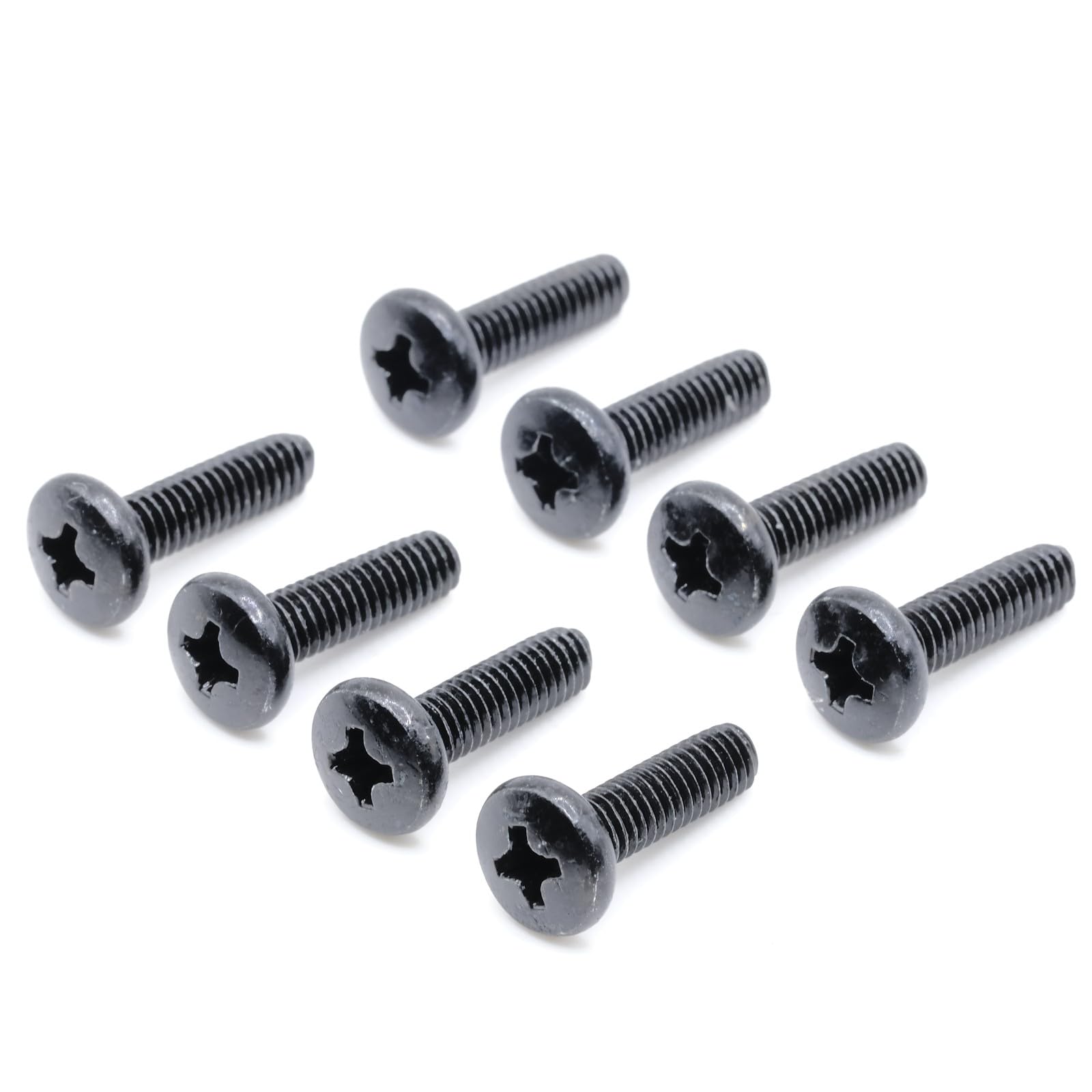
Image: A single black M6 screw, showing the Phillips head for easy installation.
5. Maintenance
To ensure the long-term stability of your television stand:
- Periodically check the tightness of the stand screws. If any feel loose, gently tighten them.
- Keep the screws clean and free from dust or debris. A soft, dry cloth can be used for cleaning.
6. Troubleshooting
- Screws do not fit: Double-check that your television model is indeed a Samsung QN55Q7FNA. These screws are specifically designed for this model's original stand. If the model matches and screws still do not fit, contact ReplacementScrews customer support.
- Screws feel loose after tightening: Ensure you are using the correct screwdriver size to avoid stripping the screw head. If the threads appear damaged, do not force the screw. Contact customer support for assistance.
- Missing screws: If your package arrived with fewer than eight screws, please contact ReplacementScrews customer support immediately for a replacement.
7. Specifications
| Feature | Detail |
|---|---|
| Product Type | TV Stand Replacement Screws |
| Compatibility | Samsung QN55Q7FNA (QN55Q7FNAFXZA) Original Factory Stand |
| Quantity | 8 screws per set |
| Fastener Size | M6 x 25mm |
| Thread Size | M6 |
| Material | Alloy Steel |
| Exterior Finish | Black Oxide |
| Head Style | Flat (Phillips drive) |
| Thread Type | Fine thread-forming tri-lobe machine screws (Unified National Coarse - UNC) |
8. Warranty Information
For specific warranty details regarding your ReplacementScrews product, please refer to the information provided at the time of purchase or contact ReplacementScrews directly. Warranty terms typically cover manufacturing defects.
9. Customer Support
If you have any questions, require assistance with installation, or need to report an issue with your ReplacementScrews product, please contact our customer support team. You can typically find contact information on the product packaging or through the seller's storefront on the platform where the purchase was made.
For more information about ReplacementScrews products, visit the ReplacementScrews Store.