
1. Introduction
This manual provides essential information for the proper installation and use of ReplacementScrews stand/legs screws designed for the ONN 100012587 television model. Please read these instructions carefully before proceeding with installation to ensure correct and secure attachment of your TV stand.
2. Product Overview
The ReplacementScrews kit provides a complete set of screws specifically designed for attaching the original factory stand or legs to your ONN 100012587 television. This kit includes four black machine screws, which are metric and precisely sized for compatibility.
- Complete Screw Set: Contains four metric machine screws for attaching the original factory legs/stand.
- Correct Size and Thread: Screws are precisely sized and threaded to be fully compatible with the ONN 100012587 base stand/legs. They are fine-threaded for pre-threaded metal holes or inserts.
- Black Oxide Plating: Features black oxide plating for corrosion resistance and a matching aesthetic with the TV.
- Quality Construction: Designed to be robust, preventing stripping or breakage during installation, ensuring a secure attachment.
- Specific Use: Intended exclusively for original factory stands/legs. Not suitable for universal stands or wall mounting.

Image 2.1: The set of four black machine screws included in the kit. These screws feature a Phillips head and an integrated washer.
3. Setup and Installation
Follow these steps to correctly install the stand/legs onto your ONN 100012587 television using the provided screws.
- Verify TV Model: Before starting, confirm that your television's model number is 100012587. This information is typically found on a label on the back of your TV. These screws are specifically designed for this model.
- Prepare the TV: Carefully place your TV screen-down on a soft, clean, and stable surface (e.g., a blanket or foam padding) to prevent scratches or damage. Ensure the surface is large enough to support the TV safely.
- Position the Legs: Align each TV leg or stand component with the corresponding mounting holes on the back or bottom of the television. Ensure the legs are oriented correctly according to your TV's original design.
- Insert Screws: Insert one of the provided black machine screws into each designated screw hole. The kit includes four screws, one for each primary attachment point.
- Tighten Screws: Using a Phillips head screwdriver, carefully tighten each screw. Turn clockwise until snug. Do not overtighten, as this can strip the threads or damage the TV's casing. The screws should hold the legs firmly without wobbling.
- Check Stability: Once all screws are tightened, gently lift the TV and place it upright on a flat, stable surface. Lightly push on the top corners of the TV to ensure the stand is stable and does not wobble.
Important Note:
- Compatibility: These screws are exclusively for the original factory stand/legs of the ONN 100012587 TV. They are not designed for universal TV stands or wall mounting brackets, which typically require different screw types and sizes.
- Screw Quantity: This kit provides four screws. Some TV models, including certain ONN 100012587 variations, may require six screws for their stand. Please verify the exact number of screws needed for your specific TV stand configuration before installation. If your stand requires more than four screws, additional screws may need to be acquired separately.

Image 3.1: Top-down view of the four screws, highlighting the Phillips head design for easy installation.
4. Operating Instructions
As these are replacement screws for a TV stand, there are no specific "operating" instructions. Once correctly installed, the screws function to securely hold the TV stand in place, allowing the television to be safely positioned on a flat surface.
5. Maintenance
Minimal maintenance is required for these screws. To ensure long-term stability:
- Periodic Check: Periodically inspect the screws to ensure they remain tight. If any screw feels loose, gently tighten it with a Phillips head screwdriver.
- Cleaning: If necessary, wipe the screws with a dry, soft cloth to remove dust. Avoid using harsh chemicals or abrasive cleaners, which could damage the black oxide finish.
- Storage: If the screws are removed for any reason, store them in a dry place to prevent corrosion.
6. Troubleshooting
| Problem | Possible Cause | Solution |
|---|---|---|
| Screws do not fit or are too small. | Incorrect TV model or incompatible stand. |
|
| Screws are too loose or strip easily. | Overtightening or damaged threads. |
|
| Stand is wobbly after installation. | Screws not fully tightened or incorrect number of screws used. |
|

Image 6.1: A close-up view of the screws, showing their threaded design and integrated washer.
7. Specifications
| Feature | Detail |
|---|---|
| Product Type | TV Stand/Legs Replacement Screws |
| Compatibility | ONN TV Model 100012587 (Original Factory Stand/Legs Only) |
| Quantity | 4 screws per set |
| Screw Type | Machine Screw |
| Thread Size | M4 |
| Head Style | Phillips |
| Exterior Finish | Black Oxide |
| Point Style | Pointed |
| Manufacturer | ReplacementScrews |
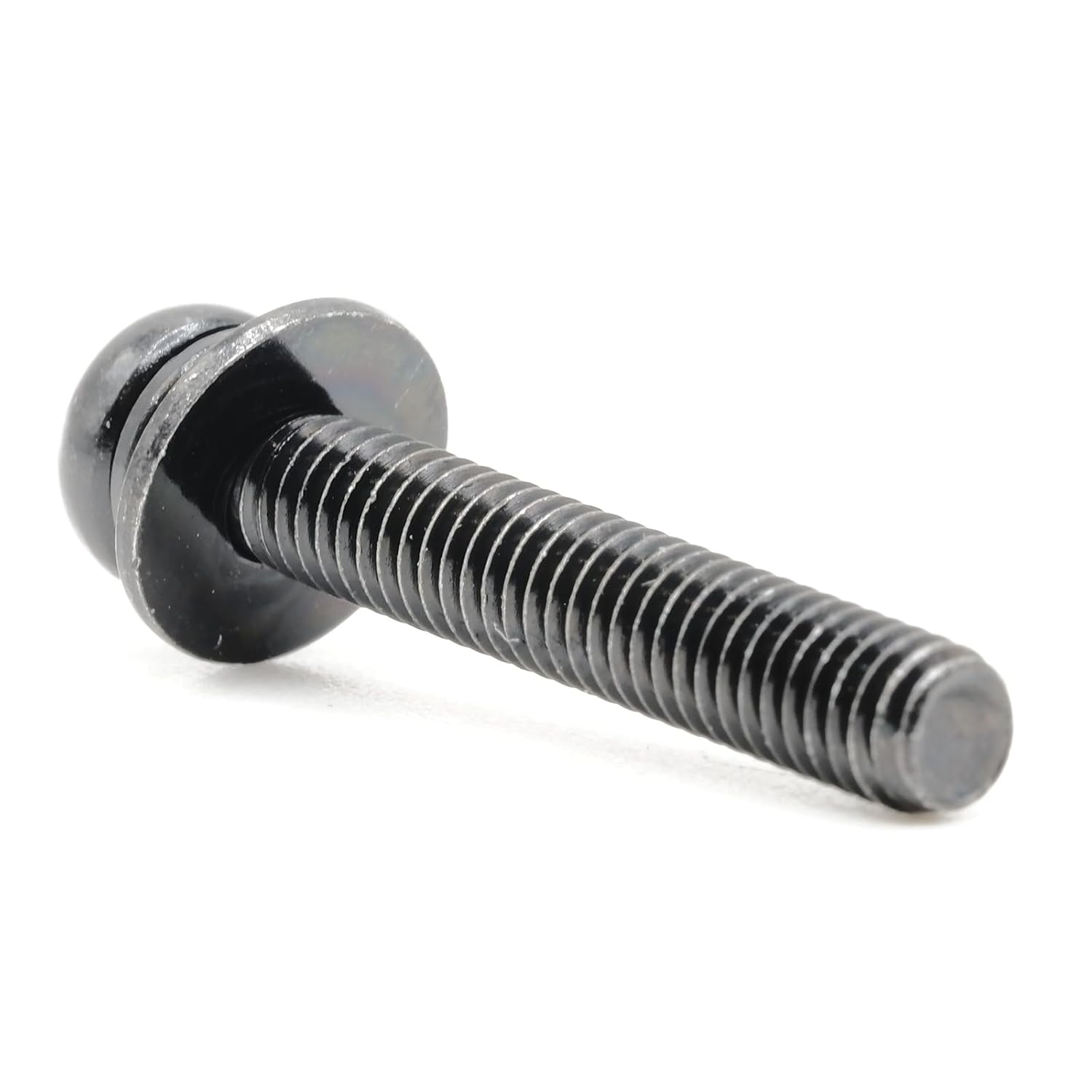
Image 7.1: Side view of a single screw, showing the M4 thread and black oxide finish.
8. Warranty Information
Specific warranty details for this product are not provided in the available information. For inquiries regarding warranty coverage, please contact the manufacturer directly.
9. Customer Support
For further assistance, questions, or concerns regarding your ReplacementScrews product, please contact the manufacturer, ReplacementScrews, through their official channels or the retailer from whom the product was purchased.
You can visit the ReplacementScrews Store on Amazon for more information.