
ENERGETIC SMARTER LIGHTING MTSL1001BYS
ENERGETIC SMARTER LIGHTING Clip-On Desk Lamp
Model: MTSL1001BYS
Instruction Manual
1. Product Overview
The ENERGETIC SMARTER LIGHTING Clip-On Desk Lamp (Model MTSL1001BYS) is a versatile lighting solution designed for various environments such as bedrooms, home offices, and dorms. It features a flexible gooseneck for adjustable illumination and provides eye-caring, non-flickering 4000K cool white light to reduce eye fatigue during extended use. This eco-friendly LED lamp consumes significantly less power than traditional bulbs.

Figure 1: ENERGETIC SMARTER LIGHTING Clip-On Desk Lamp, Silver
2. Package Contents
- 1 x Clip-On Desk Lamp (Model MTSL1001BYS)
- 1 x Dimmer (integrated into the cord)
- Instruction Manual
3. Setup Instructions
- Unpack the Lamp: Carefully remove all components from the packaging.
- Choose a Mounting Location: Select a sturdy surface such as a desk, workbench, headboard, or shelf. Ensure the surface thickness is less than 1.57 inches (4 cm) for secure clamping. The padded clamp is designed to prevent scratches.
- Attach the Lamp: Open the clip and firmly attach it to the chosen surface. Ensure the lamp is stable before proceeding.
- Connect to Power: Plug the lamp's power cord into a standard 120V AC electrical outlet.

Figure 2: Examples of lamp placement on a bed, shelf, and desk.
4. Operating Instructions
- Power On/Off: Locate the on/off switch on the lamp's cord. Press the switch to turn the lamp on or off.
- Adjust Light Direction: Utilize the 360° flexible gooseneck to position the light exactly where needed. The gooseneck maintains its shape once adjusted.
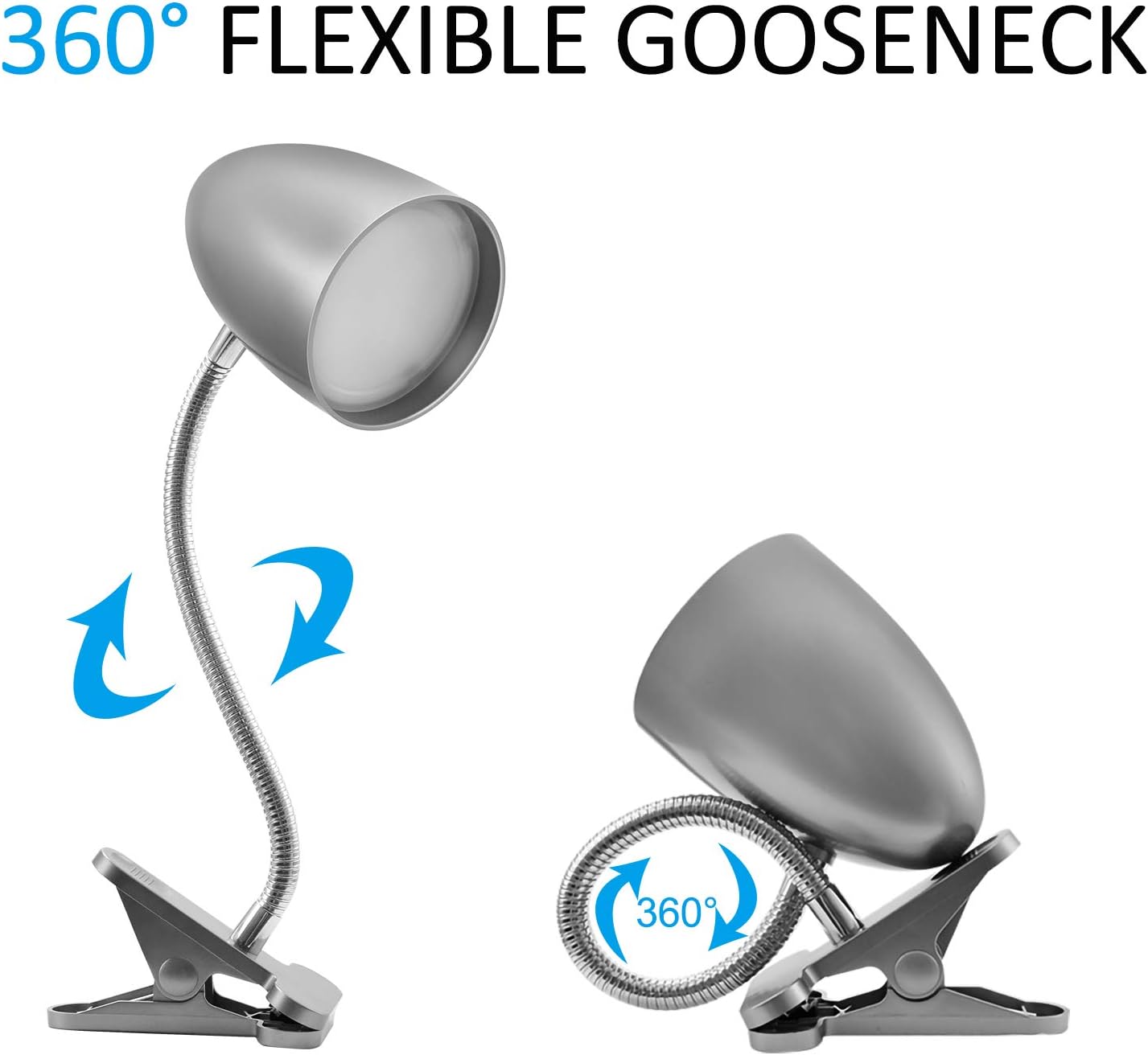
Figure 3: Demonstrating the 360° flexible gooseneck for optimal light positioning.

Figure 4: Key components: LED light, flexible metal hose, plastic clip, and on/off switch.
This lamp provides a non-dimmable 4000K cool white light, optimized for eye comfort and reduced fatigue during prolonged use.
5. Maintenance and Care
- Cleaning: Ensure the lamp is unplugged before cleaning. Wipe the lamp with a soft, dry cloth. Do not use abrasive cleaners or solvents.
- Bulb Replacement: This lamp features integrated LED chips and does not require bulb replacement. The LEDs are designed for a long lifespan of approximately 15,000 hours.
- Storage: When not in use for extended periods, unplug the lamp and store it in a cool, dry place.
6. Troubleshooting
- Lamp does not turn on:
- Ensure the power cord is securely plugged into a working electrical outlet.
- Check the on/off switch on the cord to ensure it is in the "on" position.
- Verify that the electrical outlet is functional by plugging in another device.
- Light flickers:
- Ensure the power connection is stable.
- If flickering persists, contact customer support.
- Clamp is not secure:
- Ensure the mounting surface thickness is within the recommended limit of 1.57 inches (4 cm).
- Re-position the clamp to ensure a firm grip.
7. Specifications
| Feature | Detail |
|---|---|
| Brand | ENERGETIC SMARTER LIGHTING |
| Model Number | MTSL1001BYS |
| Lamp Type | Desk Lamp (Clip Light) |
| Light Source Type | LED |
| Wattage | 3.5 Watts |
| Brightness | 240 Lumens |
| Color Temperature | 4000 Kelvin (Cool White) |
| Color Rendering Index (CRI) | 80.00 |
| Control Method | Touch (On/Off Switch) |
| Special Feature | Flexible Gooseneck, Eye Protection, Corded |
| Power Source | Corded Electric (120 Volts AC) |
| Product Dimensions | 3.7"D x 4.4"W x 11"H |
| Item Weight | 1.04 Pounds (0.47 Kilograms) |
| Material | Metal |
| Shade Material | Plastic |
| Finish Type | Polished |
| Certification | ETL Listed |
| Max Clamp Opening | 1.57 inches (4 cm) |
8. Official Product Video
Video 1: Overview of the Clip Desk Lamp, demonstrating its features and use. This video is provided by Jomshine, a seller of related products.
9. Warranty and Support
ENERGETIC SMARTER LIGHTING is a professional lighting brand with over 50 years of experience. For any questions, concerns, or support needs regarding your Clip-On Desk Lamp, please contact us directly through the Amazon message box. We are committed to providing high-quality products and excellent customer support.
Ask a question about this manual
Ask about setup, troubleshooting, compatibility, parts, safety, or missing instructions. Manuals+ will review the question and use this page’s manual context to help answer it.