
WSHDZ T7
WSHDZ T7 Wireless Bluetooth Earbuds User Manual
Model: T7
Introduction
This manual provides detailed instructions for the WSHDZ T7 Wireless Bluetooth Earbuds. Please read this manual carefully before using the product to ensure proper operation and maintenance. These earbuds feature touch control, a portable charging case with LED display, and IPX7 waterproofing, designed for a high-fidelity audio experience.
Setup
1. Initial Charging
Before first use, fully charge the earbuds and the charging case. Place the earbuds into the charging case. The LED display on the case will show the battery percentage of the case and individual earbud charging status.
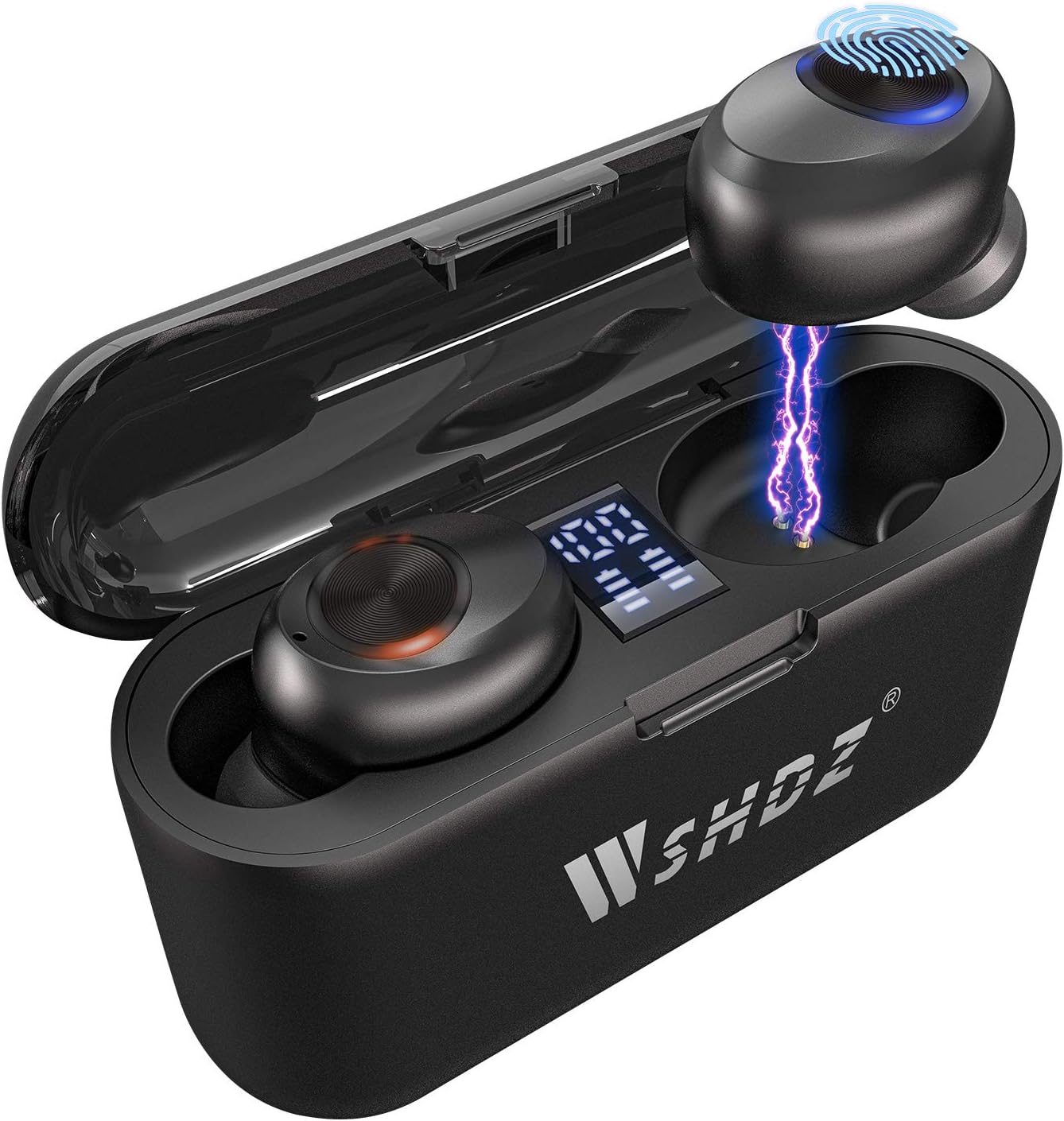
Image: WSHDZ T7 Earbuds in their charging case, displaying battery levels on the LED screen. The earbuds are illuminated, indicating charging.
2. Pairing with Your Device
The T7 earbuds feature one-step pairing for convenience.
- Remove both earbuds from the charging case. They will automatically power on and enter pairing mode.
- On your smartphone or Bluetooth-enabled device, navigate to the Bluetooth settings.
- Search for "T7" in the list of available devices and select it to connect.
- Once connected, you will hear an audio prompt confirming the successful pairing.

Image: A smartphone displaying its Bluetooth settings, with "T7" visible in the device list, alongside the WSHDZ T7 earbuds and their open charging case.
Operating Instructions
Touch Control Functions
The T7 earbuds are equipped with intelligent touch control sensors for easy management of music and calls. The touch program is designed to minimize accidental touches.
- Play/Pause Music: Single touch on either earbud.
- Next Track: Double touch on the right earbud.
- Previous Track: Double touch on the left earbud.
- Volume Up: Triple touch on the right earbud.
- Volume Down: Triple touch on the left earbud.
- Answer/End Call: Single touch on either earbud.
- Reject Call: Long press (2 seconds) on either earbud.
- Activate Voice Assistant: Long press (3 seconds) on either earbud.

Image: A visual representation of the WSHDZ T7 earbud's touch control area, accompanied by icons illustrating various functions like microphone, phone calls, music playback, and volume adjustment.
Single/Twins Mode
The T7 earbuds can be used individually (single mode) or together (twins mode).
- Single Mode: Simply take one earbud out of the charging case. It will automatically connect to your device if previously paired. This is useful for awareness of surroundings or extending listening time by alternating earbuds.
- Twins Mode: Take both earbuds out of the charging case. They will automatically connect to each other and then to your device, providing a stereo audio experience.

Image: The WSHDZ T7 earbuds, one in the charging case and one outside, next to a smartphone, demonstrating the flexibility of using them in single or twin mode.
Charging Case as Power Bank
The portable charging case not only recharges your earbuds multiple times but also functions as a power bank for your mobile phone or other small USB-powered devices.
- Connect your device to the USB output port on the charging case using a compatible USB cable.
- The charging case will begin to charge your connected device. Monitor the LED display for the remaining battery level of the case.

Image: The WSHDZ T7 charging case with a USB cable connected, charging a smartphone, illustrating its power bank capability.
IPX7 Waterproof Feature
The T7 earbuds are rated IPX7 waterproof, meaning they can withstand sweat and rain, making them suitable for sports, exercise, and outdoor activities. Note: The charging case is not waterproof.

Image: Two WSHDZ T7 earbuds covered in water droplets, visually representing their IPX7 waterproof capability.
Comfort and Fit
The T7 earbuds are designed for a secure and comfortable fit, dispersing pressure to ensure they stay in place during various activities. They come with different sized ear tips to help you find the best fit for your ears, which is crucial for optimal sound quality and noise isolation.

Image: A person wearing a WSHDZ T7 earbud, illustrating its ergonomic design and secure fit within the ear.
Maintenance
Cleaning
- Regularly clean the earbuds and charging case with a soft, dry, lint-free cloth.
- For ear tips, remove them and clean with mild soap and water if necessary, then dry thoroughly before reattaching.
- Do not use abrasive cleaners or immerse the charging case in water.
Storage
When not in use, store the earbuds in their charging case to protect them and ensure they remain charged.
Troubleshooting
| Problem | Possible Cause | Solution |
|---|---|---|
| Earbuds not pairing with device. | Bluetooth is off; earbuds not in pairing mode; interference. | Ensure Bluetooth is enabled on your device. Place earbuds back in case, then remove to re-enter pairing mode. Clear previous Bluetooth connections on your device. |
| Only one earbud working. | Earbuds not connected to each other; low battery. | Place both earbuds back in the charging case, close the lid, wait a few seconds, then remove them simultaneously. Ensure both are charged. |
| Poor sound quality or low volume. | Earbuds not properly seated; ear tips dirty; low battery; device volume too low. | Adjust earbud position. Clean ear tips. Charge earbuds. Increase volume on both earbuds and connected device. |
| Microphone is quiet during calls. | Earbud position; environmental noise. | Ensure earbuds are securely and correctly positioned in your ears. Try to speak clearly and directly. In noisy environments, consider using the phone's microphone directly if call quality is critical. |
| Charging case not charging. | Faulty cable; power source issue. | Try a different USB cable and power adapter. Ensure the charging port is clean and free of debris. |
Specifications
- Model: T7
- Connectivity: Wireless (Bluetooth 5.2)
- Bluetooth Range: Up to 10 meters (33 feet)
- Control Type: Touch Control
- Water Resistance: IPX7 (Earbuds only)
- Earbud Type: In-ear
- Charging Case: Portable with LED Display, functions as power bank
- Included Components: Charging Case, USB Cable
- Compatible Devices: iOS, Android, and all Bluetooth devices
- Material: Silicone, Plastic
- Dimensions: 2.9 x 0.79 x 1.96 inches (Charging Case)
- Weight: 2.54 ounces
Warranty and Support
For warranty information or technical support, please refer to the product packaging or contact the seller directly through the platform where the product was purchased. Keep your purchase receipt as proof of purchase.
Important Safety Information
- Do not disassemble or modify the product.
- Keep away from extreme temperatures and direct sunlight.
- Avoid exposing the charging case to water or excessive moisture.
- Use only the provided charging cable or a certified equivalent.
- Prolonged exposure to loud sounds may cause hearing damage. Adjust volume to a safe level.
Product Videos (Customer-Provided)
While there are no official seller videos available for this product, some customers have shared their experiences. Please note these are not official instructional videos and are provided for supplementary reference only.
Video: A customer-provided video showcasing the WSHDZ T7 earbuds and their charging case, demonstrating the LED display and physical appearance. This video is for informational purposes only and not an official product guide.
Ask a question about this manual
Ask about setup, troubleshooting, compatibility, parts, safety, or missing instructions. Manuals+ will review the question and use this page’s manual context to help answer it.